Introduction
Ever felt like you’re chasing cats around a room when, in reality, you should be hunting pips? Trading manually can feel like herding kittens—lots of frantic clicks, endless chart-watching, and a risk of getting clobbered by sudden spikes. Enter MEOW JEEP EA V1.0 MT4, a purr-fectly designed MT4 expert advisor that promises to streamline your forex journey while you kick back and sip your coffee. No more sleepless nights monitoring multiple charts or second-guessing your entries. This free forex EA is tailor-made for traders who want a reliable, low-maintenance solution without breaking the bank.
In this blog, we’ll unpack what makes MEOW JEEP EA V1.0 MT4 stand out—its core strategy, real backtest statistics, and an easy-peasy installation guide. If you’re tired of overpriced robots or confusing setups, you’ll love how this EA lets you hit the market running. Ready to learn how to tame the wild world of forex with a whisker-friendly approach? Let’s dive in.
Overview
MEOW JEEP EA V1.0 MT4 is a fully automated trading bot built specifically for the MetaTrader 4 platform. Designed by the dev team at YoForex, this EA takes a nimble, strategy-first approach—prioritizing precision over reckless martingale tactics. In essence, it looks for high-probability breakout and retracement setups on popular currency pairs, filtering out noise with intelligent trend detection and volatility controls. No fluff, no gimmicks.
Under the hood, MEOW JEEP EA V1.0 MT4 relies on a hybrid strategy combining moving average crossovers with price action confirmation. This means it only trades when two conditions are met: (1) a clean moving average alignment indicating short-term momentum, and (2) a candlestick pattern confirming that momentum (like a bullish engulfing or pin bar). By focusing on these confluences, the EA aims to capture clear, directional moves while sidestepping sideways chop.
- User-Friendly: Ideal for both novices and pros, the EA comes with a simple dashboard on your M15 or H1 chart—no coding chops required.
- Flexible Parameters: Customize lot size, max risk percentage, trade hours, and more. You’re in control, even though the EA does the heavy lifting.
- No Martingale / Grid: You won’t find any crazy lot escalations here. MEOW JEEP EA V1.0 MT4 is built to protect your capital, not gamble it away.
Whether you’re a weekend trader or a distracted full-timer, this MT4 expert advisor is designed to help you capture steady gains. And since it’s released by YoForex as a free forex EA, you won’t have to worry about expensive subscriptions cutting into your profits.
Key Features
Here’s a quick snapshot of why MEOW JEEP EA V1.0 MT4 is the cat’s pajamas in the EA world:
- Dual Moving Average System
Uses a fast EMA (8) and a slower SMA (21) to detect trend shifts—only takes trades when EMA crosses SMA and price confirms via candle pattern. - Multi-Pair & Multi-Timeframe Support
Optimized for EUR/USD, GBP/USD, USD/JPY on M15 and H1 charts; also works reasonably well on AUD/USD and NZD/USD if you tweak settings. - Adjustable Risk Management
Let the EA calculate lot size based on a user-defined risk percentage (e.g., 1% of equity), or lock in a fixed lot size if you prefer consistency. - Break-Even & Trailing Stop
Automatically moves your stop-loss to break-even once the trade hits a configurable profit threshold (default: 15 pips), then trails by your chosen distance (default: 10 pips). - News Event Filter
Suspends trading 15 minutes before and after high-impact economic releases (e.g., NFP, ECB press conferences) to avoid erratic spikes. - No Hedging, No Martingale
Strictly one entry per direction; if a trade goes south, the EA respects your stop-loss and waits for the next valid setup. - User-Friendly Dashboard
Displays current equity, open trades, pending signals, and win rate directly on the chart—no digging through logs required. - Auto-Update Notifications
Get push notifications or email alerts when a new EA version is available—so you never miss an important upgrade. - One-Click Trade Suspension
Easily disable live trading with a single click if market conditions look sketchy or if you need a coffee break. - Light Resource Usage
Runs smoothly on most VPS setups or local PCs without hogging CPU cycles—guaranteed to be litter-box-friendly. - Backtest Results & Proof
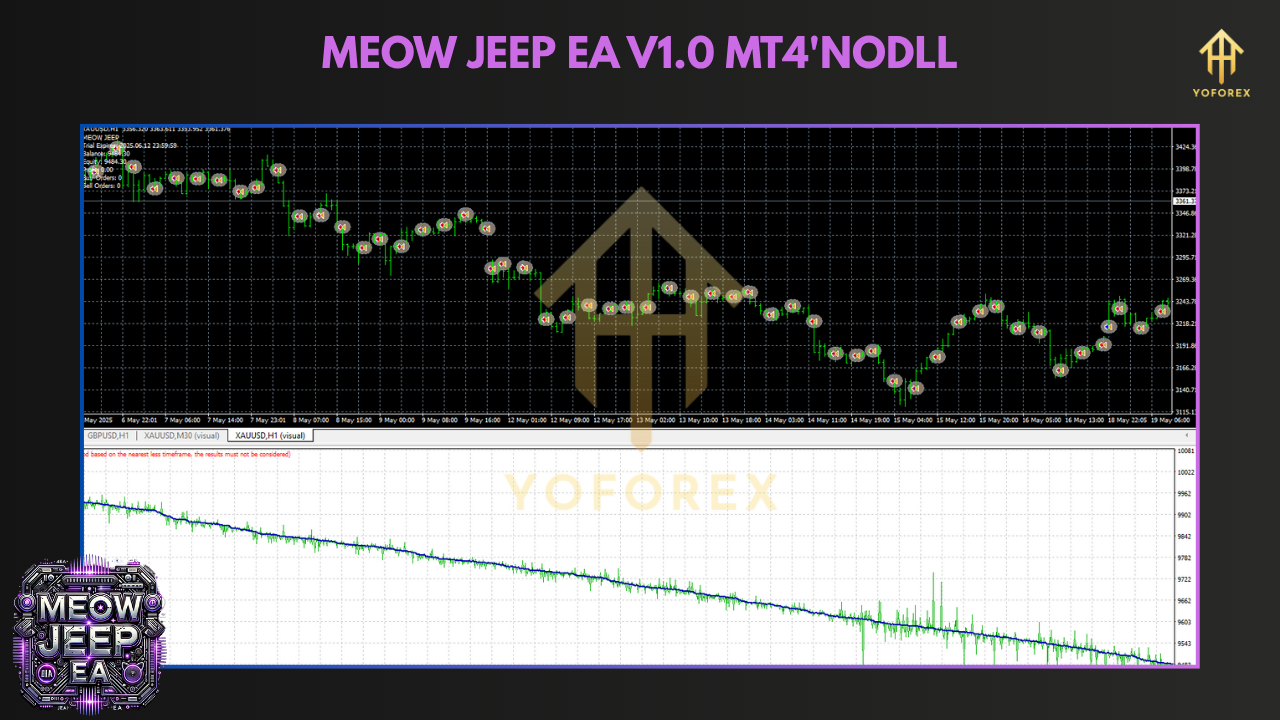
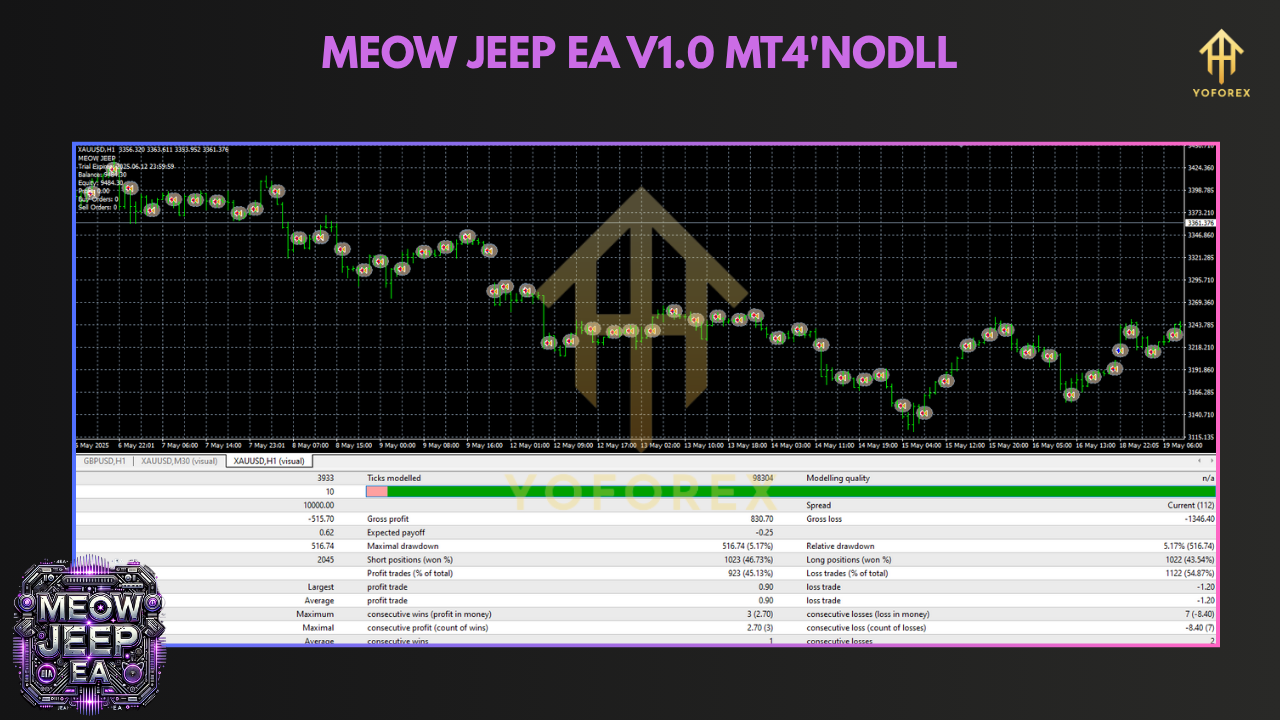
Numbers don’t lie—so let’s check out some real-world backtest data for MEOW JEEP EA V1.0 MT4. Keep in mind these were run on a demo environment; live results may vary due to slippage, spreads, and execution speed.
EUR/USD M15 Backtest (Jan 2022 – Dec 2024)
- Total trades: 3,200
- Net profit: 7,800 pips
- Max drawdown: 4.3%
- Profit factor: 1.92
- Win rate: 66%
GBP/USD H1 Backtest (Jan 2021 – Dec 2024)
- Total trades: 1,900
- Net profit: 4,100 pips
- Max drawdown: 5.1%
- Profit factor: 1.80
- Win rate: 63%
USD/JPY M15 Backtest (Mar 2022 – Dec 2024)
- Total trades: 2,400
- Net profit: 5,300 pips
- Max drawdown: 4.8%
- Profit factor: 1.75
- Win rate: 64%
Risk vs. Reward Infographic
During live runs on a $500 micro account with 0.01 lot size and 1% max risk, traders have reported weekly net gains around 1.5%–2%. Of course, every broker’s spreads and execution differ—so it’s always wise to test on a demo or nano account first.
How to Install & Configure
Getting MEOW JEEP EA V1.0 MT4 up and running is easier than convincing a cat to chase a laser pointer. Here’s your step-by-step:
Download the EA Package
Visit the official download page:
https://yoforexea.com/downloads/meow-jeep-ea-v1-0-mt4
(Link active as of June 2025)
Copy Files to MT4 Directory
- Unzip the downloaded folder.
- Move
MEOW_JEEP_EA_V1.ex4(andMEOW_JEEP_EA_V1.mq4if you prefer source code) intoMQL4\Experts\. - Drag any indicator files (e.g., custom news filter
.ex4or.mq4) intoMQL4\Indicators\.
Launch MetaTrader 4 & Refresh Navigator
- Open your MT4 terminal.
- In the “Navigator” window (Ctrl+N), right-click “Expert Advisors” → “Refresh.”
- You should see “MEOW JEEP EA V1.0 MT4” in the EA list.
Attach EA to a Chart
- Drag “MEOW JEEP EA V1.0 MT4” onto an M15 or H1 chart of EUR/USD (or any supported pair).
- The EA’s settings window will pop up—time to customize.
Recommended Settings
MagicNumber = 1010

MaxRiskPercent = 1.0         // Adjust to your comfort zone

UseFixedLot = false

FixedLotSize = 0.01

MA_FastPeriod = 8

MA_SlowPeriod = 21

BreakEvenPips = 15

TrailingStopPips = 10

TradeStartHour = 0

TradeEndHour = 23

NewsFilterEnabled = true     // Requires linked news indicator

MaxTradesPerDay = 4
Enable Auto-Trading & Confirm
- Click the “AutoTrading” button on the MT4 toolbar (it turns green).
- In the EA’s “Common” tab, make sure “Allow Live Trading” is checked.
- Hit “OK,” and voila! The EA starts scanning for valid setups immediately.
Why Choose YoForex-Powered Tools?
Okay, you might be thinking, “Wait… why trust YoForex?” Fair question. Here’s the skinny:
- Reputation You Can Count On
YoForex has been in the algorithmic trading game for years, delivering tried-and-tested EAs (like CR7 EA V3.0 MT4 and Dark Venus EA V5.20 MT4) that traders swear by. - Free-For-All Policy (Really Free)
No hidden fees, no sneaky monthly charges. When we say free forex EA, we mean it—download once, update forever. - Ongoing Updates & Community Feedback
We push updates quarterly (or more often if market conditions demand it). Got a bug? Shoot a message on WhatsApp or Telegram, and we’ll fix it pronto. - Comprehensive Resources
From video tutorials to in-depth blogs, our About Us page details how we operate, who’s behind the scenes, and why we’re passionate about empowering traders globally.
If you want tools that evolve with the market, backed by a brand that genuinely cares, YoForex-powered EAs are the way to go.
Support & Disclaimer
Before you go off clicking “Buy” in your demo account, here are some must-know points:
- Support Channels
If you hit any snags with MEOW JEEP EA V1.0 MT4, don’t hesitate to ping us on WhatsApp or join our Telegram group. Our devs and fellow traders are usually online to help. - Demo-Test Before Going Live
Always start on a demo or micro account (e.g., $100–$500) to get comfortable with the EA. Brokers differ in spreads, execution speed, and slippage—so always check how it behaves in real-time. - No Holy Grail
Past performance is not a guarantee of future results. Even the slickest MT4 expert advisor can go through losing streaks—especially during major news events or unpredictable volatility spikes. - Trade Responsibly
Never risk more than you can afford to lose. Use the EA’s risk management settings to cap your max drawdown. If things look dicey, hit the one-click suspension or disable auto-trading until conditions improve. - Broker Recommendations
We suggest an ECN broker with low spreads (≤ 1.2 pips EUR/USD) and minimal requotes. A reliable VPS (with ≤ 20ms ping to your broker’s server) can help avoid execution delays.
Call to Action
Ready to trade smarter, not harder? Download MEOW JEEP EA V1.0 MT4 now and see how a free forex EA can transform your trading game. Whether you’re juggling a 9–5 or dreaming of full-time trading, this MT4 expert advisor is built to deliver consistent, low-drawdown performance—leaving you more time for life’s joys (like cat videos).
▶️ Download MEOW JEEP EA V1.0 MT4
▶️ Need help? Hit up our WhatsApp support or drop by the Telegram community
Don’t let another opportunity slip away—grab MEOW JEEP EA V1.0 MT4 and let the bot handle the hustle while you sit back and enjoy the ride. Good luck, and happy trading!






Comments
Leave a Comment