In a world of unpredictable markets, sometimes the key to profitability lies in simplicity and discipline. Marvelous EA V1.10 for MT4 is a trend-following Expert Advisor designed for traders who prefer quality over quantity. With tight risk management, structured entry/exit rules, and dynamic position sizing, Marvelous EA helps you capture market momentum while keeping your risk under control. Whether you’re trading EURUSD, GBPUSD, or XAUUSD, Marvelous EA ensures that you stay on the right side of the trend without risking too much.
What Is Marvelous EA V1.10 (MT4)?
- Trend identification (based on moving averages)
- ATR-based risk management for stop loss and take profit
- Dynamic lot sizing based on your chosen risk level
The EA automatically places orders once it identifies a valid trend, placing an optimized stop loss and take profit based on market volatility (ATR). The result is a clean and efficient trend-following strategy without the need for constant manual intervention.
Who it’s for
- Traders who prefer non-martingale, risk-controlled trend-following strategies
- Users who want fully automated trading with minimal emotional influence
- Anyone who wants to capitalize on market momentum with clear rules and solid risk management
Markets & Timeframes
- EURUSD, GBPUSD, XAUUSD (Gold)
- Timeframes: Best used on M15–H1, but can be adapted for H4 or D1 with suitable adjustments.
What’s New in V1.10
- Improved trend detection: More accurate identification of major trends using EMA and SMA combinations.
- Smarter stop loss and take profit: The stop loss is dynamically adjusted using the ATR (Average True Range), offering better protection in volatile markets.
- Enhanced risk management: More control over position sizing, taking into account your risk tolerance to calculate lot sizes automatically.
- Better news filters: You can now automatically disable trading during high-impact news events, reducing the risk of getting caught in a market spike.
- Performance improvements: Faster order execution and a more stable environment for trading.
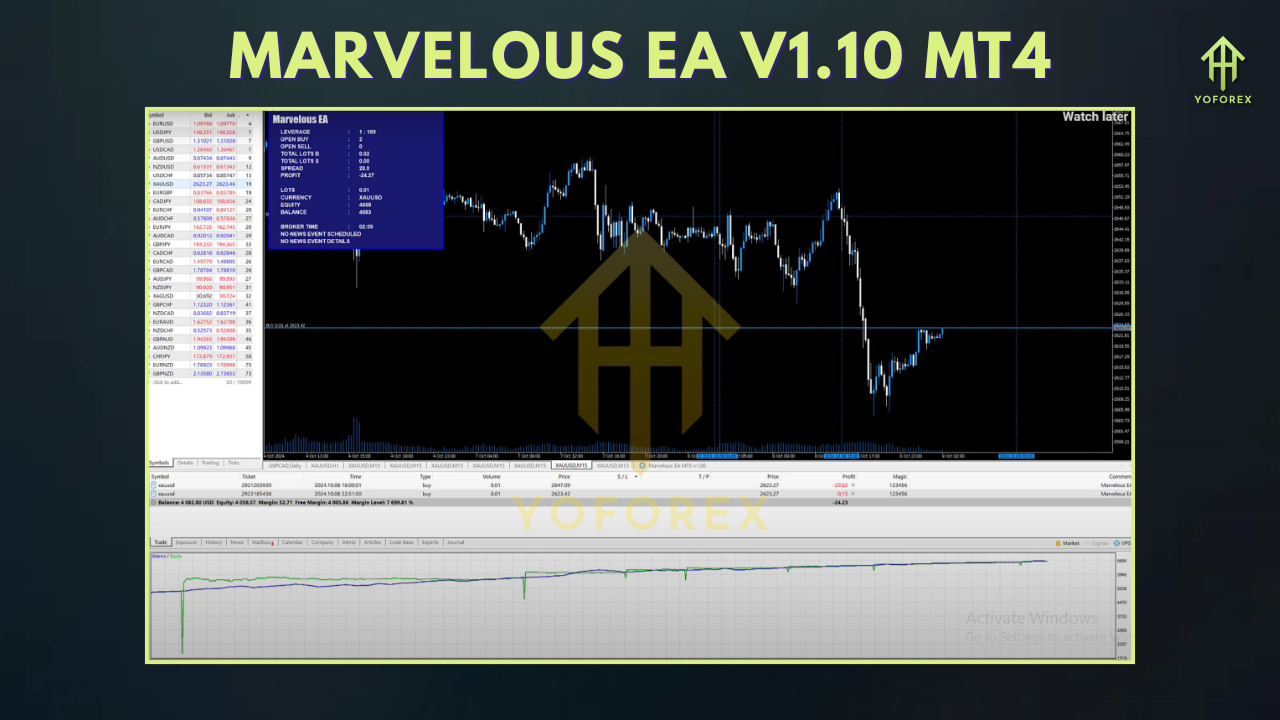
Key Features (V1.10)
- Trend-Following Strategy: Trades are taken in the direction of the market trend, based on moving average crossovers and momentum indicators.
- ATR-Based Stops & Targets: Stop losses and take profits are calculated using ATR, ensuring that risk is adjusted to the current volatility of the market.
- Risk Management: Dynamic position sizing based on your chosen risk percentage, ensuring consistent exposure on each trade.
- News Filter: Automatically disables trading around high-impact news events, such as NFP or FOMC.
- Fully Automated: Once set up, the EA handles all aspects of trading, from signal generation to order execution and risk management.
- Optimized for Major Pairs & Gold: Especially effective on EURUSD, GBPUSD, and XAUUSD.
- Non-Martingale: The EA uses dynamic position sizing, meaning it will never double down or increase risk to recover losses.
- Clear and Readable Logs: You’ll always know what’s happening with the EA—clear logs show reasons for entering, exiting, or skipping a trade.
How It Works (Under the Hood)
1) Trend Identification
The EA uses a combination of EMA (Exponential Moving Average) and SMA (Simple Moving Average) to determine the overall trend direction. If the price is above a certain EMA/SMA level, the EA will look for long trades. Conversely, if the price is below these levels, it will look for short opportunities.
2) Risk Management with ATR
The stop loss (SL) and take profit (TP) are calculated dynamically using the ATR (Average True Range). This ensures that your SL and TP levels are adapted to the current market volatility, rather than a static, arbitrary number. The greater the volatility, the larger the distance between SL and TP.
3) Position Sizing
Position sizing is calculated based on your chosen risk percentage. For example, if you want to risk 1% of your account on each trade, the EA will calculate the appropriate lot size based on your account balance, stop loss distance, and the market’s volatility.
4) Entry & Exit Signals
Once the trend is identified and risk management parameters are set, the EA will enter the market. The exit occurs when either the take profit or stop loss is hit, or if a trend reversal is identified.
5) News Filter
The news filter can be set to disable trading during high-impact economic news releases, which helps avoid the unpredictable spikes that often follow major news events. The EA allows you to specify which news events (e.g., NFP, CPI, FOMC) trigger the news filter.
Recommended Settings (Starter Template)
Environment
- Broker: ECN/Raw-spread with consistent liquidity
- VPS: Yes (latency matters, especially with ATR volatility)
- Leverage: 1:200–1:500 (ensure proper risk sizing)
Symbols & Timeframes
- EURUSD / GBPUSD / XAUUSD: M15–H1
- Timeframe: H1 (best trend clarity, moderate signal frequency)
- Risk per trade: 1%–2% (start with 1% for safety)
Risk Controls
- Risk per trade: 1%–2% (adjustable based on balance size)
- Position sizing: Dynamic based on risk % and stop distance
- Stop Loss (SL): 1.5×–2.5× ATR (adjust for volatility)
- Take Profit (TP): 1.5R–2.0R baseline
- News filter: Enable for high-impact news events (e.g., NFP, CPI)
Execution Filters
- Max spread: 10–20 points (pair-dependent)
- Max slippage: 2–3 points
- Sessions: Focus on London/NY overlap for maximum liquidity
- News filter: Disable trading 15 minutes before high-impact news
Ready-Made Profiles
A) Conservative (H1 Trend Following)
- Risk: 1% per trade
- SL: 2× ATR
- TP: 1.5R–2R
- Partial TP: Optional (50% at +1R, 25% at +1.5R)
- News filter: ON
B) Standard (M15 Active)
- Risk: 1% per trade
- SL: 1.7× ATR
- TP: 1.4R–1.6R
- News filter: ON (CPI, NFP, FOMC)
C) Gold (XAUUSD, Cost Aware)
- Risk: 0.5%
- SL: 2× ATR
- TP: 1.5R
- Partial TP: 50% at +1R, then trail
- News filter: ON (15–20 min pre/post high-impact)
Installation & Setup (MT4)
- Copy
Marvelous_EA_V1_10.ex4intoMQL4/Experts/(File → Open Data Folder). - Restart MT4, then check Navigator → Experts.
- Enable AutoTrading on the toolbar.
- Attach Marvelous EA to the desired chart (one symbol per chart).
- Inputs: Load the Conservative or Standard profile above or configure the parameters.
- Permissions: Allow DLL imports only if you use a calendar/news module.
- Forward-test on demo for 7–14 days to validate spreads, slippage, and fills.
Backtesting & Optimization Tips
- Use tick-by-tick data with variable spread; fixed spreads make scalping look too easy.
- Include event windows (CPI/NFP/Fed) in your review to simulate slippage risk.
- Test across multiple weeks (trend, range, volatile) to see where the EA thrives or skips.
- Walk-forward: Optimize on Period A, test on Period B—don’t over-fit.
Risk Management Playbook
- Start small (0.5%–1.0%) risk per trade until you’re comfortable with the EA’s behavior.
- Respect circuit breakers: daily stop and equity guard protect against major losses.
- Costs matter—if spreads/slippage spike, pause or step up to H1 for a smoother ride.
- Review your trades weekly: are you hitting the +1R partial TP too often? Tighten the trail or adjust targets.
- Withdraw periodically (if live) to keep effective risk aligned as your account grows.
FAQs
Does Marvelous EA use martingale or a recovery grid?
No. It’s a non-martingale system that uses dynamic position sizing and optional light scaling into winners—never averaging down losers.
Can I use it with any symbol?
It’s optimized for EURUSD, GBPUSD, and XAUUSD but can be adapted to any pair. Just adjust the ATR settings, spread/slippage caps, and risk.
Will it trade every day?
Not guaranteed. It waits for a clean trend setup; it skips when market conditions aren’t ideal.
Minimum deposit?
Demo anything. For live, many start with $500–$1,000 and 0.5% risk.
Disclaimer
Trading Forex/CFDs involves risk. Past performance is not indicative of future results. Always forward-test on demo, size conservatively, and never trade money you can’t afford to lose.
Call to Action
Want to automate a trend-following system with solid risk management? Install Marvelous EA V1.10 on MT4, run the Conservative or Standard profile on demo, and see how it handles live market conditions. When it proves consistent, scale with tight risk and let the system work for you.






Comments
Leave a Comment