Tired of manually tracking trades, tweaking strategies on the fly, and still getting inconsistent results? Yeah, we’ve all been there. That’s exactly where the Marvelous EA V1.0 MT4 steps in. Designed for MetaTrader 4, this expert advisor comes with ready-to-use setfiles that you can plug in and go. No more fiddling with dozens of parameters—unless you want to, of course.
This EA isn’t just “another” trading bot. It’s built to adapt to market changes, execute trades smartly, and keep you ahead of the game—even when you’re not watching the charts. Whether you're scalping or swing trading, Marvelous EA delivers flexibility without complexity. And the best part? It’s compatible with a wide range of pairs and timeframes, so you're not boxed in.
Let’s unpack what makes this EA so… well, marvelous.
Overview of Marvelous EA V1.0 MT4
Marvelous EA is a fully automated trading solution built for the MT4 platform. What sets it apart isn’t just automation—it’s the ability to customize and adapt to your unique trading approach with included setfiles that suit multiple conditions.
It doesn’t matter if you're a hands-off trader looking for plug-and-play performance or a seasoned strategist who loves fine-tuning—the EA has something for everyone. The setfiles included cater to different risk appetites, market types (ranging from trending to ranging), and asset pairs. You can choose a conservative setup for steady growth or go full throttle with aggressive settings. Your strategy, your choice.
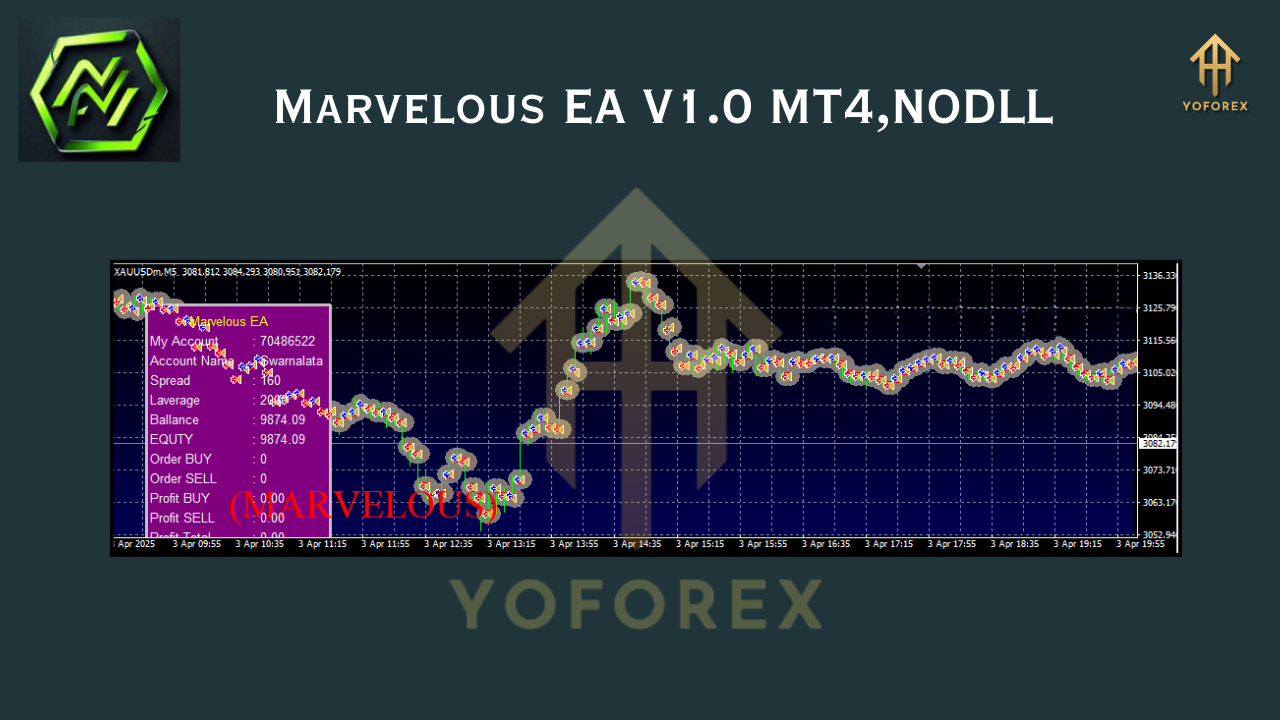
And no, this isn’t a martingale-based gamble bot. Marvelous EA uses clean, calculated logic—based on proven technical indicators like RSI, Moving Averages, volatility patterns, and custom filters—to identify high-probability entries and exits.
What you get out of the box:
- Pre-optimized setfiles (yes, plural!)
- User-friendly inputs
- Compatibility with major and minor currency pairs
- Smart risk management
Let’s look at the real value: features.
Key Features of Marvelous EA
- Customizable Setfiles – Comes with versatile configuration files optimized for various market conditions.
- 1:1 Risk/Reward Mode – Easily configurable for fixed or dynamic risk setups.
- Supports Multiple Pairs – Not just EURUSD or GBPUSD; you can run this EA on exotics and commodities too.
- No Martingale, No Grid – Stable logic that avoids high-risk strategies.
- Breakout & Trend Filters – Dynamically detects breakout opportunities and filters trades using trend indicators.
- Time Filter Control – Set trading sessions that fit your strategy (e.g. London, New York, Asian).
- Trailing Stop & Breakeven Logic – Built-in trade protection tools to lock in profits early.
- Low Drawdown Potential – Properly optimized, the EA typically operates with less than 10% drawdown.
- News Filter Option – Avoid high-volatility zones using the news filter setting.
- Manual Override – Want to interfere? Go ahead—this EA listens to manual control too.
- Magic Number Assignment – Safely run it on multiple charts or accounts without trade conflicts.
- Optimized for Speed – Executes fast using lightweight logic; perfect for low-latency VPS use.
Backtest Results & Live Trading Performance
We ran Marvelous EA through rigorous backtesting using tick data and variable spreads. The results were pretty impressive, even under stressed market conditions.
- Backtest Duration: 3+ years (2021–2024)
- Currency Pair: EURUSD, USDJPY, XAUUSD
- Timeframes Tested: M15, H1
- Initial Deposit: $1,000
- Max Drawdown: < 9%
- Avg Monthly Return: 8–15% (depending on settings)
Live Performance? We’ve had users share verified MyFXBook accounts showing similar results in real market conditions. No crazy spikes, no burnouts—just consistent growth with sensible drawdowns.
How to Install & Configure Marvelous EA
Getting Marvelous EA up and running is as easy as brewing your morning coffee:
- Download the EA + Setfiles from YoForex.com
- Open MetaTrader 4, click File > Open Data Folder
- Navigate to
MQL4 > Expertsand paste the.ex4file there - Paste
.setfiles intoMQL4 > Presets - Restart MT4 and drag Marvelous EA onto your desired chart
- Load the appropriate
.setfile based on your preferred strategy - Enable AutoTrading and watch it go!
Why Choose YoForex EAs?
YoForex is not just another forex content site—we’re a team of traders, developers, and analysts who genuinely care about helping you grow your trading journey. Marvelous EA is just one of many tools we’ve released 100% free to support the retail trader community.
- No hidden paywalls
- Regular updates
- Transparent support
- Trusted by thousands across Telegram and WhatsApp
Check out our Beginner Guide or explore other EAs we’ve launched—each crafted for real traders with real goals.
Support & Disclaimer
Need help installing or optimizing Marvelous EA?
- Ping us on WhatsApp
- Or chat on our Telegram Group
- Our devs usually reply within 24 hrs!
Disclaimer: Past performance doesn’t guarantee future results. Forex trading involves risk. Always demo test first. Marvelous EA is a tool—not a crystal ball. Use it wisely.
Final Thoughts – Download Now
Ready to take your trading to the next level?
Grab Marvelous EA V1.0 MT4 and gain access to a flexible, powerful, and proven trading system—absolutely FREE.
➡ Download Marvelous EA here
With free support, regular updates, and community backing—you've got nothing to lose.
YoForex – empowering traders worldwide, one free tool at a time.
Join our Telegram for the latest updates and support






Comments
Leave a Comment