Tired of crowded charts and late signals? Magic Dots 2.02 MTF Alerts Indicator for MT4 keeps things refreshingly simple: clean trend dots, solid multi-timeframe (MTF) confirmation, and smart alerts so you don’t have to stare at charts all day. The idea is straightforward—surface confluence from higher timeframes, reduce hesitation, and help you execute with confidence. No clutter. No overthinking. Just dots that tell a story.
Whether you scalp the London open, day-trade NY session, or ride H1/H4 swings, Magic Dots 2.02 adapts. It’s friendly for beginners yet flexible enough for experienced traders who want a robust signal layer to complement price action, S/R, or moving averages. Let’s dig in.
What Is Magic Dots 2.02?
Magic Dots 2.02 is a lightweight MT4 indicator that plots colored dots on candles to reflect directional bias and momentum shifts. The standout feature is MTF Alerts—you can check, say, M15 signals while confirming trend context from M30/H1/H4 (your choice). That means fewer counter-trend traps and more trades aligned with the bigger picture.
Platform: MetaTrader 4 (MT4)
Works On: All major FX pairs, gold (XAUUSD), selected indices/crypto (if your broker supports them on MT4)
Timeframes: M1 to H4 (popular: M5/M15 for scalps, M15/H1 for day trades, H1/H4 for swings)
Skill Level: Beginner-friendly, pro-ready
Key Features (Why Traders Like It)
- Multi-Timeframe Confirmation: Read higher-TF bias (e.g., H1/H4) while trading lower-TF entries (M5/M15).
- Clean Trend Dots: Visual, color-coded dots for immediate bias—no cluttered overlays.
- Smart Alerts: Popup, push, and/or email alerts on dot changes or MTF alignment.
- Custom Sensitivity: Adjust dot responsiveness for fast scalps or steadier swing signals.
- Noise Filtering: Optional smoothing to reduce chop in low-liquidity conditions.
- Works Across Assets: Majors, minors, and gold; just tailor sensitivity and stops.
- Lightweight on CPU: Smooth on VPS and during busy hours.
- Easy Confluence: Pairs nicely with S/R, EMAs, pivots, or ATR for stops.
How It Works (Plain English)
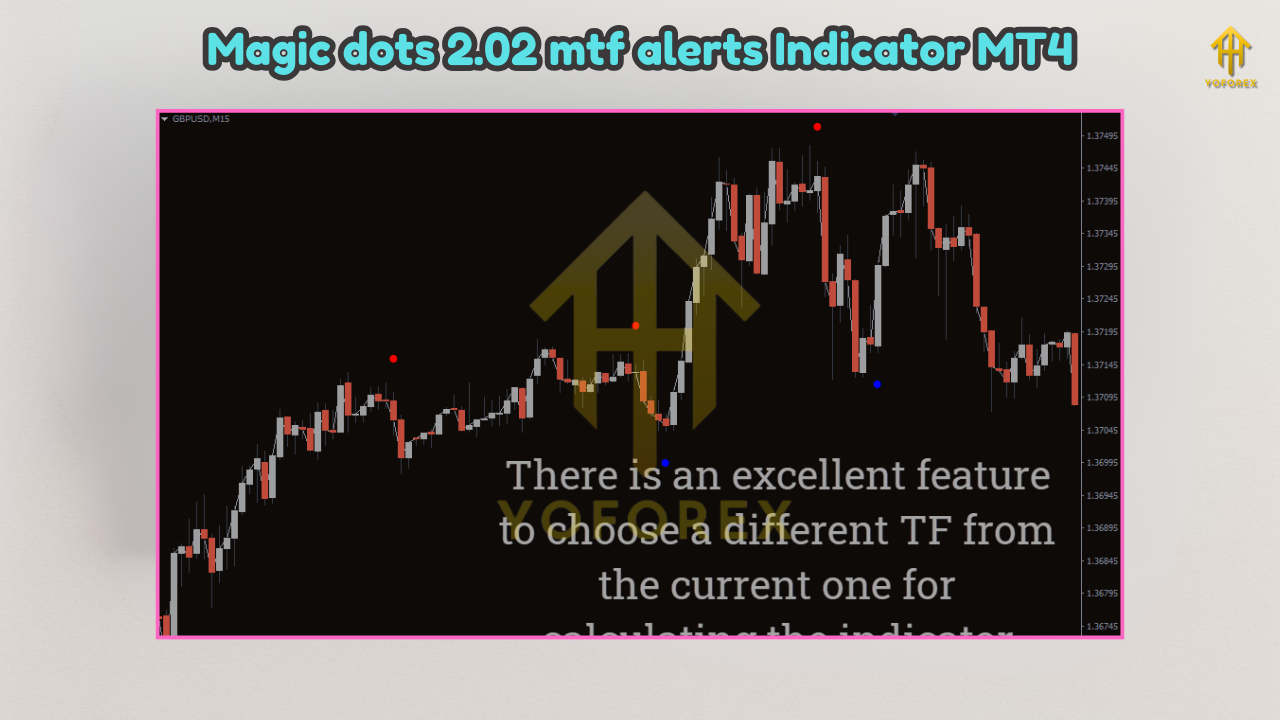
Magic Dots 2.02 blends trend + momentum cues into a simple dot per bar. When conditions flip (e.g., momentum and structure align), the dot changes color/direction. The MTF engine checks if a higher timeframe supports the lower-TF signal; if it does, you’ll get a stronger cue and (optionally) an alert. You can treat the dot as your entry trigger and use nearby structure (swing highs/lows, zones) for stops and targets.
Suggested Settings & Presets
1) Scalping (M5–M15)
- Sensitivity: Medium–High (captures more moves)
- MTF Confirm: On (e.g., M15/H1 while trading M5/M15)
- Alert: Popup + push
- Risk: ≤0.5% per trade
- Stops/Targets: SL behind last micro swing; aim 1.2–1.8R; partials at nearest S/R
2) Day Trading (M15–H1)
- Sensitivity: Medium
- MTF Confirm: On (use H1/H4 bias)
- Alert: Popup + email (if you step away)
- Risk: ≤1% per trade
- Stops/Targets: SL beyond structure; 1.5–2.5R targets; trail after 1R
3) Swing Trading (H1–H4)
- Sensitivity: Low–Medium (fewer, cleaner dots)
- MTF Confirm: On (D1 context optional)
- Alert: Email + push
- Risk: ≤1% per trade
- Stops/Targets: 2–4R; consider partials on weekly levels
Gold (XAUUSD) Tip: Increase sensitivity smoothing a notch and widen stops—gold is quick. ATR-based stops can help a ton.
Two Simple Strategies
A) Trend-Pullback Dot (Beginner-Friendly)
Identify higher-TF uptrend (e.g., H1/H4 dot bullish).
On M15, wait for a pullback into minor support (e.g., prior swing/EMA).
Enter long on the first bullish dot close back with trend.
SL: Below pullback low. TP: Prior high (1st target), next resistance (runner).
Move SL to breakeven at 1R. Take partials; let a runner ride.
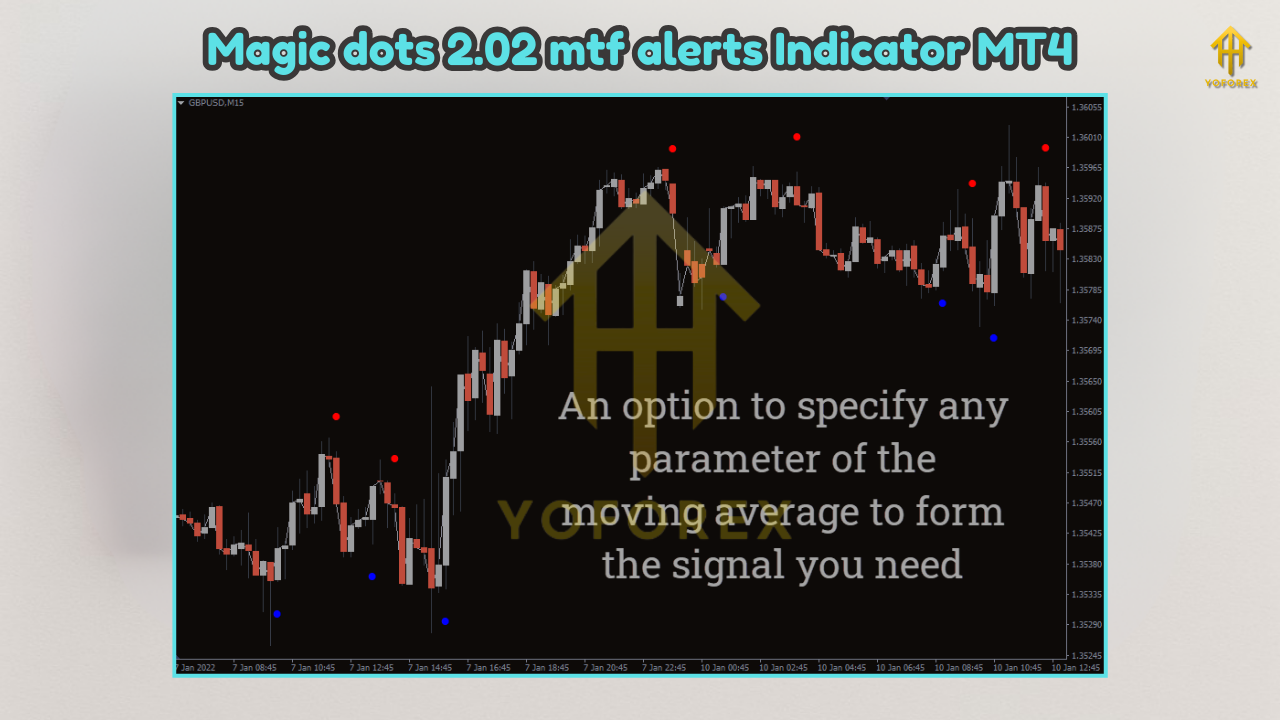
B) MTF Break-and-Retest Dot (Intermediate)
Price breaks a key level with higher-TF bullish dot.
Wait for retest of broken level; look for bullish dot alignment on your trading TF.
Enter on dot close; SL just past the level; TP at measured move or next S/R.
Add-on entries only if higher-TF remains aligned and risk stays under cap.
Installation & Setup (MT4)
- Download the indicator file (
.ex4/.mq4). - In MT4, click File → Open Data Folder.
- Navigate to MQL4 → Indicators and paste the file.
- Restart MT4 (or right-click “Indicators” → Refresh).
- Attach Magic Dots 2.02 to your chart.
- In Inputs, set your TradingTF and ConfirmTFs (e.g., Trading=M15, Confirm=H1/H4).
- Configure Alerts (popup/push/email). Enable MT4 notifications/email in Tools → Options if needed.
- Save a Template so you can load the exact setup on new charts quickly.
Risk & Trade Management Tips
- Wait for Bar Close: Let the dot finalize—don’t chase intra-bar flickers.
- Trade Liquid Sessions: London/NY overlap for majors; spreads are tighter, fills cleaner.
- Avoid Red-Hot News: Dots won’t save you from slippage; step aside during major releases.
- Journal Everything: Tag entries, R:R, session, and emotion; tweak only one variable per week.
- Keep Risk Small: 0.5–1% per trade beats YOLO. Staying solvent wins long-term.
- Confluence Rules: Dots + S/R + one trend filter (e.g., 100/200 EMA) = higher quality.
Pros & Cons
Pros
- Super clean visuals—dots are easy to read at a glance
- MTF alerts reduce counter-trend trades
- Lightweight; VPS-friendly
- Plays well with price action and EMAs
- Beginner-friendly setup flow
Cons
- In choppy ranges, even filtered dots can produce noise
- Intra-bar previews can change; always wait for candle close
- Requires basic trade management—this is an indicator, not an EA
FAQs
Does Magic Dots 2.02 repaint?
Signals are intended for closed-bar confirmation. If you enter before the candle closes, the preview dot can change. Wait for close to minimize repaint-like effects.
What pairs/timeframes are best?
EURUSD/GBPUSD on M15/H1 are great to start. Add gold later after you calibrate risk and stops.
Can I use it for prop challenges?
It’s just an indicator, so yes—within your rules. Keep your daily DD tight and size conservatively.
Does it replace risk management?
Nope. It’s a signal layer. Your edge comes from confluence, execution, and discipline.
Final Thoughts & Call to Action
If you want clean, MTF-aware signals without turning your chart into a spaghetti bowl, Magic Dots 2.02 hits the sweet spot. The dots are easy to interpret, alerts keep you in the loop, and the MTF confirmation nudges you toward higher-probability trades. Start on demo, track 30–50 trades, and let your data guide tweaks—coz that’s how consistency is built.
Ready to try it? Install Magic Dots 2.02 on MT4, enable MTF alerts, and run your first week with small risk. Keep it simple: wait for the close, trade with structure, and take profits like clockwork.
Risk disclaimer: Trading involves risk. Past performance is not a guarantee of future results. Always test before going live and never risk money you can’t afford to lose.






Comments
Leave a Comment