The Magic Arrow Indicator MT4 has quickly become a staple for traders craving crisp, unambiguous entry signals. If you’ve ever stared at cluttered charts, second-guessing whether to pull the trigger, you know how costly hesitation can be. Enter the Magic Arrow: a lightweight, MT4-compatible tool that flags potential swing highs and lows with colored arrows right on your candlestick chart. No more guessing which bar to trade—this indicator does the heavy lifting.
Traders often juggle multiple oscillators, moving averages, and price action cues just to feel somewhat confident about a trade. Magic Arrow cuts through the noise by combining trend-analysis with momentum filtering under the hood. Whether you’re a scalper riding 5-minute moves or a swing trader eyeing daily reversals, this indicator adapts across timeframes. It’s fully customizable, so you can tweak sensitivity and arrow placement to match your style. And best of all? It’s free to use, lightweight on resources, and beginner-friendly.
Overview
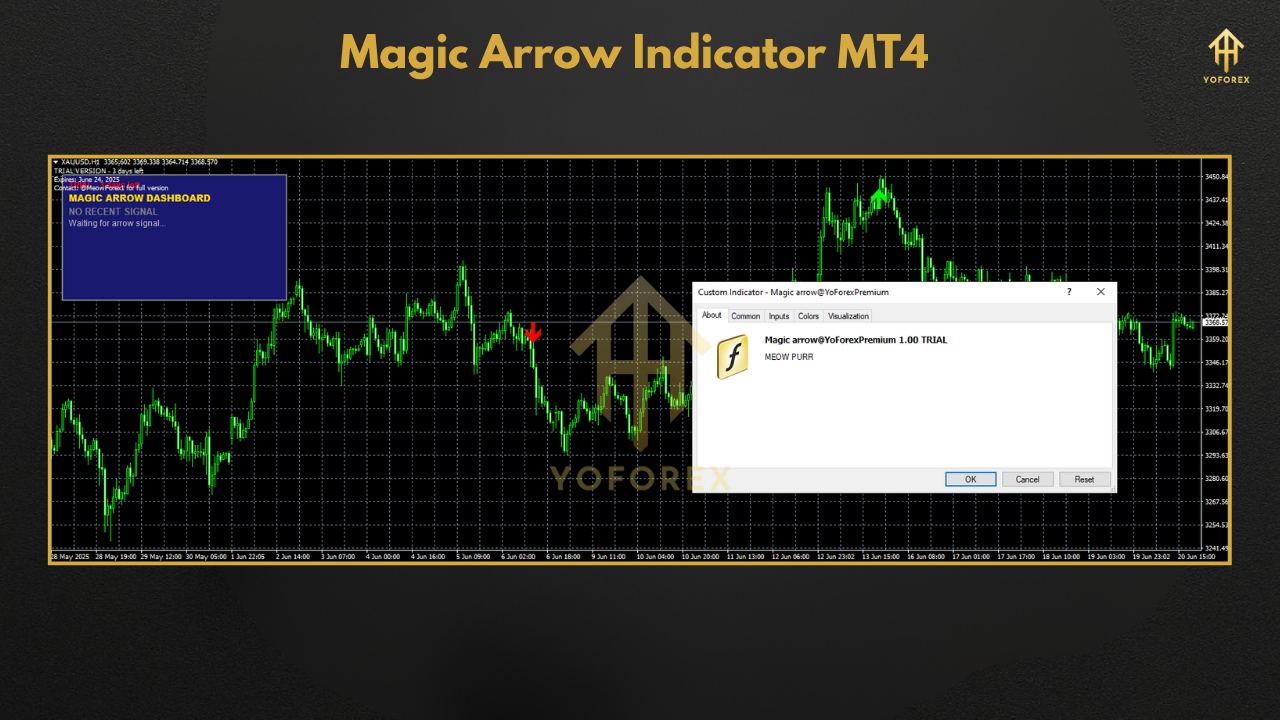
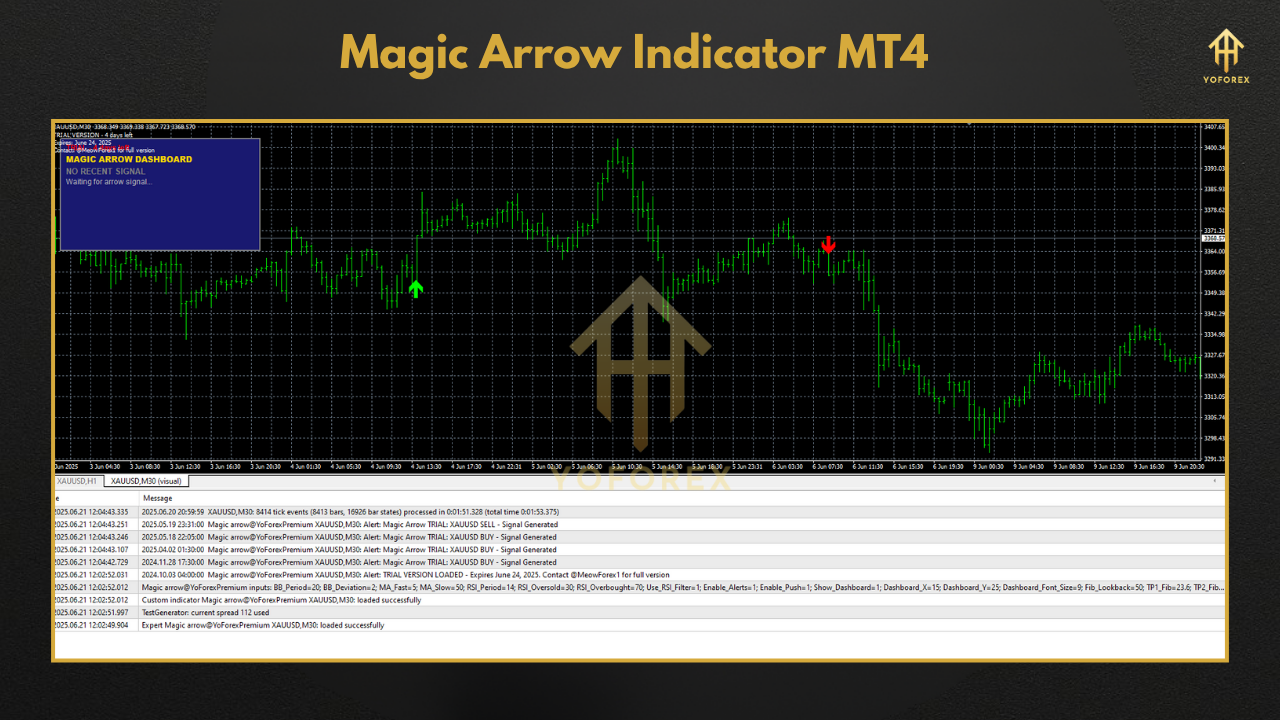
Magic Arrow isn’t just another paint-over indicator—it’s engineered for clarity and speed. At its core, it scans each candlestick for divergence between price action and a proprietary momentum oscillator. When certain conditions align—such as a momentum pivot paired with trend direction confirmation—the indicator plots a green arrow beneath a bullish signal or a red arrow above a bearish one.
- Universal Compatibility: Works seamlessly on any MT4 build.
- Multi-Timeframe: Ideal for everything from M1 scalping to H4 swing setups.
- Low CPU Impact: Optimized code ensures smooth charting even with multiple instances.
- Alert Ready: Receive pop-ups, emails, or push notifications whenever an arrow appears.
- Customizable Colors & Sizes: Tailor arrow visuals to your chart theme.
How It Works
- Trend Detection
Magic Arrow starts by identifying the prevailing trend using an adaptive moving average. This ensures signals align with market direction, reducing counter-trend noise. - Momentum Confirmation
A built-in oscillator measures momentum shifts. When momentum diverges from price (e.g., price makes a lower low but momentum makes a higher low), the setup is primed for reversal. - Signal Execution
If trend and momentum filters agree, the indicator plots an arrow at the close of the signal bar. It also logs the signal price in its buffer, so you can backtest alerts or integrate with EA scripts. - Alert System
Choose between visual arrows only or combine them with pop-up messages, audio cues, email alerts, or push notifications to your phone—so you never miss a setup, even when you’re away from your desk.
Key Features
- Clear Entry Signals: Green arrows for bullish, red arrows for bearish reversals.
- Trend-Aligned Filtering: Only flags signals in the direction of the longer-term trend.
- Divergence-Based Logic: Detects hidden and regular divergences automatically.
- Adjustable Sensitivity: Fine-tune look-back periods and threshold levels.
- Multi-Timeframe Alerts: Monitor signals from higher timeframes on your current chart.
- Lightweight Footprint: Minimal CPU and memory usage.
- Built-In Backtest Buffer: Export historical signals for manual or automated backtesting.
- Visual & Audio Notifications: Pop-ups, sounds, emails, or push (via MetaTrader Web).
- User-Friendly Settings Panel: Intuitive inputs with clear explanations.
- Free to Use: No licensing fees, no hidden subscriptions.
Installation & Configuration
- Download the
MagicArrow.mq4file and place it into your MT4Indicatorsfolder. - Restart or refresh the Navigator panel in MT4.
- Drag & Drop the Magic Arrow indicator onto your desired chart.
Customize Inputs:
TrendPeriod: Sets the adaptive MA length.MomentumPeriod: Defines oscillator look-back.SignalThreshold: Controls divergence sensitivity.ArrowSize&ArrowOffset: Adjust arrow aesthetics.- Alerts: Toggle on/off pop-ups, sounds, emails, and push notifications
Tips & Best Practices
- Combine with S/R Zones: Arrows at major support/resistance levels carry higher probability.
- Use Higher-TF Confirmation: Spot an arrow on H1, then switch to M15 for precise entry.
- Manage Risk: Always place a stop-loss just beyond the signal candle low/high.
- Avoid Choppy Markets: Higher sensitivity settings can reduce false signals but may lag.
- Backtest: Export the historical signal buffer into your EA or Excel to gauge real-world efficacy.
Risk Disclosure
While Magic Arrow aims to clarify market entries, no indicator is foolproof. Always demo-test on a risk-free account before committing real capital. Past signals do not guarantee future performance; trade responsibly, and never risk more than you can afford to lose.
Conclusion
Magic Arrow Indicator MT4 delivers hassle-free entry cues, blending trend alignment with divergence analysis for laser-focused signals. Lightweight, versatile, and free, it’s an essential addition for both novice and seasoned traders seeking an edge in busy markets.
Ready to elevate your trading accuracy? Load Magic Arrow today, backtest its historical signals, and experience a clearer, more confident trading journey!






Comments
Leave a Comment