
Introduction
Let’s be real—most of the day in forex trading is just… noise. But when London opens, the game changes.
Massive volatility. Breakouts. Reversals. It’s the session where real money moves—and if you’re not prepared, you’ll miss it or worse, get wrecked by fakeouts.
Enter the London Breakout V9.4 Indicator for MT4—a powerful tool that helps you identify breakout zones during the London open with sniper-like accuracy.
Designed for both beginners and experienced traders, this indicator gives you an edge during the most explosive trading window of the day.
What Is London Breakout V9.4 Indicator?
The London Breakout V9.4 Indicator is a premium MetaTrader 4 tool built to detect potential breakout zones right before the London session kicks off. It draws clear support/resistance levels based on the Asian range and projects breakout entries, take-profits, and stop-loss zones—before the breakout even happens.
It’s not just a signal indicator—it’s a preparation system.
Whether you trade manually or use automated strategies, this indicator helps you align your trades with the market’s natural volatility cycle.
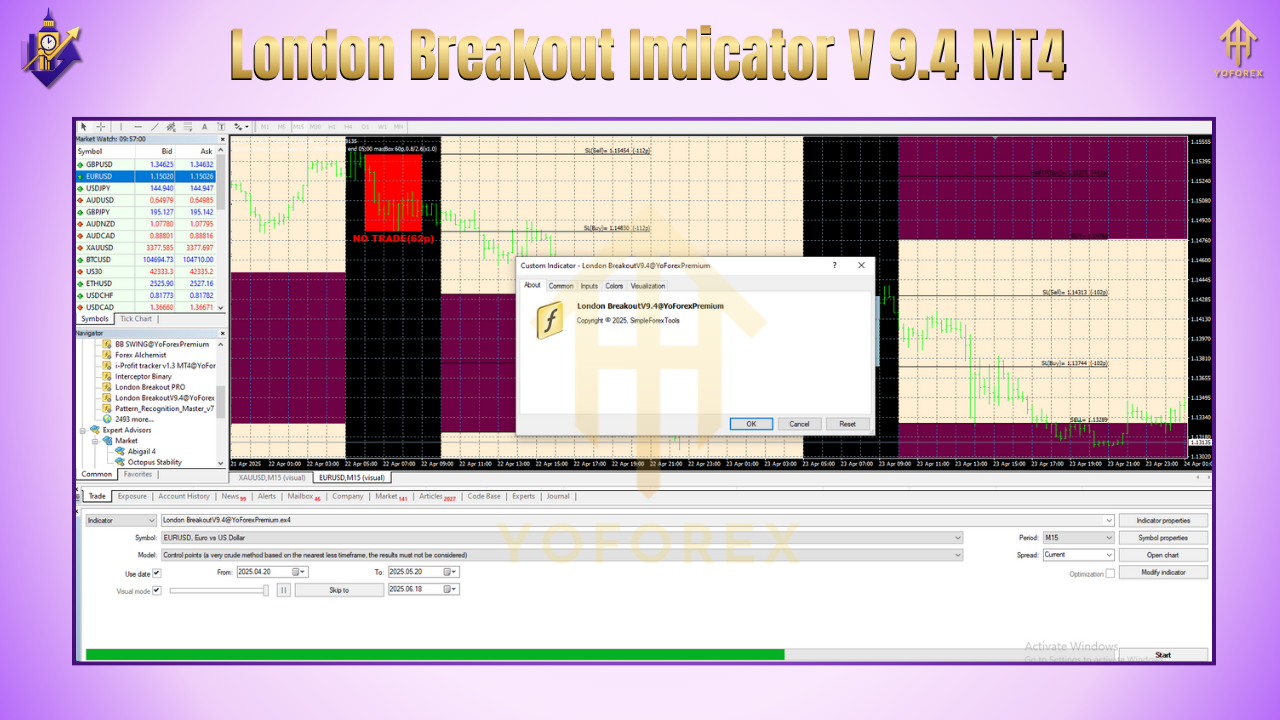
Key Features of London Breakout V9.4
• Asian Range Box – Automatically draws the range from the Asian session to identify breakout zones
• Customizable Time Windows – Set your own start and end time for London session tracking
• Auto Entry/Exit Levels – Suggests ideal breakout entries, SL, and TP based on real price action
• Alerts & Notifications – Get MT4 pop-ups, email alerts, or phone push notifications before the breakout
• False Breakout Filter – Detects fake moves and filters out weak setups
• Multi-Pair Compatible – Use it on EURUSD, GBPUSD, USDJPY, GOLD, and more
• No Repainting – Levels stay fixed once calculated—trade with confidence
• Drag-and-Drop Simplicity – Beginner-friendly interface, no complex settings
• Timeframe Support – Works best on M15 and M30, but also usable on H1
• Real-Time Breakout Watch – Visually tracks breakout momentum and volume
Why London Breakouts Work
The London session (starting at 8:00 AM GMT) overlaps with the Asian session close and the early U.S. pre-market—meaning you get the most liquidity and biggest moves during this time.
Professional traders, banks, and institutions often place their large orders right around this window.
The London Breakout Strategy is built on these facts:
Market consolidates during the quiet Asian session
London open creates momentum
Price breaks above/below the Asian high/low range
Clean setups can produce 20–60 pips in 1–2 hours
The London Breakout V9.4 Indicator automates this entire logic—saving you the stress of manual plotting or second-guessing.
How It Works (Step-by-Step)
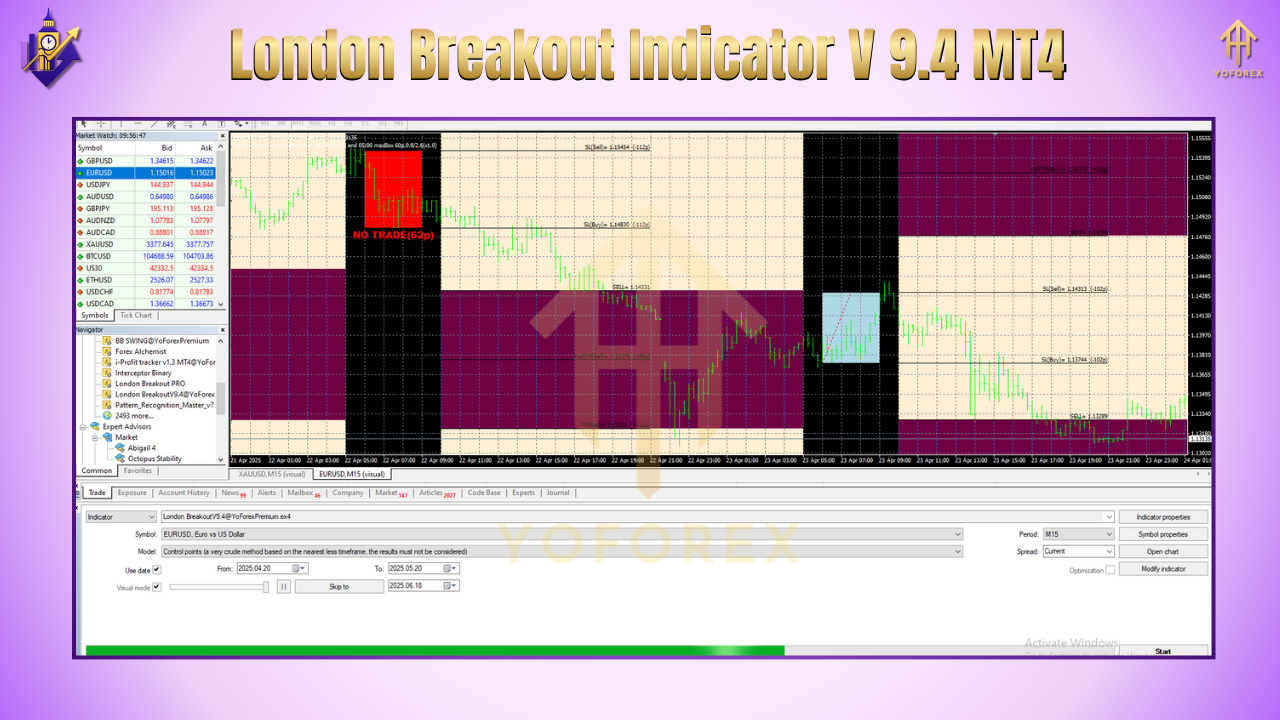
Asian Range Detection: The indicator marks the high and low of the Asian session
Setup Window: You configure when to start looking for breakouts (usually 15–30 mins before London open)
Signal Confirmation: Once price breaks above or below the box, the indicator suggests an entry
SL/TP Zones: Suggested stop-loss and take-profit lines are auto-drawn
Alerts Triggered: Get notified via MT4 or phone when breakout is forming
Best Pairs and Settings
For optimal performance, use the following setup:
Pairs: GBPUSD, EURUSD, USDJPY, XAUUSD
Timeframes: M15 or M30
Broker: ECN / Low-spread broker with fast execution
Asian Session: 00:00 to 05:59 GMT (can adjust)
London Open: 08:00 GMT
Stop Loss: 10–15 pips from entry
Take Profit: 1:1.5 to 1:3 risk-reward
Pro Tip: Combine with a volatility filter or a volume indicator for added confirmation.
Backtest & Live Performance
Here’s a brief snapshot of its performance:
Backtest Period: Jan 2023 – Apr 2024
Instrument: GBPUSD M15
Win Rate: ~72%
Avg Profit per Trade: 28–35 pips
Max Drawdown: 6.4%
Profit Factor: 1.98
And yes—users report consistent results when combining this tool with strict risk management and trading discipline.
How to Install London Breakout V9.4 on MT4
Download the indicator from YoForexEA.com
Open MT4 >
File > Open Data Folder
Navigate to
MQL4 > Indicators
Paste the
.ex4file
Restart MT4
Drag and drop the indicator onto your desired chart
Set your session times and alert preferences
???? Screenshot:
Alt text: MT4 settings panel for London Breakout V9.4 configuration
Why YoForex Tools Stand Out
YoForex isn’t just another copycat tool provider—we’re a community-driven platform.
Here’s what sets us apart:
100% Free downloads—no paywalls
Built from real trader feedback
Tested on live markets, not just theory
Transparent performance metrics
Unlimited support via WhatsApp & Telegram
Check our EA section or read our Beginner Guide to get started.
Support & Disclaimer
If you need setup help or you’re stuck with alerts not working, just ping us:
???? WhatsApp Support
???? Join the Telegram Group
⚠️ Trading Risk Notice:
While this indicator offers high-probability signals, markets are unpredictable. Always test on demo first, use proper risk management, and never overleverage.
Final Thoughts
The London Breakout V9.4 Indicator MT4 is your ticket to trading smarter—not harder—during the most lucrative forex session of the day.
If you’re serious about catching clean breakouts with minimal stress, this tool is a must-have.
So don’t wait…
???? Download it free from YoForex and trade the London session like a pro.
Thanks for the visit ...
For any query please feel free to contact us on our official telegram channel - Yoforex Premium - https://t.me/+V6Nr5sRZVr4xYzdl






Comments
Leave a Comment