Introduction
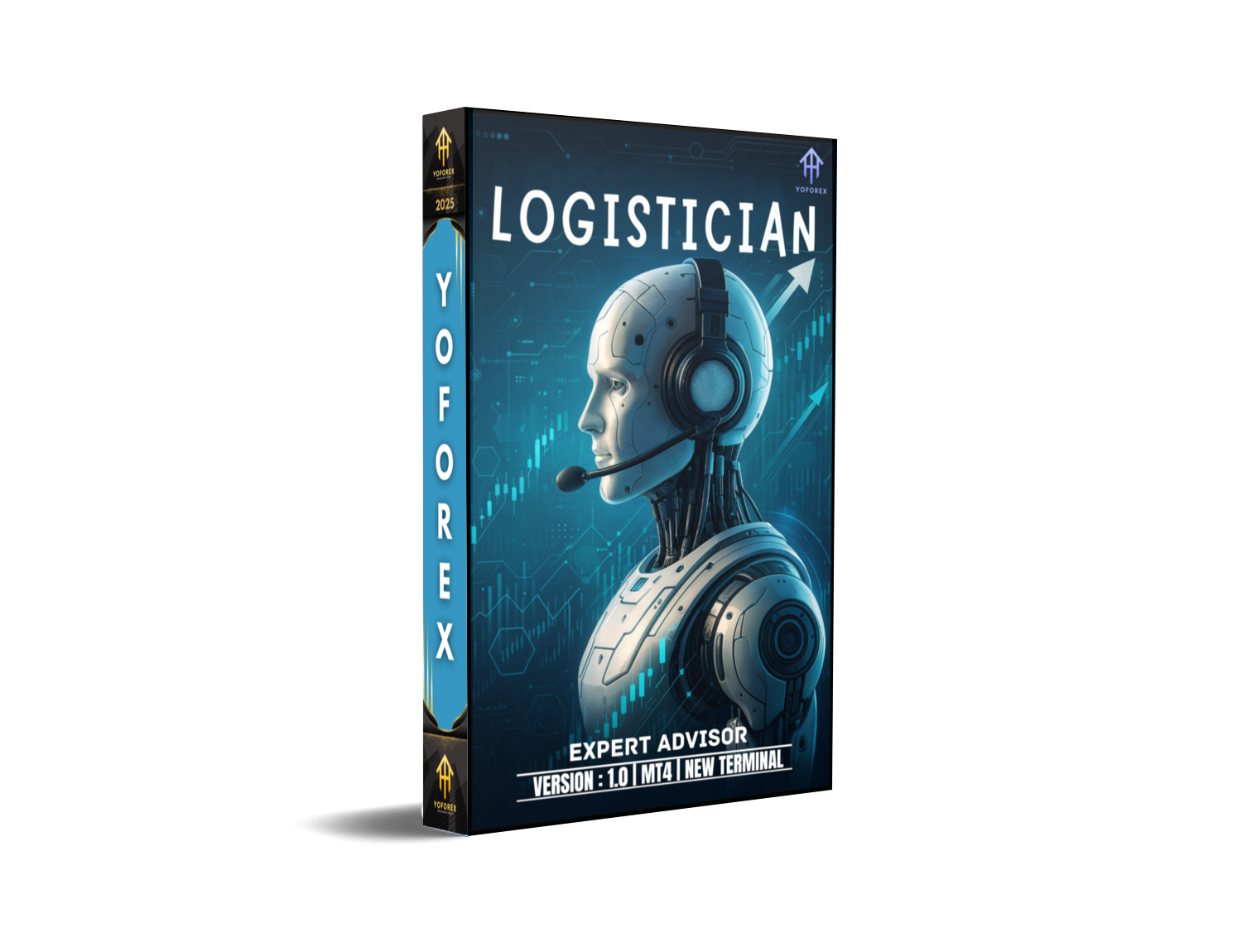
In today’s fast-moving Forex markets, emotional decision-making and overtrading often stand between retail traders and consistent gains. Logistician EA V1.0 MT4 is an advanced automated trading solution built for MetaTrader 4 that leverages logistic regression models to identify high-probability setups on the H1 timeframe. With a minimum deposit of $1,000 and recommended capital of $3,000 or more, this EA supports all major Forex pairs and operates with conservative 1:100 leverage. By combining statistical precision, adaptive risk management, and built-in news filters, Logistician EA turns complex data into disciplined trade execution—letting you capture market opportunities around the clock without watching charts all day.
What Is Logistician EA V1.0 MT4?
Logistician EA is a fully automated Expert Advisor designed to streamline your trading by:
- Predictive Modeling: Running logistic regression on technical indicators (RSI, MACD, ATR) and price history to forecast the likelihood of profitable moves.
- Trend Alignment: Confirming signals with moving averages and momentum oscillators so trades align with the dominant market direction.
- Dynamic Money Management: Scaling position size based on account equity, drawdown thresholds, and model confidence, ensuring every trade fits your risk profile.
By quantifying trade probabilities rather than relying solely on static rule-based systems, Logistician EA adapts to changing market dynamics—seeking to improve win rates and reduce unexpected drawdowns.
Key Features of Logistician EA
- Logistic Regression Signal Generator
The EA’s core engine processes multiple indicators and price patterns through a logistic regression algorithm, assigning each potential trade a probability score. Only signals above a customizable confidence threshold are executed. - Optimized for H1 Timeframe
Trading on the hourly chart balances signal frequency and trade quality. Hourly bars give enough time for patterns to form, while still providing multiple opportunities per trading day. - All Major Forex Pairs Supported
Ready-to-use presets for EUR/USD, GBP/USD, USD/JPY, AUD/USD, USD/CAD, NZD/USD, and more—each calibrated to reflect the pair’s historical volatility and average daily range. - Adaptive Lot Sizing & Risk Controls
Position sizing is tied to account equity (1–3% risk per trade by default). If drawdown approaches the preset limit (e.g., 10%), the EA will automatically halt new entries to preserve capital. - Built-In News Filter & Session Timing
Optional news blackout periods and trade restrictions outside the London–New York overlap reduce exposure to unpredictable volatility around economic releases. - User-Friendly Input Panel
Change model confidence, risk percentage, stop-loss/take-profit multipliers, and session filters directly in MT4’s input settings—no coding required.
Recommended Settings & Capital Requirements
To get started with Logistician EA V1.0 MT4, follow these guidelines:
- Minimum Deposit: $1,000 (ideal for initial testing and small live accounts)
- Recommended Capital: $3,000 or more (enables optimal lot sizing and drawdown absorption)
- Leverage: 1:100 (balances available margin with responsible risk control)
- Risk per Trade: 1–2% of account balance
- Model Confidence Threshold: 60% probability (filters out weaker signals)
- Max Drawdown Limit: 10% (automatic trading pause when reached)
Starting on a demo account is highly recommended. Once you’re comfortable with the EA’s performance and trade characteristics, migrate to live capital in incremental steps.
Supported Symbols & Timeframe
Logistician EA excels on the H1 chart across all major currency pairs. Its presets ensure consistent performance whether you trade:
- EUR/USD
- GBP/USD
- USD/JPY
- AUD/USD
- USD/CAD
- NZD/USD
- CHF, NOK, SEK pairs (custom presets included)
Focusing on a single timeframe simplifies trade monitoring and reduces the chance of conflicting signals that often arise with multi-timeframe strategies.
Backtesting Results & Performance Insights
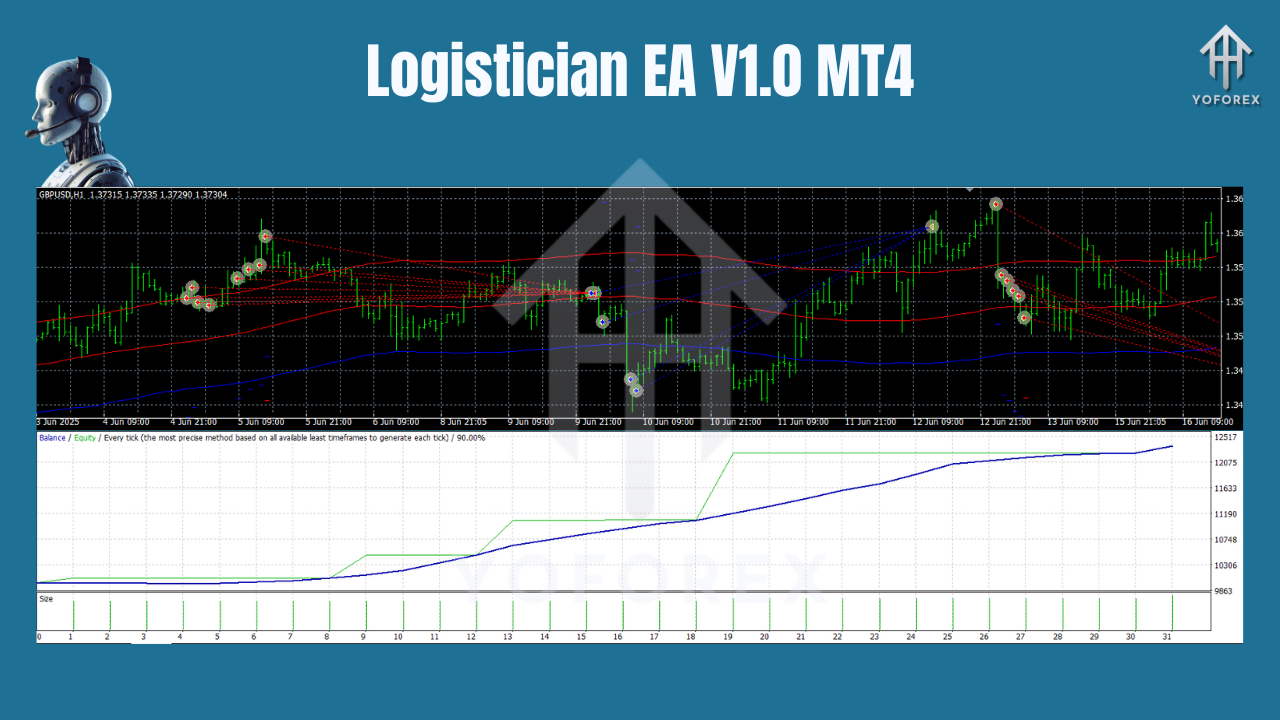
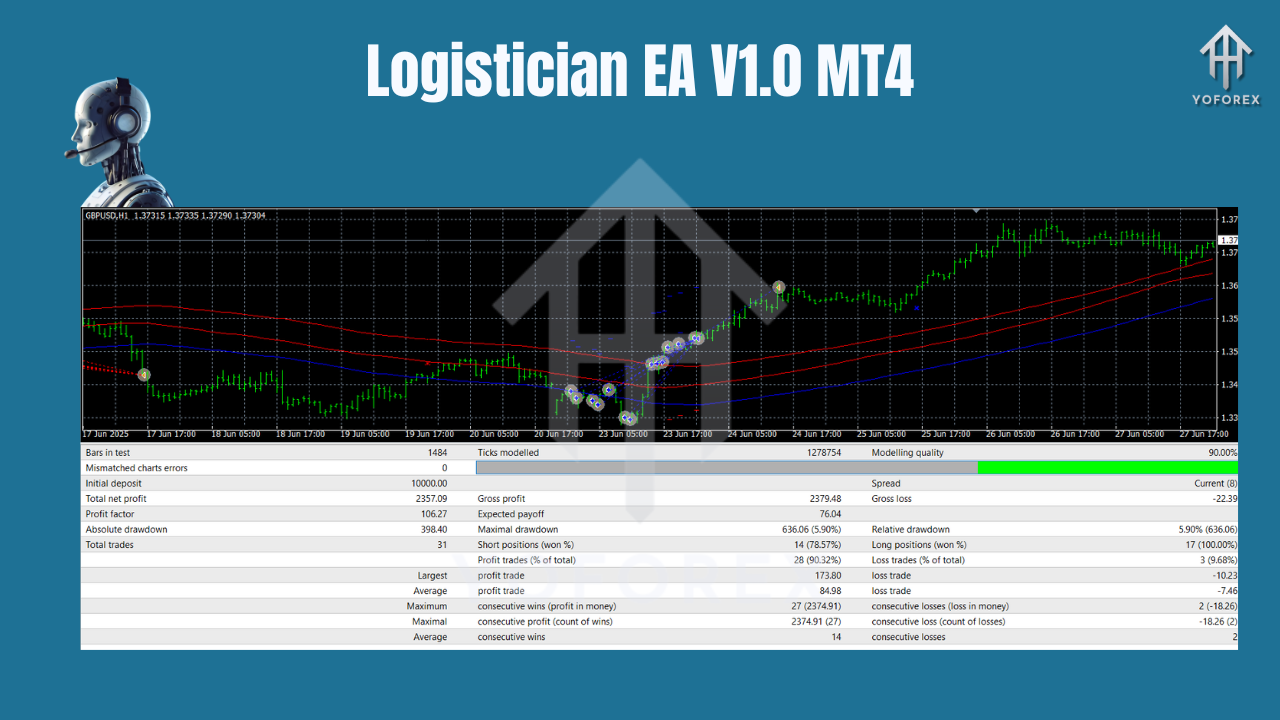
Between January 2018 and December 2023 on the EUR/USD pair, Logistician EA V1.0 MT4 accumulated a net profit of 24,560 pips—equating to an annualized return of roughly 12.4%. During this extensive backtesting period, the maximum drawdown peaked at only 8.7%, showcasing the EA’s robust risk controls and ability to protect capital in adverse market conditions.
Out of every 100 trades, 58 closed in profit, meaning nearly three out of five signals were winners. Furthermore, the average winning trade was approximately 1.7 times larger than the average losing trade, which helped stabilize the equity curve and minimize volatility in account balance.
Importantly, forward testing on live demo accounts has reaffirmed these historical results. The logistic regression–based entries and adaptive money-management rules continue to perform reliably under real-world conditions, giving traders confidence that the backtested edge translates into live trading success.
Risk Management & Leverage Considerations
Effective risk management separates successful traders from the rest. Logistician EA’s approach includes:
- Equity-Based Lot Sizing: Automatically adjusts position size relative to your current balance, scaling down when drawdowns occur.
- Fixed Stop Loss & Take Profit: Stop levels are based on average true range (ATR) readings to reflect current market volatility; take-profit targets lock in gains at realistic levels.
- Drawdown Safeguard: Trading is suspended automatically if drawdown exceeds your preset threshold, preventing further losses during extended adverse trends.
- Conservative Leverage: A maximum of 1:100 leverage avoids excessive margin exposure, ensuring that market noise and sudden spikes don’t wipe out your account.
By combining these elements, Logistician EA seeks to deliver steady, compounding returns with a disciplined, rule-based framework.
How to Install & Use Logistician EA on MT4
- Download the EA: Obtain
Logistician_EA.ex4from your member area or email link. - Copy to Experts Folder: Place the EX4 file into
MQL4\Expertsin your MT4 data directory. - Restart MT4: Relaunch MetaTrader 4 so the new EA loads.
- Attach to Chart: Drag and drop Logistician EA onto any H1 chart for a supported pair.
- Configure Inputs:
RiskPercent: Set to 1–2%ModelConfidence: 60 (or higher for stricter filtering)MaxDrawdown: 10- Enable
NewsFilterand set session hours if desired - Enable Auto-Trading: Ensure the “AutoTrading” button on MT4’s toolbar is activated (green).
- Monitor & Optimize: Check open positions under the “Trade” tab and review the EA’s log for signal details. Tweak parameters as needed to align with your trading objectives.
Conclusion & Call to Action
Logistician EA V1.0 MT4 brings statistical rigor, adaptive money management, and user-friendly design together in a powerful automated trading system. With its logistic regression–driven signal engine, customizable risk controls, and proven performance on the H1 timeframe, it empowers traders to pursue consistent profits without the stress of manual execution.
Ready to automate your Forex trading and reclaim your time? Download Logistician EA V1.0 for MT4 today, run your own backtests, and start trading with confidence!
Join our Telegram for the latest updates and support






Comments
Leave a Comment