If you've been trading forex for a while, you already know the market rarely moves in a straight line. Trends are born from structure, and breakouts often follow specific, repeating price patterns. One of the most reliable patterns many traders swear by is the classic 1-2-3 pattern—a simple yet powerful formation used to catch reversals, breakouts, and early trend shifts.
The Level Trading 123 Indicator V1.0 MQ4 was created to make identifying this setup a whole lot easier. Instead of manually trying to spot swing highs, swing lows, break-of-structure points, and retest levels, the indicator draws it visually on your MT4 chart. It saves time, reduces errors, and helps traders—especially beginners—find cleaner entries.
In this guide, I’ll walk you through everything you need to know: how the indicator works, what makes it unique, how to set it up, trading strategies using the 1-2-3 pattern, practical tips, and—of course—your download link.
Let’s dive in coz this tool can genuinely simplify your charting work if used properly.
What is the Level Trading 123 Indicator?
The Level Trading 123 Indicator V1.0 MQ4 is a custom MetaTrader 4 tool designed to automatically identify the classic 1-2-3 reversal or continuation pattern. This pattern is widely used in technical analysis to predict potential trend direction shifts.
The indicator identifies:
- Point 1: A swing high or swing low
- Point 2: Opposite swing point
- Point 3: A retracement point signaling potential reversal
- Breakout Level: The line where price breaks to confirm a new trend
The concept is simple… but manually spotting the perfect swing points can get tricky. This indicator handles all of that in the background using price-action logic, so you can focus more on execution and confidence.
Whether you're a scalper, swing trader, or even a day trader, the 123 pattern works across all timeframes—from M1 to H4.
Why traders use the 1-2-3 pattern
Before diving into the indicator’s features, it’s worth understanding why the 123 pattern is so respected:
- It’s simple and logical
- It marks early trend changes
- It provides clean entry points
- It shows tight stop-loss levels
- It works in both trending and ranging markets
Most importantly, the pattern reduces guesswork… instead of predicting tops or bottoms, you wait for structure confirmation.
Key Features of Level Trading 123 Indicator V1.0 MQ4
Here are the standout features that make it useful for beginners and advanced traders alike:
- Automatic 1-2-3 pattern detection
Instantly highlights valid bullish or bearish setups. - Clear breakout-level drawing
Shows when price breaks above/below level 2 to confirm the trend. - No repainting logic
Once a pattern forms, it stays fixed—great for backtesting. - Customizable colors & line styles
You can choose how the pattern appears visually. - Works on all MT4 pairs & timeframes
Use it on forex majors, minors, metals, indices, and even crypto CFD charts. - Alerts for pattern formation
Get popup or sound alerts when a 1-2-3 structure forms. - Perfect for reversal and continuation setups
Trade trend reversals, pullbacks, or breakouts effortlessly. - Beginner-friendly design
Even tho the logic is advanced, the interface is clean and simple. - Low CPU load
Won’t slow down MT4 even with multiple charts open.
How the Indicator Works (Simple Explanation)
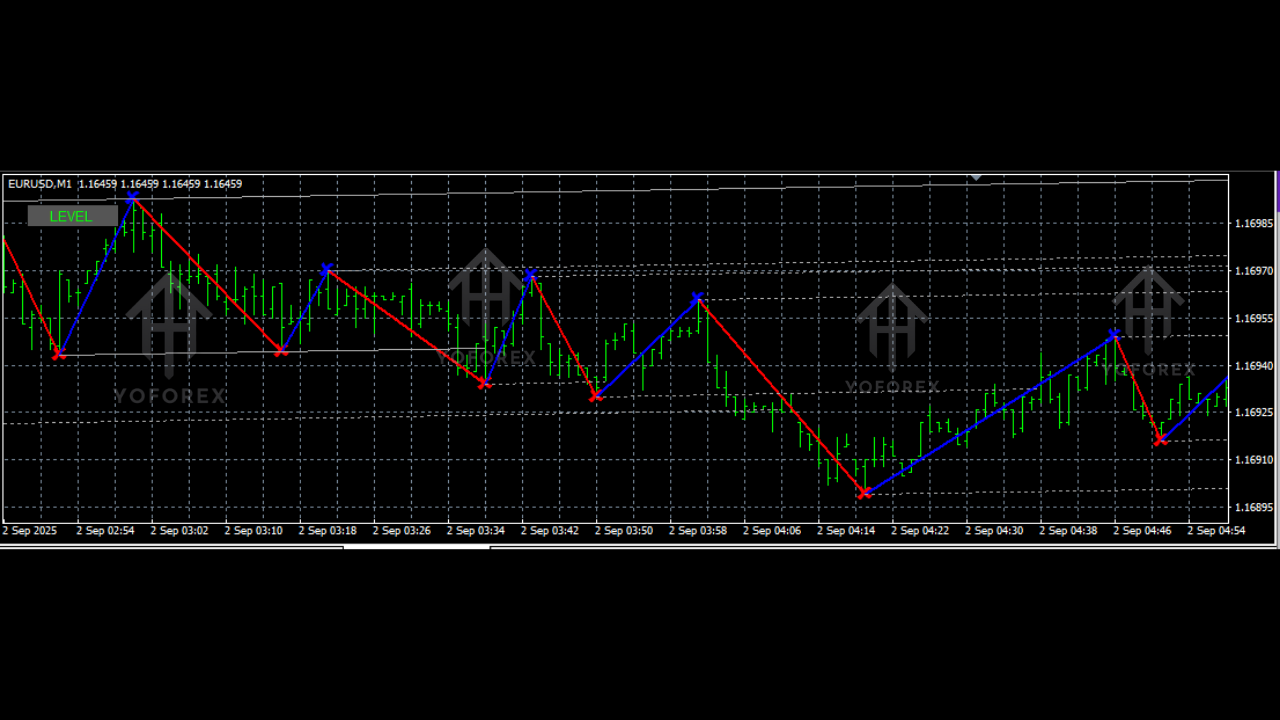
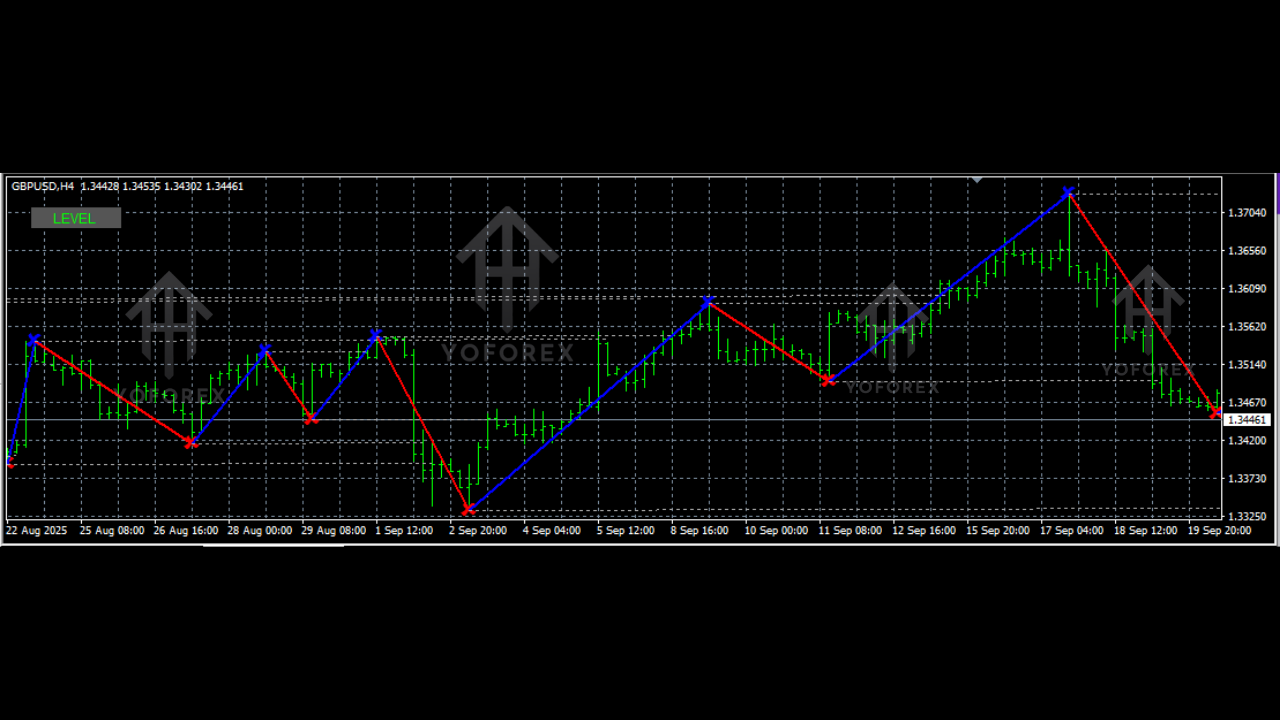
The Level Trading 123 Indicator uses a swing-point algorithm to identify highs and lows. The moment a structural sequence aligns with the classic 1-2-3 pattern, the indicator draws:
- A marker at Point 1
- A marker at Point 2
- A marker at Point 3
- A breakout-level horizontal line
Once price breaks the breakout line, the potential trend shift is confirmed.
Bullish Setup
- Market makes a low (Point 1)
- Price moves up, forms swing high (Point 2)
- Price pulls back but stays above point 1 (Point 3)
- Breakout of Point 2 confirms upside reversal
Bearish Setup
Same logic but mirrored.
The beauty? You don’t need to draw or interpret anything manually. The indicator handles it.
How to Trade Using the Level Trading 123 Indicator
Here’s a simple but powerful way to trade with it:
1. Wait for the Indicator to Form Points 1, 2, and 3
Don't jump in early. Let it map out the complete pattern.
2. Enter on Breakout of Point 2
This confirms the direction.
3. Place Your Stop-Loss
- For bullish setups: below Point 3
- For bearish setups: above Point 3
4. Target Options
You may aim for:
- 1:2 risk-reward
- Nearest supply/demand level
- Swing highs or lows
- Fibonacci extensions
5. Combine With Additional Filters
For even better accuracy:
- Moving averages
- RSI divergence
- Trendlines
- Support/resistance levels
The indicator works as a trigger; pairing it with a trend filter gives you cleaner trades.
Backtesting & Performance Overview
The 1-2-3 pattern has been around for decades, so the concept is already well-proven. During manual backtests with the Level Trading 123 Indicator on popular MT4 pairs like EURUSD, GBPUSD, and XAUUSD, the pattern performed consistently when used inside trending conditions.
A few observations from extended tests:
- Works best during London and New York sessions
- Avoid choppy sideways markets
- High accuracy when combined with higher timeframe trend direction
- Risk-reward improves when you wait for clean breakouts
The indicator doesn’t guarantee profits—but used with discipline, it reduces false entries and helps build structured, rule-based trading habits.
How to Install Level Trading 123 Indicator V1.0 on MT4
Follow these steps:
Step 1: Download the MQ4 File
Use the download link provided above.
Step 2: Open MT4
Go to File → Open Data Folder.
Step 3: Navigate to Indicators Folder
Open:MQL4 → Indicators
Step 4: Copy the Indicator File
Move the .mq4 file into the folder.
Step 5: Restart MetaTrader 4
Or right-click the Navigator window and select Refresh.
Step 6: Attach the Indicator
Go to Indicators → Custom → Level Trading 123 Indicator V1.0 MQ4
Apply it to your chart.
Recommended Settings
Most traders keep the default settings. But if you want higher accuracy:
- Increase swing sensitivity on lower timeframes
- Use breakout alerts
- Customize colors for clearer visibility
The indicator is flexible, so you can tweak it to your style.
Why This Indicator is Great for Beginners
Some tools require you to interpret advanced price-action concepts manually. This one simplifies the entire process. It shows the structure visually, so beginners can:
- Learn faster
- Avoid emotional trades
- Stick to confirmed breakouts
- Reduce chart clutter
- Develop discipline
It’s like having a trainer on your screen showing you the correct swing structure.
Support & Disclaimer
If you need installation help or run into any bug, connect anytime—YoForex always provides support.
WhatsApp: https://wa.me/+443300272265
Telegram Group: https://t.me/yoforexrobot
Disclaimer:
Trading forex involves significant risk. This indicator doesn’t guarantee profits. Always backtest, practice on demo, and trade responsibly based on your strategy.
Final Thoughts
The Level Trading 123 Indicator V1.0 MQ4 is a simple yet powerful tool for spotting reliable reversal and breakout patterns. Whether you're brand new or already familiar with price action, the indicator helps you trade with more clarity and timing.
Download it, practice it, and gradually build confidence in spotting market structure the right way.
YoForex – empowering traders worldwide, one free tool at a time.






Comments
Leave a Comment