
InvestCox100 EA V3.0 MT4 – The Ultimate Forex Trading Robot for Any Pair & Timeframe
In today’s fast-paced forex market, automation is no longer optional — it's essential. The InvestCox100 EA V3.0 for MT4 is designed to meet the needs of both beginners and professional traders who want a reliable, high-performance trading robot that works on any currency pair and timeframe. With its intelligent algorithm, adaptive strategies, and risk management controls, this Expert Advisor has quickly gained attention in the forex trading community.
What is InvestCox100 EA V3.0 MT4?
InvestCox100 EA V3.0 is an advanced Expert Advisor (EA) built for MetaTrader 4 (MT4). It automates forex trading by using coded strategies to open and close trades on behalf of the user. Unlike many EAs that are limited to specific pairs or timeframes, InvestCox100 EA is engineered to operate on any currency pair and across any timeframe, offering traders maximum flexibility and control.
This version (V3.0) is a significant upgrade from previous releases, featuring improved algorithmic logic, faster execution, and more robust risk management settings.
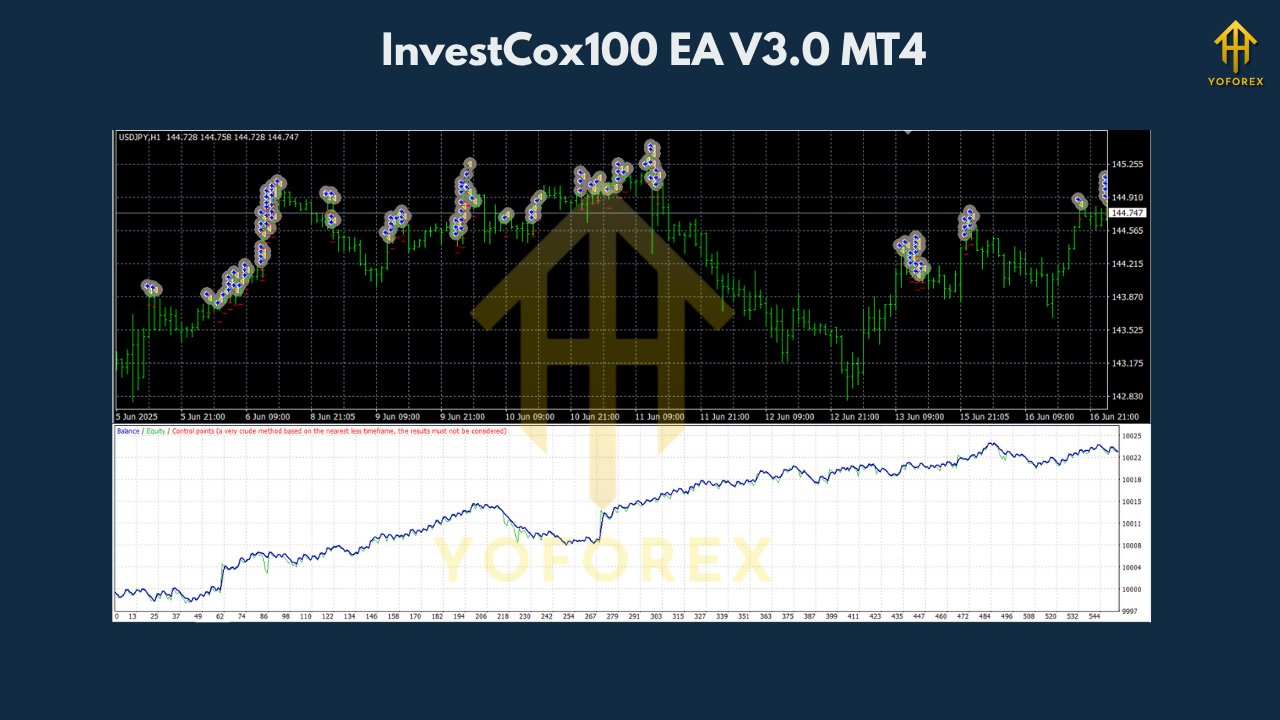
Key Features of InvestCox100 EA V3.0
1. Multi-Pair Compatibility
Whether you trade EUR/USD, GBP/JPY, or any exotic pair, InvestCox100 EA adapts seamlessly. Its logic is designed to evaluate the conditions of any forex pair, making it an excellent choice for portfolio diversification.
2. Any Timeframe Support
From M1 scalping to H4 swing trading, this EA is built to handle it all. You’re not restricted to a single trading style — InvestCox100 V3.0 adapts to your strategy and timeframe preferences.
3. Smart Entry and Exit Algorithms
The EA uses technical indicators and price action analysis to determine high-probability entry and exit points. This ensures that trades are not only timely but also strategically sound.
4. Customizable Risk Management
You can set your own stop loss, take profit, lot size, and equity protection rules. This allows you to tailor the EA to your risk appetite and account size.
5. Low Latency Execution
The EA is optimized for fast execution, which is crucial in volatile market conditions. It minimizes slippage and ensures precise order placements.
6. No Martingale or Grid Strategy
InvestCox100 EA V3.0 avoids high-risk methods like martingale and grid trading. This makes it suitable for long-term and stable account growth.
7. News Filter (Optional)
To avoid high-impact news volatility, the EA can pause trading during economic events. This reduces unnecessary risk during unpredictable market movements.
Benefits of Using InvestCox100 EA
- Time-Saving Automation: Eliminate emotional trading and manual monitoring. Let the robot trade 24/5 for you.
- Consistent Performance: Algorithmic trading reduces human error and ensures consistency in strategy execution.
- Versatility: Ideal for scalping, intraday, and swing trading across various pairs and timeframes.
- Ease of Use: Simple to install and set up on any MT4 platform, even for those with no coding experience.
- Backtest and Forward-Test Friendly: Run historical and demo tests to evaluate performance before going live.
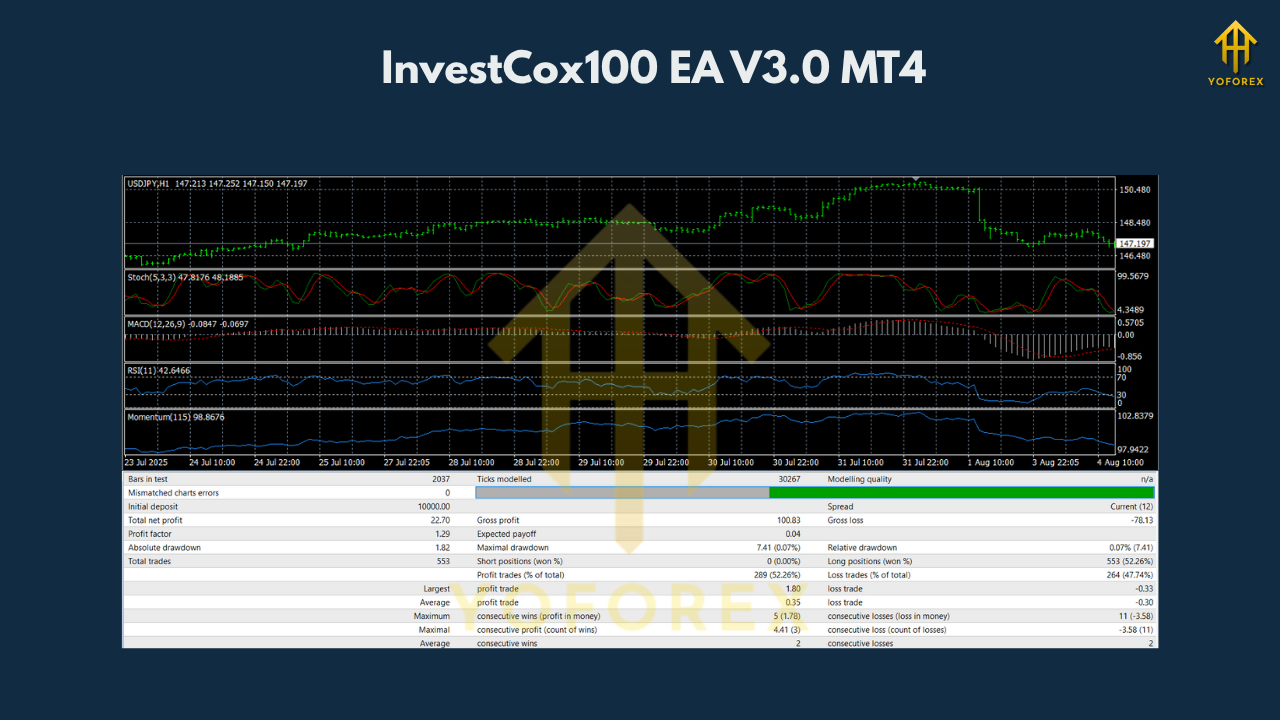
How Does InvestCox100 EA Work?
Once installed on MT4, InvestCox100 EA monitors the market in real time. It applies a combination of trend-following and breakout strategies using indicators such as:
- Moving Averages
- RSI (Relative Strength Index)
- MACD
- Support & Resistance Levels
The EA analyzes market conditions and executes trades when predefined conditions are met. It can open multiple trades simultaneously across different pairs or timeframes, depending on how it's configured.
Traders can also activate or deactivate features like trailing stop, breakeven, or session filters to refine performance according to personal preferences.
Installation and Setup
- Download the EA File: Ensure you're getting it from a reputable source.
- Place in MT4 Folder: Copy the EA file to the
Expertsfolder inside the MT4 directory. - Restart MT4: The EA should appear in the Navigator panel.
- Attach to Chart: Drag and drop it onto any chart and timeframe.
- Configure Settings: Set lot sizes, risk parameters, and trading preferences.
- Enable AutoTrading: Activate trading automation by clicking the “AutoTrading” button in MT4.
Is InvestCox100 EA V3.0 Worth It?
While no trading system can guarantee profits, InvestCox100 EA V3.0 stands out due to its flexibility, reliability, and smart algorithm design. It’s suitable for traders who:
- Want to diversify across pairs and timeframes
- Prefer hands-free trading
- Seek consistent, rules-based strategies
- Need customizable risk and money management features
Whether you're managing a small account or scaling a larger portfolio, this EA offers tools and settings that adapt to your trading goals.
Final Thoughts
InvestCox100 EA V3.0 for MT4 is a powerful tool in the arsenal of modern forex traders. With support for any pair and any timeframe, it removes the limitations many EAs have. Combined with its intelligent entry/exit logic and user-friendly setup, it offers a balanced solution for anyone looking to automate their forex trading efficiently and effectively.
Before using any EA live, always backtest and forward-test it in demo environments. Stay updated with market conditions, and remember that no system is immune to risk — smart usage is key.
Join our Telegram for the latest updates and support






Comments
Leave a Comment