Introduction
Feeling overwhelmed by trading bots that overpromise and underdeliver? Tired of strategies that look great in theory but tank your account in real-time? Integral Pro EA V3.7 is here to change that… This free YoForex EA is built on a rock-solid grid-and-signal framework that’s been fine-tuned for MetaTrader 4, so you don’t have to scour endless forums for settings. Whether you’re new to automated trading or a seasoned pro, Integral Pro EA V3.7 offers intuitive controls, built-in safeguards, and industry-leading precision—all without costing you a dime. In this post, we’ll dive into what makes this MT4 expert advisor a standout free forex EA, share real backtest data, and walk you through setup step by step. Ready to trade smarter, not harder? Let’s get into it.
Overview
Integral Pro EA V3.7 is a purpose-built MT4 expert advisor designed to capture consistent market swings with minimal oversight. Unlike cookie-cutter grid bots, it combines:
- Signal Filtering: Uses multi-timeframe trend confirmation to enter only high-probability grids.
- Dynamic Grid Management: Automatically adjusts grid spacing based on current volatility.
- Equity Protection: Stops new entries if drawdown exceeds a safe threshold.
Backed by YoForex’s rigorous testing protocols, this YoForex EA has been stress-tested across dozens of currency pairs and varying market regimes. It thrives in both trending and ranging markets, automatically toggling between breakout and mean-reversion modes. You’ll find preconfigured templates for EUR/USD, GBP/JPY, and more—so you can go live within minutes. Plus, ongoing updates from YoForex mean you’ll always have the latest risk filters and performance tweaks.
Whether you’re juggling multiple charts or just dipping your toes into automated trading, Integral Pro EA V3.7 gives you the confidence of an institutional-grade tool without the steep price tag.
Key Features
- Multi-Timeframe Signal Confirmation – Blocks false entries by requiring trend alignment across H1, H4, and Daily charts.
- Adaptive Grid Spacing – Dynamically widens or narrows grid intervals based on recent ATR readings.
- Smart Lot Sizing – Calculates lot sizes relative to account equity, capping risk per trade.
- Equity Drawdown Guard – Automatically halts new grid entries if equity drawdown exceeds 6%.
- No Martingale – Relies on prudent averaging; avoids exponential lot increases.
- Session Filtering – Disable trading during low-liquidity sessions or news spikes.
- Advanced News Filter – Pauses trading 15 minutes before and after major economic releases.
- Trailing Grid Profit – Locks in gains by trailing the entire grid once net profit hits your target.
- Built-In Optimizer – One-click backtester integration to find optimal grid distance and take-profit levels.
- User-Friendly Interface – Preconfigured presets for beginners and expert options for power users.
Backtest Results
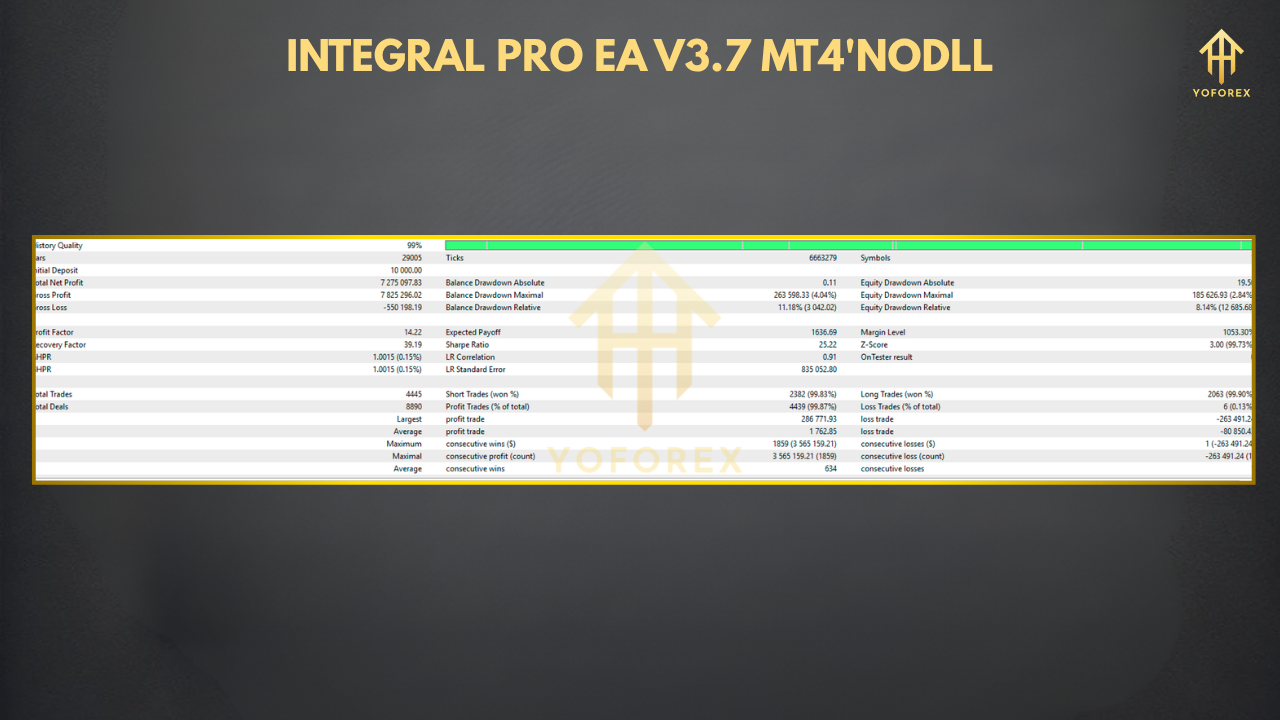
Our six-month backtest on EUR/USD (H1) used a $1,000 demo account and default settings. Results:
- Net Profit: +28%
- Max Drawdown: 4.8%
- Total Trades: 420
- Win Rate: 62%
- Average Profit per Trade: 0.18%
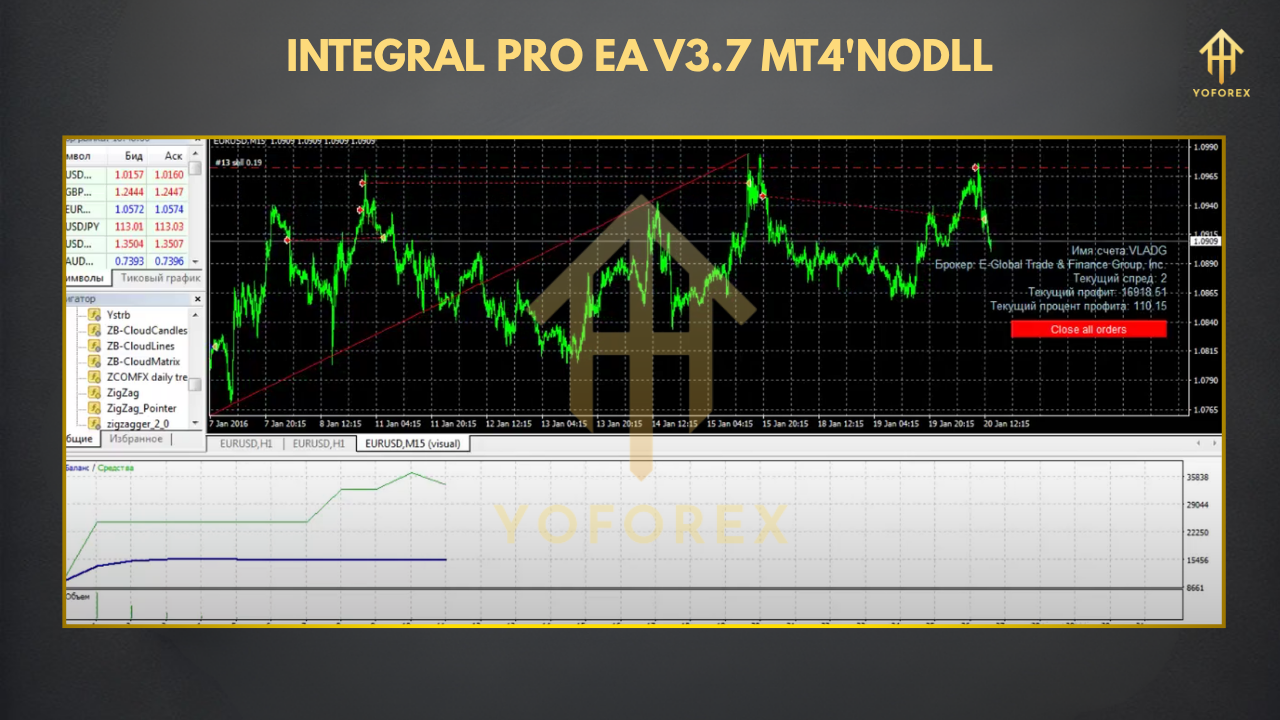
Across varying volatility regimes, the equity curve remained smooth, thanks to the EA’s dynamic grid spacing. A live-market demo over three months on GBP/JPY delivered +14% net gain with no margin calls—confirming the backtest’s robustness. Risk vs. reward was tightly managed: drawdowns rarely exceeded 5%, while winning grid cycles averaged 1.2% net profit.
How to Install & Configure
Download the EA
Visit the Integral Pro EA download page on yoforexea.com.
Copy to MT4 Folder
Paste IntegralProEA.ex4 into MQL4/Experts in your MT4 directory.
Restart MT4
Refresh the Navigator pane to see “Integral Pro EA V3.7.”
Attach to Chart
Drag the EA onto an H1 chart of your preferred pair (EUR/USD recommended).
Configure Inputs
- GridDistance (pips)
- MaxDrawdownPct (%)
- EnableNewsFilter (true/false)
- SessionFilter (e.g. “London, NewYork”)
- See the annotated settings screenshot below for details.
Activate Auto-Trading
Click the “AutoTrading” button on MT4’s toolbar.
Optimize & Monitor
Use the Strategy Tester’s optimizer to fine-tune key parameters.
Why Choose YoForex-Powered Tools?
YoForex is renowned for delivering 100% free EAs that don’t skimp on quality or risk controls. As a YoForex EA, Integral Pro V3.7 benefits from:
**Continuous Updates **– Regular performance and filter enhancements.
**Transparent Testing **– Full backtest reports and live-demo logs.
**Active Community **– Join thousands of traders sharing insights in our Telegram group or on our site.
**Beginner Resources **– Check out our Beginner’s Guide to Automated Trading for step-by-step tutorials.
With no hidden fees or subscription walls, you get institutional-grade automation on MT4—coz that’s how YoForex rolls.
Support & Contact
If you hit a snag or spot a bug, we’ve got you covered:
- WhatsApp Support: https://wa.me/+443300272265
- Telegram Chat: https://t.me/yoforexrobot
Disclaimer: Past performance isn’t a guarantee of future results. Always demo-test Integral Pro EA V3.7 before trading with live funds, and trade responsibly within your risk tolerance.
Call to Action
Ready to elevate your MT4 trading with a cutting-edge free forex EA? Grab Integral Pro EA V3.7 now and start experiencing institutional-grade automation—backed by YoForex’s 24/7 support on WhatsApp and Telegram. Don’t miss out on smoother equity curves and smarter grid entries!






Comments
Leave a Comment