Heikin Ashi EA V1.0 MQ4 — Trend-Following Entries With Filters & Smart Exits
If you love the clarity of Heikin (aka Heiken) Ashi candles and want an automated way to turn those clean color shifts into disciplined trades, this one’s for you. Heikin Ashi EA V1.0 MQ4 is a fully automated expert advisor that reacts to candle color changes, then filters, spaces, and manages positions so you’re not over-exposed or late to the party. It’s built for MetaTrader 4 (MT4) and supports GBPUSD, EURUSD, AUDCAD, USDJPY, and AUDUSD across M5 to H4 timeframes, making it flexible for intraday scalpers and swing traders alike.
Below, I’ll walk you through how it works, key features, suggested usage, and practical setup tips. No fluff—just what you need to deploy it seriously on demo, then consider live once you’re confident.
Why Heikin Ashi for automation?
Heikin Ashi (often spelled “Heiken Ashi”) transforms noisy candlesticks into smoother bars that reflect momentum better. Instead of every little wick shaking you out, HA candles dampen minor fluctuations, so color changes tend to mean something: shifts in directional pressure. That’s exactly what this EA taps. When the candles flip from bearish to bullish or vice-versa, Heikin Ashi EA can trigger entries—then the rest of its logic kicks in to control frequency, quality, and exits.
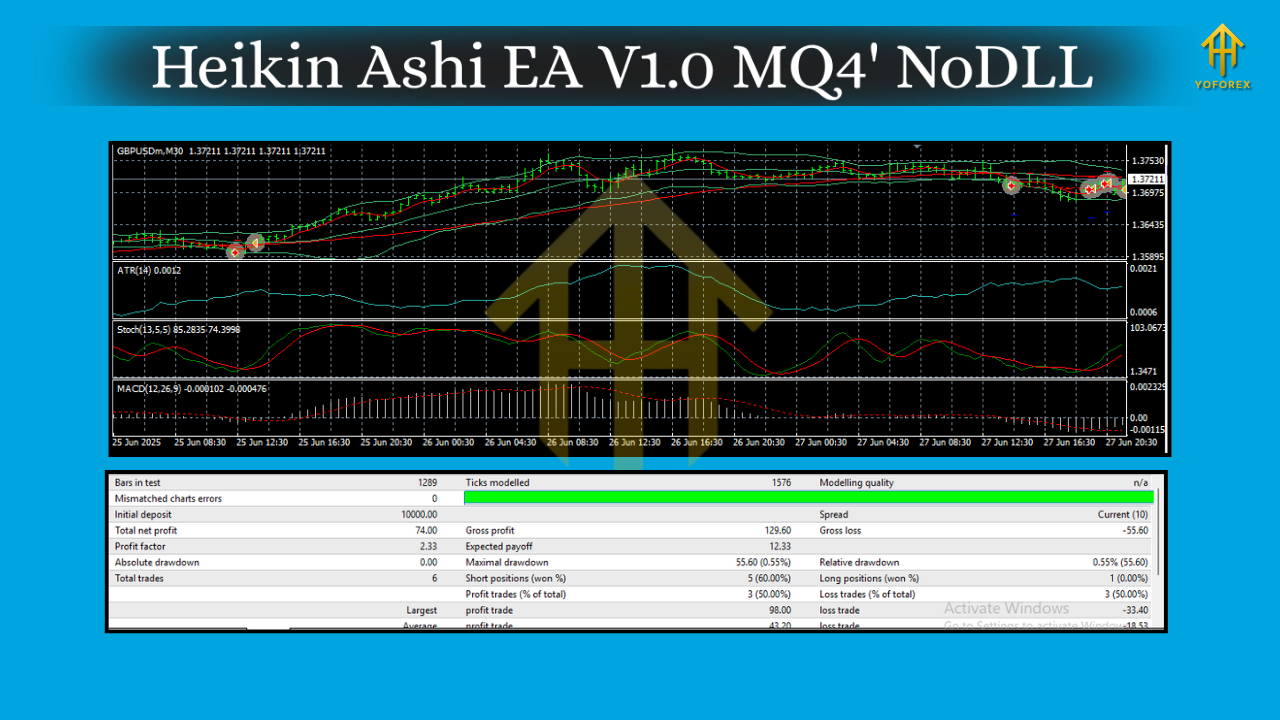
How the strategy works (in plain English)
- Candle Color Triggers:
You define which HA candle in the new sequence should fire the trade—from the 2nd up to the 10th candle after a color change. Want speed? Use an earlier index. Want confirmation? Push it back to the 4th, 5th… even later. This knob alone lets you tailor aggressiveness vs. selectivity. - Distance Limiter (Anti-Clumping):
The EA enforces a minimum distance between entries so it doesn’t open multiple trades at almost the same price. This helps reduce overtrading in choppy phases and keeps your risk footprint tidy. - Quality Filters (MA + MACD):
Before pulling the trigger, the EA can apply Moving Average and MACD filters. These filters aim to:
- Align entries with broader trend bias (MA slope/positioning).
- Avoid weak momentum flips that often revert (MACD histogram/signal alignment).
4. Heikin Ashi Trailing Stop:
Exits are just as important as entries. The EA offers a HA-based trailing stop that moves behind the structure of recent HA candles, giving trades room when trends expand and tightening when momentum fades.
5. Set Files Included:
It ships with optimized set files for multiple symbols and timeframes—use them as a starting point, then tweak to your risk appetite and broker conditions.
Key features at a glance
- Heikin/Heiken Ashi Color-Change Logic — the core signal driver.
- Selectable Trigger Candle (2nd–10th) — choose speed vs. confirmation.
- Distance Limiter — prevents stacking trades too close together.
- MA & MACD Filters — improve signal quality and trend alignment.
- HA-Based Trailing Stop — adaptive, structure-aware exits.
- Works on M5–H4 — intraday to swing.
- Multi-Pair Ready — tuned for GBPUSD, EURUSD, AUDCAD, USDJPY, AUDUSD.
- Optimized Set Files — plug-and-play baselines to shorten your testing time.
- Risk Controls — fixed lot or percentage-based sizing; SL/TP fully configurable.
- Low Touch — once configured, it runs autonomously with clear rules.
Recommended pairs & timeframes
- Pairs: GBPUSD, EURUSD, AUDCAD, USDJPY, AUDUSD
- Timeframes: M5, M15, M30, H1, H4
General guidance:
- M5–M15: More signals, higher noise; consider stricter filters (MA+MACD on) and slightly larger distance limits to reduce churn.
- M30–H1: Balanced flow for day traders; a good sweet spot for many brokers’ spreads/latency.
- H4: Fewer but cleaner signals; ideal if you prefer set-and-forget swing trades and wider stops.
Practical configuration tips (baseline ideas)
Note: Numbers below are starting points. Broker conditions, spreads, and your risk tolerance should drive final tuning. Always demo first.
- Trigger Candle Index: 3–5 (earlier = faster but noisier; later = calmer but fewer entries).
- Min Distance (points/pips): 150–300 points on 5-digit brokers (~15–30 pips) for majors on intraday charts; widen for H1/H4.
- MA Filter: 50 EMA or 100 SMA is a sensible baseline. Entry only if price is above MA for longs (and below for shorts).
- MACD Filter: Classic 12/26/9 often works as a momentum gate—enter when histogram confirms trend direction; stand down when it’s crossing against you.
- Stop-Loss/Take-Profit:
- SL: Recent swing + buffer, or ATR-based (e.g., 1.5× ATR).
- TP: Use risk-reward like 1:1.2–1:2 on intraday; let HA-trailing capture extended moves.
- Position Sizing: Start conservative: 0.5%–1% per trade. Scale only after sufficient forward data.
Risk management & expectations
No EA wins all the time—especially one that rides trends. You’ll see clusters of winners when markets flow and sequences of small cuts when they chop. That’s normal. The goal is positive expectancy over a large sample size, achieved by:
- Keeping losers small and letting winners stretch with the HA trailing stop.
- Not over-stacking positions (distance limiter).
- Sticking to quality filters when conditions degrade.
- Avoiding over-optimization—resist the urge to curve-fit every parameter to last month’s data.
Pro tip: Journal your settings and weekly outcomes. If you see prolonged chop on M5/M15, test wider timeframes or tighten filters during those windows.
How to install on MT4 (step-by-step)
- Download & Copy: Place the EA file (
.mq4or.ex4) into MT4 → File → Open Data Folder → MQL4 → Experts. - Restart MT4: Or right-click Experts in Navigator and hit Refresh.
- Attach to Chart: Open a supported pair (e.g., GBPUSD), select your timeframe (M15/H1/etc.), and drag the EA onto the chart.
- Enable AutoTrading: Top toolbar AutoTrading must be green.
- Load a Set File (Optional): Click Load in the Inputs tab and choose the provided set file for your pair/timeframe.
- Check Filters: Confirm MA/MACD parameters and trigger candle index suit your plan.
- Allow Live Trading: Make sure “Allow live trading” is checked in EA settings.
- Monitor Journal/Experts Tabs: Watch for any broker-side messages or parameter warnings.
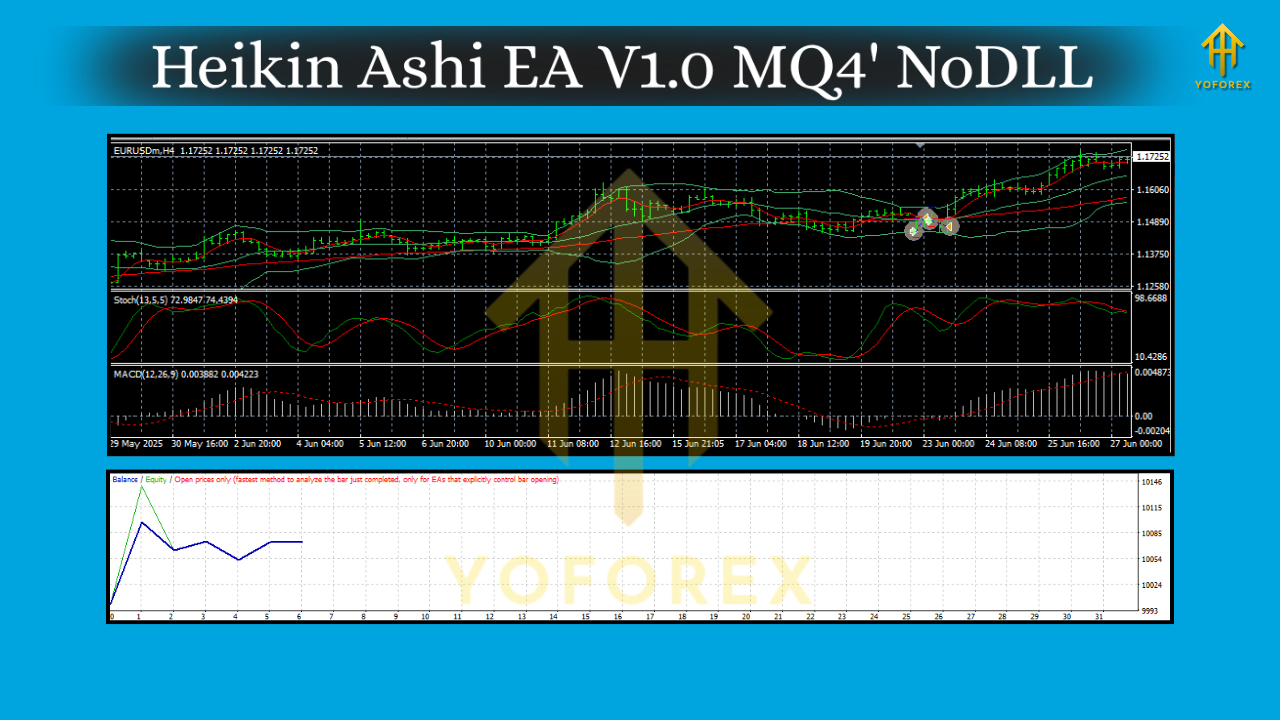
Forward testing & optimization flow
- Phase 1 (Demo Burn-In): 2–4 weeks minimum on your intended pairs/timeframes. Record win rate, average RR, max drawdown, and number of trades.
- Phase 2 (Refine): Nudge the trigger candle, distance limit, and filters to stabilize equity without killing opportunity.
- Phase 3 (Micro-Live): Small live risk (e.g., 0.25% per trade). If execution/spreads differ from demo, re-tune slightly.
- Phase 4 (Scale Gradually): Only scale when the forward edge persists across changing market regimes.
Who is this EA best for?
- Traders who like clear, rules-based entries tied to a widely known visualization (Heikin Ashi).
- Those who value control over frequency (via trigger candle and distance limit).
- Anyone who wants momentum confirmation (MA/MACD) and adaptive exits (HA trailing).
- Intraday and swing traders comfortable with trend following dynamics.
Common Qs (quick answers)
- Does it use martingale or grid?
No. It aims to maintain disciplined exposure via distance limiting and filters. - Can I scalp on M5?
Yes, but expect more noise. Use stronger filters and test broker latency/spread. - What about news events?
Consider pausing or widening stops during high-impact releases; this EA doesn’t read calendars natively. - Will the provided set files work for my broker?
They’re starting points. Your broker’s spreads and execution can change outcomes—always forward test.
Final word
Heikin Ashi EA V1.0 MQ4 combines the simplicity of HA color flips with practical controls (trigger candle index, distance limiter, MA/MACD filters, HA trailing). It’s flexible across M5–H4 and multiple majors, but like all automated systems, it shines when you respect risk and adapt thoughtfully. Start small, document everything, and let data guide your adjustments… not hunches.






Comments
Leave a Comment