Frustrated with indicators that just lag and confuse you more than help? We hear ya. That’s why the Haos Visual Indicator for MT4 exists—to simplify momentum tracking using visual clarity and real-time analysis.
It’s not just another MACD clone or RSI rehash. This one shows you where price momentum is heading—before it becomes obvious. Built for traders who want clarity, not clutter, Haos Visual helps you get in early and stay ahead.
What Is the Haos Visual Indicator for MT4?
- Momentum traders
- Swing traders
- Reversal hunters
- Anyone who trades based on market structure and trend continuation
Key Features of Haos Visual Indicator
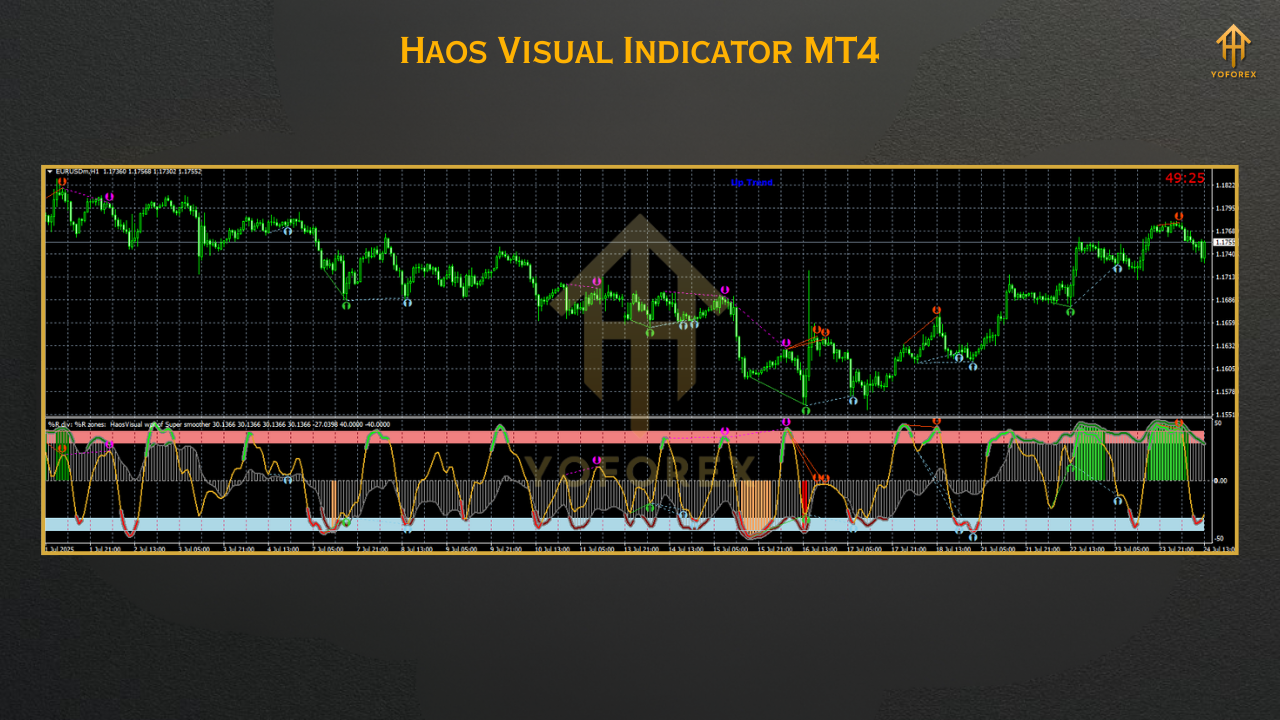
- Real-Time Momentum Detection – Know when price momentum is shifting before it plays out on chart.
- Clear Visual Cues – Uses colored oscillator lines to indicate rising/falling pressure.
- Works on All Timeframes – From M1 to H4 and daily, no lag.
- Simple Yet Powerful – Great for beginners and pro traders alike.
- Non-Repainting – Signals stay fixed; what you see now won’t disappear later.
- Perfect for Reversals & Continuations – Helps confirm both.
- Minimal Lag – Faster reaction than traditional MACD or RSI combos.
- Low Resource Load – Won’t freeze up your MT4 even with multiple charts.
- Overlay-Friendly – Doesn’t clutter your price chart; sits neatly below it.
- Customizable Colors & Levels – Adjust it to fit your strategy and theme.
- Free for Lifetime – Yep, no registration, no upsells, just plug & trade.
How Does It Work?
- Line Rising Above Zero: Bullish pressure increasing → potential buy.
- Line Falling Below Zero: Bearish pressure growing → potential sell.
- Flat or Sideways Line: Low momentum/consolidation → avoid.
- Sharp bends in the line = early sign of possible reversal
- Double tops/bottoms in the line = divergence opportunities
How to Install Haos Visual on MT4
- Download the Indicator
???? Download Haos Visual Indicator MT4 - Open MT4 Folder
MT4 → File → Open Data Folder
Go toMQL4/Indicatorsand paste the.ex4file - Restart or Refresh MT4
Reboot MetaTrader or right-click → Refresh in the Navigator panel - Apply to Chart
DragHaos Visualfrom Indicators to your chosen pair/timeframe - Adjust Settings (Optional)
You can modify line color, width, and sensitivity levels in the Inputs tab
Strategy Ideas Using Haos Visual
1. Trend Continuation
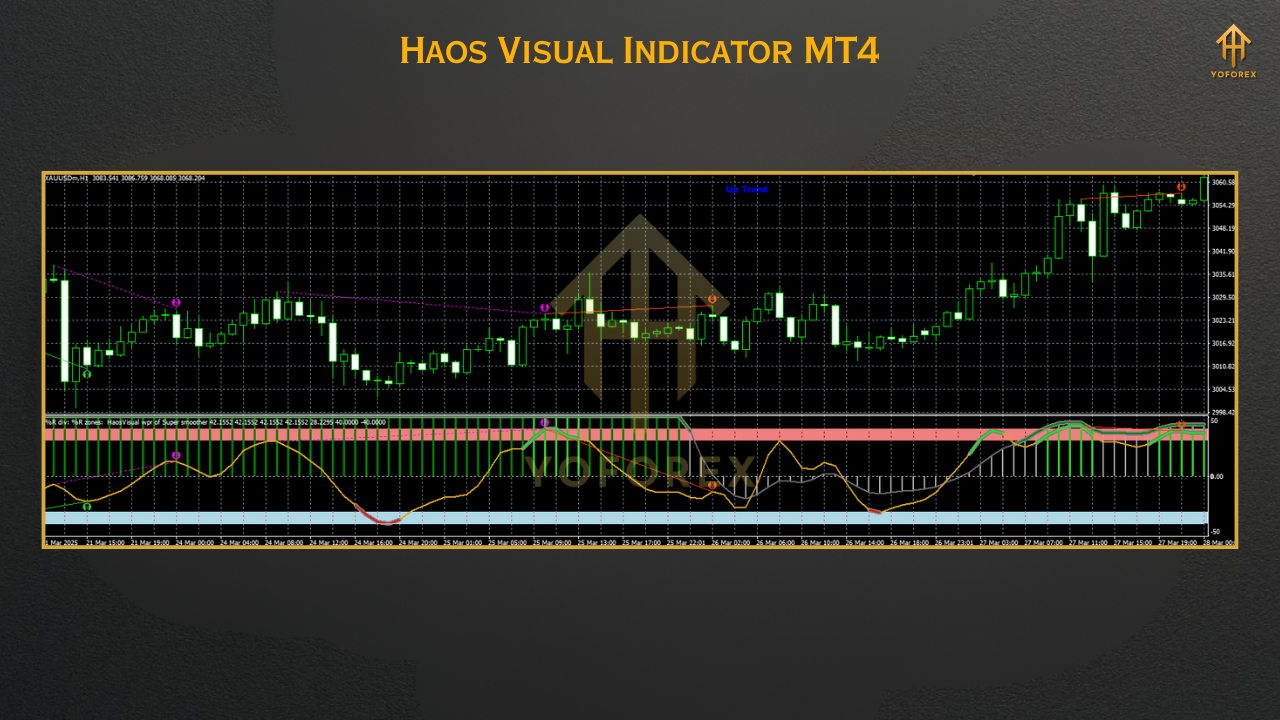
- Entry when Haos crosses above 0 and is rising steadily
- Confirm with breakout candle and volume
2. Reversal Spotting
- Look for divergence: Price makes a higher high, but Haos shows a lower peak
- Enter short on a bearish confirmation candle
3. Range Filter
- Avoid trades when the Haos line is flat or oscillating narrowly around zero
- Use it to stay out during low volatility
Why Use YoForex Tools?
✅ Free forever – no subscriptions, no cracked nonsense
✅ Updated regularly based on trader feedback
✅ Full transparency—what you see is what we use too
✅ Telegram & WhatsApp support, just in case you get stuck
✅ Hundreds of community users already trading with our bots & indicators
Support & Risk Reminder
- ???? WhatsApp: https://wa.me/+443300272265
- ???? Telegram: https://t.me/yoforexrobot
Download & Upgrade Your Momentum Game
Stop guessing when the market’s ready to move. Start seeing it.
???? Download Haos Visual Indicator MT4 Now
???? Free forever. Instant access. No registration required.
YoForex – empowering traders worldwide, one free tool at a time.






Comments
Leave a Comment