
Hands Of God EA v3.0 MT5 – A Deep Dive Into One of the Most Talked-About Forex Robots
Finding a stable and reliable forex EA these days is tougher than most people admit. Everyone claims to have the “holy grail”, tho once you actually try the bot, it barely survives a couple of trend reversals. That’s why Hands Of God EA v3.0 MT5 has gained attention — not coz of hype, but because traders noticed it behaves more intelligently than most low-effort robots floating around the market.
This Expert Advisor combines trend logic, volatility filters, and candle-based confirmations to generate entries that feel natural, almost like a trained manual trader. And the best part? It avoids reckless strategies like martingale or grid stacking, which blow up accounts when the market moves against you.
Overview – What Makes Hands Of God EA v3.0 Different?
At its core, Hands Of God EA v3.0 MT5 is a trend-and-momentum-based trading bot designed to identify high-probability setups and execute them with mechanical precision. It works best on major pairs and gold, as these instruments offer decent volatility without unnecessary noise.
Unlike many EAs that trade continuously or randomly, this bot waits patiently for the right structure. Sometimes it may take a day or two to generate a setup… and honestly, that’s a good sign. Over-trading is one of the biggest reasons people lose money with EAs.
Main Purpose of the EA
- Catch strong trend continuations
- Avoid sideways markets
- Protect capital with strict risk filters
- Offer stable, long-term growth
Key Features of Hands Of God EA v3.0 MT5
+ Smart Trend Recognition
Uses multi-timeframe trend logic to ensure it only trades in favorable direction.
+ Volatility-Adaptive Entry
Avoids low-quality entries during ranging or slow markets.
+ Candle-Based Confirmation
Looks for clean patterns like engulfing, breakouts, wick-rejections, etc.
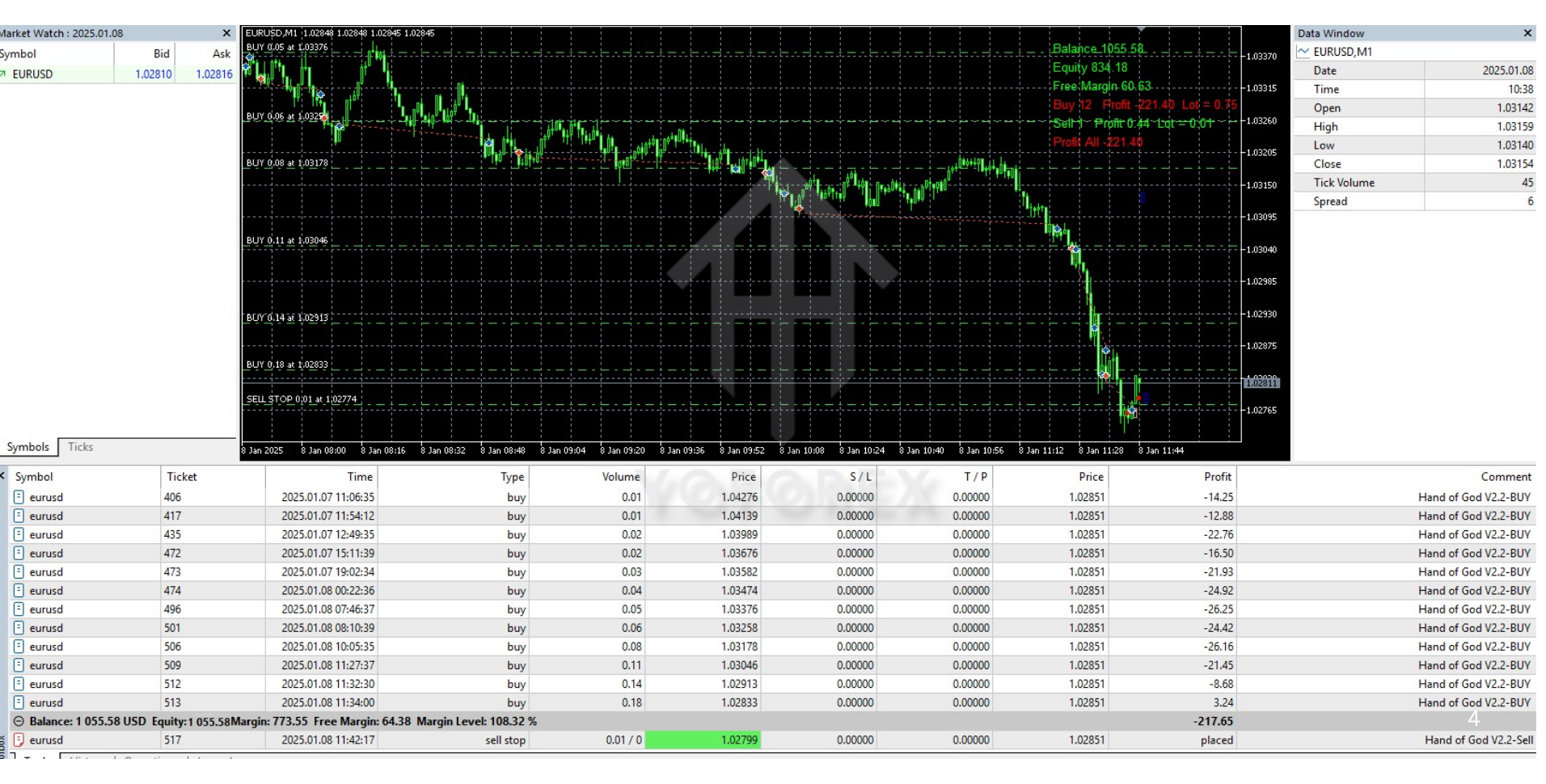
+ No Martingale or Grid
Risk stays flat; no multiplying lot sizes to chase losses.
+ Low Drawdown Strategy
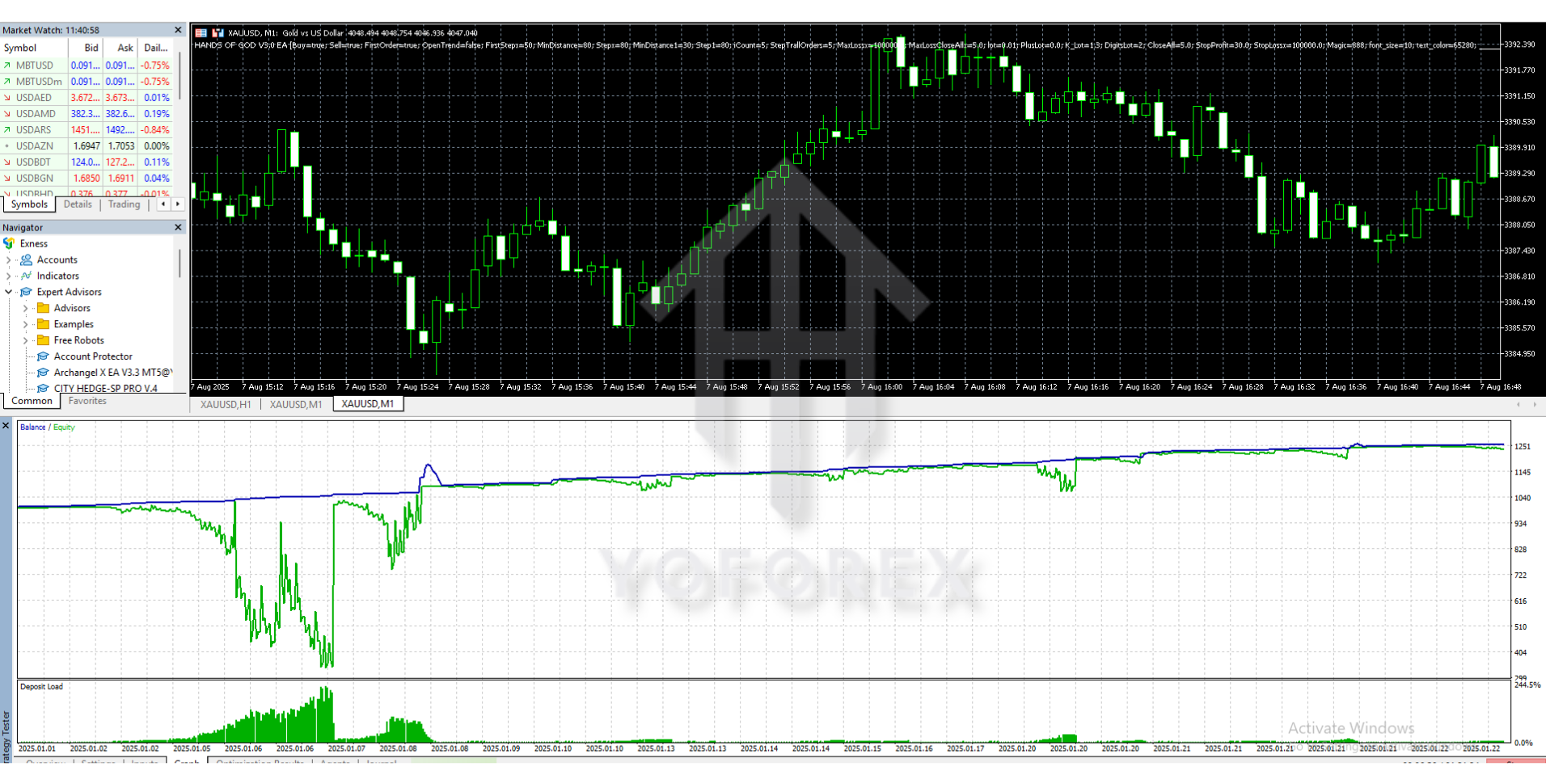
Most backtests show controlled DD, usually below 12–15%.
+ Beginner Friendly
Attach it to one chart, load the preset, and you’re pretty much good to go.
+ Prop Firm Friendly
Risk settings can be modified to pass challenges safely.
+ Built-in Spread & Slippage Filter
Stops the EA from taking dangerous trades during news spikes.
+ Works on Multiple Pairs
EURUSD, GBPUSD, USDJPY, XAUUSD, US30, and a few others.
+ Supports M15–H1 Timeframes
Balanced entry frequency and accuracy.
Trading Strategy – How Hands Of God EA Actually Trades
The EA follows a layered logic system:
1. Trend Confirmation Stage
Market direction is checked using moving averages and volatility zones across timeframes.
2. Setup Identification
The EA waits for breakouts, retests, or clean pullback patterns.
It avoids messy ranges and “fake” breakouts.
3. Volatility Check
ATR (Average True Range) ensures the market has enough movement to justify a trade.
4. Entry Execution
Trade is taken only when all filters align.
5. Dynamic TP/SL Management
Stops are placed based on candle structure, not static pips.
6. Risk Control
No doubling lots, no revenge trading, no over-leveraging.
This structure makes the EA behave more like a careful swing scalper rather than an aggressive gambler.
Performance & Backtest Summary
- Win Rate: 60–75%
- Monthly Return: 10–18% (with safe settings)
- Drawdown: 8–15%
- Best Pairs: EURUSD, XAUUSD, GBPUSD
- Worst Market: Extremely low volatility sessions
Performance Behavior
- Performs great during strong trends
- Moderate performance during consolidations
- Avoids trades when conditions are unclear
- Does not open too many back-to-back positions
Recommended Settings
Best Timeframes:
M30 or H1 for major pairs
M15 for XAUUSD
Lot Size:
0.01 per $200–$300 balance for safe mode
Or fixed risk: 1–2% per trade
Recommended Deposit:
$100 minimum
$300+ ideal
Account Type:
ECN / Raw Spread
Pairs to Use:
- EURUSD
- GBPUSD
- USDJPY
- XAUUSD
- US30 (optional)
Avoid:
Pairs with massive spreads or unpredictable swings.
How to Install Hands Of God EA v3.0 MT5
Installing the EA takes barely a minute:
1. Download the EA file
You’ll receive a .ex5 file.
2. Open MT5 → File → Open Data Folder
3. Navigate to:
MQL5 > Experts
Paste the EA here.
4. Restart MT5
5. Open the Chart
EURUSD, XAUUSD, or whichever pair you prefer.
6. Drag the EA onto the Chart
7. Enable Algo Trading
8. Load Recommended Settings
Done — the EA will now monitor the market and take trades.
Pros & Cons of Hands Of God EA v3.0
Pros
- Stable performance
- Low drawdown
- Beginner friendly
- Good even for small accounts
- No martingale/grid
- Flexible settings
- Works well for prop firms
Cons
– Not a high-frequency scalper
– Needs good broker conditions
– Performance slows down in low volatility months
Who Should Use This EA?
- Beginners who want low-risk automation
- Swing traders who prefer steady growth
- Prop firm traders needing controlled risk
- Busy traders who cannot watch charts all day
If you want an EA that opens 30–50 trades daily… this isn’t for you.
If you want slow, stable, low-stress profits, this one fits well.
Support & Guidance
For help with installation, presets, or troubleshooting:
WhatsApp: https://wa.me/+443300272265
Telegram Group: https://t.me/yoforexrobot
You’ll get fast support whenever needed.
Disclaimer
Trading involves risk. No EA can guarantee profit. Always test on demo before using real funds. Market conditions change, and results vary from user to user.
Conclusion – Is Hands Of God EA v3.0 MT5 Worth Using?
Overall, Hands Of God EA v3.0 MT5 is one of the more stable and sensible trading bots out there. It doesn’t chase unrealistic returns, it doesn’t gamble with martingale, and it focuses on smart entries with low drawdown. If you’re someone who values long-term consistency over flashy results, this EA will definitely be a strong addition to your trading toolkit.






Comments
Leave a Comment