
Gorilla Channel Indicator MT5: Precision Channel Breakouts on Any Chart
Tired of missing breakout trades or getting trapped in fakeouts? If your trading style relies on breakout confirmation, then the Gorilla Channel Indicator for MT5 might be your next best friend. Designed to automatically plot reliable dynamic channels based on price highs and lows, this indicator helps identify key breakout and reversal points with pinpoint accuracy.
Whether you scalp the 5-minute chart or swing trade on daily timeframes, this tool adapts to your style. Best of all? It’s beginner-friendly, no need to manually draw channels anymore.
Overview: What Is Gorilla Channel Indicator MT5?
The Gorilla Channel Indicator MT5 is a custom indicator built for MetaTrader 5 that maps out dynamic price channels, automatically adjusting to market structure. It plots upper and lower bounds based on recent volatility and price movements, giving traders a clear visual guide for breakout and reversal strategies.
It’s ideal for:
- Identifying breakout zones
- Spotting false breakouts
- Supporting channel-based swing trading strategies
- Confirming range boundaries in consolidation markets
Unlike basic trendlines or Bollinger Bands, Gorilla Channel reacts smartly to price action — making it more adaptive in ranging or trending markets.
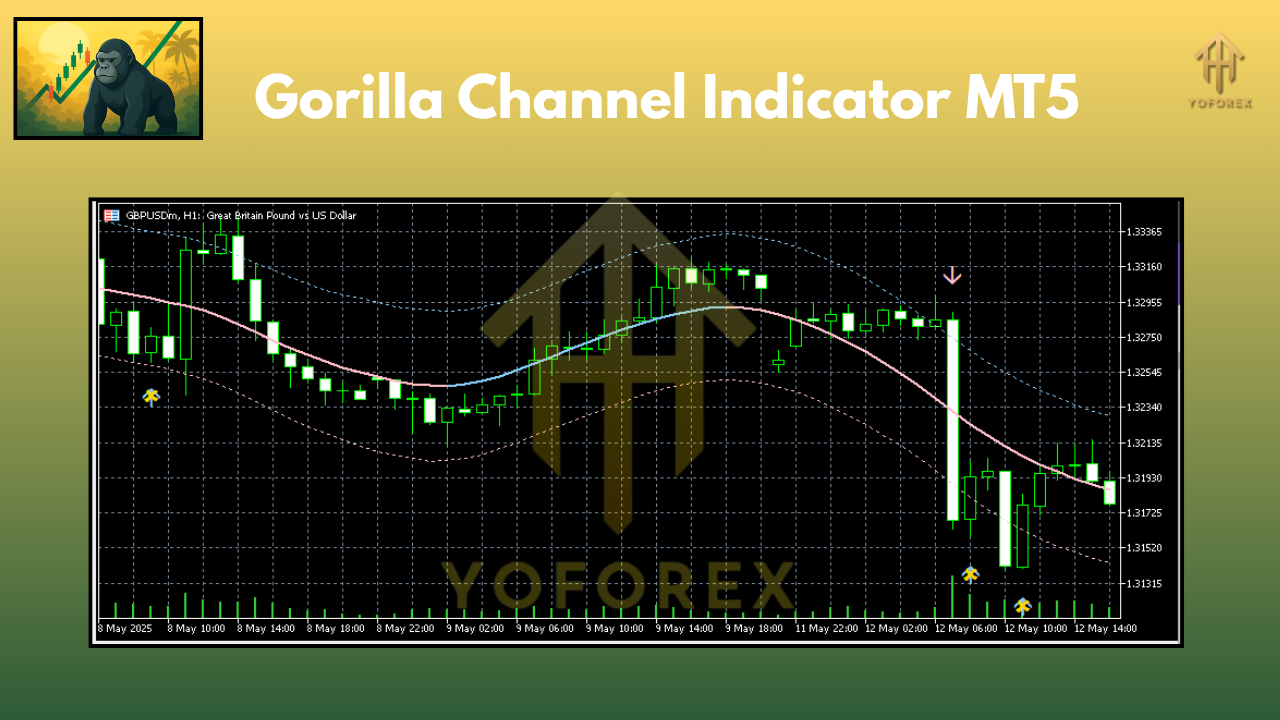 Key Features of Gorilla Channel Indicator MT5
- Auto Channel Detection – Automatically draws top and bottom lines using advanced logic
- Breakout Alerts – Notifies you when price pierces above/below the channel
- Customizable Channel Width – Adjust based on volatility or personal risk tolerance
- Compatible with All Timeframes – Use from M1 scalping to D1 swing setups
- Works on All Pairs – EURUSD, USDJPY, GBPUSD, Gold, Crypto, and more
- No Repainting – What you see is what you get; signals stay intact after the candle closes
- Visual Clarity – Clear and minimal chart drawing without clutter
- Support & Resistance Helper – The upper/lower channel acts like key market levels
- Trend Confirmation Tool – Combines well with moving averages or RSI
- Built-in Notifications – Get pop-up or mobile alerts for major price action events
Recommended Timeframes & Pairs
- Timeframes: M5, M15, H1, H4, D1
- Pairs: EURUSD, GBPUSD, USDJPY, AUDUSD, XAUUSD, BTCUSD — basically any liquid instrument.
Its dynamic design makes it adaptable to both fast-moving and slow-churning markets. If you're a crypto trader, you'll appreciate how well it handles BTC and ETH breakouts too.
How to Use Gorilla Channel for Breakouts
Using the Gorilla Channel Indicator is fairly simple:
- Attach to Chart – Load the indicator from the Navigator panel in MT5
- Wait for Channel Setup – Let it draw the current upper/lower channel
- Monitor for Breakouts – Price breaking and closing outside the channel = possible trade
- Add Confirmation – Combine with RSI, MACD, or price action patterns
- Set Alerts – Optional: Configure alert settings for breakout warnings
It’s not a one-click “holy grail,” but paired with a good confirmation system, it really boosts your entry timing.
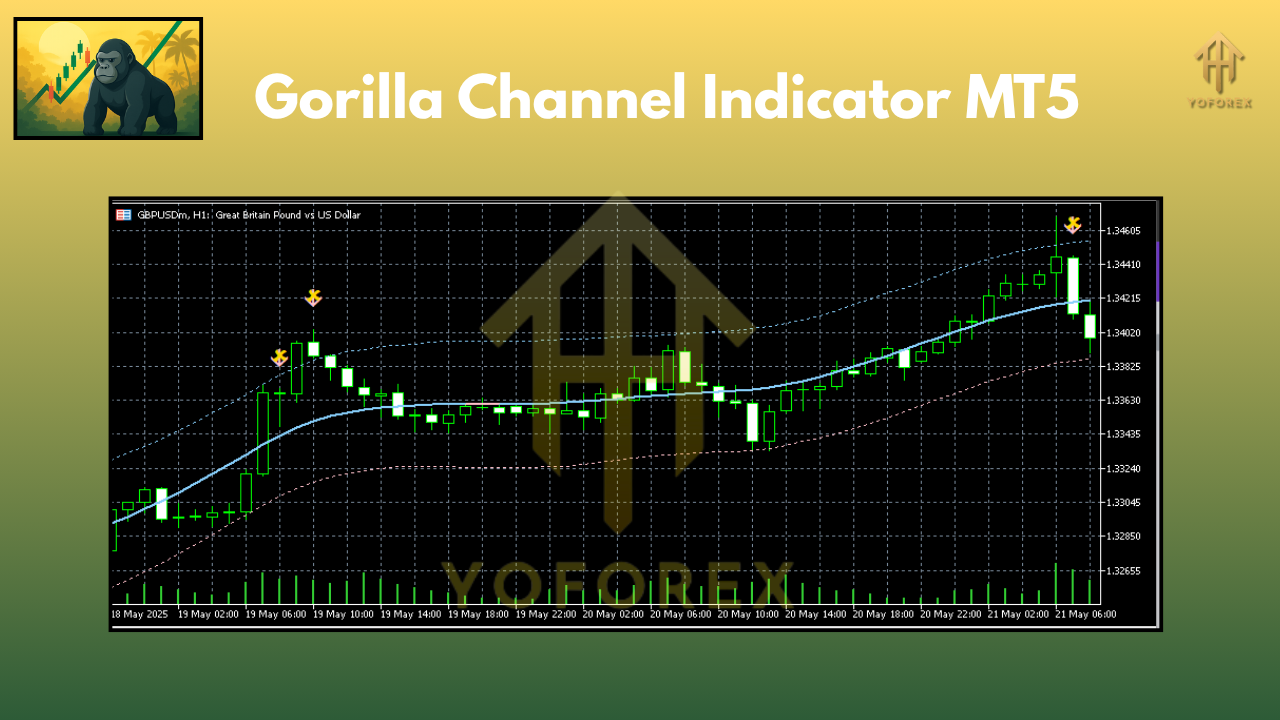 Why Gorilla Channel Indicator Is Worth Trying
- Saves time from manually drawing channels
- Great for both trending and range-bound markets
- Adaptable across forex, crypto, commodities, and indices
- Simple for beginners, powerful for pros
- Compatible with any strategy that uses support/resistance or breakout confirmation
Honestly, if you’ve struggled with inconsistent entries or doubted your manual charting skills… this could solve half your problems.
Installation Guide (Quick Steps)
Here’s how to install the Gorilla Channel Indicator on MetaTrader 5:
- Download the file from your trusted source (we recommend YoForex Tools)
- Open MT5 → File → Open Data Folder
- Navigate to
MQL5 → Indicators, then paste the.ex5file - Restart MT5
- Drag the indicator from Navigator onto any chart
- Tweak your settings (channel sensitivity, colors, etc.)
- You're all set!
Pro Tips for Best Results
- Combine with RSI or stochastic for overbought/oversold confirmation
- Use on M15 or H1 for cleaner signals and fewer fakeouts
- Avoid using during high-impact news unless you're breakout trading
- Adjust width for volatile pairs like GBPJPY or Gold
Final Thoughts
The Gorilla Channel Indicator for MT5 is one of those tools that looks simple… but delivers serious edge if you know how to use it. Whether you’re a channel trader, breakout hunter, or range scalper — this tool helps you trade cleaner setups and avoid those dreaded fakeouts.
It won’t do your thinking for you — but it’ll sure make your chart analysis 10x easier.
Download Gorilla Channel Indicator MT5
Grab the Indicator from YoForex Tools
For any issues or questions, reach us via:
- WhatsApp: https://wa.me/+443300272265
- Telegram: https://t.me/yoforexrobot
YoForex – empowering traders worldwide, one free tool at a time.
Join our Telegram for the latest updates and support






Comments
Leave a Comment