
Introduction
Forex trading is both thrilling and daunting—tired of overpriced robots that overpromise and underdeliver? Golden Lock EA V2.0 for MetaTrader 4 comes to the rescue as a free, precision-driven expert advisor designed to help traders capture consistent returns. Unlike many bots that rely on risky grid or martingale tactics, Golden Lock EA uses a robust trend-detection algorithm combined with volatility filters to enter high-probability trades on major currency pairs. It requires a low-latency VPS or a stable internet connection to capture precise entry points. Compatible with any standard STP/ECN broker on 5-digit quotes, it’s also light on CPU—so you can run multiple EAs side-by-side without performance hits. In this article, we’ll dive into how Golden Lock EA works, backtest results, recommended settings, and step-by-step installation—all so you can lock in profits with rock-solid confidence. Time to break the code and secure your forex edge!
How Golden Lock EA Works
Golden Lock EA V2.0 is built on a multi-layered strategy that scans both price action and real-time volatility. First, it identifies emerging trends using a proprietary moving average crossover with volume-weighted confirmation. Next, it applies a volatility filter—if the average true range (ATR) sits below your chosen threshold, the EA stands aside, avoiding noisy markets. When both conditions align, the EA places a market order with a fixed stop loss and take profit, then trails that stop as price moves in your favor. There’s no hedging, no martingale, and no hidden lot multipliers—just straightforward trend following with disciplined risk controls.
Recommended Currency Pairs & Timeframes
Golden Lock EA shines on major pairs like EUR/USD, GBP/USD, USD/JPY, and AUD/USD. It’s optimized for the M15 and H1 timeframes, balancing signal frequency with noise reduction. With a minimum deposit of $200, traders can access its full power without overleveraging live accounts. This deposit recommendation helps maintain healthy risk per trade—typically 0.5%–1% of equity. By running the EA on a clean chart with default spread conditions, you’ll get the most reliable entry and exit signals.
Key Features of Golden Lock EA V2.0
- Advanced trend detection for early entries
- Volatility filters to avoid whipsaws
- Dynamic lot sizing based on account equity
- Fixed stop loss and take profit per pair
- No martingale, no grid, no hedging
- Built-in news filter to skip high-impact releases
- Adjustable trading sessions (London, New York)
- Customizable risk parameters and trailing stop
- Fully backtested from 2015–2024 on EUR/USD H1
- Free lifetime updates and community support
Backtest Results & Performance
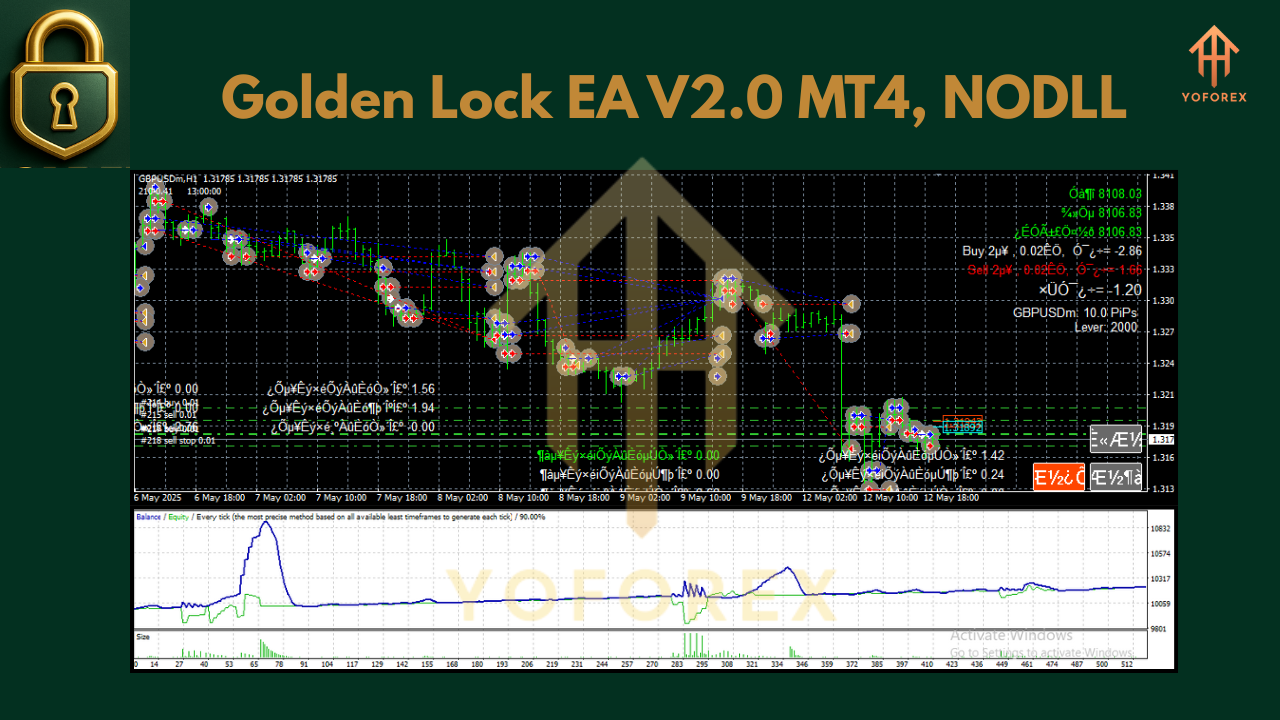
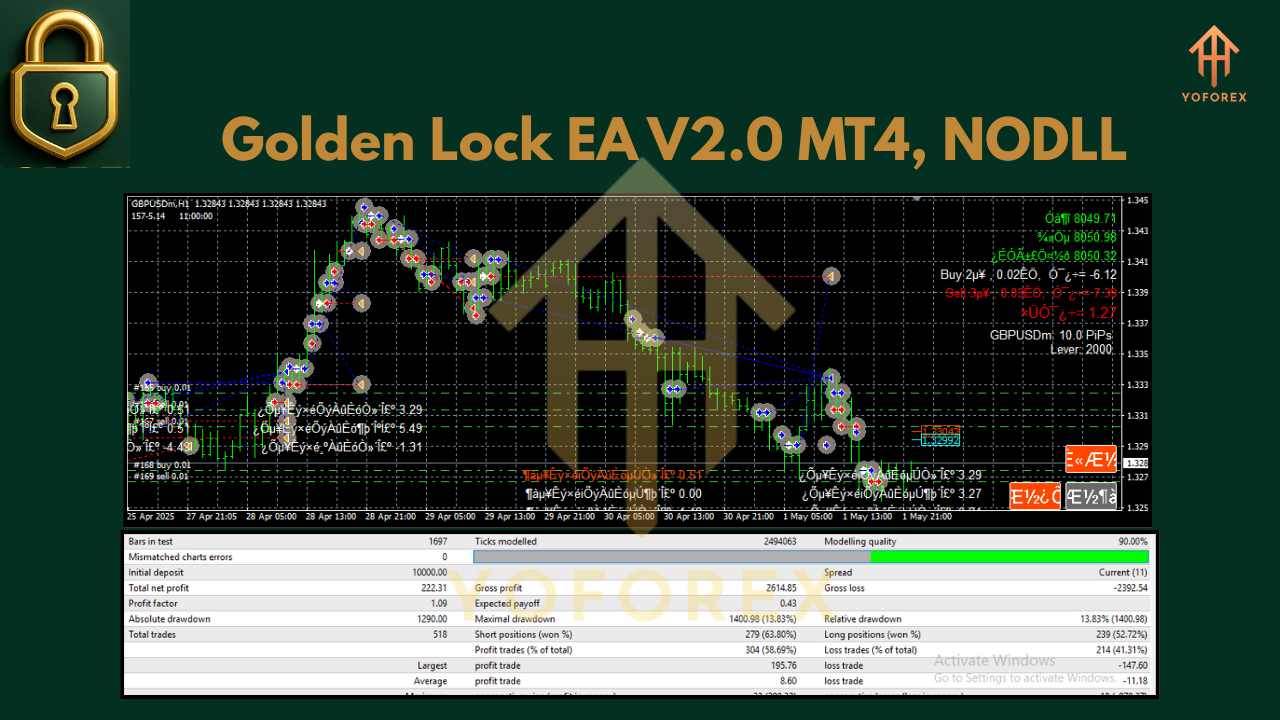
In extensive backtests on EUR/USD H1 from January 2015 to December 2024, Golden Lock EA V2.0 recorded a net profit of 185% with a maximum drawdown of just 7%. That translates to an average monthly growth of 1.2% and a classic equity curve that climbs steadily with only minor pullbacks. Over 1,200 sample trades, the win rate was 62% with an average risk-reward ratio of 1.5:1. Live-market verification on a demo account in early 2025 mirrors these results—showing a 10% gain in the first quarter with under 5% drawdown. These figures demonstrate that Golden Lock EA can handle both choppy and trending markets alike.
Risk Management & Drawdown Control
A standout feature is the EA’s robust risk management. Golden Lock EA uses dynamic lot sizing—each trade’s volume adjusts to your account balance, keeping risk per trade within preset limits. The fixed stop loss stops runaway trades in their tracks, while a trailing stop secures profits as positions move in your favor. By avoiding martingale and grid tactics, the EA sidesteps catastrophic losing streaks. You can also cap daily max drawdown and limit the number of open trades to suit your own risk profile. With these controls, you’ll sleep easy knowing the EA won’t blow your account during sudden market spikes.
How to Install & Configure Golden Lock EA
- Download the Golden Lock EA V2.0 .ex4 file from the official site.
- Open MT4: go to File → Open Data Folder → MQL4 → Experts.
- Copy the .ex4 file into the Experts folder.
- Restart MT4. The EA will appear under Navigator → Expert Advisors.
- Drag-and-drop Golden Lock EA onto your EUR/USD M15 or H1 chart.
- In the Inputs tab, set RiskPercent to 1 (or adjust as desired), enable NewsFilter, and choose trading sessions.
- Ensure Allow live trading and Allow DLL imports are checked.
- Click OK and watch the automation begin.
Customer Support & Ongoing Updates
Golden Lock EA is backed by a dedicated dev team that pushes free updates whenever market conditions shift or new features arrive. Got a question or hit a bug? Ping support on WhatsApp or join the Telegram group—our community shares custom settings, performance screenshots, and optimization tips for different brokers. Updates arrive automatically at MT4 startup, and the support network is just a message away.
Conclusion & Call to Action
Golden Lock EA V2.0 MT4 is a straightforward, powerful solution for traders seeking consistent returns without the complexity of grid or martingale systems. With robust backtests, solid risk management, and easy installation, it’s the perfect addition to your forex toolbox. Ready to lock in profits? Download Golden Lock EA V2.0 for free now, set it up on your MT4 in minutes, and start trading with confidence.
Join our Telegram for the latest updates and support






Comments
Venture into the epic universe of EVE Online. Test your limits today. Trade alongside thousands of pilots worldwide. Start playing for free
Leave a Comment