Gann Fan EA V1.0 MQ4 (MT4): Angle-Based Entries for GBPUSD, EURUSD & XAUUSD
If you’ve ever drawn a Gann Fan on your chart and thought, “Okay… now what?”, this Expert Advisor connects the dots for you. Gann Fan EA V1.0 MQ4 turns time–price geometry into actionable trades on GBPUSD, EURUSD, and XAUUSD, operating smoothly from H1 down to M15. Instead of guesswork, it automates angle-aware entries, dynamic stop placement, and disciplined exits—so you can focus on risk and consistency rather than constantly redrawing lines.
What Makes a Gann Fan Strategy Different?
Gann analysis looks for harmonic relationships between price and time. The familiar 1x1, 1x2, 2x1 angles act like diagonal supports and resistances that evolve with time. Where horizontal levels can go stale, Gann angles “move with the market,” capturing structure as the session unfolds.
Gann Fan EA V1.0 codifies three big ideas:
- Angle Confluence – When price tags or clusters around key fan angles, it signals a potential inflection.
- Trend Continuation vs. Reversal – Angle breaks with retests may hint continuation; sharp rejections near steeper angles can hint fade setups.
- Time Matters – Signals are evaluated per bar close on M15, M30, and H1 to reduce noise but remain responsive.
The result? An EA that uses context—not just single-bar patterns—to frame trades with better structure.
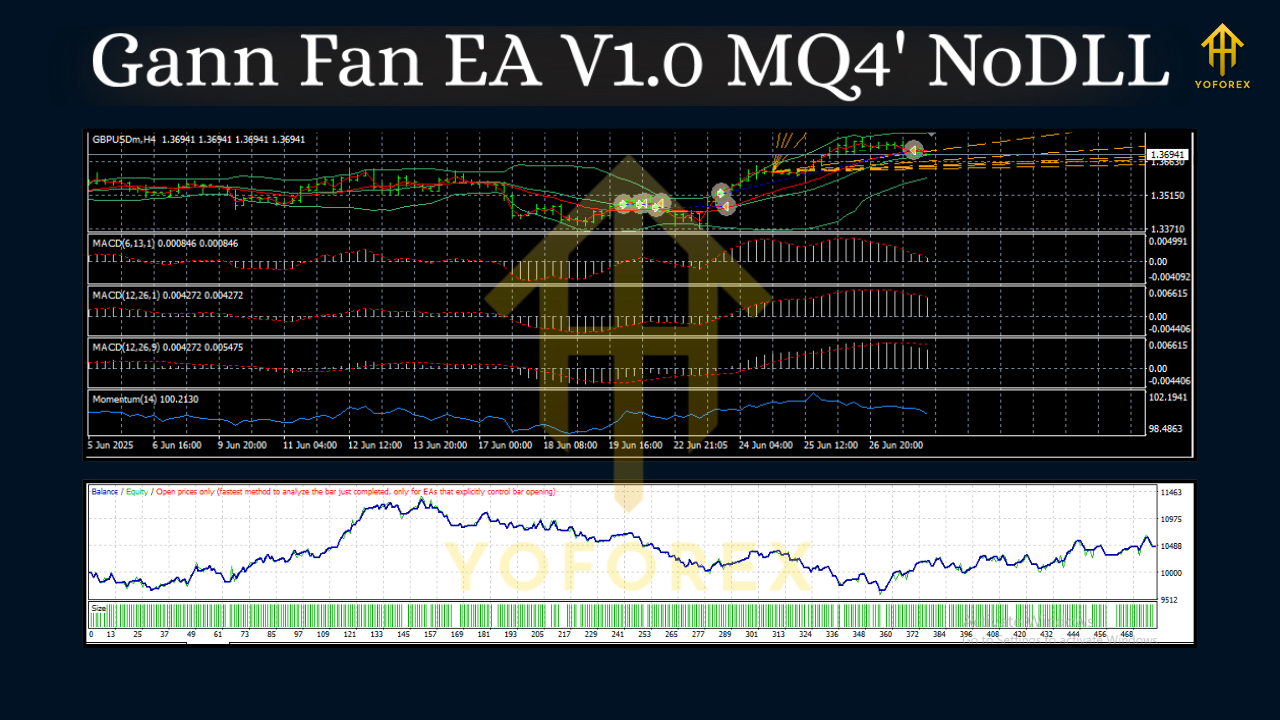 Key Features (At a Glance)
- Pairs Optimized: GBPUSD, EURUSD, XAUUSD (Gold)
- Timeframes: H1, M30, M15 (most stable on H1/M30; M15 for faster opportunities)
- Angle-Aware Entries: Triggers near 1x1, 1x2, 2x1 fan lines with optional confluence filters
- Dynamic Stops: ATR-assisted stops with angle distance logic to avoid tight whipsaws
- Risk Controls: Per-trade fixed lot or % balance risk; optional daily loss cap and trade lock
- News Pause (Optional): Time-window filter to pause trading around scheduled events
- Trade Filters: Session filter (London/NY focus), minimum angle distance, trend slope threshold
- Partial Close & Trailing: Scale out near opposing angles; trail below/above fan lines in trend
- Capital Protection: Equity drawdown guard halts trading for the day when hit
- Clean Logs: Each decision (angle touch, slope, volatility) stamped to the Experts log for review
How the EA Finds Trades
1) Angle Detection
On chart attach, the EA builds a reference fan using recent swing structure (pivot highs/lows) and calculates canonical Gann angles scaled to the instrument. For Gold (XAUUSD), it uses a different normalization than for GBPUSD/EURUSD to reflect volatility.
2) Setup Qualification
- Continuation: If price breaks a down-angle and retests from above with bullish close (or vice versa), the EA looks for continuation entries in the direction of the break.
- Rejection Fade: If price aggressively rejects a steep angle with confirming candle structure, a fade trade is considered—only when volatility is not extreme and risk metrics remain favorable.
3) Risk & Order Placement
Stops are placed beyond the most relevant angle by a volatility buffer (ATR x factor). Targets are projected toward the next fan angle or a measured move. For choppier sessions, the EA can scale out at the first target and trail the remainder using angle-following logic.
Recommended Markets & Timeframes
- GBPUSD (Cable): Strong geometry during London/NY overlap. Start with H1 for structure; drop to M30 when seeking more frequency.
- EURUSD: Cleaner angle flow on H1; M30 acceptable during trend days.
- XAUUSD (Gold): Volatile and reactive to angles. Prefer H1 baseline; M15 only if spreads are tight and VPS latency is low.
Tip: If you’re new to angle trading, begin on H1. It’s calmer, signals are clearer, and angle noise is reduced.
Setup & Installation (MT4 / MQ4)
- Copy the EA (
Gann Fan EA V1.0.mq4or.ex4) into:MQL4 > Experts. - Restart MT4, or right-click Expert Advisors > Refresh.
- Open the Chart for GBPUSD, EURUSD, or XAUUSD on H1/M30/M15.
- Drag the EA onto the chart and tick “Allow live trading.”
- Inputs to Review:
RiskMode(FixedLot or PercentRisk)LotSizeorRiskPercent(e.g., 1.0% per trade)AngleSet(standard Gann set; leave default initially)ATR_Multiplier(e.g., 2.0–3.0 depending on pair)SessionFilter(true) and session hoursDailyLossLimit(e.g., 3–5% of equity)MaxOpenTrades(1–3 depending on account size)
6. Enable AutoTrading (top toolbar) and watch the Experts/Journal tabs for confirmation messages.
Risk Management Best Practices
- Use a VPS with low latency—especially for XAUUSD on M15.
- Position Sizing: Start with 0.5–1.0% risk per trade until you build confidence.
- Daily Loss Cap: Don’t skip this. A mechanical halt protects you from emotional decisions after a losing streak.
- One Chart = One EA Instance: Avoid overlapping logics fighting for orders.
- Slippage/Spread Guards: Set maximum slippage and spread filters to skip poor fills.
- Forward Test First: Demo or small-size live to validate your broker conditions.
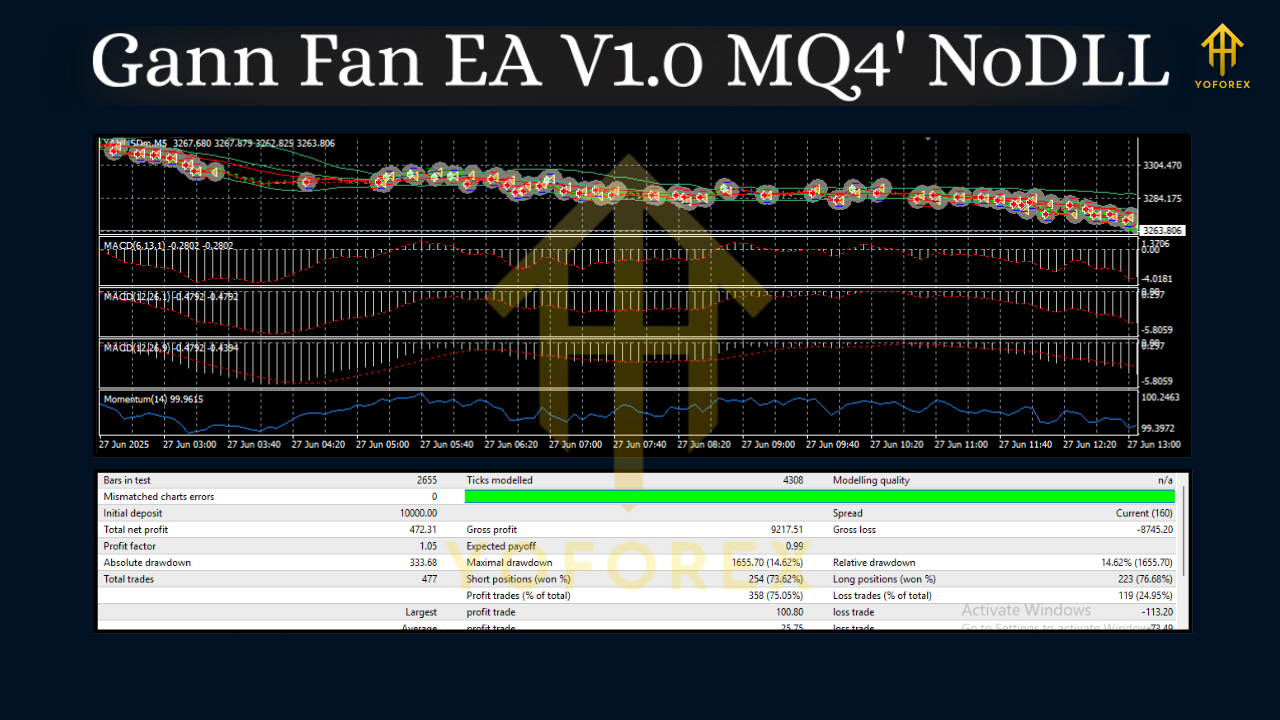 Strategy Tips by Instrument
GBPUSD
- Focus on London open through early NY.
- Continuation trades after clean angle breaks often perform better than early fades.
- If volatility spikes (news), let the first impulse settle before trusting an angle retest.
EURUSD
- Patient pair. The H1 fan often “steps” price neatly.
- Consider narrower ATR multipliers than Cable during calm sessions.
- Avoid over-trading on M15 unless trend is obvious and spreads are tight.
XAUUSD (Gold)
- Respect volatility. Use wider ATR stops and partial take-profits at the next angle.
- Disable fade mode on high-impact news hours; stick to continuation plays.
- If you see rapid angle-to-angle ping-pong, step up to H1 to regain structure.
Troubleshooting & Optimization
- No trades? Check session hours, spread filter, and that AutoTrading is enabled. On quiet days, angle confluence may not trigger—by design.
- Too many breakevens? Loosen the initial target or increase ATR buffer.
- Stops feel tight on Gold? Raise the ATR multiplier (e.g., from 2.0 to 2.8–3.2).
- Over-trading on M15? Switch to H1 or raise the angle distance threshold to require cleaner touches.
- Broker differences: Spreads/slippage matter. If your broker widens often, consider stricter spread filter or a different session window.
Final Thoughts
Gann Fan EA V1.0 MQ4 is for traders who like rules with geometry baked in. It won’t chase every tick; it waits for angle-based context, then structures risk with ATR buffers, partials, and discipline. If you’ve struggled to convert Gann theory into consistent actions, this EA gives you a repeatable framework—from H1 swing structure to M15 momentum taps—across GBPUSD, EURUSD, and XAUUSD.
As always, forward test under your broker conditions, keep your risk sane, and let the data guide your tweaks. Markets change—but angles, when used thoughtfully, give you a moving map to navigate them.






Comments
Leave a Comment