FX LAB V2.0 Indicator MT4 – Advanced Forex Tool for Scalping, Day Trading, and Swing Trading
In the fast-paced world of Forex trading, having the right tools can significantly impact your success. FX LAB V2.0 for MetaTrader 4 (MT4) is one such tool that stands out due to its advanced features designed to cater to scalpers, day traders, and swing traders. Whether you are a beginner or an experienced trader, this powerful indicator helps identify high-probability trade setups by generating clear entry and exit signals. Let's dive into what makes the FX LAB V2.0 Indicator MT4 an indispensable asset for your trading toolkit.
What is FX LAB V2.0 Indicator?
The FX LAB V2.0 Indicator is a sophisticated trading tool designed to work with MetaTrader 4, the most widely used trading platform for retail Forex traders. It generates highly accurate snake signals through a combination of intelligent algorithms and carefully filtered market data. The indicator assists traders in finding optimal entry and exit points, making it highly valuable for scalping, day trading, and swing trading.
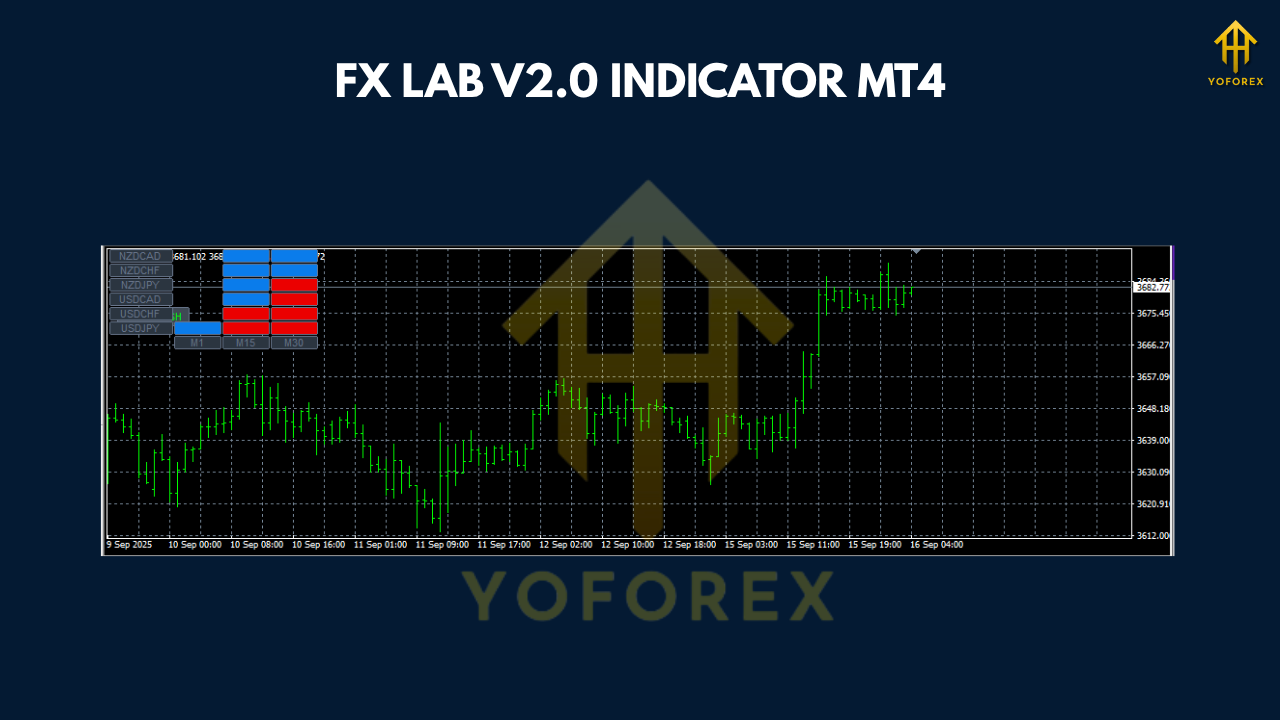
Key Features of FX LAB V2.0:
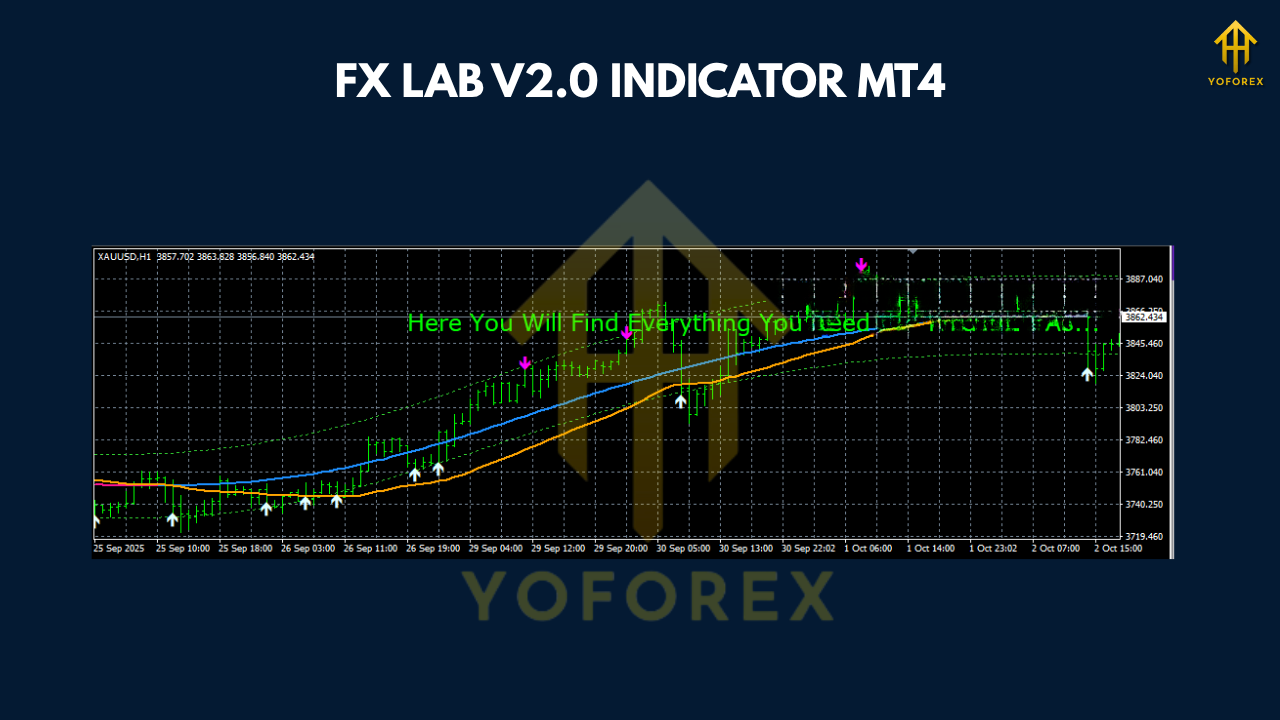
- Snake Signals: The main feature of FX LAB V2.0 is its unique snake signals that are specifically designed to identify market trends, helping you make well-timed entry and exit decisions.
- Intelligent Algorithms: The algorithms within this indicator process vast amounts of market data and apply advanced filters to ensure that only the most profitable trades are highlighted.
- Take Profit and Stop Loss: The indicator automatically suggests optimal take profit and stop loss levels, allowing you to set your risk and reward parameters without manual intervention.
- Trade Confirmations: Trade confirmations help you verify the accuracy of your signals before executing any trade, reducing the risk of false setups.
How Does FX LAB V2.0 Work?
FX LAB V2.0 works by analyzing the price action of currency pairs and combining it with multiple technical indicators. This combination allows the indicator to produce highly reliable signals, which are visualized on your chart. These signals are easy to interpret, even for beginner traders, and can be used for different types of trading strategies.
Scalping with FX LAB V2.0:
Scalping requires quick decision-making and precise entry and exit points. FX LAB V2.0’s snake signals are ideal for scalpers because they generate high-probability short-term setups. Scalpers using M1 (1-minute) or M5 (5-minute) timeframes can rely on these signals to catch small but consistent price movements throughout the trading session.
Day Trading with FX LAB V2.0:
For day traders, the FX LAB V2.0 provides a fantastic tool for finding profitable opportunities within the day. The indicator generates signals that work well within the M1 and M5 timeframes, making it an excellent fit for fast-paced market conditions that day traders typically thrive in.
Swing Trading with FX LAB V2.0:
Swing traders looking for medium-term opportunities can also benefit from FX LAB V2.0. By identifying market reversals and consolidations, this indicator helps traders position themselves effectively for swing trades on M5 charts.
Time Frames and Currency Pairs Supported
FX LAB V2.0 works across a variety of timeframes, including M1 and M5, which are ideal for scalping and day trading. While it can be used on any currency pair, its high sensitivity to market movement makes it particularly effective for volatile pairs like EURUSD, GBPUSD, XAUUSD, and others.
Time Frames:
- M1 (1-minute)
- M5 (5-minute)
Supported Currency Pairs:
- Any currency pair
Whether you are trading major pairs, cross-currency pairs, or commodities like gold, FX LAB V2.0 provides accurate signals for all these assets.
Benefits of Using FX LAB V2.0:
1. Accurate Trading Signals:
FX LAB V2.0’s intelligent algorithms ensure that the signals generated are accurate, giving you a clear indication of when to enter or exit a trade.
2. Automated Trade Management:
The built-in take profit and stop loss levels are automatically set, ensuring your trades are managed without the need for manual adjustments.
3. Customizable Settings:
The indicator allows traders to adjust settings based on their individual trading strategies. This means you can fine-tune it to meet your needs.
4. Beginner-Friendly:
Even beginners will find FX LAB V2.0 intuitive and easy to use. Its user-friendly dashboard displays critical information such as trade confirmations, profit targets, and stop loss levels.
5. Works Across Any Currency Pair:
FX LAB V2.0 is highly versatile and can be used with any currency pair, making it suitable for a wide range of trading styles and preferences.
How to Install FX LAB V2.0 on MT4?
Installing FX LAB V2.0 on MetaTrader 4 is simple. Here's a step-by-step guide:
- Download the Indicator:
- Download the FX LAB V2.0 indicator from a trusted source.
- Install on MT4:
- Open MetaTrader 4 and go to File > Open Data Folder.
- Navigate to the MQL4 folder and then to the Indicators folder.
- Copy the downloaded indicator file and paste it into the Indicators folder.
- Activate the Indicator:
- Restart your MT4 platform.
- Find the indicator in the Navigator panel under Custom Indicators.
- Drag and drop it onto your chart.
- Adjust Settings:
- You can adjust the settings according to your trading preferences, such as customizing the timeframes or enabling specific alerts.
Conclusion
The FX LAB V2.0 Indicator MT4 is a cutting-edge tool that enhances your Forex trading experience, whether you're into scalping, day trading, or swing trading. With its intelligent algorithms, snake signals, and automated trade management features, FX LAB V2.0 is a must-have for traders looking to maximize their potential in the Forex market.
By offering precise signals, clear entry and exit points, and easy-to-follow trade management features, FX LAB V2.0 simplifies the trading process while giving you the edge you need to succeed.






Comments
Leave a Comment