FX Dzire Robot EA V1.0 MT4 — Adaptive Automation for Any Pair, Any Timeframe
If you’ve been hunting for a clean, no-drama way to automate your trading on MetaTrader 4, the FX Dzire Robot EA V1.0 might be the breath of fresh air you were waiting for. It’s pitched as a fully automated system that adapts to changing market conditions, so you don’t have to babysit the charts all day. Any pair. Any timeframe. That’s the headline—and when paired with sensible risk controls and a stable setup, the value proposition starts to look genuinely compelling.
Below, you’ll get a practical tour: what it does, how it typically behaves in different markets, how to install it correctly, recommended operating habits, and a realistic look at pros/cons. No wild promises—just a grounded guide to putting FX Dzire to work on your MT4.
What Is FX Dzire Robot EA? (Quick Overview)
FX Dzire Robot EA is a fully automated Expert Advisor designed for MetaTrader 4 (MT4). According to its developers, the core idea is adaptability: the logic evaluates recent market structure and volatility to decide when and how to participate—whether price is trending, ranging, or throwing the occasional fakeout that tends to shake out manual traders. The stated benefit is versatility for both beginners and experienced users:
- Any pair support lets you diversify beyond one symbol.
- Any timeframe flexibility means you can match trade frequency to your schedule and temperament.
- Hands-off execution reduces emotional decision-making that often sabotages manual strategies.
The EA is not a silver bullet (nothing is), but when you combine it with a robust broker, a low-latency setup, and sane money management, it can add steady automation to your workflow.
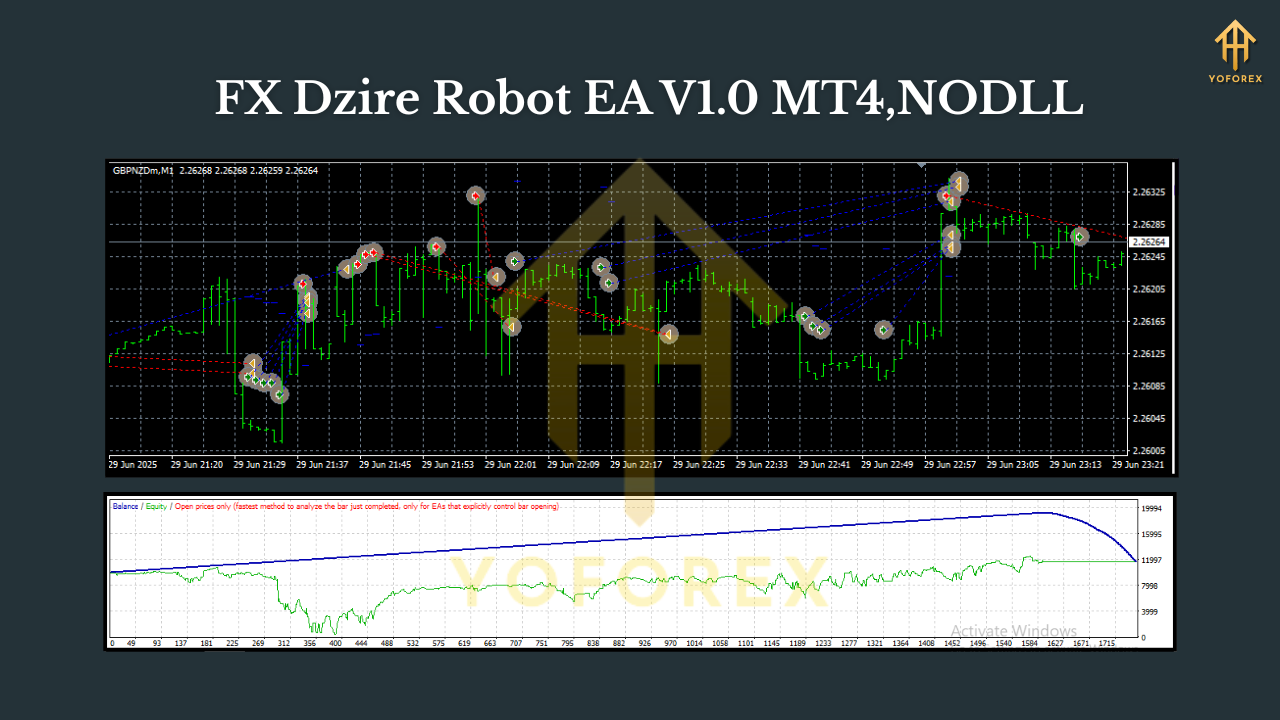
How It Works (In Plain English)
While specific proprietary logic is not publicly documented, FX Dzire’s aim is to adapt. In practice, EAs with this philosophy typically blend:
- Trend & momentum filters to bias entries with the path of least resistance.
- Volatility awareness to size stops/targets more appropriately during fast vs. slow sessions.
- Session/Time filters (user-configurable in many EAs) to avoid thin or erratic conditions.
- Risk-based lot sizing so you can anchor exposure to a percent of equity rather than a fixed lot.
- Protective exits via stop loss, break-even, trailing stop, or staged take-profits (when available).
The “any pair / any timeframe” claim doesn’t mean you should run it everywhere at once. It means the EA isn’t hard-coded to one market. Smarter approach: pick a couple of symbols you know well, forward test, and scale methodically.
Who Should Consider FX Dzire?
- Newer traders who want an automated baseline and less screen time.
- Busy pros who prefer diversification across multiple pairs without micro-managing entries.
- Strategy tinkerers who like to optimize parameters for their broker’s spread, slippage, and session behavior.
If you love full control and discretionary reads, an EA won’t replace your edge—but it can run a “steady-Eddie” model in the background while you focus on higher-conviction plays.
Recommended Operating Habits
Even the best robots suffer if you run them in messy environments. A few best practices:
- Broker & spread: Choose a low-spread, low-commission broker with reliable execution. High costs eat edges.
- VPS: Host MT4 on a fast VPS close to your broker’s server to reduce latency and disconnections.
- Pairs & timeframes: Although “any” is supported, many traders find majors (EURUSD, GBPUSD, USDJPY) and gold (XAUUSD) behave consistently. For frequency vs. noise, M15–H1 is a solid middle ground; H4 for calmer, swing-style operation.
- Risk per trade: Keep risk modest—0.25%–1% per position for most accounts. Scale only after consistent forward results.
- One change at a time: If you optimize, tweak a single parameter and forward test; avoid shotgun over-optimization.
Installation & Setup (MT4)
- Copy the EA file (
.ex4or.mq4) intoMQL4/Expertsinside your MT4 data folder. - Restart MT4, or hit Navigator → Right-click → Refresh.
- Enable Algo Trading: Tools → Options → Expert Advisors → tick “Allow automated trading.”
- Attach to chart: Drag FX Dzire Robot EA onto your chosen chart(s).
- Inputs: Set your preferred Magic Number, Risk % / fixed lot, Max spread, Trade hours (if available).
- Check smiley face in the chart’s top-right; that confirms the EA is active.
- Journal & Experts tabs: Watch for any error messages on startup (missing permissions, trade disabled, etc.).
Tip: Start on a demo for at least 2–4 weeks. If performance and behavior match expectations, graduate to a small live account.
Sensible Settings (Starting Points)
- Risk model: Begin with 0.5% per trade. If using fixed lots, size so your typical stop (in pips) equals ~0.5% equity.
- Max spread filter: Keep it tight on majors (e.g., 15–25 points on 5-digit quotes), slightly looser for gold and crosses.
- Session window: If your EA supports time windows, consider London + early NY where liquidity is best.
- Symbol mix: Start with 2–3 symbols (e.g., EURUSD, GBPUSD, XAUUSD). Add more only after stable results.
These aren’t hard rules; just pragmatic guardrails to stop common early mistakes.
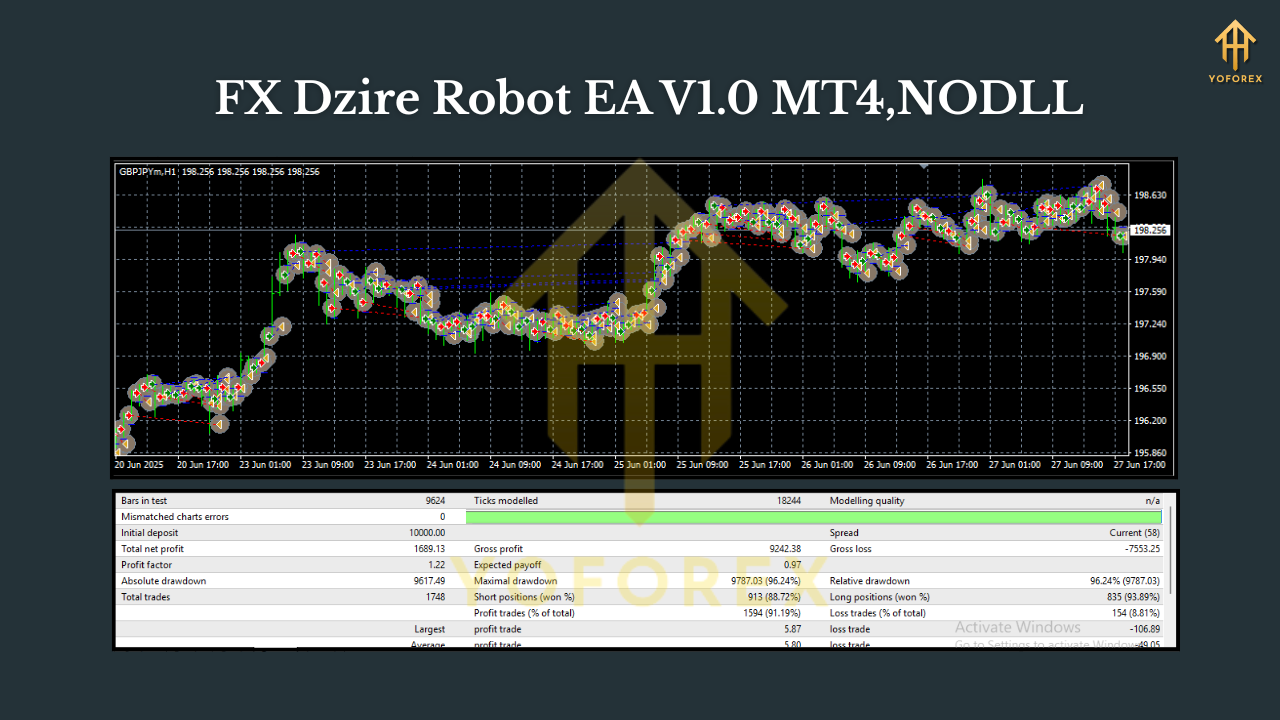
Backtesting & Optimization Tips
- Use high-quality data: If possible, test with 99% tick quality, variable spreads, and realistic slippage.
- Walk-forward, not curve-fit: Split data into in-sample (optimize) and out-of-sample (validate).
- Multiple regimes: Test quiet years and volatile years (news shocks, wars, rate cycles) to see how the EA adapts.
- Forward test: After a “good” backtest, forward test on demo/live micro to confirm fills and real-time behavior.
- Keep logs: Track monthly metrics—win rate, average R, drawdown, profit factor. Numbers guide decisions better than feelings.
Risk & Money Management (Non-Negotiables)
No EA is invincible. The market will have days—sometimes weeks—when conditions are awkward. Protect yourself:
- Max daily loss: Many traders cap at 2–3%. When hit, pause trading for the day—come back fresh.
- Portfolio view: If you run Dzire on several pairs, ensure the combined risk isn’t accidentally stacking (e.g., EURUSD + GBPUSD often correlate).
- News risk: For major releases (CPI, FOMC, NFP), spreads can spike. Consider pausing during the minutes around high-impact news if your EA doesn’t filter it.
Pros & Cons
Pros
- Works on any pair and any timeframe, offering flexibility and diversification.
- Fully automated execution; reduces emotion and second-guessing.
- Configurable risk so you can start conservative and scale.
- Plays nicely with VPS setups for 24/5 uptime.
Cons
- “Any pair/timeframe” isn’t a green light to go wild—discipline still required.
- Performance depends on broker costs and execution quality.
- Over-optimization temptation—curve-fitted settings can crumble in new regimes.
Final Thoughts
FX Dzire Robot EA V1.0 aims to simplify life for traders who want adaptable automation without the lock-in of single-pair, single-timeframe systems. The promise is flexibility; the responsibility is yours—broker choice, VPS stability, risk limits, and the patience to forward test. Treat it like a professional tool, and it can be a reliable helper in your stack. Treat it like a lottery ticket… and you already know how that ends.






Comments
Leave a Comment