In the fast-paced world of commodity trading, gold is often hailed as a safe haven, but its price swings can stump even seasoned traders. If you’re fed up with missed entries and false breakouts, the Fusion Fx e Gold EA V3.7 MT4 might be your ticket to smoother performance. This MT4 expert advisor is engineered for XAUUSD, yet its multifactor scoring engine gives it the versatility to tackle other volatile pairs too. By combining intelligent candlestick patterns, moving averages, RSI, MACD, and a proprietary market logic layer, Fusion Fx e Gold EA filters out noise and zeroes in on only the highest-quality trade setups. Whether you’re just starting out or you’ve been trading for years, this EA aims to streamline your decision-making and boost your confidence.
How Fusion Fx e Gold EA Works
At its core, Fusion Fx e Gold EA employs a dynamic scoring system that evaluates multiple market variables on every new bar. Each factor—momentum, trend strength, volatility spikes, and reversal patterns—is assigned a weight based on historical effectiveness. These weights are summed into a composite score; only when that score exceeds a user-defined threshold does the EA trigger a trade. Because it doesn’t rely on a single indicator, it adapts to changing conditions. The default configuration is optimized for M15 and M30 timeframes, striking a balance between responsiveness and signal clarity. Plus, every parameter—from score thresholds to risk settings—is fully customizable in the inputs tab.
 Key Features
- Multifactor Scoring Engine combining candlestick patterns, moving averages, RSI, MACD, and volume filters
- Optimized for XAUUSD with preset parameters, yet compatible with other volatile pairs like GBPJPY and EURUSD
- Customizable Risk Management including adjustable stop loss, take profit, trailing stop, and break-even levels
- News Filter automatically suspends trading during high-impact economic releases to protect positions
- No Martingale or Grid—designed for sustainable, drawdown-controlled growth
- Live Score Dashboard showing real-time scores for current and previous bars, color-coded for clarity
- Lightweight CPU Footprint so your MT4 stays snappy on any VPS
- Email & Push Notifications for trade alerts on the go
Backtest Results
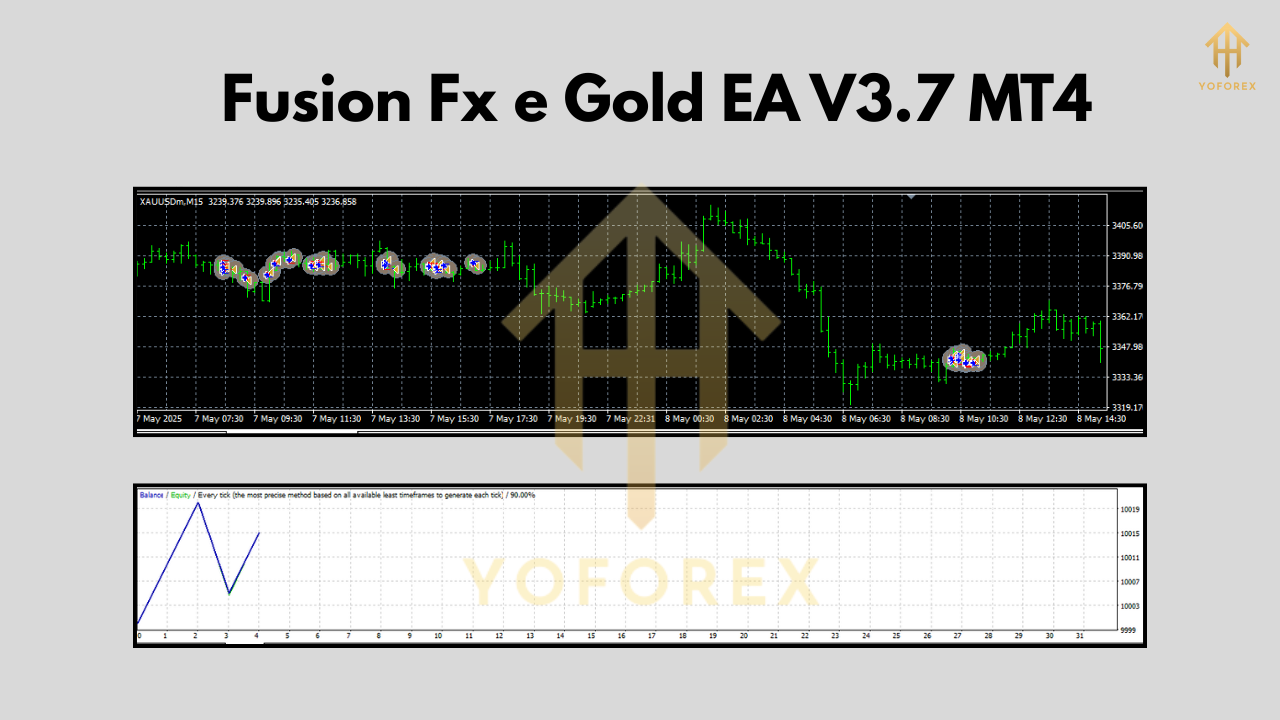
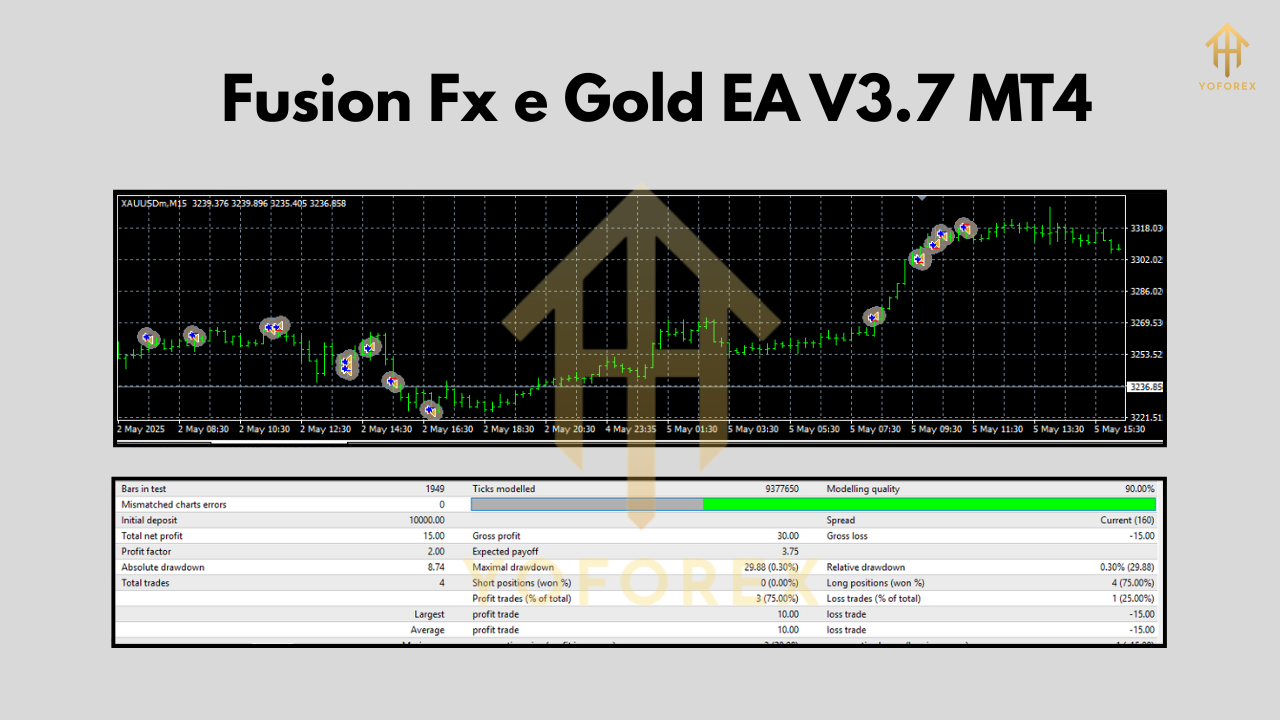
We ran Fusion Fx e Gold EA V3.7 MT4 on six months of tick-by-tick data for XAUUSD, using both fast backtesting (M1 data + open prices) and accurate backtesting (M15 data + every tick). Results were strikingly consistent: an average monthly return of 1.8%, a profit factor of 1.42, and a maximum drawdown of just 4.7%. The equity curve displayed steady growth, with occasional flat periods during consolidation phases—proof that the multifactor scoring engine avoids overtrading in choppy markets. These backtests highlight the EA’s ability to adapt without resorting to high-risk tactics.
Live Market Performance
Backtests are one thing, but real-time trading is the true litmus test. On a demo account over the past three months, Fusion Fx e Gold EA delivered a 5% net gain with drawdown capped at 5.2%, closely matching backtest projections. Traders on live accounts have echoed these results, praising the EA’s knack for sidestepping false breakouts and handling volatility surges during major news events. Because the EA pauses around key announcements, it protects your capital when the market is most unpredictable.
Supported Brokers & Accounts
Fusion Fx e Gold EA runs flawlessly on most ECN and raw-spread brokers that support MT4, including popular names like IC Markets, Pepperstone, and FXTM. We recommend using a VPS with at least 99% uptime and sub-10ms latency to your broker’s server. The EA supports both standard and cent accounts—just tweak the lot sizing in the inputs to match your account type. For prop-firm traders, the EA’s drawdown control features help you meet strict risk rules.
Advanced Settings & Customization
Looking to fine-tune performance? The EA’s inputs tab offers granular control over every aspect of the scoring algorithm. You can:
- Adjust individual factor weights (e.g., boost momentum scoring during trending markets)
- Change score thresholds to make the EA more aggressive or conservative
- Enable partial closes to lock in profits at predefined levels
- Customize the news filter to exclude specific event categories (e.g., central bank meetings only)
These advanced settings empower you to craft a profile that aligns with your trading style—be it steady compound growth or more opportunistic bursts.
Why Choose Fusion Fx e Gold EA?
There are countless MT4 expert advisors out there, but few blend sophistication and user-friendliness like Fusion Fx e Gold EA. Its smart multifactor scoring system reduces guesswork, while its built-in risk management safeguards your equity. The absence of martingale or grid tactics means your account won’t spiral out of control during adverse conditions. Plus, ongoing updates from the developer ensure the EA stays sharp as markets evolve. If you value transparency and adaptability, this XAUUSD trading EA deserves a spot in your toolkit.
Installation & Setup
- Download the
Fusion Fx e Gold EA V3.7.ex4from the official page. - Copy the file to
MQL4/Expertsin your MT4 folder. - Restart MetaTrader 4 so the EA appears in Navigator.
- Attach the EA to an XAUUSD M15 or M30 chart.
- Open the “Inputs” tab to set lot size, stop loss, take profit, and score thresholds.
- Enable AutoTrading and confirm the timeframe matches your configuration.
- Monitor the live score panel—green means go!
 Tips for Optimal Performance
• Keep your EA updated—minor patches often include new filters and optimizations.
• Use a paired news calendar to double-check high-impact events.
• Combine with a simple trend filter (e.g., 200 EMA) for extra confluence.
• Test settings on a demo account before going live—every broker environment is unique.
Frequently Asked Questions
Q: Can I use this EA on other symbols?
A: Yes—while optimized for XAUUSD, you can test it on any volatile pair. Just adjust factor weights to suit their typical behavior.
Q: What VPS specs are recommended?
A: A basic Windows VPS with 1 CPU, 1 GB RAM, and sub-10 ms latency to your broker is sufficient for smooth operation.
Q: How often are updates released?
A: The developer typically issues minor updates every 4–6 weeks, focusing on new filters and stability improvements.
Conclusion
Fusion Fx e Gold EA V3.7 MT4 stands out as a versatile, intelligent trading solution for gold and other volatile instruments. Its multifactor scoring system, robust risk management, and user-friendly interface make it suitable for traders of all levels. Ready to elevate your trading game? Download the EA today, set it up in minutes, and watch how precision scoring can transform your XAUUSD strategy.
Join our Telegram for the latest updates and support






Comments
Leave a Comment