Markets don’t reward FOMO. If you’re tired of jumpy arrows that trigger at every wiggle, FSP Ultra Conservative Entry Indicator for MT4 is built to do the opposite: it waits. It filters. It demands confluence. That means fewer—but higher-quality—entry cues you can actually manage with a plan. In this guide, you’ll get a full walkthrough of what it does, how the logic fits together, best-practice settings, and a simple workflow you can follow from installation to execution.
What Is the FSP Ultra Conservative Entry Indicator?
FSP Ultra Conservative is a rule-driven MT4 indicator that focuses on quality over quantity. It blends a trend baseline, volatility guard, and structure confirmation so that signals only pop when a minimum set of conditions line up. Think of it as your “don’t-trade-yet” buddy that taps you on the shoulder only when the odds look cleaner.
Who it’s for
- Swing and intraday traders who prefer fewer, stronger setups
- Anyone who wants non-repainting, rules-based signals and alerting
- Traders who like to add their own SL/TP and money management—this is an indicator, not an EA
Best markets & timeframes
- Pairs: EURUSD, GBPUSD, USDJPY; can extend to XAUUSD (Gold)
- Timeframes: M15–H4 (H1/H4 if you want super conservative; M15/M30 if you want a bit more action)
Why “Ultra Conservative” Signals Help
We’ve all seen indicators that fire 10 signals an hour, coz, why not. The problem is you end up cherry-picking and second-guessing. Ultra Conservative intentionally limits signals by filtering out:
- Counter-trend noise (via a baseline trend check)
- Wild volatility pockets (via ATR-based guardrails)
- Weak candles that don’t show real follow-through (structure/price-action confirmation)
You’ll still get losing trades—this is trading, not magic—but you’ll avoid many of the obvious “don’t touch this” situations that chew up new accounts.
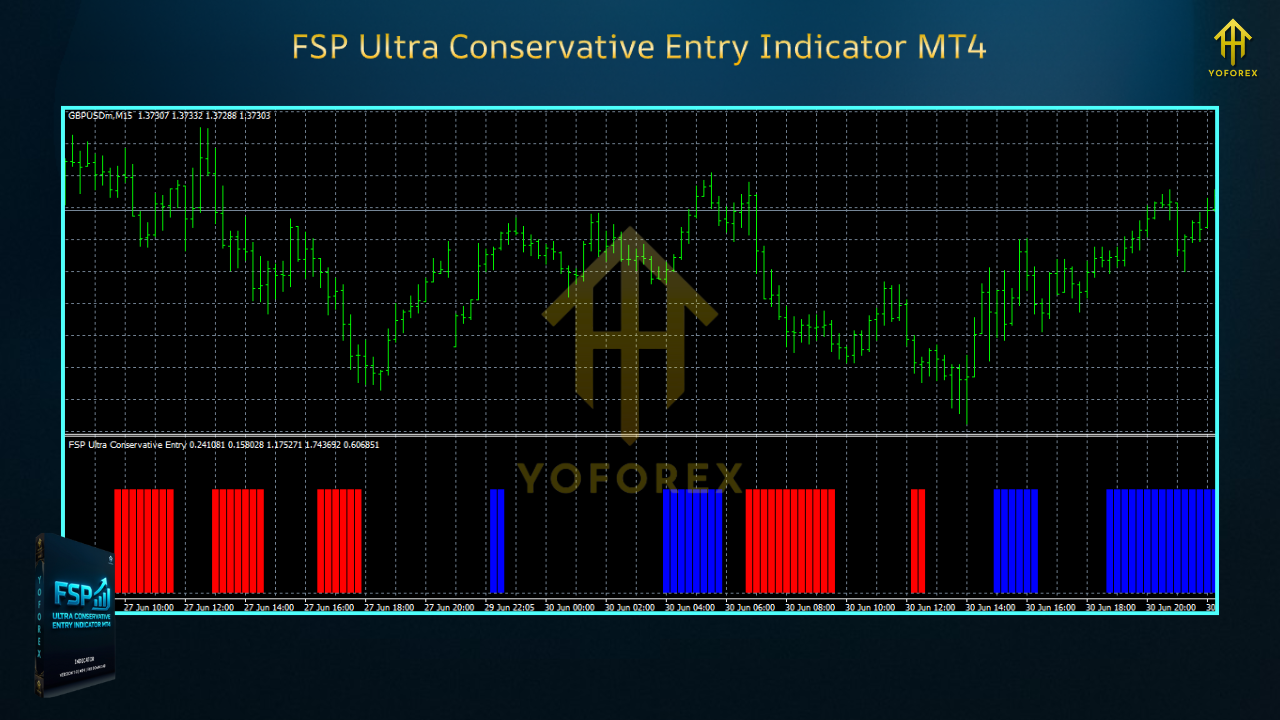
Key Features
- Trend Baseline Filter — Requires price to be aligned with a moving-average baseline (or channel) before any signal is allowed.
- ATR Volatility Guard — Blocks signals when the stop would be unrealistically wide or when ranges are spiking.
- Structure Confirmation — Looks for simple but powerful patterns (break-retest, decisive close beyond a level, engulfing behavior) before printing.
- Multi-Timeframe (MTF) Option — Confirm the lower timeframe signal with a higher timeframe trend (e.g., M15 entry with H1 trend).
- Non-Repainting Signals — Once a candle closes, the printed cue stays. No sneaky redraws.
- On-Chart Markers & Dashboard — Clear arrows/labels with trend state, ATR reading, and spread snapshot.
- Alerts Everywhere — MT4 pop-up, sound, push (mobile), and email alerts with pair, TF, and direction.
- Session & News Windows (manual) — Optional blocks to reduce trades in rollover or high-impact news minutes.
- Works With Any Strategy Template — Use as a primary trigger or as a final gate for your existing setup.
How It Works (Under the Hood)
- Define Direction
The indicator reads a baseline MA (default: EMA 100/200 or custom) and a short momentum read. Price above baseline with positive momentum? Long-side allowed. Price below with negative momentum? Short-side allowed. - Check Volatility
Using ATR, the tool estimates whether a practical stop (e.g., 1.5–2.5× ATR) would be feasible for the timeframe. If ATR is too elevated—or too tiny (fake tight ranges)—it skips. - Demand a Candle-Level Trigger
A close beyond a minor structure, a break-retest, or an engulfing that clears previous micro-resistance/support. No confirmation → no signal. - Optional MTF Confluence
If enabled, a lower timeframe long will require the higher timeframe trend to be bullish (and vice versa for shorts). It’s a simple way to avoid fighting bigger flows.
Suggested Settings (Starter Template)
- H1/H4: Strictest, slowest, very clean.
- M15/M30: More frequent signals; keep volatility guard tight.
Trend Baseline
- Baseline MA: EMA 200 (H1/H4) or EMA 100 (M15/M30)
- Price Location Rule: Only take longs if candle close is above baseline; shorts if below.
ATR/Volatility
- ATR Period: 14
- Min ATR: Filter out ultra-tiny ATR phases (e.g., Min ATR in points tuned per pair)
- Max ATR Multiplier: 2.5–3.0 (skip if implied SL would exceed this)
Structure Confirmation
- Trigger Mode: “Close-Above/Below Level” or “Engulf” (test both)
- Minimum Body Factor: 0.6–0.7 (helps avoid tiny indecision candles)
MTF Confluence
- Enable: Yes
- Higher TF: 1–2 steps up (M15 → H1; H1 → H4)
- Rule: Signals allowed only if higher TF baseline agrees with direction
Alerts
- Enabled: True
- Include ATR/Spread Snapshot: True
- Push/E-mail: Optional but helpful if you’re mobile
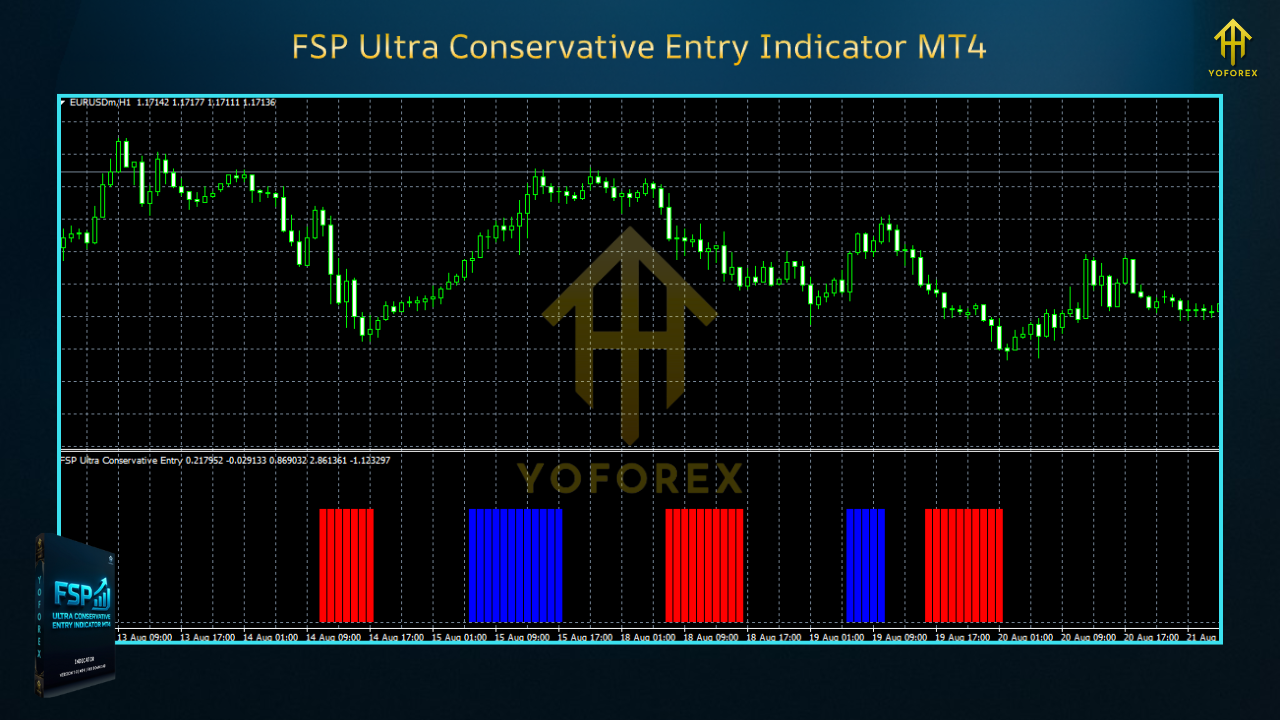
Entry, Stop, and Exit (Practical Playbook)
This is an indicator, so you set trade rules. A simple template:
Entry
- Long when buy signal prints and the next candle retests minor structure (or enter at market right after close if momentum is strong).
- Short on mirrored conditions.
Stop Loss (manual)
- 1.5–2.5× ATR or below/above the most recent mini-swing.
- If ATR is high, cut position size; don’t stretch risk to fit the trade.
Take Profit / Trade Management
- Aim for 1.5–2.0R initial target.
- Consider partial close at +1R, then trail behind last swing or a chandelier/ATR trail.
- If a reverse signal prints against your position and overall context worsens, flatten earlier—conservative means conservative.
Best Practices (So You Don’t Self-Sabotage)
- One timeframe per plan. Don’t hop timeframes mid-trade to justify entries.
- Respect the “no trade” days. After CPI/NFP/Fed decisions, spreads/volatility can be weird—skip if unsure.
- Use a decent broker & VPS if you’re active. Execution matters, even for indicators, coz you’ll act on their alerts.
- Treat the indicator as a filter, not a crutch. If larger structure screams “range hell,” wait for clarity.
- Journal signals for two weeks; you’ll quickly see what confluence mix suits your temperament.
Installation (MT4)
- Copy
FSP_Ultra_Conservative_Entry.ex4toMQL4/Indicators/. - Restart MT4 and open Navigator → Indicators.
- Drag & Drop onto your chart, choose timeframe, and set inputs.
- Enable Alerts (optional) and configure push/email in Tools → Options if needed.
- Save a Template so you can load the same settings across pairs instantly.
Frequently Asked Questions
Q: Does it repaint?
A: No. Signals print on candle close and remain. If you enable MTF, remember that higher timeframe is still forming on live bars; use closed bars for strict confirmation.
Q: Can I scalp M5 with this?
A: You can, but it’s not the tool’s sweet spot. It’s Ultra Conservative by design; M15+ is where it shines.
Q: What pairs are best?
A: Start with EURUSD/GBPUSD/USDJPY. Once you’re comfortable, test XAUUSD with stricter ATR caps.
Q: Can I combine it with my EA?
A: Yes—treat its signals as a filter. Some traders block their EA unless the FSP trend/MTF conditions agree.
Disclaimer
Trading Forex and CFDs involves risk. Indicators don’t guarantee profits; they offer structure. Always validate on demo, manage risk per trade, and never trade money you can’t afford to lose.
Call to Action
Want fewer, cleaner signals instead of noisy arrows every five minutes? Install FSP Ultra Conservative Entry Indicator on MT4, load the conservative template, and run it for two weeks on demo. You’ll see quickly where its patience pays off—and where you might need to slow down too. Then, if it fits your style, go live gradually with tight risk rules.






Comments
Leave a Comment