
Fortress Hedge EA V1.0 MT4 — A Practical Guide to “Always-On” Risk Control
If you’ve ever had a winning setup go sideways because the market turned on a dime, you’re not alone. Trend days are clean; range days… not so much. That’s where a hedging robot can help stabilize equity while you wait for direction to re-assert itself. Fortress Hedge EA V1.0 for MT4 is built for exactly that—adaptive hedging on any forex pair, metals, indices, even crypto CFDs, running on any timeframe. It won’t magically print money (nothing does), but it can help balance exposure, smooth out drawdowns, and keep you in the game when price starts whipsawing.
Below you’ll find a straight-talk overview of how it works, what it does well, where to be careful, and how to get it running in under five minutes. No fluff, no hype—just the stuff you actually need.
What Is Fortress Hedge EA?
Fortress Hedge EA is an MT4 Expert Advisor designed to open, manage, and unwind two-sided positions using a rules-based hedge engine. Instead of relying on one-directional conviction, it pairs positions (long/short) and re-adjusts exposure as volatility expands or contracts. It’s pair-agnostic and timeframe-agnostic by design—so you can deploy it on majors (EURUSD, GBPUSD, USDJPY), gold (XAUUSD), indices (US30, NAS100), or exotics—and run it on M5 to H4 depending on your latency, spread, and risk appetite.
The core idea is simple: when price moves, Fortress uses ATR-aware distances to decide when to hedge, scale, trim, or flatten. When the market trends, the EA looks to loosen the hedge and trail winners; when the market ranges, it tightens exposure to avoid getting chopped to bits. It’s not martingale-dependent (more on that below) and it gives you fine-grained control over lot sizes, step distances, break-even, partial closes, and equity protection.
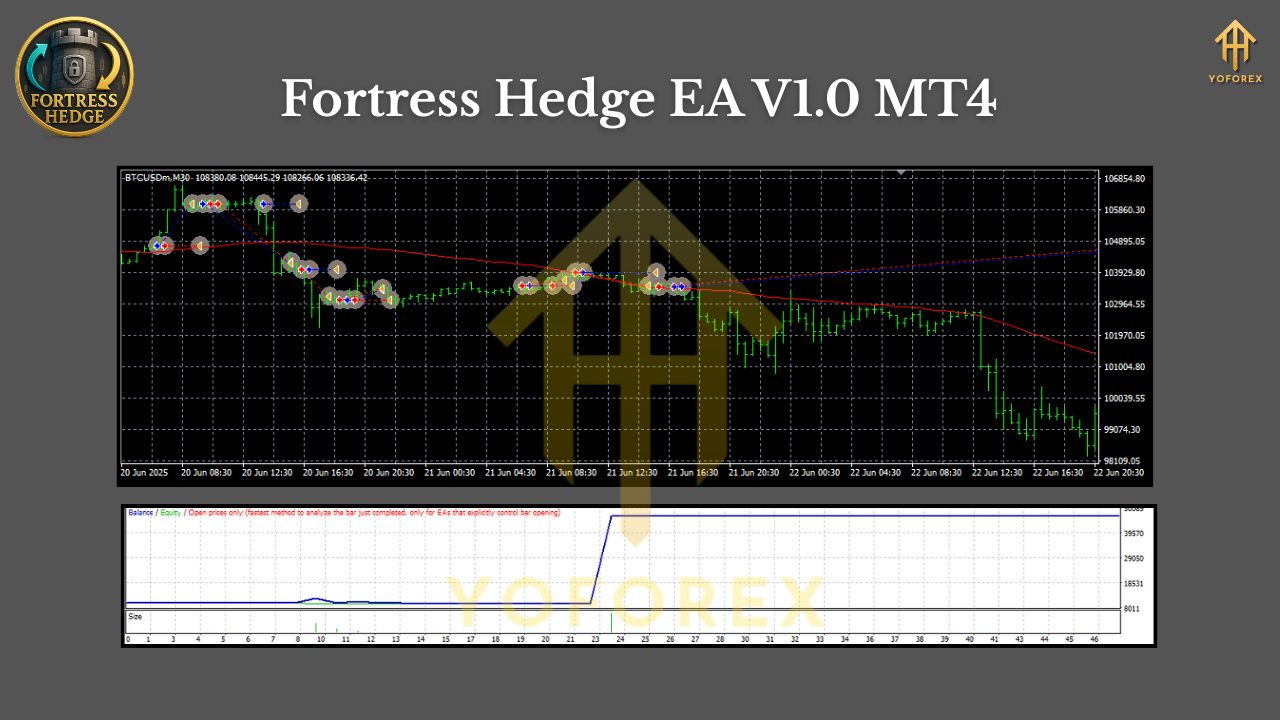
How the Hedge Engine Works (In Plain English)
- Signalless core, volatility-aware spacing
Fortress doesn’t chase indicator crosses. It measures volatility (ATR) and uses that to space orders. High ATR → wider spacing; low ATR → tighter spacing. - Two-sided exposure
The EA can open a primary leg (e.g., long) and pre-define a hedge leg if price moves X ATR against you. That way, you’re not naked while waiting for a reversal or breakout confirmation. - Smart netting and trimming
If price breaks out, Fortress reduces the losing side and lets the winner ride with trailing logic. In ranges, it keeps the net exposure near neutral and seeks small, repeatable closes. - Drawdown guardrails
You get equity-based stops, daily loss caps, and max position limits. If things get wild, Fortress can freeze adding, close partials, or flatten all. - Broker reality-check
Hedging needs a broker that allows hedged positions. Many offshore/non-US brokers do; US-regulated, FIFO brokers often don’t. Know your venue before you deploy.
Key Features You’ll Actually Use
- • Any Pair, Any Timeframe: Works on majors, minors, metals, indices, and most CFDs; from M5 up to H4.
- • ATR-Adaptive Distance: Position spacing auto-scales with volatility.
- • Optional Recovery (Non-Martingale): Increase or cap lots by rules—no runaway multipliers.
- • Partial Close & Break-Even: Lock in a slice; move stops to safety after X pips/points.
- • Dynamic Trailing: Trend days? Trail the profitable side; trim the loser.
- • Session Filters: Trade only London/NY or your custom window to avoid dead hours.
- • News Pause (Manual or External Filter): Temporarily halt new entries around red-flag events.
- • Equity Protection: Daily and total drawdown caps, plus emergency flatten.
- • Max Positions & Exposure Caps: Keep things sane during spikes.
- • Prop-Friendly Presets (Optional): Control daily loss and max lot to align with firm rules.
- • Detailed On-Chart Stats: Net exposure, floating P/L, ATR distance, and active legs.
Recommended Use (Pairs, Timeframes, Brokers)
- Pairs: Truly any, but for smoother execution start with EURUSD, GBPUSD, USDJPY, XAUUSD.
- Timeframes: M15–H1 hits a nice balance. If your spreads are razor-thin and VPS latency is low, M5 can work. For noisier symbols, H1–H4 often performs steadier.
- Broker: Choose a hedge-friendly broker with low spreads and fast execution. A NY-or-LDN VPS near your broker’s servers is a plus.
Risk & Money Management (Read This Twice)
- Start tiny: 0.01–0.02 lots on a $500–$1,000 demo is perfect to learn how the engine breathes.
- Cap positions: Set a max positions per symbol and a max total lots across the account.
- Daily loss stop: E.g., 2%–3%. If hit, stop trading for the day. Discipline beats revenge.
- Avoid stacking symbols that correlate: EURUSD + GBPUSD + EURJPY = higher net EUR exposure.
- Don’t lean on martingale: Fortress can nudge lots within limits, but keep multipliers modest (or off).
- News logic: Pause entries 10–15 minutes before/after high-impact events on the symbol you’re trading.
Installation & First-Run Setup (MT4)
- Copy EA: Place the .ex4/.mq4 file in MQL4/Experts.
- Allow Algo Trading: In MT4, enable AutoTrading and allow DLLs if the EA requires.
- Attach to Chart: Open your chosen symbol/timeframe → drag the EA onto the chart.
- Inputs Snapshot (typical starters):
- Initial Lot: 0.01
- ATR Period: 14
- ATR Multiplier (distance): 1.5–2.5 (higher = fewer trades, lower risk)
- Max Positions: 6–10
- Recovery Mode: Off (or conservative)
- Partial Close at: 0.5R–1R
- Break-Even After: 0.75R–1R
- Daily Loss Limit: 2%
- Trading Sessions: London + NY
5. Journal Check: Confirm “trading allowed,” lot size OK, and no broker rejections.
6. Demo Forward Test: Let it run at least 2–4 weeks before going live.
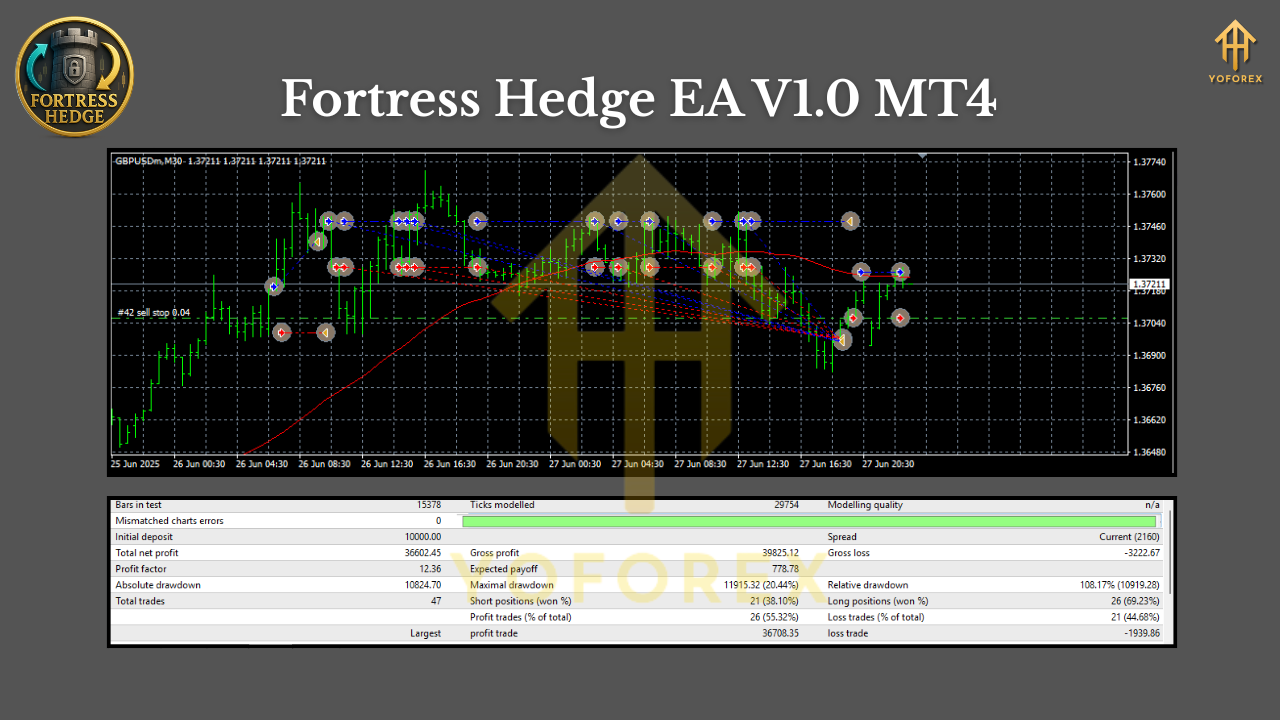
Best-Practice Scenarios
- Range Markets (common)
Use tighter ATR multipliers (e.g., 1.5–2.0) so Fortress can harvest smaller mean-revert moves. Keep max positions modest and partial close ON. - Trending Markets (breakouts)
Use a wider ATR multiplier (2.0–3.0) to avoid over-trading noise. Trailing the winner and trimming the loser is key. Consider disable new entries during one-directional squeezes. - High-Volatility Symbols (e.g., XAUUSD)
Go wider spacing (2.2–3.0 ATR), smaller base lots, and lower max positions. Respect daily loss limits religiously.
Backtesting & Forward-Testing (How to Validate)
Backtests for hedging systems can be tricky because quality depends on tick data, spreads, and commission modeling. If you do test:
- Use high-quality tick data (99% where possible) with variable spreads.
- Simulate commissions & swaps realistically.
- Run multiple multi-year samples (bull, bear, range).
- Forward-test on demo under your actual broker conditions.
- Track max drawdown, average daily loss, profit factor, and exposure spikes. Aim for smooth equity rather than moonshot gain curves.
Remember, the point of Fortress isn’t to win every tick—it’s to manage exposure intelligently so your equity curve stays survivable while markets do their messy thing.
Final Thoughts & Next Steps
Fortress Hedge EA V1.0 MT4 is for traders who value durability over drama. It’s not the loudest system on the block, but it’s built for real-world market behavior—grind, chop, break, retrace, repeat. Start small, collect data, and shape the inputs to your broker conditions. With sensible guardrails, you’ll get a steadier equity line and far fewer “oh no” moments in chop. And that, honestly, is the whole point.
Join our Telegram for the latest updates and support






Comments
Leave a Comment