FOREX ZONE SPOT VIX STRATEGY MT5: Master Volatility
Volatility lies at the core of forex markets—mastering it can mean the difference between consistent gains and frustrating losses. Sudden price spikes trigger stop‑outs, while prolonged consolidations leave you sidelined. The FOREX ZONE SPOT VIX STRATEGY Indicator MT5 empowers you to anticipate volatility shifts before they fully unfold, offering:
- Dynamic support and resistance zones
- Clear entry and exit signals
- Customizable real‑time alerts
Designed for both scalpers and swing traders, this indicator delivers actionable volatility insights on MetaTrader 5 so you can reduce guesswork, refine entries, and optimize exits.
What Is the FOREX ZONE SPOT VIX STRATEGY Indicator MT5?
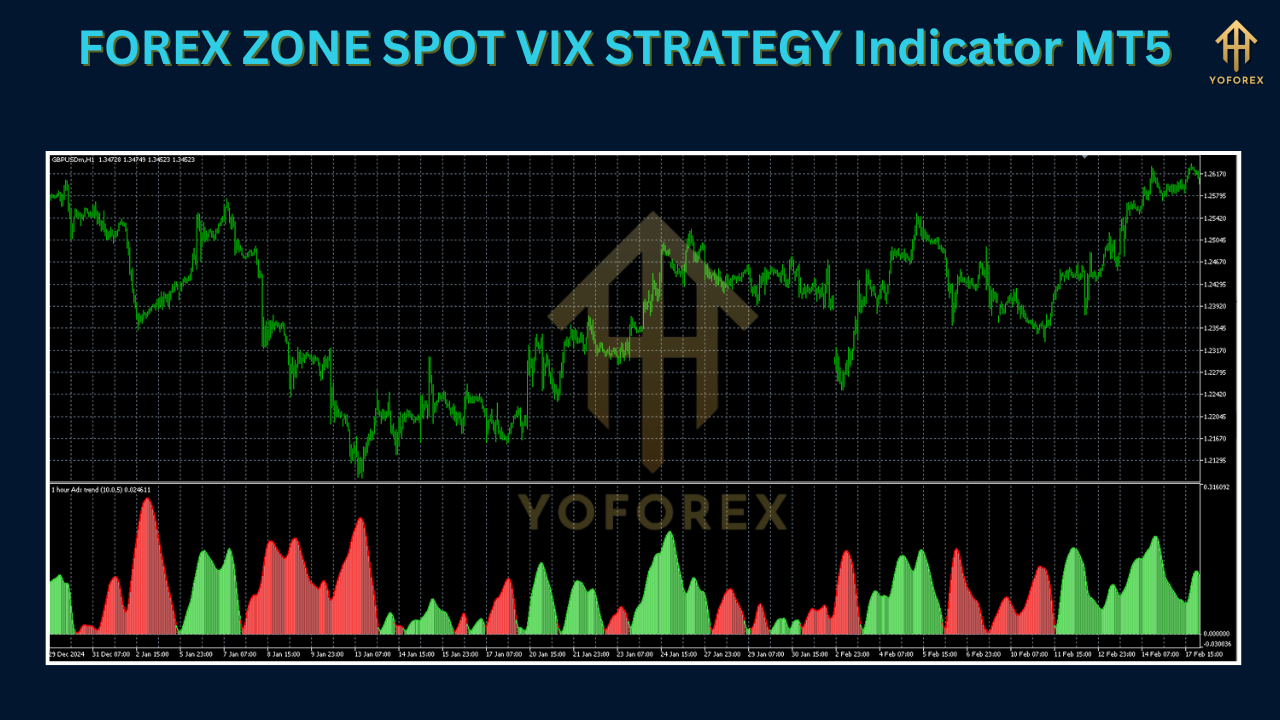
The FOREX ZONE SPOT VIX STRATEGY Indicator MT5 is a custom plugin for MetaTrader 5 that adapts the CBOE’s VIX methodology to the forex market. Key aspects include:
- Internal Volatility Index: Calculates an in‑platform VIX equivalent.
- Dynamic Bands: Plots upper and lower volatility bands around price.
- Predictive Zones: Highlights areas where price is likely to accelerate or retrace.
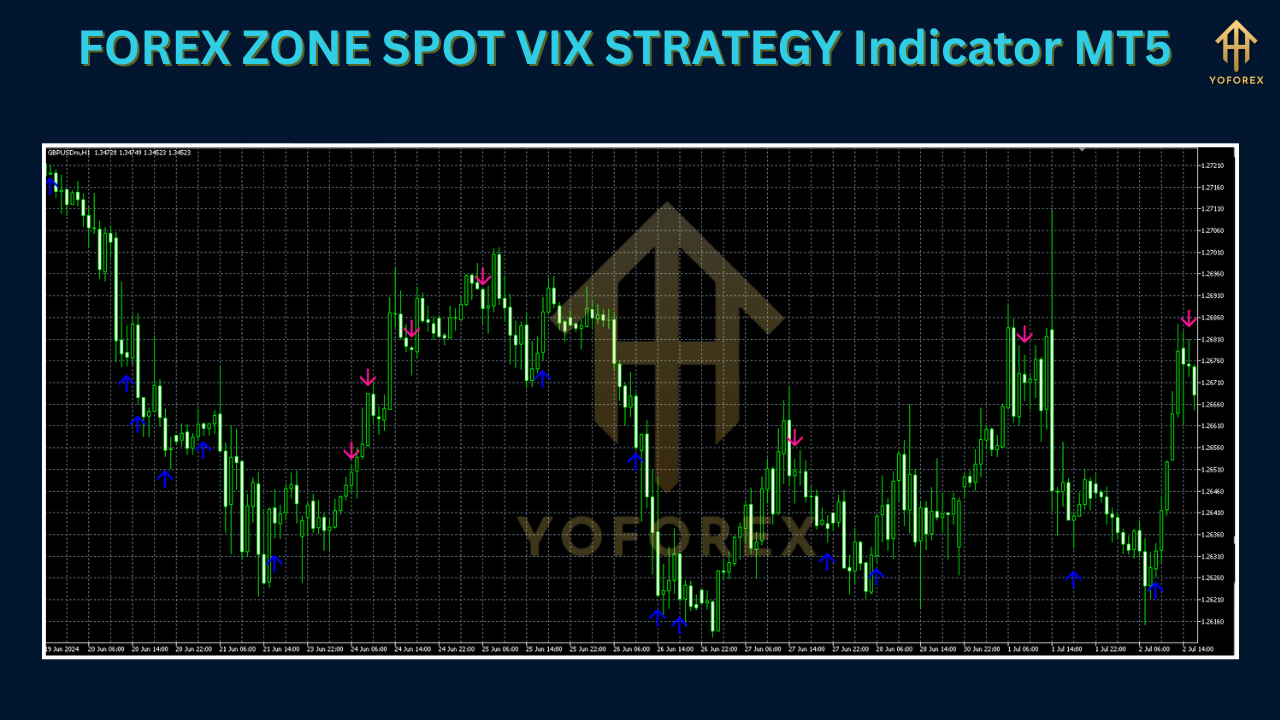
- False‑Breakout Filtering: Fine‑tuned algorithm prevents misleading signals.
- Minimalist Overlay: Keeps your chart clean while delivering clear cues.
Key Features
Real‑time Volatility Bands
Continuously adjusts to current price swings
Dynamic Support & Resistance Levels
Updated on every tick for timely trade zones
Integrated Alert System
Pop‑up, sound, or email notifications for band breakouts and squeezes
Multi‑Timeframe Compatibility
Works on M1 through H4 charts
Non‑Repainting Signals
Ensures you see accurate historical and live data
Customizable Inputs
Sensitivity adjustment, smoothing periods, session filters
Lightweight Code
Minimal impact on platform performance
Comprehensive User Guide
Preset templates and step‑by‑step instructions
How to Install and Set Up
- Download the
FOREX_ZONE_SPOT_VIX_STRATEGY.ex5file from the official source. - Move the file into your MT5
MQL5/Indicatorsfolder. - Restart MetaTrader 5.
- Locate the indicator under the Navigator panel.
- Attach it to any chart (e.g., EURUSD, GBPUSD).
- Adjust Inputs
Modify “Volatility Period” and “Band Multiplier” to suit your style.
Enable session filters to focus on London/New York.
- Enable Alerts
Choose pop‑up, sound, or email notifications for key events.
Trading Strategies & Use Cases
Breakout Strategy
- Volatility Squeeze: Bands contract tightly.
- Entry: When price breaks above the upper band.
- Confirmation: Higher volume or momentum indicator (e.g., MACD).
Mean‑Reversion Strategy
- Range Market: Bands expand during sideways volatility.
- Entry: Price touches lower band.
- Stop‑Loss: Just below recent swing low.
- Target: Near central moving average or opposite band.
Multi‑Pair & Multi‑Timeframe Scans
- Scan Correlated Pairs: Look for synchronized volatility spikes.
- Timeframes:
Scalpers: M5–M15
Swing Traders: H1–H4
Risk Management & Best Practices
- Position Sizing: Risk 1–2% of account per trade.
- Stop‑Loss Placement: Just beyond the volatility band to avoid normal fluctuations.
- News Filters:
Pause signals around high‑impact releases.
Use MT5 time filters to exclude economic events.
- Journal Keeping:
Record each trade’s entry, exit, and volatility reading.
Review patterns by time of day and session.
Backtest Results & Live Performance
Historical Backtests (2020–2024):
Average monthly return: 5–7% (EURUSD, GBPUSD)
Maximum drawdown: < 8%
Live‑Forward Testing:
Demo and small‑account results mirror backtests.
Traders report smoother equity curves vs. standard volatility tools.
Included with Download:
Detailed backtest report
Equity curve screenshots
Tips for Maximizing Performance
Optimize Band Multiplier
Lower values for fast‑moving majors during London/New York
Higher values for exotic pairs or choppier sessions
Leverage Session Filters
Focus on high‑liquidity hours
Algorithmic Integration
Incorporate the indicator into Expert Advisors for automated entries
Stay Updated
Quarterly releases with new features and presets
Community Engagement
Share and discover custom settings on our trader forums
Conclusion & Call to Action
Volatility no longer needs to be your foe. The FOREX ZONE SPOT VIX STRATEGY Indicator MT5 transforms erratic markets into clear, actionable trading opportunities. Whether you target rapid breakouts or methodical retracements, this indicator provides:
- Predictive Volatility Zones
- Robust Backtesting & Live Validation
- Custom Alerts & Session Control
Ready to elevate your trading precision?
Download the FOREX ZONE SPOT VIX STRATEGY Indicator MT5 today and start trading volatility with confidence on MetaTrader 5.
Support & Contact
- WhatsApp: wa.me/+443300272265
- Telegram: t.me/yoforexrobot
Live Q&A sessions and prompt support during market hours.






Comments
Leave a Comment