
In the fast-paced realm of forex trading, accuracy in trend detection can be the fine line between profits and losses. Forex Trend Console v2.0 Indicator for MT4 emerges as a powerful tool designed to equip traders with trend insights, directional bias, and optimal entry signals. Whether you're a novice or a seasoned trader, this indicator acts like a trading compass—helping you navigate market volatility with confidence.
Introduction: Why Trend Matters in Forex
Trends are the backbone of market movement. Identifying them early and accurately allows traders to ride major market moves instead of being caught in whipsaws. Forex Trend Console v2.0 was specifically engineered to simplify this process by integrating multiple layers of trend analysis into one visual interface on MetaTrader 4 (MT4).
What Is Forex Trend Console v2.0 Indicator MT4?
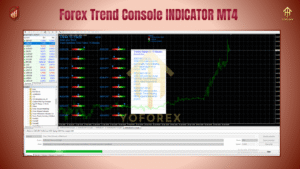
Forex Trend Console v2.0 is a multi-timeframe trend analysis tool that displays the current market direction, strength, and entry zones based on algorithmic pattern recognition and momentum analysis. Built for the MetaTrader 4 platform, it is lightweight, non-repainting, and fully customizable.
This advanced indicator is perfect for intraday traders, scalpers, and swing traders who rely heavily on trend-following strategies.
Key Features of Forex Trend Console v2.0
Multi-Timeframe Trend Dashboard:
View trends from M1 to H1 or H4 all in one place, eliminating the need to switch charts frequently.
Real-Time Alerts:
Get notified via pop-up, email, or push notification when trend reversals or confirmations occur.
Trend Strength Bar:
Displays how strong the ongoing trend is, helping you avoid late entries or premature exits.
Clear Buy/Sell Zones:
Visually marked zones indicate potential buying or selling opportunities based on confluence from trend signals.
Non-Repainting Logic:
All signals are locked once generated, ensuring transparency and trust in decision-making.
How It Works
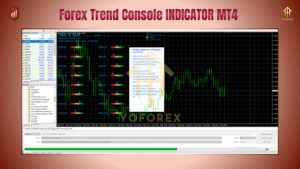
The console collects data from several standard and custom indicators—such as moving averages, RSI, MACD divergence zones, and momentum oscillators—and aggregates them into a simplified dashboard.
For example, if most timeframes show upward momentum and high trend strength, the indicator will generate a Buy Signal. If momentum weakens and reversal divergence is spotted, it will mark it as a Sell Signal or a caution zone.
Ideal Strategies Using Forex Trend Console v2.0
1. Trend Following Strategy
Entry: After a confirmed trend with strong trend strength and agreement across at least 3 timeframes.
Exit: When a reversal signal or trend weakening is shown.
2. Breakout Confirmation
Use the indicator as a filter for breakout trades. When price breaks a key level and the Trend Console confirms momentum in the same direction, it adds confluence.
3. Scalping Approach
Use on M1 or M5 charts in volatile sessions (London, New York).
Look for short, high-probability trend moves when trend strength is high.
Why Traders Love Forex Trend Console v2.0
Saves screen time by avoiding constant chart flipping.
Reduces emotional trading by offering objective signals.
Complements existing strategies by adding trend validation.
Helps beginners learn trend flow visually.
Thanks for the visit ...
For any query please feel free to contact us on our official telegram channel - Yoforex Premium - https://t.me/+V6Nr5sRZVr4xYzdl






Comments
Leave a Comment