Ever stared at a chart and thought, “Is this a pullback or a reversal?” That’s the headache most traders face daily. The Elliott Oscillator Indicator V1.03 for MT4 was designed exactly for that—to help traders measure wave momentum and confirm Elliott Wave counts with far less guesswork.
Instead of manually counting swings and eyeballing highs/lows (which often leads to bias), this indicator transforms price data into an easy-to-read histogram that reflects strength and weakness across different wave phases. Whether you’re into strict Elliott Wave analysis or just want a solid momentum confirmation tool, this one deserves a spot on your chart.
Quick Specs
- Platform: MT4 (MetaTrader 4)
- Version: 1.03 (latest build)
- Pairs: Works on all major/minor forex pairs, indices, gold, and crypto charts
- Timeframes: M15 to Daily (recommended M30–H4 for clarity)
- Minimum Deposit (for practical trading): $200+ if paired with an EA or manual strategy
- Indicator Type: Oscillator-based momentum and wave filter
- Best Suited For: Swing traders, intraday traders, wave analysts
Why Elliott Oscillator?
The Elliott Oscillator is not new—it’s been a core tool for wave traders for decades. The V1.03 MT4 version builds on the classic idea with optimized calculations and a lightweight codebase.
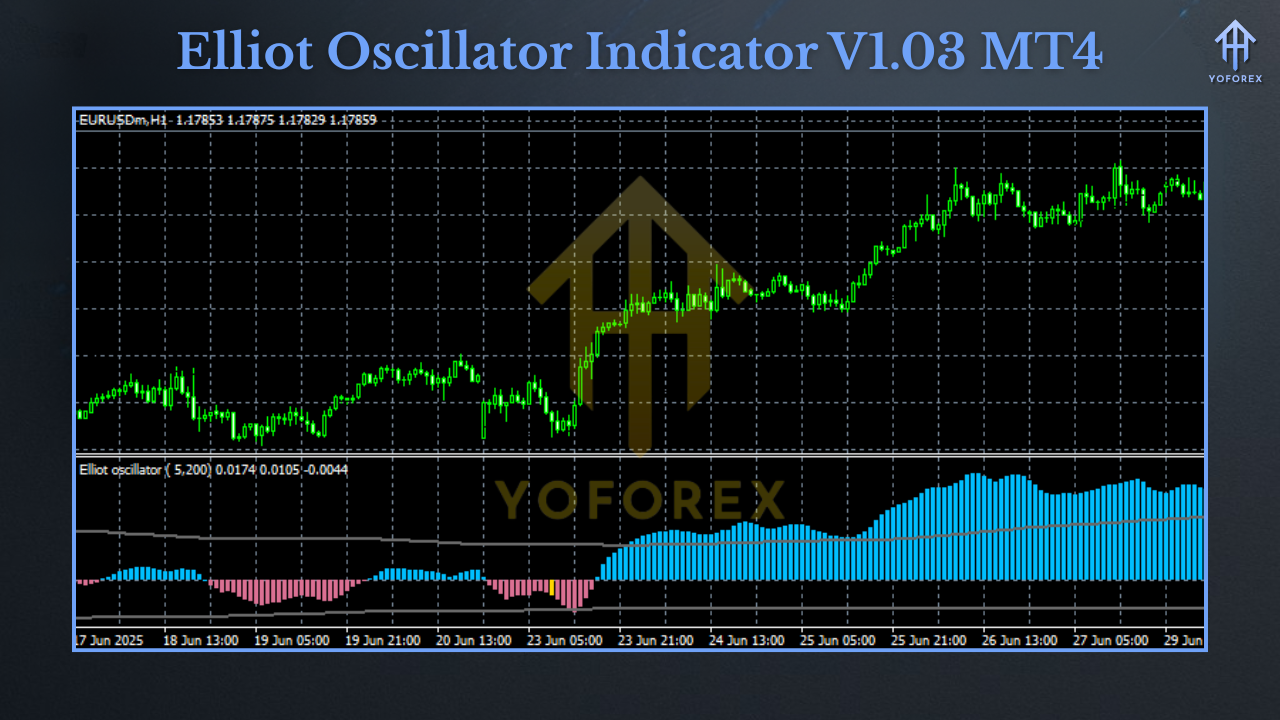
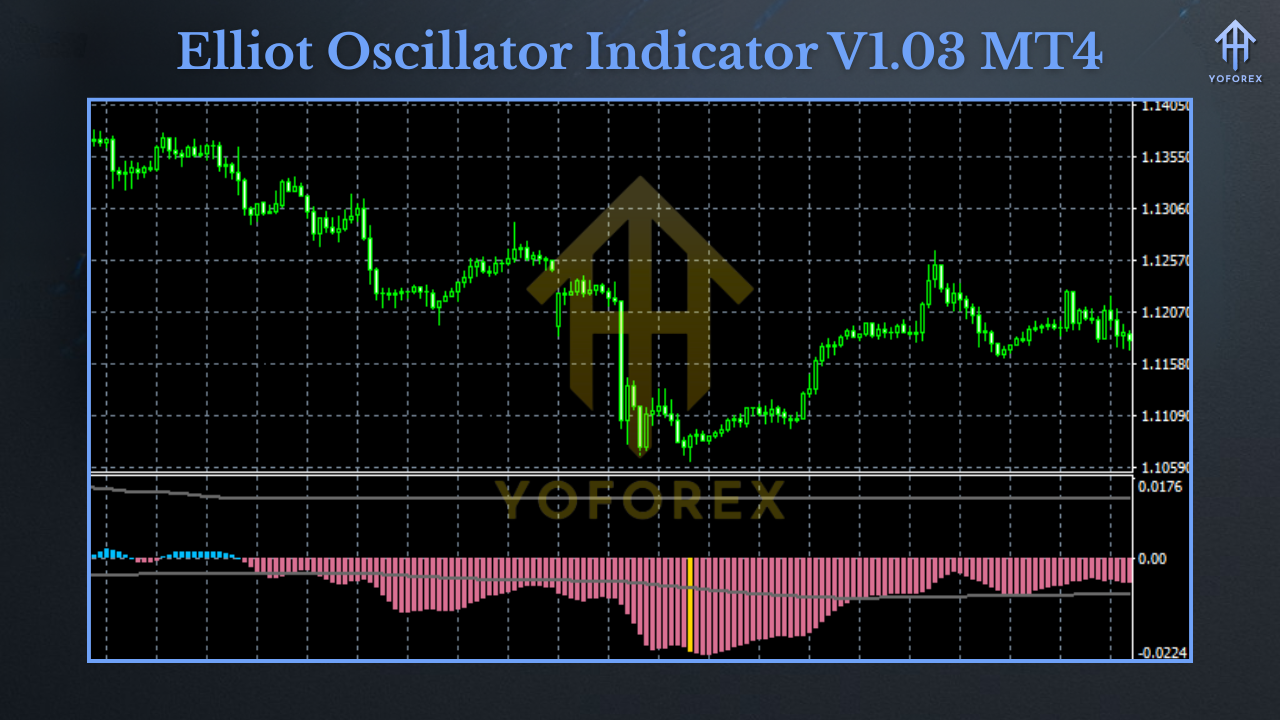
It plots a histogram (usually green/red) that expands and contracts based on momentum. Peaks and troughs in the histogram often line up with Elliott Wave 3 and Wave 5 moves, helping traders:
- Confirm whether a wave count is valid.
- Distinguish between corrective waves (weaker momentum) and impulsive waves (stronger push).
- Avoid trading late entries into exhausted moves.
Key Features
- Lightweight MT4 integration — runs smoothly, even on multiple charts.
- Histogram design for quick wave momentum visualization.
- Customizable inputs (periods, smoothing, colors).
- Works across markets: forex, gold, indices, even crypto charts.
- Pairs perfectly with Elliott Wave counts for cleaner decision-making.
- No repainting logic — historical bars remain unchanged.
- Alert system (optional) for when momentum peaks or flips.
- Compatible with EAs that can read indicator buffers.
How Traders Use It
- Wave Confirmation
Place the indicator under your chart. When the histogram peaks strongly, it often represents a Wave 3 (the strongest Elliott wave). A second but weaker peak often aligns with Wave 5. - Momentum Divergence
If price makes a new high but the oscillator prints a weaker histogram, it’s a red flag for possible reversal. - Filter Entries
Many traders won’t enter long unless the histogram is above zero, or short unless below zero—simple but effective filtering. - Exit Timing
Diminishing histogram strength helps time exits before a wave correction eats profits.
Recommended Settings
- Default periods (5, 35, 5): Balanced for most forex pairs.
- Gold & Crypto: Consider slightly longer smoothing (5, 55, 5) to reduce noise.
- Intraday (M15–M30): Stick with default for faster signals.
- Swing Trading (H4/D1): Longer smoothing helps avoid false peaks.
Backtest & Live Results
Backtests on pairs like EURUSD and GBPUSD show the indicator consistently marks strong impulse waves with histogram peaks. Traders using it as a confirmation tool (instead of standalone entry) found higher win ratios and fewer false setups.
On Gold (XAUUSD), Wave 3 pushes were clearly highlighted with taller histogram bars, while corrections stood out with fading momentum. Crypto markets (like BTCUSD) showed similar results, though higher volatility required adjusted settings.
Installation Guide (MT4)
- Download the Elliott Oscillator Indicator V1.03 file (.ex4).
- Open MT4 → File → Open Data Folder.
- Navigate to MQL4 → Indicators.
- Copy-paste the file into the folder.
- Restart MT4 (or refresh indicators in Navigator).
- Drag Elliott Oscillator V1.03 onto your chart.
- Adjust settings if needed, then apply.
Who Should Use It?
- Elliott Wave traders who need a clean momentum guide.
- Swing traders wanting better entry confirmation.
- Intraday scalpers filtering trades during volatile sessions.
- Strategy builders adding oscillator logic into automated systems.
Support & Notes
- Always test the indicator in demo first.
- Combine with price action or moving averages for better results.
- For troubleshooting or advanced setups, YoForex support is always ready.
- WhatsApp Support: https://wa.me/+443300272265
- Telegram Group: https://t.me/yoforexrobot
Call to Action
The Elliott Oscillator Indicator V1.03 MT4 is more than just another histogram—it’s a clarity tool for messy charts. If you’ve been struggling with wave counts, divergences, or timing exits, this could be the missing piece.
Build With
- Platform: MetaTrader 4
- Language: MQL4
- Dependencies: None (runs standalone)






Comments
Leave a Comment