Introduction
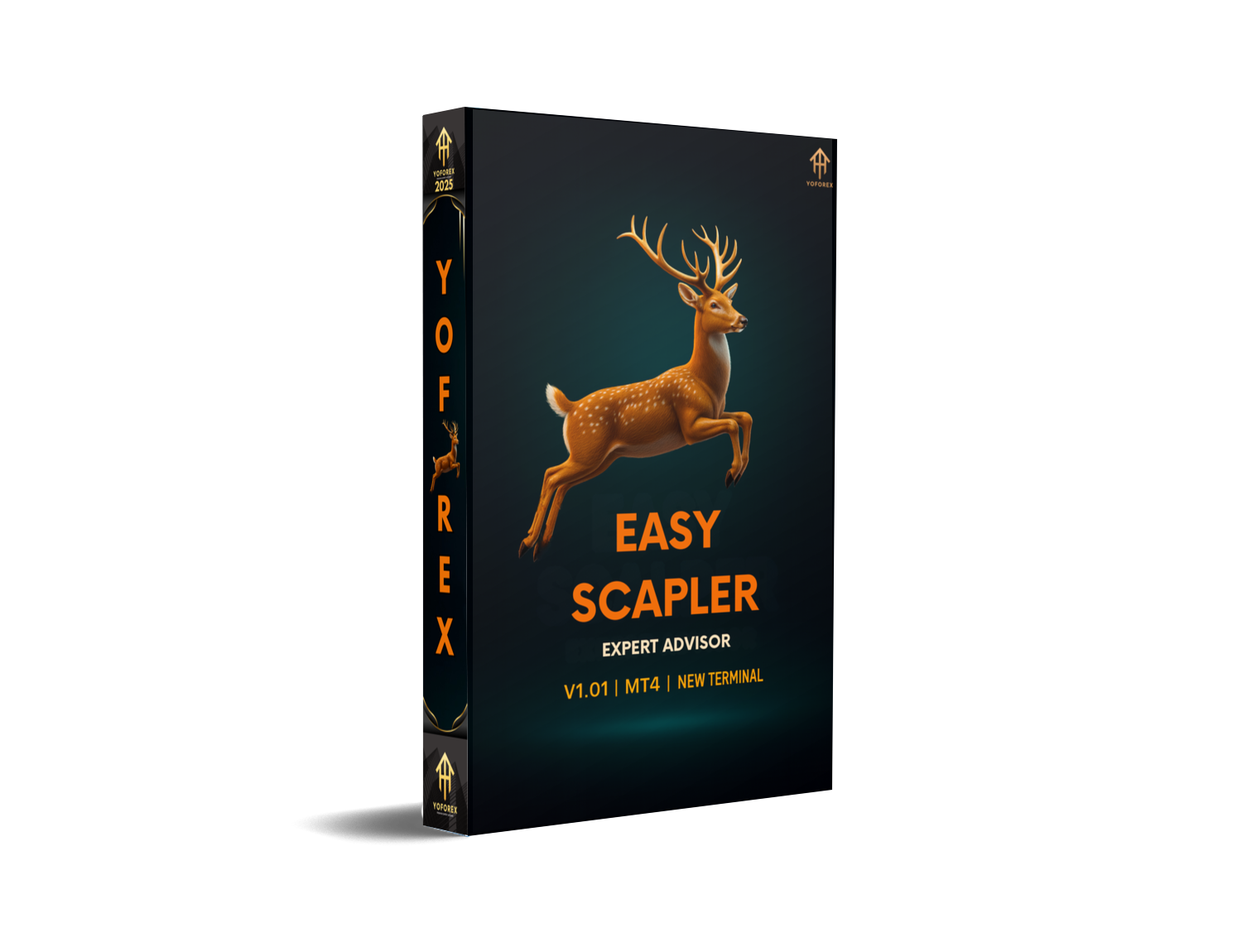
If you’re tired of staring at charts for hours just to catch a few pips, you’re not alone. Many traders love scalping, but hate the stress and overthinking that comes with manual entries. That’s where Easy Scapler EA V1.01 MT4 steps in – an automated scalping robot designed to do the fast decision-making for you, while you focus on risk management and the bigger strategy.
Easy Scapler EA V1.01 MT4 runs on the MetaTrader 4 platform and is built to trade short-term moves on lower timeframes. Instead of chasing “jackpot” trades, it aims for small, repeatable profits with strict stop loss and take profit rules. No emotional clicking, no revenge trading, just logic-based entries and exits.
In this blog, we’ll break down what Easy Scapler EA V1.01 MT4 actually does, how it works, recommended settings, pros and cons, support, and a clear disclaimer so you know exactly what you’re dealing with before you ever risk a single dollar. Think of this as your friendly, no-nonsense guide to getting started with Easy Scapler EA.
Overview of Easy Scapler EA V1.01 MT4
What Is Easy Scapler EA?
Easy Scapler EA V1.01 MT4 is an automated Expert Advisor created for intraday scalping. It’s designed to open and close trades quickly, usually holding positions for a short time – minutes to maybe an hour or two, depending on volatility and settings. The goal is to capture micro-moves in the market instead of waiting for big trend swings.
Unlike high-risk robots that use martingale or aggressive grid systems, Easy Scapler EA V1.01 MT4 generally focuses on:
- Clear technical entry signals
- Fixed stop loss and take profit levels
- Spread and slippage filters
- Simple, controllable risk per trade
That makes it more suitable for traders who want some control and transparency, instead of a “black box” that keeps loading bigger and bigger trades.
Who Is Easy Scapler EA For?
Easy Scapler EA V1.01 MT4 can fit a lot of trader profiles, especially if you:
- Like fast, intraday trading but don’t want to scalp manually
- Have a smaller account and prefer tighter trades with limited risk
- Want a rules-based system instead of emotional decision-making
- Are okay with testing and optimizing before going live
If you’re looking for one-click, instant-lambo profits, this isn’t it. But if you want a disciplined scalping assistant that follows logic and not feelings, Easy Scapler EA V1.01 MT4 makes a lot more sense.
How Easy Scapler EA V1.01 MT4 Works
Core Trading Logic
The internal code of Easy Scapler EA V1.01 MT4 combines short-term momentum and volatility filters to find entries. While every EA’s exact algorithm is unique, a typical flow can look like this:
- Check if the market is active enough (volatility filter)
- Verify short-term trend or impulse using indicators (e.g. moving averages, ATR, or custom logic)
- Confirm spread is below a maximum allowed value
- Trigger a buy or sell when all conditions align
- Place a predefined stop loss and take profit immediately
Because Easy Scapler EA V1.01 MT4 is a scalper, it prefers quick entries and exits instead of holding trades for a long time. That also means a lot depends on broker quality, execution speed, and spread conditions.
Exit Strategy & Trade Management
Easy Scapler EA V1.01 MT4 uses a tight stop loss for each trade, which helps cap the downside. Take profit levels are usually relatively small – just a few to several pips, depending on the pair and timeframe. In some configurations, you may also use:
- Break-even stop when price moves in your favor
- Trailing stop to lock in profit as the market continues in the trade direction
- Time-based exit if a trade stays open too long
This structure is meant to keep trades under control, avoid massive floating loss, and focus on consistency rather than “home run” trades.
Key Features of Easy Scapler EA V1.01 MT4
Main Highlights
Some of the most attractive features of Easy Scapler EA V1.01 MT4 include:
- Fully automated scalping: once attached to a chart and configured, the EA can trade on its own.
- MT4 compatibility: works on the world’s most popular retail forex platform.
- Short-term focus: built for lower timeframes like M1, M5, or M15.
- Clear risk per trade: fixed stop loss and take profit keep things transparent.
- No martingale: doesn’t multiply lots crazily after losses.
- No blind grid stacking: avoids blindly opening multiple trades without logic.
- Configurable money management: choose fixed lots or percentage risk.
- Spread & slippage filters: can skip trades in bad conditions.
These features together make Easy Scapler EA V1.01 MT4 more manageable and suitable for traders who want to protect their capital while still using a fast trading style.
Recommended Settings & Trading Conditions
Best Timeframes for Easy Scapler EA
As a scalping robot, Easy Scapler EA V1.01 MT4 naturally performs better on lower timeframes. A typical starting point would be:
- M1: very aggressive, many trades, sensitive to spread & slippage
- M5: balanced option, still active but slightly smoother
- M15: fewer trades, potentially cleaner signals
If you’re new to scalping EAs, starting on M5 or M15 can be less stressful, while still giving enough setups to evaluate performance.
Suggested Currency Pairs
For best results, focus on liquid pairs with tight spreads. Popular choices for Easy Scapler EA V1.01 MT4 include:
- EURUSD
- GBPUSD
- USDJPY
- AUDUSD
Some traders also experiment with XAUUSD (Gold), but only if the EA has been optimized for it and the broker offers decent spreads and execution. Otherwise, spreads can kill a scalper very quickly.
Minimum Deposit, Lot Size & Spread
There is no universal rule, but a reasonable guideline for Easy Scapler EA V1.01 MT4 could be:
- Minimum deposit: $100–$300 for a standard or micro account (or equivalent in cent accounts)
- Risk per trade: 0.5%–2% of account equity
- Starting lot size: 0.01 on smaller accounts, scaling only after consistent results
- Spread: ideally below 1.5 pips on major pairs
The tighter and more consistent the spread, the happier Easy Scapler EA V1.01 MT4 will be. Try to use ECN or raw-spread type accounts if possible.
Risk Management & Performance Profile
Drawdown Characteristics
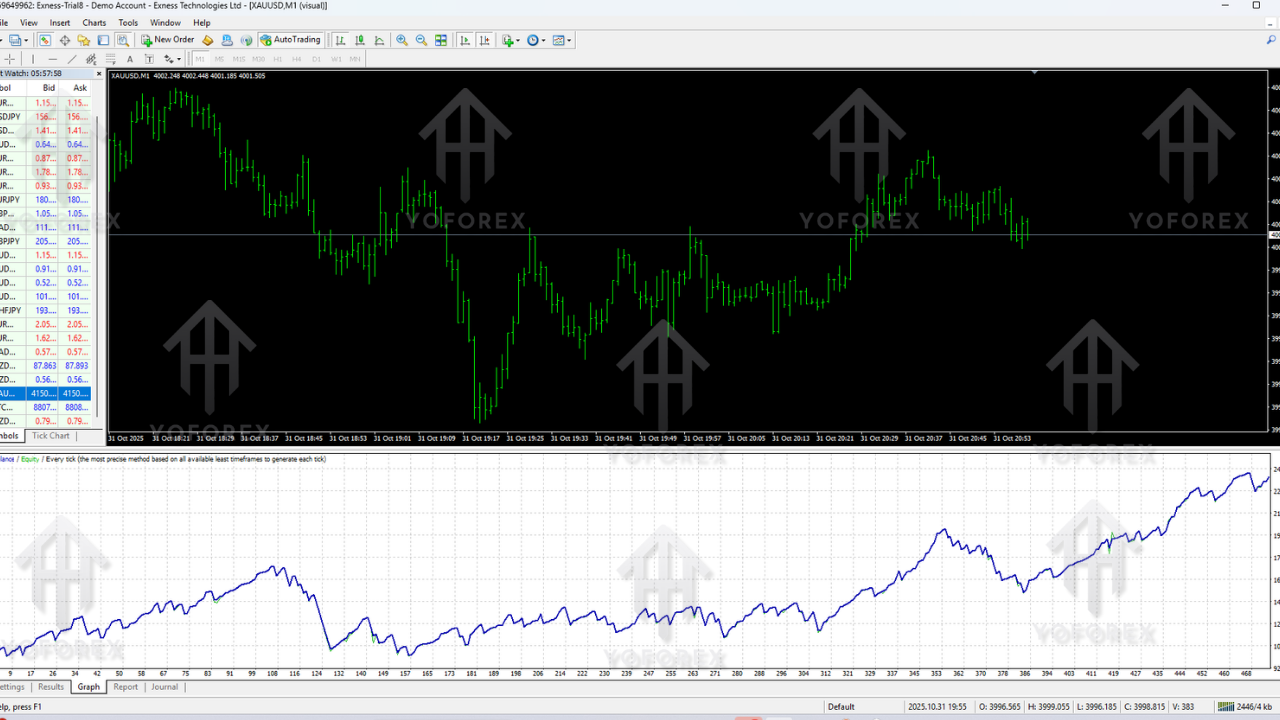
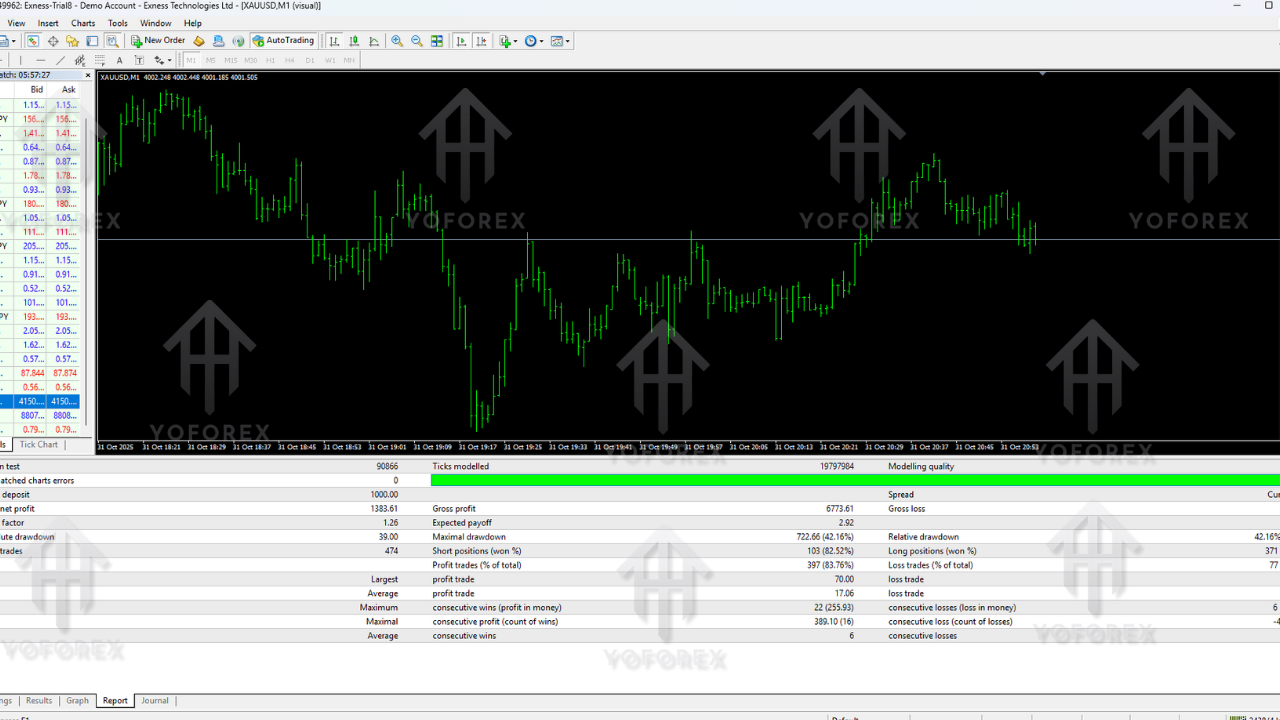
Even the best scalpers can and will face losing streaks. Easy Scapler EA V1.01 MT4 is no exception. A series of small losses, spread spikes, or news events can create drawdown. The key is to keep drawdown at a level you’re comfortable with by:
- Limiting risk per trade
- Avoiding over-leverage
- Turning off the EA during high-impact news if it hasn’t been tested for that environment
If you see drawdown increasing too much, reducing lot size is usually smarter than chasing losses.
Realistic Profit Expectations
Many marketers promise insane monthly returns. Realistically, a well-managed scalper like Easy Scapler EA V1.01 MT4 should be judged over weeks and months, not a single crazy day. Even if backtests look great, live trading will always be different due to spreads, slippage, and execution speed.
Think in terms of consistent percentage growth rather than “doubling the account every week”. Stability & survival always trump short-term greed in the long run.
How to Install Easy Scapler EA V1.01 MT4
Step-by-Step Installation Guide
Here’s a simple installation flow you can follow for Easy Scapler EA V1.01 MT4:
- Download the EA file (Easy Scapler EA V1.01 MT4 .ex4 or .mq4) from your source.
- Open your MetaTrader 4 platform.
- Click on “File” > “Open Data Folder”.
- Go to MQL4 > Experts.
- Copy the EA file into the Experts folder.
- Close the folder and restart MT4.
- In the Navigator panel, find Easy Scapler EA V1.01 MT4 under “Expert Advisors”.
- Drag and drop it onto your desired chart (for example, EURUSD M5).
- In the settings window, enable “Allow live trading” and adjust inputs like lot size, risk, and trading hours.
- Click OK and check that the smiley face is active in the top-right corner of the chart.
Demo Testing Before Live Trading
Before using Easy Scapler EA V1.01 MT4 on a real account, always:
- Run it on a demo account for at least a few days or weeks
- Observe how it behaves in different sessions and news conditions
- Fine-tune risk and settings according to your comfort level
Pros and Cons of Easy Scapler EA V1.01 MT4
Advantages
- Fully automated trading – perfect for busy traders
- Built for MT4, easy to install and run
- Uses fixed stop loss and take profit on every trade
- No martingale or reckless grid stacking
- Works on popular, liquid currency pairs
- Flexible enough to adapt to different risk profiles
Disadvantages
- Highly dependent on broker conditions and spreads
- Requires a VPS or a PC running almost 24/5 for best performance
- Scalping is sensitive to news spikes and sudden volatility
- Performance can differ significantly between demo and live accounts
Support & Disclaimer
Need Help? We’re Here for You
If you ever face issues while installing Easy Scapler EA V1.01 MT4, adjusting settings, or running it on your MT4 platform, don’t worry — our team is always ready to help. You can reach out anytime through our dedicated support channels. Whether it’s a beginner question or something more technical, just drop a message and we’ll guide you step-by-step.
WhatsApp Support: https://wa.me/+443300272265
Telegram Community: https://t.me/yoforexrobot
Important Disclaimer
Trading forex, indices, or metals carries significant financial risk, and automated systems like Easy Scapler EA V1.01 MT4 should always be used responsibly. Past performance — including backtests and forward tests — does not guarantee future results. Market conditions can change rapidly, and no EA can promise profits or eliminate risks.
Before trading live, always test Easy Scapler EA V1.01 MT4 on a demo account to understand how it behaves with your broker’s spreads, execution speed, and liquidity. Only invest money you can afford to lose, and maintain proper risk management at all times.
By downloading or using this EA, you acknowledge that you are fully responsible for your own trading decisions.
Final Thoughts on Easy Scapler EA V1.01 MT4
Easy Scapler EA V1.01 MT4 can be a helpful tool if you like fast intraday trading but don’t want to manually scalp all day. With its automated logic, fixed stop loss and take profit, and flexible risk settings, it offers structure and discipline in a style of trading that is usually very emotional for humans.
Used responsibly – with proper demo testing, realistic expectations, and careful money management – Easy Scapler EA V1.01 MT4 can become a solid addition to your trading toolkit rather than a source of stress. Treat it like a professional tool, not a magic button, and you’ll already be miles ahead of most new traders.






Comments
Leave a Comment