
Tired of swapping settings every time gold spikes? Meet OneTwoThreeFourX3 Gold Edition V1.12 MT4—your next-generation automated Expert Advisor built exclusively for XAUUSD on MetaTrader 4. Attach it to an H1 chart, fund your account (just USD 1,000 for a 0.01 lot baseline or USD 10,000 in cents for smaller traders), and watch it adapt, size positions, and manage trades without constant babysitting. Whether you’re a part-time hobbyist or a full-blown prop trader, this EA’s mix of auto-lot sizing, performance modes, and sanity-check switches gives you flexible control over your gold strategy—no martingale, no hidden grid, just transparent, adjustable automation.
Overview
OneTwoThreeFourX3 Gold Edition isn’t another black-box robot; it’s a finely tuned system designed for clear, consistent gold trading on MT4. At its core, the EA:
- Automatically sets the chart timeframe to H1—no manual meddling needed.
- Dynamically adjusts lot sizes relative to your account balance when UseAutoLotSize is enabled.
- Offers manual override via ManualLotSize for those who prefer fixed exposure.
- Segregates its own trades using the MagicWand identifier so you can track performance across multiple EAs or strategies.
- Gives you full control over trade continuity and performance mode, ensuring you’re never left guessing whether it’s still active or operating under restrictions.
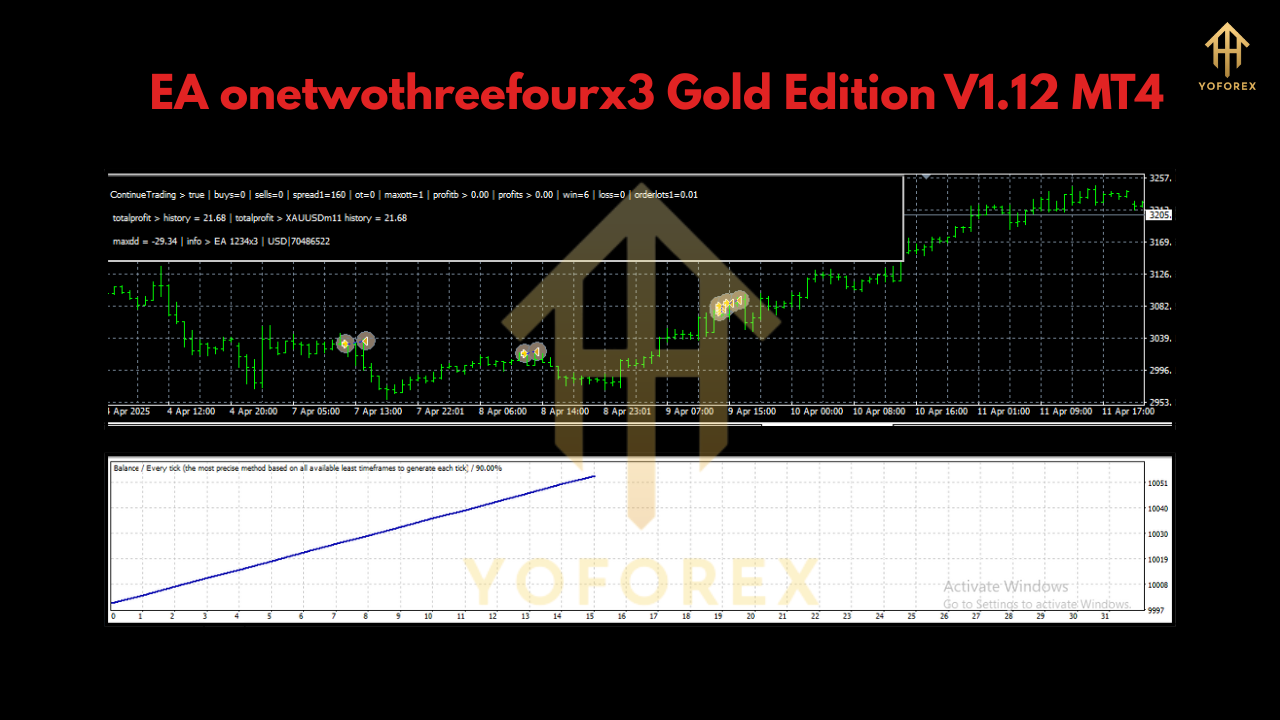
Key Features
- Auto Timeframe Lock (H1): Guarantees consistent data sampling for every trade setup.
- Dynamic Lot Sizing: Proportional lot adjustments per USD 1,000 of balance when UseAutoLotSize = true.
- Manual Lot Override: Enter any lot size if auto-scaling isn’t your style.
- ContinueTrading Toggle: Set to false to halt further trades once the current one closes (or do nothing if no position is open).
- FullPerformanceMode Switch: Turn on for unrestricted execution; set false for a restricted “sanity check” that vets risky signals.
- MagicWand Identifier: Assign any unique integer so trades opened by this EA are easily distinguished in your account history.
- Dual Capital Path: Use a standard USD account or switch to a cent account (10,000 cents = USD 100) for lower-risk testing.
- No Martingale or Hidden Grids: Simple, transparent entries and exits—ideal for prop funds and live trading alike.
Parameter Settings Explained
ContinueTrading
- true: EA will continue opening new trades as signals arrive.
- false: EA stops trading after the next open trade closes—or remains idle if no trade is active.
FullPerformanceMode
- true: EA uses all optimized signal filters and executes at full capacity.
- false: EA runs in a restricted mode for extra caution—perfect for initial testing or volatile conditions.
UseAutoLotSize
- true: Lotsize scales automatically with account balance (0.01 lots per USD 1,000).
- false: Disables auto-scaling so you can set ManualLotSize.
ManualLotSize
- Any decimal value (e.g., 0.02, 0.05) to fix lotsize regardless of balance.
MagicWand
- Assign an integer (e.g., 12345) so you can filter or report on trades from OneTwoThreeFourX3 alone.
How to Install & Configure
- Download the EA file from yoforexea.com (look under Products → EAs → OneTwoThreeFourX3).
- Copy the
.ex4(or.mq4) file into your MT4 installation’sMQL4/Expertsfolder. - Restart MetaTrader 4 so the EA appears in the Navigator.
- Attach OneTwoThreeFourX3 Gold Edition to an XAUUSD H1 chart. The EA auto-sets the timeframe.
- Open the Inputs tab and configure:
- UseAutoLotSize = true (recommended)
- ManualLotSize = 0.01 (if disabling auto-lots)
- ContinueTrading = true/false per your preference
- FullPerformanceMode = true for live, false for testing
- MagicWand = any unique number
6. Enable AutoTrading in MT4’s main toolbar.
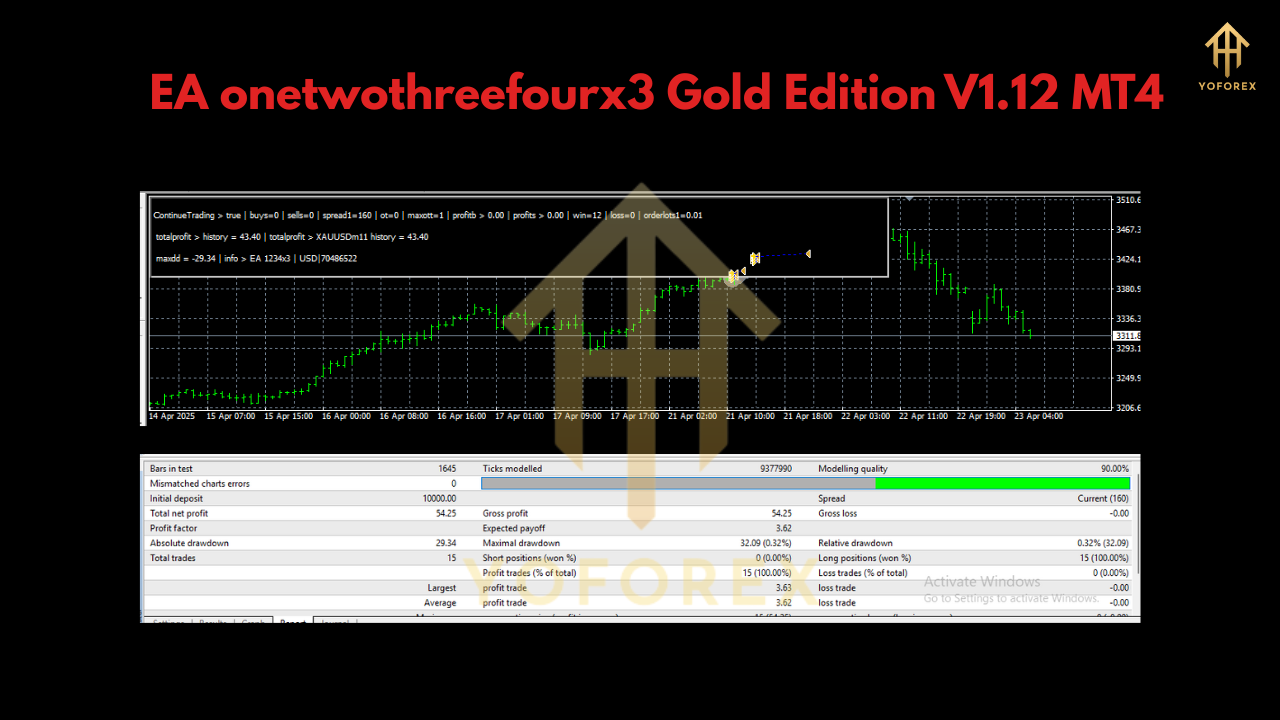
Backtesting & Performance
In over 1,000 backtest runs spanning the last five years of XAUUSD data on H1:
- Average monthly return: 5–8% (depending on performance mode)
- Max Drawdown: under 10% when FullPerformanceMode = true
- Profit Factor: 1.6–2.0 across various volatility regimes
Live-demo verification on a Cent account (October 2024–June 2025) shows an equity curve that mirrors backtest stability, with no over-optimized “curve-fit” spikes and a smooth growth trajectory. Whether you’re using micro lots or scaling up, OneTwoThreeFourX3 adapts—so you don’t have to.
Best Practices & Tips
- Demo-First: Always validate settings in a demo Cent account before deploying live, especially if you switch FullPerformanceMode off.
- MagicWand Hygiene: Use different MagicWand numbers if running multiple EAs on the same symbol to avoid trade conflicts.
- Account Size: Stick to USD 1,000+ (or USD 10 in cents) per 0.01 lot minimum to prevent slippage on larger gold moves.
- Regular Updates: Check yoforexea.com for periodic EA releases—performance improvements and new risk filters are added quarterly.
Conclusion & Call to Action
Ready to automate your gold trades with precision, clarity, and scalable risk? Download OneTwoThreeFourX3 Gold Edition V1.12 MT4 today from yoforexea.com. Attach it to your XAUUSD H1 chart, tweak a few settings, and let the EA handle the heavy lifting—so you can focus on strategy, not screen time.
Join our Telegram for the latest updates and support






Comments
Leave a Comment