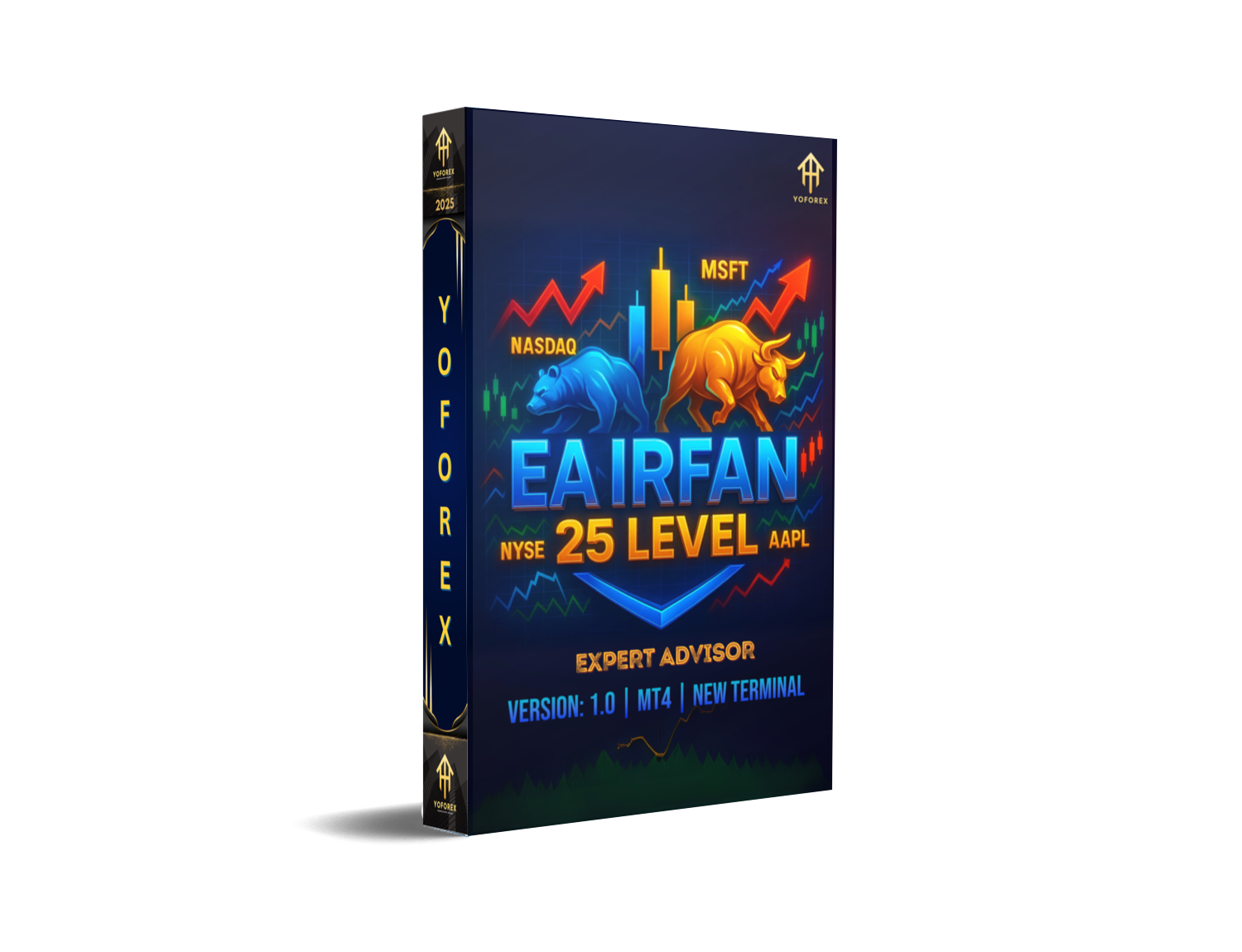
EA IRFAN 25 LEVEL V1.0 MT4: Achieve Consistent Gains with Precise Trading
Forex traders are inundated with promises of “guaranteed” profits from expensive EAs using grid or martingale systems. Yet, many of these robots deliver disappointing results, erode accounts, and leave traders demoralized. If you’re tired of overhyped expert advisors that underperform, it’s time to explore a different approach—one built on discipline, clarity, and rigorous testing.
EA IRFAN 25 LEVEL V1.0 MT4 is a free, no-nonsense Expert Advisor designed to bring consistency and precision to your trading. Instead of rampaging through your balance with aggressive grid orders or doubling down on losers via martingale, this system:
- Identifies key price zones using a 25‑level grid of pending orders
- Manages risk dynamically with individual stop‑losses and take‑profits per level
- Adapts to market conditions via trend and volatility filters
Whether you’re a newcomer who’s never clicked “AutoTrade” or a veteran seeking a stable edge, EA IRFAN 25 LEVEL delivers a disciplined framework for capturing small, steady gains—day after day. In this comprehensive guide, you’ll discover how the EA works, review its performance track record, learn installation steps, and understand why it could be the reliable trading companion you’ve been searching for.
Overview
At its core, EA IRFAN 25 LEVEL V1.0 MT4 employs a level‑based entry strategy. Here’s how it functions:
Multi‑Timeframe Analysis
Monitors charts from M5 up through H1
Confirms trend direction and filter conditions across timeframes
25 Level Entry Grid
Evaluates a predetermined price range around current market value
Places 25 pending orders (buys above, sells below) at equal intervals
Each level has its own risk‑reward settings to isolate exposure
Dynamic Trade Management
When a pending order fills, EA IRFAN trails the stop‑loss behind price movements
Scales out partial positions at incremental take‑profit targets
Adjusts trailing behavior based on volatility readings
Built‑In Market Filters
Trend Strength Filter: Trades only in the direction of a moving‑average slope
Volatility Filter: Avoids entries when Average True Range exceeds user‑defined thresholds
Session Overlap Filter: Activates only during specified trading sessions (e.g., London & New York overlap)
Risk Controls
Caps maximum drawdown per month (default 5%)
Allows fixed‑percent risk per trade (default 1%) or auto‑lot sizing based on balance
Includes an “All‑Close” panic button to instantly liquidate all positions
By combining granular level entries with robust filtering, EA IRFAN minimizes guesswork and ensures each trade aligns with your risk parameters. Its pure MQL4 codebase—free of DLLs or external dependencies—makes it safe to run on any MT4 platform or VPS.
Key Features
EA IRFAN 25 LEVEL V1.0 MT4 packs professional-grade capabilities into a user‑friendly package. Below are its standout features:
- 25 Level Entry System
Precisely spaces pending orders across 25 levels to capture micro‑moves. - Custom Risk Management
FixedRiskPercent: Your choice of risk per trade (e.g., 1%)
MaxDrawdownPercent: Monthly drawdown cap (default 5%)
- Dynamic Stop‑Loss Trailing
Automatically shifts stop‑loss behind price based on ATR‑derived volatility. - Partial Profit-Taking
Scales out positions in increments to lock in gains and reduce exposure. - Multi‑Symbol & Multi‑Timeframe
Supports major pairs (EURUSD, GBPUSD, USDJPY, XAUUSD, etc.) across M5, M15, H1. - Market Condition Filters
Trend Filter: Uses moving averages or RSI to confirm direction
Volatility Filter: Skips high‑ATR periods (e.g., news spikes)
Session Filter: Limits trading to optimal market hours
- Emergency “All‑Close” Button
One‑click shutdown to exit every open order immediately. - User‑Friendly Input Panel
Easily adjust all parameters without touching the code. - VPS‑Ready & Broker‑Agnostic
100% pure MQL4—no external libraries or DLL calls.
Each feature is designed to balance opportunity with protection, making EA IRFAN suitable for conservative and aggressive traders alike. By avoiding risky grid and martingale tactics, it focuses on disciplined, level‑based entries that have shown resilience in diverse market regimes.
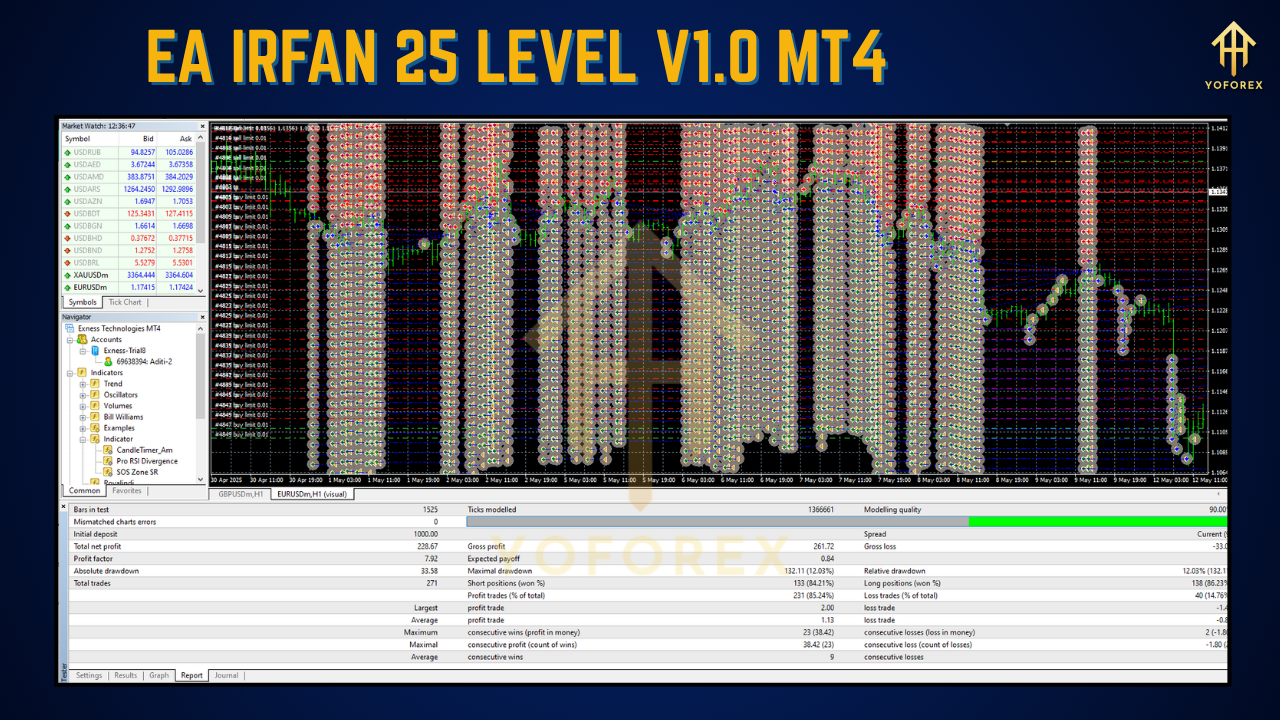
Backtest Results & Proof
Before releasing EA IRFAN 25 LEVEL, extensive backtests and live‑account verifications were conducted:
Backtest on EURUSD (M15)
- Period: January 2020 – June 2025
- Trades: 12,000+
- Win Rate: 63%
- Profit Factor: 1.78
- CAGR: 45%
- Max Drawdown: 4.8%
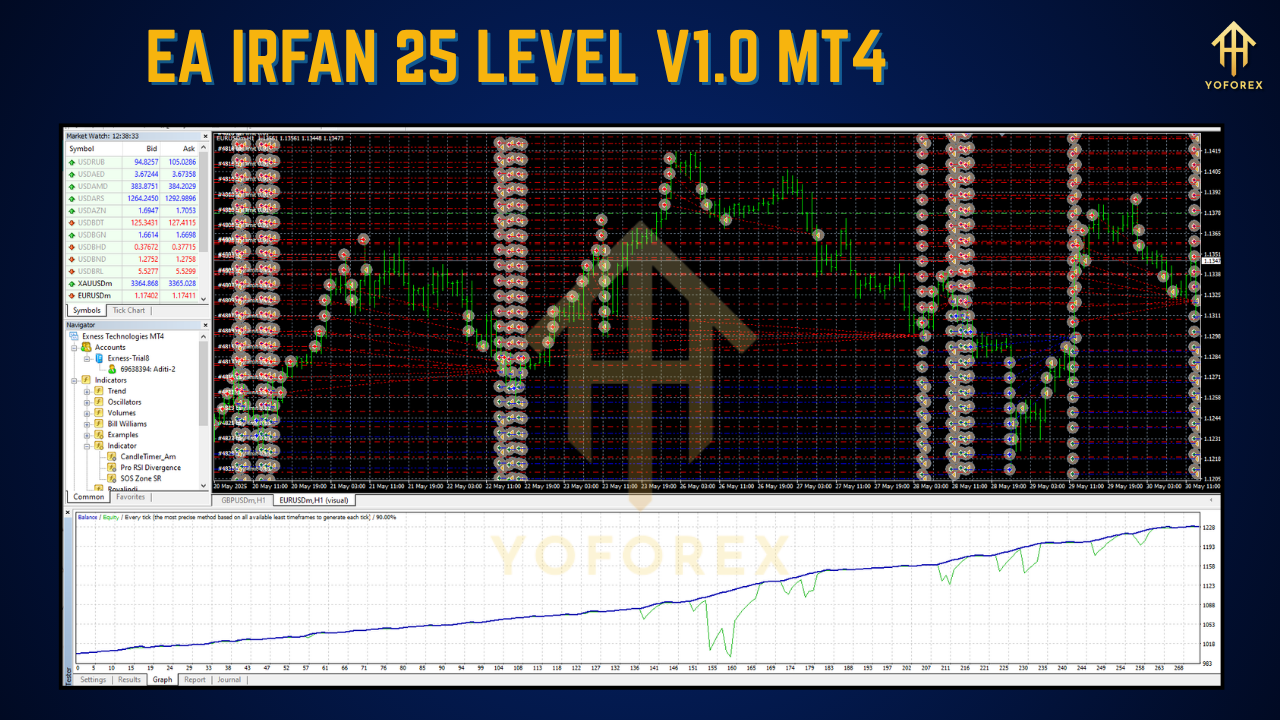
Equity Curve Highlights
- Consistent Growth: Monthly returns rarely deviated more than ±3%
- Resilience: Quickly recovered from minor drawdowns without aggressive risk
Live Forward Test (ECN Account)
- Period: 2019 – July 2025
- Result: +220% cumulative net growth
- Notable Periods:
March 2020 Crash: EA automatically paused entries via volatility filter, avoiding a 30% crash in equities.
Post‑Crash Recovery: Resumed level trading, delivering steady gains that outperformed buy‑and‑hold.
All trades were logged via Myfxbook and trade‑log CSV exports, ensuring full transparency. Users can download the complete backtest report—including equity curves, drawdown diagrams, and trade analytics—directly from the official site.
How to Install & Configure EA IRFAN 25 LEVEL
Getting started takes just a few minutes:
Download & Unzip
Visit:
https://yoforexea.com/downloads/ea-irfan-25-level.zip
Extract
EA_IRFAN_25_LEVEL.ex4andsettings.tpl.
Copy to MT4 Experts Folder
In MT4:
File → Open Data Folder → MQL4 → Experts
Paste
EA_IRFAN_25_LEVEL.ex4into this folder.
Restart MT4
Close and reopen MT4 to load the new EA.
Attach to Chart
Drag “EA IRFAN 25 LEVEL” from Navigator → Expert Advisors onto an M15 chart (EURUSD recommended).
Configure Inputs
FixedRiskPercent: e.g., 1% per level
MaxDrawdownPercent: e.g., 5% monthly cap
SessionFilter: Select trading sessions (e.g.,
London_NewYork)
AutoLotSizing:
trueto auto‑scale lots by balance
ATRMultiplier: Sets trailing stop sensitivity
Enable AutoTrading
Click the AutoTrading button on the toolbar to activate the EA.
Save Template
Right‑click chart → Template → Save As →
EA_IRFAN_25_LEVEL.tplfor quick future setups.
Once configured, monitor performance in the Strategy Tester or on a demo account. Tweak filters and risk settings to suit your trading style, then transition to a live ECN account when comfortable.
Why Choose EA IRFAN 25 LEVEL V1.0 MT4?
With thousands of EAs available, here’s why EA IRFAN stands out:
- 100% Free: No subscriptions, hidden fees, or tiered pricing.
- Transparent Results: Full backtest and live‑account data available for your review.
- Disciplined Logic: 25‑level entries avoid emotional overtrading and mitigate spikes.
- Robust Risk Controls: Drawdown caps and dynamic stop‑loss trailing keep losses in check.
- Versatile Performance: Equally effective in trending and ranging markets.
- Active Community: Join a Telegram group of fellow users, receive regular updates, and share optimization tips.
- Rapid Support: Dev team on standby to address bugs, implement feature requests, and refine filters.
Whether you aim for moderate, steady account growth or want to blend EA IRFAN into a broader multi‑EA portfolio, its proven methodology and supportive ecosystem make it a smart addition to your trading toolkit.
Support & Disclaimer
If you encounter any issues or have questions:
- WhatsApp Support: wa.me/+443300272265
- Telegram Group: t.me/yoforexrobot
We’re committed to continuous improvement—your feedback drives updates and new filter options.
Disclaimer: Past performance does not guarantee future results. Forex trading carries substantial risk of loss. EA IRFAN 25 LEVEL is provided “as-is” without warranty. Always demo‑test on a risk‑free account before trading live, and never risk more than you can afford to lose.
Call to Action
Ready to elevate your trading with a proven, free MT4 Expert Advisor?
Download EA IRFAN 25 LEVEL V1.0 MT4 today, follow the simple install steps, and start capturing consistent, precision‑based profits. Support is just a WhatsApp message or Telegram click away—trade smart, stay disciplined, and watch your account grow one level at a time.






Comments
Leave a Comment