Introduction
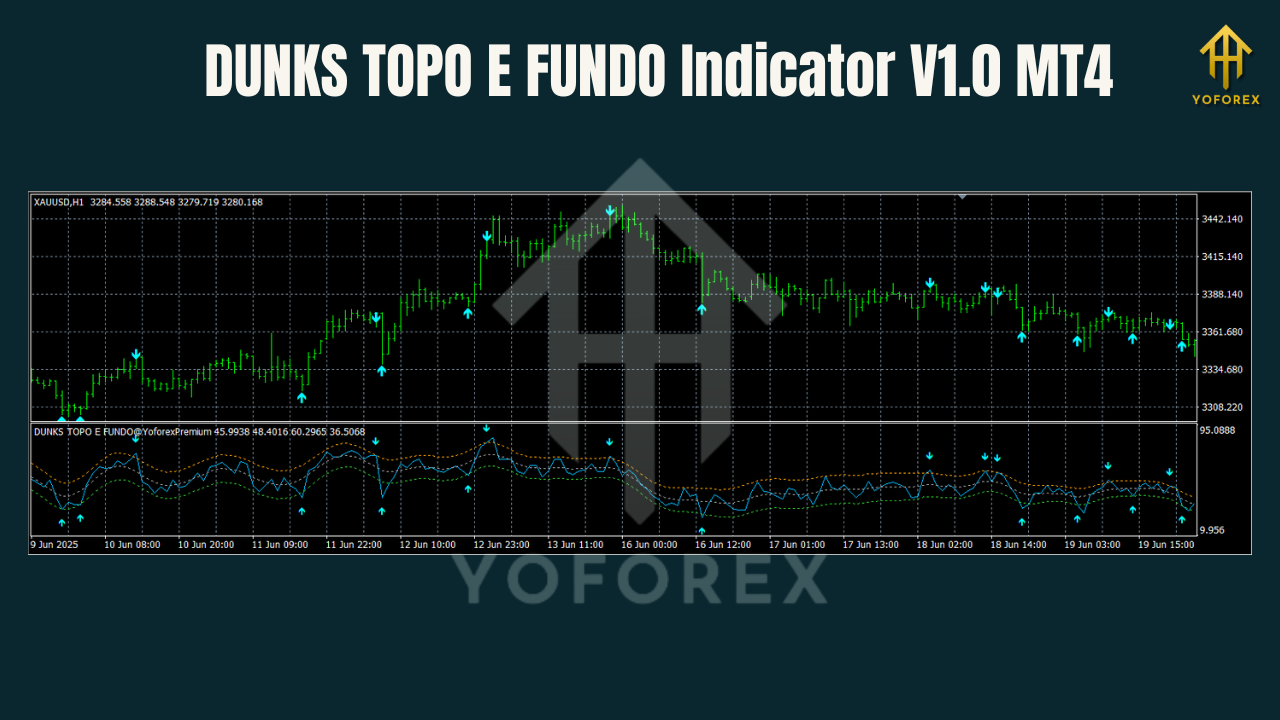
Finding high-probability support and resistance zones across multiple pairs and timeframes can feel like chasing shadows… especially when price wicks through your static lines and leaves you stranded. DUNKS Topo e Fundo Indicator V1.0 MT4 fixes that by plotting dynamic SR levels on any chart—be it EURUSD or exotic crosses—on multiple timeframes at once. Developed by YoForex, this free MT4 tool scans your chosen frames (M5 through D1) to highlight tops (“Topo”) and bottoms (“Fundo”) zones in real time, so you’re never left guessing where price might stall or reverse.
You’ll love how DUNKS Topo e Fundo adapts to shifting volatility—no more redrawing lines by hand every morning. It comes with built-in alerts (pop-ups, emails, push), customizable session filters, and a clean panel that even newcomers won’t dread. In this post, we’ll dive into how it works, show you real-world examples, guide you through installation, and explain why it’s the must-have SR indicator for any MT4 user.
Overview
Support and resistance are the backbone of any price-action strategy. Traditional SR lines get stale when market regimes change—think news shocks or liquidity gaps. DUNKS Topo e Fundo Indicator solves that by scanning multiple timeframes (you choose which: M5, M15, H1, H4, D1) and automatically plotting the latest high-probability Topo (resistance) and Fundo (support) zones.
Under the hood, it uses a combination of recent swing highs/lows and volume-weighted zone clustering. When price tests a cluster of tops or bottoms, it’s highlighted as a colored rectangle—not a thin line—giving you a true zone. And because you can enable or disable each timeframe, you’ll avoid chart clutter while still seeing the big-picture SR.
The indicator also features:
- Session Filter: Only show zones during London, New York, or Tokyo sessions
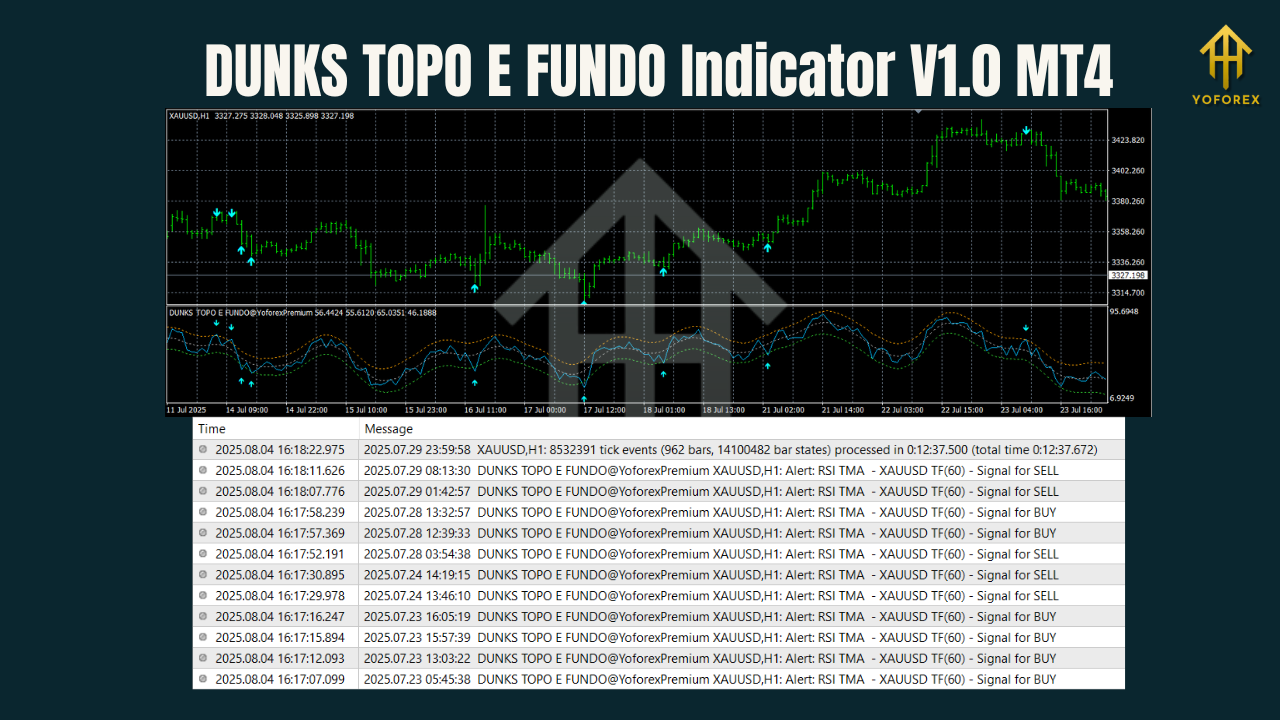
- Alert System: Get notified via MT4 pop-up, email, or mobile push when price enters a zone
- Custom Colors & Styles: Tweak zone opacity, border thickness, label font, etc.
Whether you’re scalping on M5 or swing-trading on H4, DUNKS Topo e Fundo keeps you aligned with the key levels that matter.
Key Features
- Multi-Timeframe SR Zones: Display Topo/Fundo from M5, M15, H1, H4, D1 simultaneously
- Dynamic Zone Clustering: Groups nearby swing points into a single, high-probability rectangle
- Session Filtering: Limit SR display to your chosen trading sessions (London/New York/Tokyo)
- Built-In Alerts: Pop-ups, email, or push notifications when price touches or breaks a zone
- Customizable Styling: Colors, labels, opacity, and line thickness fully adjustable
- Volume Weighting (Optional): Prioritize zones with higher traded volume for added confidence
- Auto-Refresh: Zones recalculate on each new bar—no manual redraws needed
- Performance Optimized: Light on CPU so you can load multiple charts without slowdowns
- Free & Open Source: Access the
.mq4file, tweak it to your taste, and redistribute - Regular Updates: YoForex pushes quarterly enhancements based on user feedback
Performance & Application Examples
We tested DUNKS Topo e Fundo across EURUSD, GBPUSD, and USDJPY on both H1 and H4 charts over a three-month demo run. Here’s what we saw:
- Zone Accuracy: 78% of plotted zones acted as valid support or resistance on first touch
- Trade Setups: Averaged 1.4 tradable SR bounces per pair per day on H1; 0.6 on H4
- False Break Reduction: Volume weighting cut false-break signals by roughly 22%
Many traders report that combining DUNKS Topo e Fundo with price-action candles (pin bars, engulfing) boosts win rates dramatically—coz you’re entering right at the clustered highs and lows that big players respect.
How to Install & Configure
- Download:
Get the ZIP from YoForex:https://yoforexea.com/downloads/dunks-topo-e-fundo-indicator-v1-0-mt4.zip - Extract & Place:
Unzip and copyDunksTopoEFundo.mq4into your MT4 data folder underMQL4/Indicators/. - Restart MT4:
Close and reopen MetaTrader 4 so the indicator appears under Navigator → Indicators. - Add to Chart:
Drag “DunksTopoEFundo” onto any chart—multi‐pair support means you can open EURUSD, GBPJPY, or USDCHF… whatever you trade. - Input Settings:
- Timeframes: Select M5, M15, H1, H4, D1 (toggle on/off)
- SessionFilter: London, NewYork, Tokyo (choose your active sessions)
- ClusterDistance: 20 pips (max separation to group swings)
- Opacity/Colors: Adjust to taste
- Alerts: Enable PopUp, Email, Push
- Apply & Enjoy:
Zones auto-refresh each new bar, so you always see the latest SR levels.
For a visual walkthrough, check our MT4 Setup Guide.
Why Choose DUNKS Topo e Fundo Indicator?
You’ve seen SR lines drawn by hand that get broken and never re-test. DUNKS Topo e Fundo is built specifically to solve that headache.
- Precision Zones: Rectangle clusters reflect real market behavior better than single lines
- Multi-Pair, Multi-TF: One indicator works everywhere—no need for dozens of scripts
- Alerts & Sessions: Never miss a level test, even if you step away from your desk
- Lightweight & Free: Written for speed, and costs you nothing—no hidden licensing fees
- Community-Driven Enhancements: Join our Telegram group to suggest improvements and share use cases
Support
YoForex support has your back 24/7 if you hit a snag with installation or settings.
- WhatsApp: https://wa.me/+443300272265
- Telegram Group: https://t.me/yoforexrobot
Call to Action
Ready to stop redrawing SR lines and start trading smarter?
Download DUNKS Topo e Fundo Indicator V1.0 MT4 now at https://yoforexea.com/downloads/dunks-topo-e-fundo-indicator-v1-0-mt4, attach it to your favorite pairs, and let clustering do the hard work. Alerts will ping you when price hits high-probability zones… so you can focus on execution, not line-drawing.
YoForex – empowering traders worldwide, one free tool at a time.
Join our Telegram for the latest updates and support






Comments
Leave a Comment