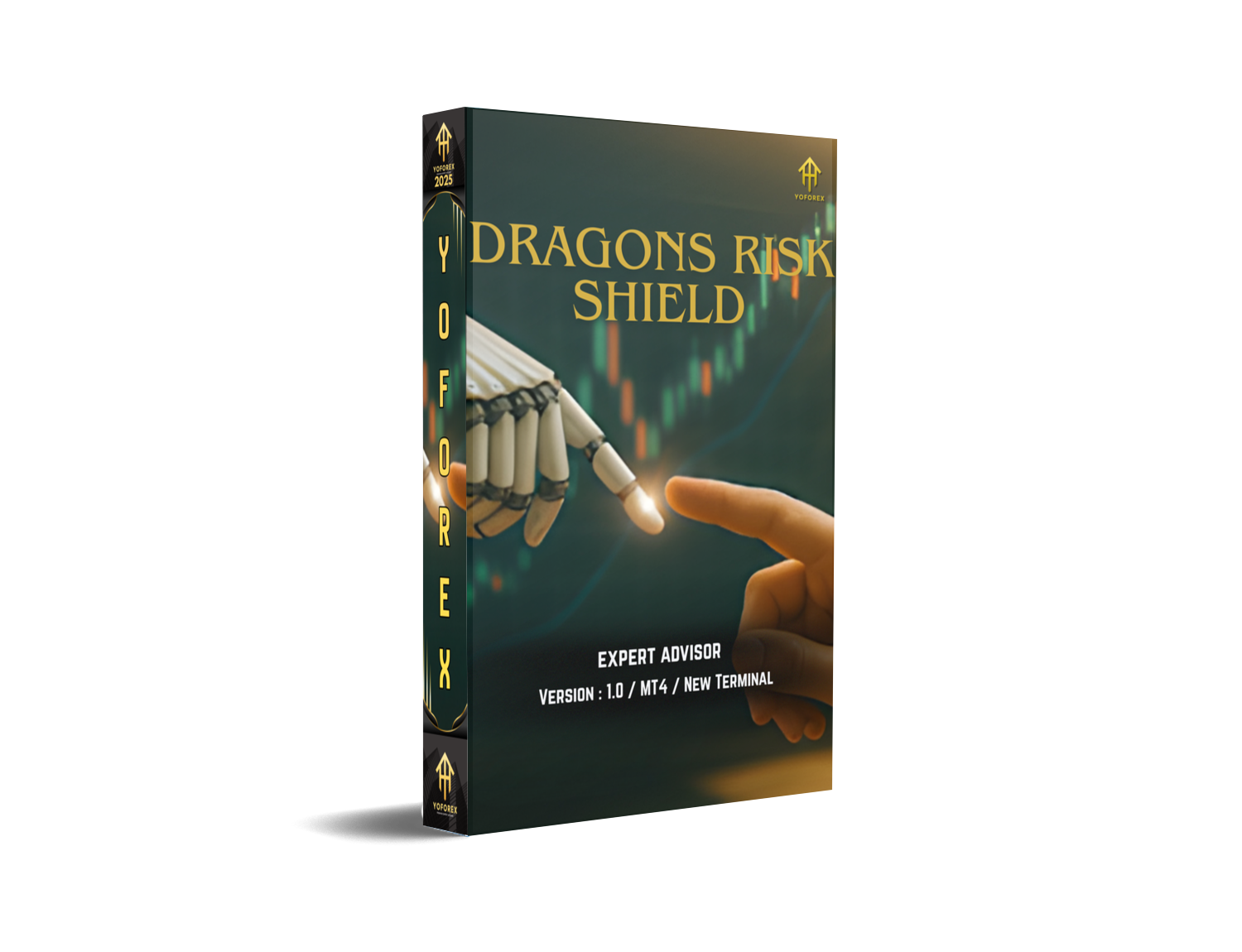
Overview
Dragons Risk Shield EA V1.0 MT4 is built for traders who value capital protection, clean entries, and transparent trade logic. It doesn’t rely on martingale or reckless grids. Instead, it works with single, clearly defined positions, with hard stop-loss, equity guardian, and dynamic filters that reduce trades when conditions are messy.
- Platform: MetaTrader 4 (MT4)
- Market Focus: Major FX pairs (EURUSD, GBPUSD, USDJPY), XAUUSD (Gold); you can explore indices once you’re comfortable
- Timeframes: M15–H1 sweet spot (M5 for advanced users who can handle more noise)
- Style: Momentum + structure confirmation with volatility awareness
- Account Types: Standard, ECN, Raw/Pro (tight spreads preferred)
- Risk Model: Fixed lots or %-risk per trade; no martingale
How Dragons Risk Shield EA Works
- Market Scan (Pre-Filter):
The EA checks spread, slippage tolerance, and session context. If spreads spike or the market’s illiquid (e.g., just before rollover), it pauses. Better to skip than to pay the “spread tax.” - Structure & Momentum Confirmation:
It looks for micro-structure breaks aligned with a higher-timeframe bias (e.g., M15 entries validated by H1 trend). Momentum is confirmed via slope, candle body strength, and a volatility envelope so the EA isn’t buying tops or selling bottoms. - Precision Entry with Protective SL:
Trades fire only when entry + stop-placement make sense. Every position gets a hard stop-loss (no drama). Initial TP is modest; from there, trailing or partial take-profit can lock in gains if the move extends. - Equity Guard + Circuit Breakers:
The equity guardian halts trading after a daily loss cap or max drawdown threshold—so one weird session can’t wreck your month. There’s also a trade count limiter to avoid over-exposure in fast markets. - News & Session Awareness:
Optional: avoid red-flag news windows or restrict trading to London + New York overlap where spreads and liquidity are typically better. Helps a lot on pairs like XAUUSD.
Key Features (Why It’s Different)
- • Risk-First Architecture: No martingale, no blind grids; fixed risk per setup.
- • Equity Guardian: Daily loss stop, max drawdown stop, and cooldown windows.
- • Session Filters: Trade only during high-liquidity hours (e.g., London/NY).
- • Spread & Slippage Guard: Automatically blocks entries if costs jump.
- • Structure-Aligned Entries: Uses HTF bias + LTF confirmation to avoid chop.
- • Volatility-Aware Stops: SL placed beyond noise zones, not arbitrary numbers.
- • Trailing Logic (Optional): Lock profits as the move extends; configurable steps.
- • Capital-Based Lot Sizing: Fixed lot or percent risk (e.g., 0.5% per trade).
- • Prop-Firm Friendly Mode: Daily loss cap, max trades/day, and news lockouts.
- • Clean Chart Overlay: Minimalist labels for entry, SL/TP, and reason codes.
- • No Curve-Fitted Inputs: Defaults are robust; you only tweak risk and filters.
- • VPS-Ready & Lightweight: Low CPU, stable on standard Windows VPS.
Recommended Settings & Broker Conditions
- Pairs: Start with EURUSD. Add GBPUSD/USDJPY after you’re comfy.
- Timeframe: M15 or H1; M15 gives more signals, H1 tends to be calmer.
- Risk per Trade: 0.25%–0.75% is the sweet spot for most accounts.
- Daily Loss Limit: 1.5%–3% (prop-friendly); the EA stops for the day if hit.
- Max Open Positions: 1–3 (per symbol) depending on your tolerance.
- News Filter: Block NFP, CPI, FOMC, rate decisions if you’re new to news trading.
- Broker: Tight spreads, fast execution, <30ms VPS if possible.
- Leverage: 1:100 or higher is ok, but remember: leverage ≠ a free lunch. Keep risk sane.
- Installation & Setup (MT4)
- Download the EA file (.ex4) and copy it to:
File→Open Data Folder→MQL4→Experts - Restart MT4.
- Open your chosen chart (e.g., EURUSD M15).
- Drag Dragons Risk Shield EA V1.0 onto the chart.
- In inputs:
Set Risk_Percent or Fixed_Lot (use one, not both).
Enable Equity_Guard with your preferred DailyLossMax.
Turn NewsFilter/SessionFilter on if you want prop-friendly mode.
Keep SpreadLimit conservative for XAUUSD.
- Make sure AutoTrading is ON and smiley face is visible.
- Let it run on a VPS for uptime and consistent execution.
Backtest & Forward-Test Methodology (What to Expect)
Backtests matter, but they can lie if you let them. Here’s a practical, no-BS approach:
- Use quality tick data with variable spread (avoid “perfect” fills).
- Run 2018–Present to cover different volatility regimes (COVID, rate cycles).
- Test M15 and H1; most users land on one or the other based on personality.
- Check Drawdown Heatmap: Focus on months with choppy price; see how equity guard behaved.
- Compare Fixed Lot vs %Risk: %Risk smooths the curve as your balance grows.
- Don’t over-optimize. Keep parameters near defaults, adjust only risk filters and session windows.
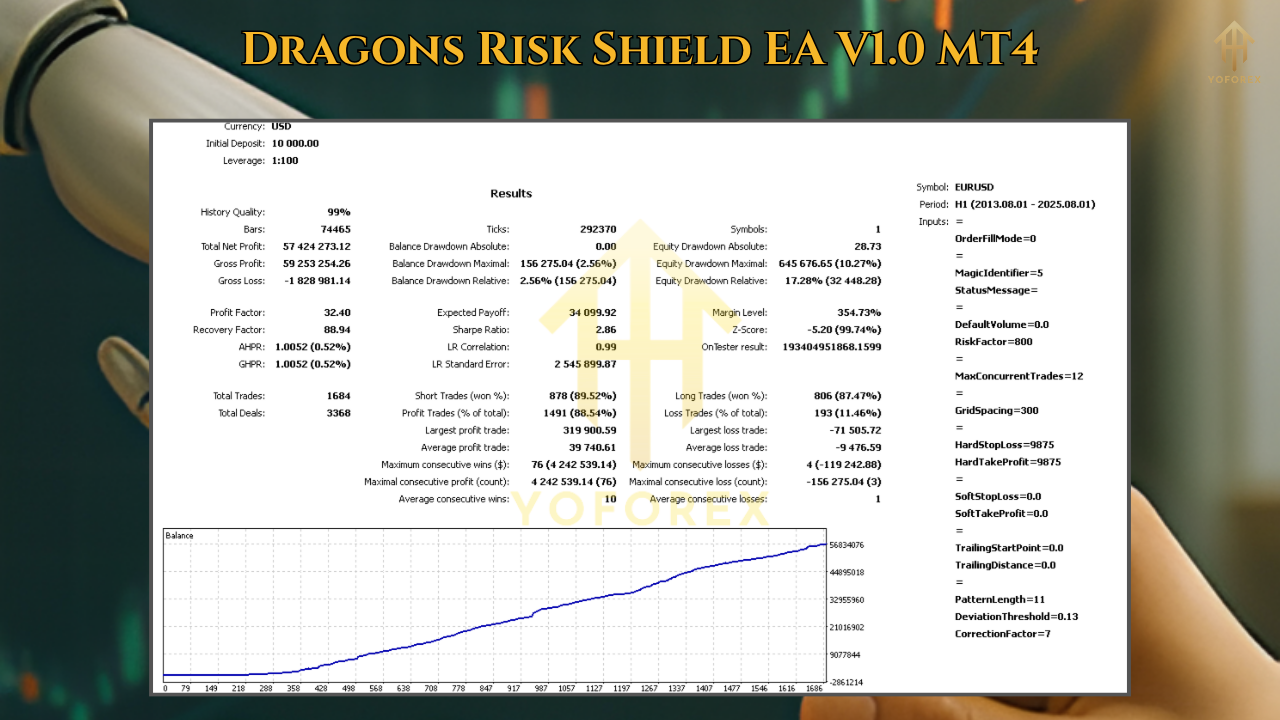
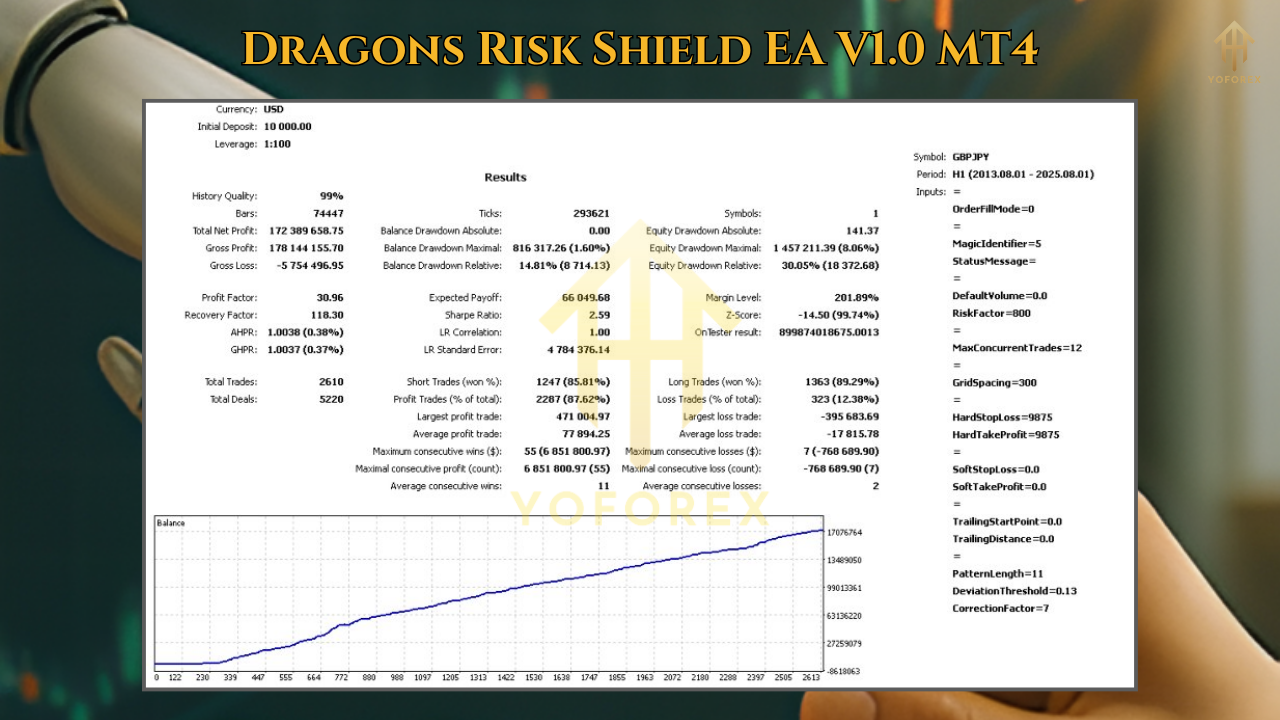
Forward test on a demo for 2–4 weeks. If results fit your risk profile and the EA respects the daily loss guard without micromanagement, then consider going live with small risk first. Past performance is not a guarantee of future results—treat backtests as context, not prophecy.
Risk Management & Prop-Firm Mode
If you’re trading prop evaluations, enable these:
- DailyLossStop: Hard stop for the day at –2% (example).
- MaxTradesPerDay: e.g., 3–5 (per symbol) to avoid over-trading.
- NewsLockout: 30–60 minutes before and after high-impact events.
- Time Windows: Restrict to London open → NY lunch for cleaner fills.
These aren’t just boxes to tick; they create a process. Prop rules are basically risk management codified—Dragons Risk Shield plays nicely with that.
Practical Tips (From Real-World Use)
- One symbol per chart. Don’t stack multiple pairs on one chart instance.
- Let losers be small. If the EA exits early, good—capital preserved.
- Track costs. If your broker’s commission/spread combo is heavy, reduce trading windows or shift pairs.
- Don’t chase signals manually. The EA’s edge is timing + discipline; interfering mid-flow usually hurts.
- Journal outcomes. Note which days the equity guard triggers—learn the market context behind them.
FAQ (Short & Honest)
Q1: Does it use martingale or grid?
No. Single-position logic with hard SL and optional trailing.
Q2: What’s the minimum deposit?
Technically $100+ works on micro lots, but for a smoother experience $300–$500 is reasonable. Risk % should be tiny.
Q3: Can I run it on multiple pairs?
Yes. Start with one or two pairs, then add pairs once you trust the behavior.
Q4: Will it pass a prop challenge?
It’s prop-friendly, but no EA can guarantee passing. Your risk, discipline, and challenge rules matter most.
Q5: Best timeframe?
M15 for frequency, H1 for calmer flow. Try both in demo before deciding.
Why Traders Stick With Dragons Risk Shield
Because it doesn’t get greedy. It’s not trying to trade every candle or build five-deep ladders into a spike. It looks for sensible entries, protects equity with circuit breakers, and lets good trades breathe. That combo—selective entries + strict defense—is how accounts survive and grow, slowly at first, then all at once.
Call to Action
If you want an MT4 robot that respects risk and doesn’t need babysitting, Dragons Risk Shield EA V1.0 belongs on your shortlist. Start simple: one pair, small risk, demo forward test. When you’re comfy, scale responsibly.






Comments
Leave a Comment