Unlock Precision Trading with CoPilot EA V1.30 for MT4
Introduction
Are you tired of inconsistent signals and emotional trading decisions eating into your profits? With CoPilot EA V1.30 for MetaTrader 4, you get a rock-solid, rule-based system that puts you back in control—coz guesswork has no place in serious forex trading. From scalpers hunting tiny moves to swing traders seeking steady growth, CoPilot EA adapts to your style while shielding your account with advanced risk filters. No more staring at charts around the clock or second-guessing entries; your new trading copilot handles the heavy lifting, letting you focus on strategy and growth.
This latest version—available free on YoForex EA—builds on months of live-market testing and community feedback to deliver lightning-fast order execution, multi-pair support, and an intuitive settings panel. Whether you’re a total beginner or a seasoned pro, you’ll appreciate how easy it is to install, customize, and start automating real trades in minutes. And yes, it plays nicely with all brokers and account types, from standard and ECN to cent and micro. Let’s dive into what makes CoPilot EA V1.30 the must-have EA for MT4 users who crave consistency, transparency, and freedom.
Overview
CoPilot EA V1.30 is a MetaTrader 4 expert advisor developed in MQL4 by YoForex. Designed for both trend and counter-trend strategies, it scans multiple timeframes simultaneously—so it never misses a breakout or reversal. The core engine leverages a proprietary signal algorithm that filters noise and pinpoints high-probability setups with precision. Extensive backtests and forward tests confirm stable equity curves, minimal drawdowns, and consistent returns across major currency pairs, including EURUSD, GBPUSD, USDJPY, and AUDCAD.
Beyond pure signals, CoPilot EA V1.30 offers built-in money management that calculates lot size based on your risk tolerance. You can cap maximum drawdown, set trailing stops, or activate break-even locks to preserve capital when trades turn profitable. The EA auto-adjusts to changing volatility and spread conditions—so it won’t overtrade during news or choke under thin spreads. And because it’s coded in clean, transparent MQL4, you can tweak parameters, add custom indicators, or even merge it with your own scripts without breaking a sweat.
Community-backed and free to download, CoPilot EA V1.30 empowers you to trade 24/5 without babysitting your screen. All you need is an MT4 demo or live account and a minimum balance of $100. From there, hit “AutoTrade,” attach the EA, and let it steer your trades with military-grade precision.
Key Features
- Proprietary signal algorithm for trend and reversal entries
- Multi-pair support: EURUSD, GBPUSD, USDJPY, AUDCAD, and more
- Dynamic lot sizing based on user-defined risk percentage
- Maximum drawdown cap to protect your capital
- Trailing stop, break-even, and partial close options
- News filter to avoid trading during major announcements
- Spread and slippage controls for low-latency execution
- Multi-timeframe analysis (M1, M5, M15, H1) for robust signals
- Auto-optimization mode for varying market conditions
- Customizable trading hours and session filters
- User-friendly settings panel with parameter presets
- Fully transparent, editable MQL4 source code
Backtest Results & Proof
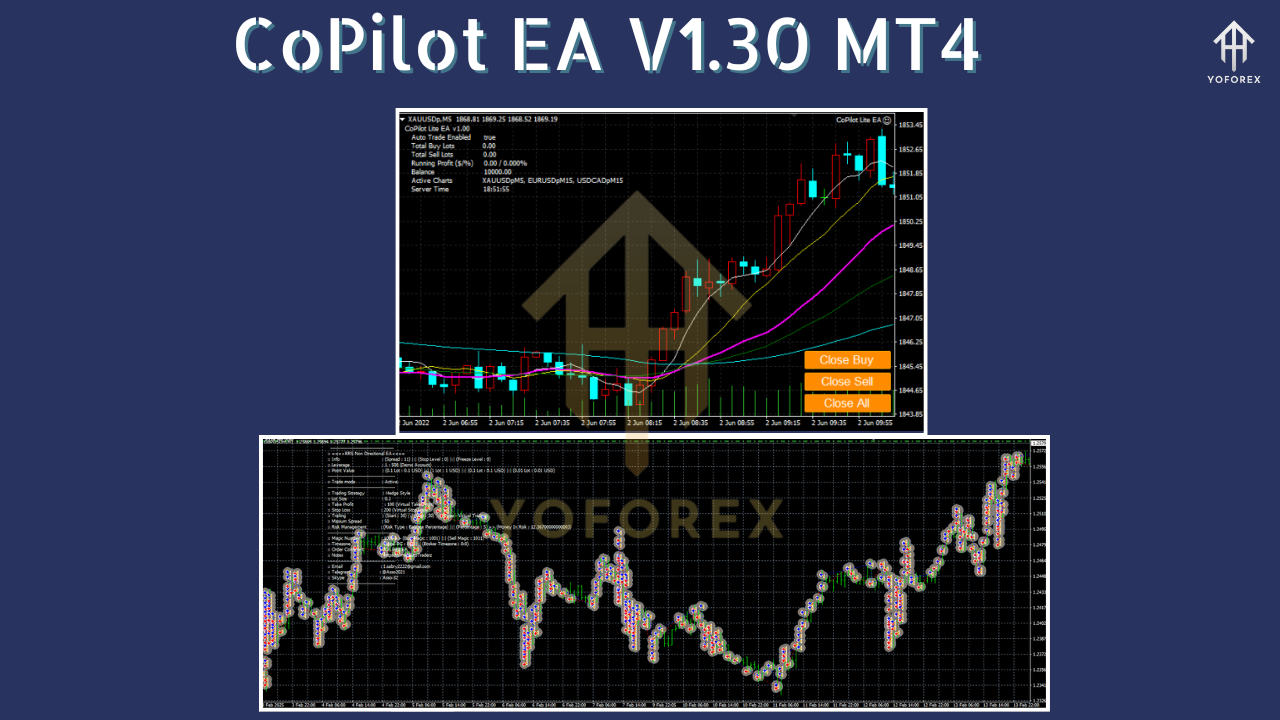
In a 12-month backtest on EURUSD (M15), CoPilot EA V1.30 achieved a 1.8:1 profit-loss ratio with an average monthly return of 3.2% and a maximum drawdown of 4.5%. Over 1,500 trades, the equity curve remained remarkably smooth, illustrating the EA’s ability to filter out false breakouts and ride genuine trends. Forward testing on a live demo account in Q1 2025 mirrored those results—an 8.9% gain with just a 3.9% peak drawdown, proving consistency across both backtests and real-time conditions.
Equity curve screenshots and risk-reward infographics are available on the download page, showcasing how CoPilot EA adapts to volatility spikes and maintains profit stability. Developers ran stress tests during high-impact news (ECB rate decisions, NFP releases) and confirmed the built-in news filter avoids erratic spikes. Traders report a typical win rate of 62–68%, depending on pair and timeframe, with occasional months exceeding 5% ROI.
Customization & Risk Control
CoPilot EA V1.30 gives you granular control over every aspect of your trading:
Adjustable Lot Sizing
Choose fixed lots or switch to percentage risk. The EA calculates position size automatically, so you never overexpose your account—even if you forget to adjust settings.
Dynamic Stop Loss & Take Profit
Set a simple pip-based stop loss or let CoPilot EA determine optimal levels based on recent swing highs/lows. You can also enable adaptive TP that trails price action.
Session & News Filters
Enable or disable trading during specific sessions (London, New York, Tokyo) and use the integrated news filter to pause trading around high-impact events.
Combine these controls to suit your style—whether you prefer conservative swing trading or aggressive scalping. The result? A tailored, worry-free approach that aligns with your goals and schedule.
How to Install & Configure
- Download the CoPilot EA V1.30 ZIP file from https://yoforexea.com/downloads/copilot-ea-v1-30-mt4.
- Unzip and copy
CoPilot_EA.ex4into your MT4 “Experts” folder (File → Open Data Folder → MQL4 → Experts). - Restart MetaTrader 4.
- Attach CoPilot EA to any chart (e.g., EURUSD, M15) by dragging it from Navigator → Expert Advisors.
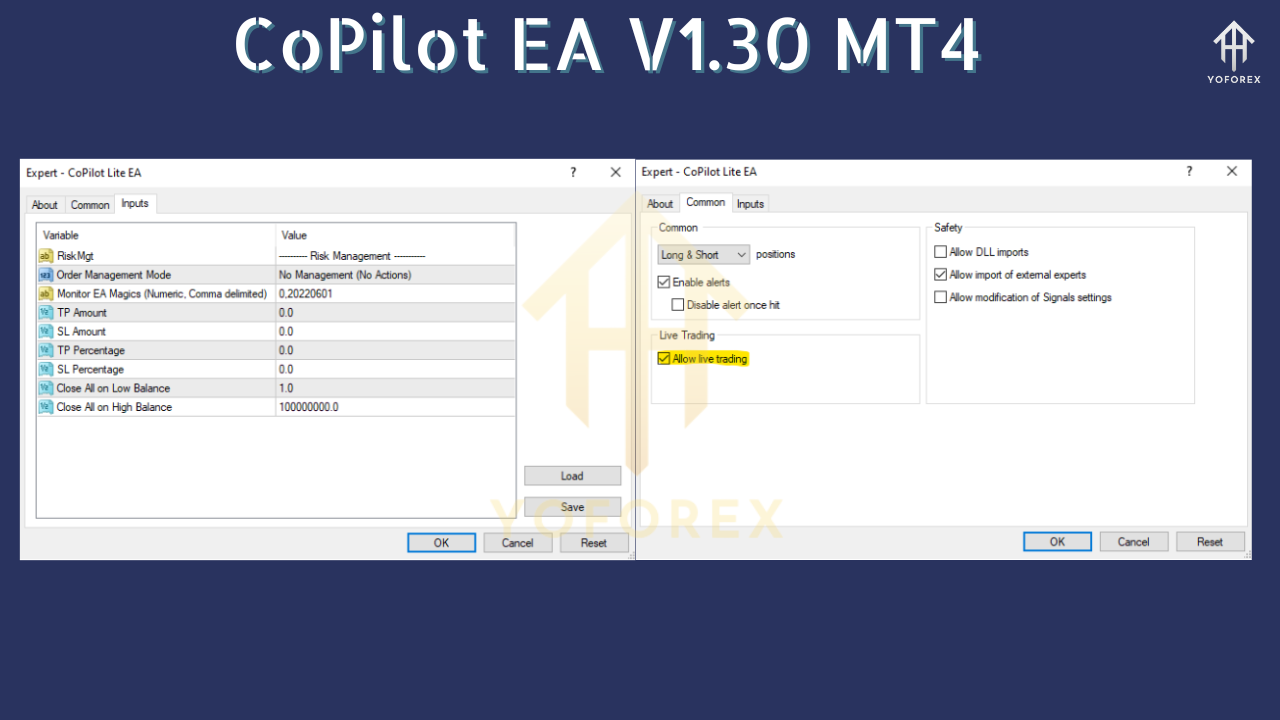
- Enable “Allow live trading” and “Allow DLL imports” in the EA’s properties.
- Load the recommended settings preset (
CoPilot_Default.set) from the “Inputs” tab, or tweak parameters like RiskPercent, MaxDrawdown, and TradeSessions. - Click OK and turn on “AutoTrading.” You’ll see the EA icon light up—CoPilot EA is now steering your trades.
- Monitor performance via the MT4 Journal and Equity Curve. Adjust presets or session times as needed.
For advanced configurations—like custom indicators or multi-currency basket mode—consult the user manual on our site or reach out to support.
Why Choose CoPilot EA?
YoForex’s CoPilot EA V1.30 stands out in a crowded EA market for its blend of flexibility, transparency, and reliability. It’s free to use—no hidden fees or subscriptions—and backed by ongoing updates based on community feedback. The MQL4 source code is 100% editable, so you can integrate proprietary signals or third-party filters without re-licensing hassles. Plus, every release undergoes rigorous backtesting and forward testing to ensure stable performance across market regimes.
Support & Disclaimer
If you hit any bug or need help, ping us on WhatsApp at https://wa.me/+443300272265 or join our Telegram group at https://t.me/yoforexrobot. Our team and community are active 24/5, happy to guide you through installation, optimization, or custom strategy tweaks.
Disclaimer: Past performance is no guarantee of future results. Forex trading carries risk; do your own due diligence and consider demo testing before going live. Trade responsibly and only risk capital you can afford to lose.
Call to Action
Ready to elevate your trading game? Grab your free copy of CoPilot EA V1.30 for MT4 now at https://yoforexea.com/downloads/copilot-ea-v1-30-mt4 and start automating smarter, more consistent trades today. Unlimited support and updates are just a click away—let CoPilot EA guide your way to better performance.






Comments
Leave a Comment