Introduction
Forex trading can feel like managing chaos, right? Price charts spiking, news hitting, signals clashing—and you're stuck trying to click the right buttons at the right time. That’s exactly why Control Panel EA V1 for MT5 was built—to give traders command-center style control over trading automation, risk, and execution, all from one sleek dashboard.
Designed for traders who want both automation and control, this Expert Advisor blends fast execution, real-time risk tracking, manual trade support, and customizable auto-trading settings—all in one lightweight panel. Whether you scalp, swing, or use EAs with custom logic, Control Panel EA V1 is here to streamline your trading operations.
What is CONTROL PANEL EA V1 MT5?
Control Panel EA V1 is not your usual plug-and-play robot. Instead of running hidden scripts in the background, this EA visibly integrates with your MetaTrader 5 chart and gives you visual trade management power.
It’s essentially an all-in-one trading cockpit—equipped with tools to open/close trades, set stop loss/take profit levels, trail profits, automate entries, and manage exposure—all from a modern user interface. You get the flexibility of semi-manual control with the convenience of automation.
It’s perfect for discretionary traders, semi-auto EA users, prop firm challengers, or just those tired of the MT5’s clunky native trading buttons.

Key Features of Control Panel EA V1
Trade Panel UI – Fully interactive on-chart dashboard to open/modify trades in real-time
Auto Lot Calculation – Automatically adjusts lot size based on risk percent or account equity
Smart Risk Management – Set SL/TP per trade or globally with drag-and-drop precision
One-Click Trading – Instant execution without confirmation pop-ups
Partial Close & Break Even – Take partial profits or auto move SL to BE at custom points
Trailing Stop – Advanced options for point-based or ATR-based trailing
News Filter Option – Optional setting to avoid trading during high-impact events
Auto Entry Modes – Configure grid, martingale, or trend-based auto entries
Magic Number Management – Keep trades separate by strategy using custom magic numbers
On-Screen Stats – Live P&L, drawdown, win/loss stats, and session analytics
Compatible with All Brokers – Works on both ECN and standard accounts
Multi-Timeframe Friendly – Use across H1, H4, or even M1 for scalping
Strategy Logic Behind the Panel
While Control Panel EA isn’t bound to one strategy, it comes with several built-in entry triggers you can toggle ON/OFF. These include:
Moving Average Crossover Entry
RSI Overbought/Oversold Zones
MACD Zero Line Cross
Breakout Entry on Box Range (London Session)
You can mix and match these to suit your trading style or disable them entirely and use the panel purely for manual trading with automation support like trailing SLs, risk calc, and breakeven automation.
It gives full flexibility to build your own hybrid trading style—you control how “automated” your EA behaves.
Backtest Results & Live Usage
Since this EA is more of a control suite than a fixed-strategy robot, traditional backtests aren't the focus. But you can still test the embedded strategy presets by enabling only those logic modules in MT5’s Strategy Tester.
Sample live usage scenarios:
???? Manual Scalping on M5 – Using panel to instantly enter/exit during volatile conditions with quick TP/SL settings
???? Grid Strategy on EURUSD H1 – Enabled auto entries with range detection and dynamic trailing
???? Swing Trades with News Filter – Disabling EA during red news, then using auto-entry based on RSI
Image Suggestion:
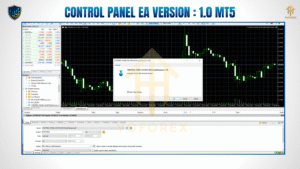
Include a screenshot of the EA on MT5 showing its sleek control panel interface and open trade panel.
Alt Text: “Control Panel EA V1 MT5 interface with trade options and risk management panel displayed”
How to Install & Configure
Installing Control Panel EA V1 is as easy as using it:
Download the EA from the official vendor page or marketplace.
Open MetaTrader 5 → Go to File > Open Data Folder
Navigate to MQL5 > Experts
Copy the
.ex5file of Control Panel EA
Restart MT5 or refresh the Navigator
Drag the EA onto your preferred chart
Adjust input settings – risk %, auto entry options, SL/TP style, etc.
Allow DLLs and Algo Trading
Image Suggestion:
Upload a labeled screenshot of the MT5 inputs/settings panel with recommended configuration.
Alt Text: “MT5 Expert Advisor settings for Control Panel EA with risk and automation options”
Why Choose Control Panel EA?
Gives full visibility and control over trades, not just hidden automation
Suitable for manual, semi-automated, and algorithmic traders
Eliminates human error in lot sizing and stop placement
Supports all MT5 brokers—no dependencies
Developed with active trader feedback, updated regularly
Unlike traditional EAs that work like black boxes, Control Panel EA puts you in the pilot’s seat.
Support & Disclaimer
Need help setting it up or want to report a bug?
Just drop a message to the developer team—support is friendly and quick.
WhatsApp Help: Click here to message
Telegram Group: Join the Control Panel EA Group
Disclaimer: This EA is a tool—not a guarantee of profits. Past results do not ensure future outcomes. Always test on a demo account before going live. Risk only what you can afford to lose.
Call to Action
Ready to simplify and upgrade your MT5 trading setup?
???? Grab the Control Panel EA V1 for FREE and take full control of your trades today!
Download available now on the official site—no strings attached.
YoForex – empowering traders worldwide, one free tool at a time.
Thanks for the visit ...
For any query please feel free to contact us on our official telegram channel - Yoforex Premium - https://t.me/+V6Nr5sRZVr4xYzdl






Comments
Leave a Comment