
Climbing Scalper EA V1.0 MT4 — Built for Quiet-Hour Profits
When the market goes quiet, many traders switch off. The Climbing Scalper EA V1.0 MT4 does the opposite. It’s designed to work during the calmest sessions—often late night/early morning—when spreads are tight, volatility is muted, and price tends to “breathe” in smaller waves. By focusing on cleaner micro-moves rather than noisy intraday swings, this Expert Advisor looks to collect frequent, modest wins instead of chasing big, risky trends.
What is Climbing Scalper EA?
Climbing Scalper EA V1.0 is a fully automated MT4 trading robot that hunts for short, repeatable price opportunities. It reads order-flow hints and micro-structure cues, then places entries only when liquidity and spread conditions are favorable. The EA is compatible with multiple major and minor pairs—EURUSD, AUDUSD, EURCAD, GBPUSD, and USDCAD—and it’s optimized to keep slippage and costs in check during off-peak times.
The logic is deliberately conservative. Rather than stacking positions or using dangerous recovery methods, the EA applies strict risk controls and exits quickly if conditions change. Think of it as a disciplined night worker: fewer distractions, sharper attention, cleaner executions.
Why Night Scalping?
Night sessions (depending on your broker’s server time and your timezone) tend to feature:
- Tighter spreads on liquid pairs
- Fewer whipsaws than overlapping sessions
- More predictable micro-ranges, especially around Asian hours
For a scalper, those ingredients matter. If spreads are wide and candles are erratic, tiny take profits get eaten by costs. Climbing Scalper waits for the opposite—calm, low-cost, repeatable price action.
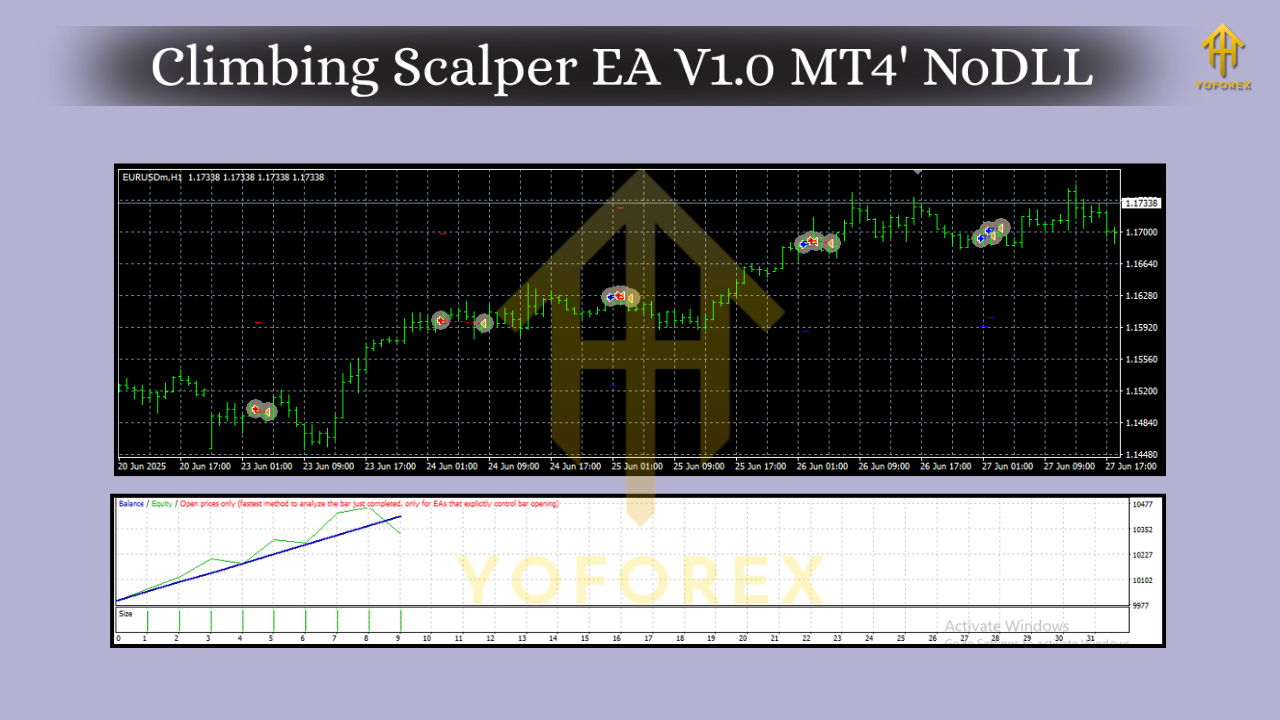
Core Strategy Logic (In Plain English)
At a high level, the EA:
- Scans recent price bands to detect short-term equilibrium—areas where price bounces within tight ranges.
- Checks spread & execution quality before any entry; if trading conditions slip, it pauses.
- Times entries using micro-momentum and mean-reversion cues, aiming to catch quick “climbs” out of micro-pullbacks or fades back into the mini-range.
- Applies strict exits with a small, fixed TP and a protective SL, plus optional trailing to lock profits if the move extends.
- Limits exposure with max trades, spacing between orders, and an optional trading window (e.g., only during your broker’s off-peak hours).
There’s no martingale, grid stacking, or “pray and hold.” If a trade doesn’t behave, the EA closes and waits for the next clean setup.
Supported Pairs & Suggested Timeframes
- Pairs: EURUSD, AUDUSD, EURCAD, GBPUSD, USDCAD
- Suggested Timeframes: M5 or M15 for most brokers and conditions
- Execution Tip: Use a low-spread, low-latency broker and a VPS close to the trading server. For scalpers, execution quality can make or break results.
Key Features You’ll Like
- Night-session focus: Targets calm hours for tighter spreads and smoother micro-moves.
- Spread & slippage filters: Trades only when costs are favorable.
- Risk-first design: Fixed SL/TP, optional trailing, no martingale or reckless averaging.
- Multi-pair ready: Works on EURUSD, AUDUSD, EURCAD, GBPUSD, USDCAD.
- Trade frequency control: Adjustable signals, sessions, and cool-down periods to fit your style.
- Capital protection: Daily loss stop and max-open-trades cap to prevent overexposure.
- News filter ready (optional): Pause around major releases if your setup includes a news filter utility.
- Clean logs & alerts: Clear ticket notes and notifications so you always know what the bot is doing.
- Beginner-friendly presets: Sensible defaults to get started quickly, with room for advanced tuning.
- Scales with account size: Fixed lots or risk-based position sizing.
Recommended Risk Settings
Every scalper must respect risk. A few practical pointers:
- Risk per trade: 0.25%–0.5% for conservative operation; 1% is the upper bound for aggressive users.
- Daily loss cap: 2%–3% to stop the day if conditions go off script.
- Max concurrent trades: 1–3 total (across pairs) to keep margin healthy.
- No over-optimization: Minor tweaks are fine; avoid curve-fitting to a single month of data.
Setup & Installation (MT4)
- Copy the EA to
MQL4/Expertsin your MT4 data folder. - Restart MT4 or refresh the Navigator window.
- Attach the EA to your chosen chart(s) (start with EURUSD M5 or M15).
- Enable Algo Trading and “Allow live trading” in EA settings.
- Load a preset (if provided) or keep defaults to begin; confirm your risk per trade.
- Set trading hours to your preferred night session window (based on broker server time).
- Run on a VPS for 24/5 uptime and stable pings.
Broker & Execution Tips
- Choose ECN/RAW accounts with tight spreads and fast execution.
- Avoid brokers that widen spreads excessively after rollover.
- Keep charts clean—no heavy indicators that slow MT4.
- If you notice slippage spikes, reduce pairs or pause during that window.
Backtesting & Forward Testing
Backtests for scalpers can be tricky since spread and tick accuracy matter a lot. To get more realistic results:
- Use tick-level data with variable spreads if possible.
- Set the spread to a realistic night average for your broker.
- Test at least 12 months on M5/M15; then forward test on a demo for 2–4 weeks before going live.
- Track max drawdown, profit factor, win rate, and average trade duration. A healthy scalper will usually show short hold times and consistent, modest gains when spreads are tight.
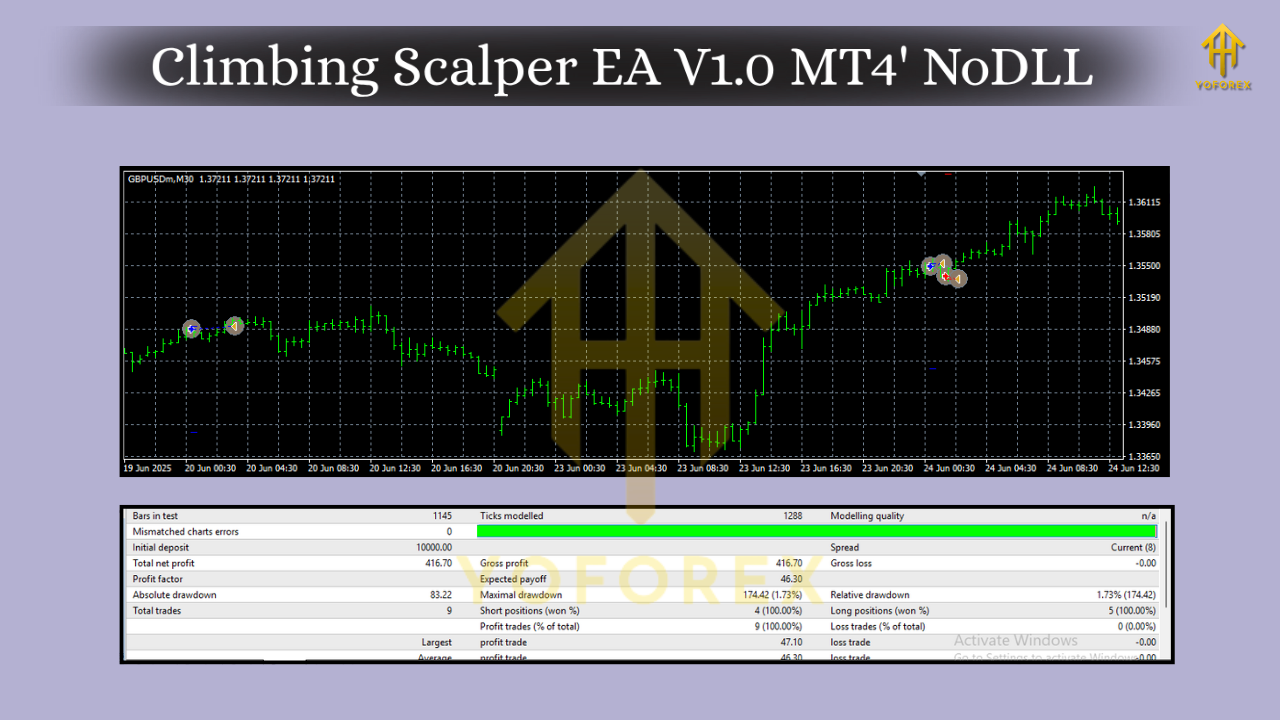
How to Know It’s Working
- Low average spread during trades (check the Journal/Experts logs).
- Short, consistent trade durations rather than long holds.
- Few or no trades during poor conditions—this is a feature, not a bug.
- Stable equity curve in forward demo with your broker’s conditions.
Common Mistakes to Avoid
- Cranking risk too high: Small edges compound; big risk kills accounts.
- Running at the wrong hours: If spreads are wide, skip that window.
- Overloading pairs: Three well-behaved pairs beat five noisy charts.
- Ignoring updates: If the developer ships refinements, apply them—especially around execution logic.
Who Is This EA For?
- Scalpers who prefer frequent, smaller wins with tight risk.
- Night-owls or anyone who doesn’t want to babysit London/New York volatility.
- Traders with ECN access and a VPS who appreciate execution quality.
- Risk-aware users who value capital protection over moonshot gains.
Final Word & Disclaimer
Climbing Scalper EA V1.0 MT4 is built for discipline in quiet markets: minimize costs, be selective, exit cleanly. If you respect risk parameters and give it the right environment (tight spreads, stable VPS, realistic trading hours), it can be a steady worker in your automated lineup.






Comments
Leave a Comment