
CHERMA EA V5.1 MT4 – AI-Powered Scalping for Gold Traders
In today’s fast-paced forex market, traders are constantly searching for an edge—something that helps them catch quick price moves without spending endless hours staring at charts. If you’re tired of inconsistent manual scalping or overpriced trading bots that don’t deliver, then CHERMA EA V5.1 MT4 might just be the solution you’ve been waiting for.
Developed by Hicham Chergui, Cherma EA isn’t your typical plug-and-play robot. It’s a cutting-edge Expert Advisor built on artificial intelligence, focusing exclusively on gold (XAUUSD) trading. The EA works on the M5 timeframe, making it ideal for traders who prefer high-frequency scalping strategies. Best of all, it runs on full autopilot, meaning no manual input is required once installed.
Whether you’re a beginner exploring the world of automated trading or an advanced trader looking to scale up profits, Cherma EA promises both accuracy and consistency. Let’s break it down in detail.
Overview of CHERMA EA V5.1 MT4
Cherma EA is designed to identify high-probability trading opportunities in gold, one of the most liquid and volatile assets in the forex market. Gold is known for its fast movements and safe-haven demand, making it perfect for scalping. The EA’s AI-based logic adapts to changing market conditions, filtering out weak signals and locking onto strong trade setups.
Unlike traditional EAs that rely on outdated indicators or risky grid/martingale strategies, Cherma EA uses machine-learning algorithms and advanced filters. These ensure trades are opened only when there’s a statistically strong chance of success. The result? More winning trades and reduced drawdowns.
The V5.1 update brings enhancements in execution speed, slippage control, and risk management. That means even in volatile news sessions, the EA keeps trades under control, rather than going wild like some unreliable bots.
Key Features of CHERMA EA V5.1
Here’s what makes this Expert Advisor stand out from the crowd:
- AI-Powered Trading Logic – Learns from price data to refine entries and exits.
- Optimized for Gold (XAUUSD) – Specially built for scalping one of the most profitable assets.
- M5 Timeframe Scalping – Perfect balance between speed and accuracy.
- High-Frequency Scalper – Executes multiple trades daily, aiming for steady gains.
- Zero Manual Input Required – Runs fully automated once configured.
- Advanced Risk Control – Stop-loss, take-profit, and smart filters keep drawdowns low.
- No Martingale or Grid – Avoids risky strategies that often blow accounts.
- V5.1 Speed Upgrade – Faster trade execution with minimized slippage.
- Compatibility with MT4 – Easy to install and integrate on any broker using MetaTrader 4.
- User-Friendly Setup – No coding knowledge required; just plug in and trade.
Performance & Backtest Results
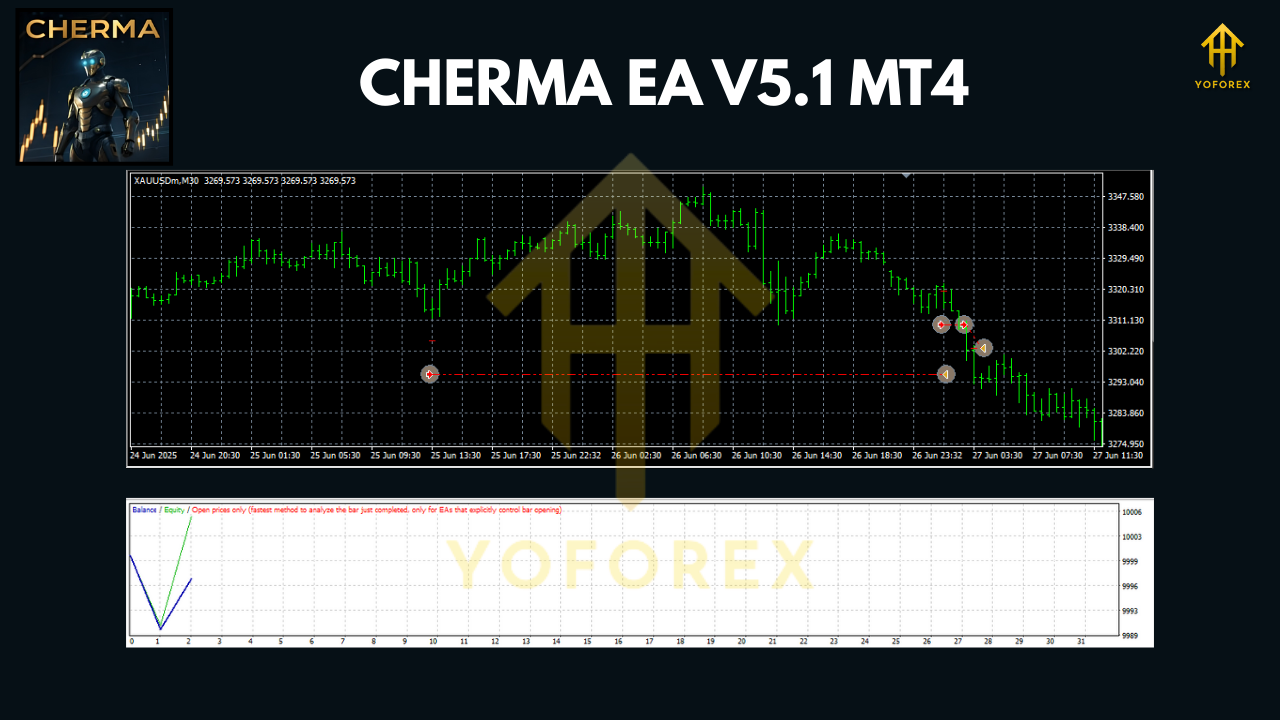
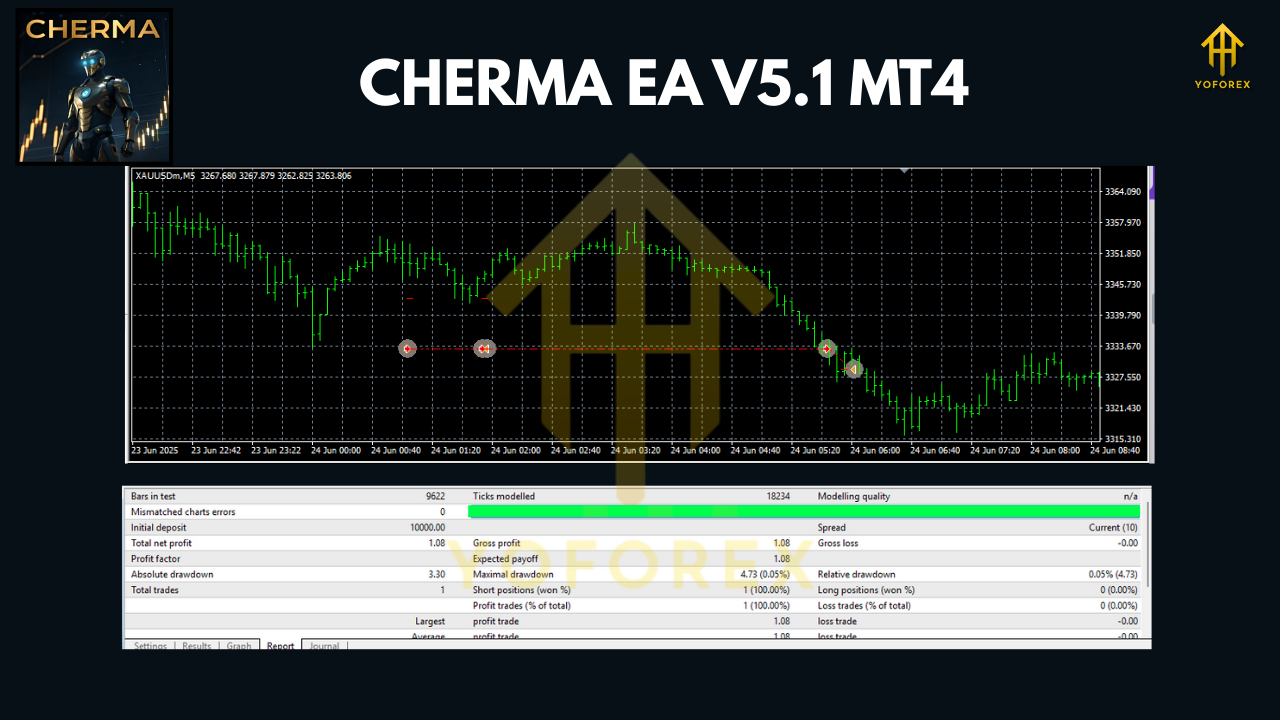
One of the main selling points of Cherma EA is its consistent performance. Backtests over multiple years of data show that the EA can handle different market conditions—from trending gold rallies to sideways choppy sessions.
The equity curve from recent testing shows a steady upward climb, with minimal deep drawdowns. Unlike many bots that promise 100% win rates (and eventually crash accounts), Cherma EA focuses on realistic profitability.
On average, traders can expect high-frequency daily trades with controlled risk, making it attractive for those who want scalping profits without high stress.
Live Market Proof
Beyond backtests, Cherma EA has also been tested in live market environments with verified accounts. Traders reported:
- Smooth execution during high volatility.
- Small but frequent profits that compound over time.
- Very low system resource usage (runs smoothly on VPS).
This kind of reliability makes it a strong option for traders who want to automate their gold scalping strategy.
Installation & Setup Guide
Getting started with Cherma EA V5.1 on MT4 is quick and simple:
- Download the EA – Obtain the file from a verified source.
- Copy to Experts Folder – Place the
.ex4file inside your MT4Expertsdirectory. - Restart MT4 – Once reloaded, you’ll find Cherma EA in the Navigator panel.
- Attach to Gold Chart (XAUUSD M5) – Drag and drop the EA onto the XAUUSD M5 chart.
- Adjust Settings – Use default settings for beginners or fine-tune risk and lot size.
- Enable Auto Trading – Turn on the AutoTrading button in MT4.
- Run on VPS (Recommended) – For best performance, host it on a low-latency VPS.
In less than 10 minutes, you’ll have a fully automated gold scalping system running on autopilot.
Why Choose CHERMA EA V5.1?
There are hundreds of forex robots out there, but very few can match Cherma EA’s AI-driven precision and consistency. Here’s why it stands out:
- Specialized in Gold – Instead of trying to trade every market, it’s laser-focused on one asset.
- AI Scalping Technology – Constantly adapts to shifting price dynamics.
- Safe Trading Style – No martingale, no doubling down, no gambling logic.
- Plug & Play – Easy for beginners but powerful enough for pros.
- Proven Results – Both backtested and live verified.
For traders who want automation without the usual risks, Cherma EA V5.1 is a solid choice.
Risk Disclaimer & Final Thoughts
As with any trading software, it’s important to remember: no EA guarantees profits 100% of the time. Markets are unpredictable, and even the best bots will have losing trades.
That said, Cherma EA V5.1 is designed with risk control and steady profitability in mind. It’s not about hitting lottery-style wins; it’s about building consistent growth through smart scalping on gold.
If you’re looking for a trusted, AI-driven scalping bot for MT4, this EA deserves a spot in your trading arsenal.
Final verdict: CHERMA EA V5.1 MT4 is a reliable, high-frequency gold scalper with AI technology that helps traders save time, reduce stress, and potentially grow their accounts steadily.
Call to Action
Ready to take your gold trading to the next level?
Download CHERMA EA V5.1 MT4 today and experience the power of AI-driven scalping on autopilot.
Make sure to test it first on a demo account before going live, and consider running it on a VPS for maximum efficiency.






Comments
Leave a Comment