In the world of forex trading, having access to timely and reliable trading signals can make a significant difference in outcomes. The Chaos Signal Indicator MT4 V1 is a powerful technical analysis tool designed to decode market noise and generate accurate buy/sell signals for traders using the MetaTrader 4 (MT4) platform. With its simplified visual alerts and algorithmic logic, this indicator helps traders cut through the chaos and focus on profitable entries.
This blog explores how the Chaos Signal Indicator works, its strategy, and why it's becoming a favorite among scalpers and swing traders alike.
What is Chaos Signal Indicator MT4 V1?
The Chaos Signal Indicator MT4 V1 is a momentum-based indicator developed for MT4 that offers visual signals to buy or sell based on market trend reversals, price action momentum, and volatility analysis. It is designed to work with most currency pairs and timeframes, making it a versatile companion for day traders and longer-term investors.
Its standout feature is its simplicity – clean arrows or color-coded signals are plotted on the chart, removing the guesswork and emotional hesitation many traders face.
Build with
Platform: MetaTrader 4 (MT4)
Type: Technical Indicator
Version: V1.0
Core Algorithm: Momentum and Price Action Analysis
Compatible Pairs: EURUSD, GBPUSD, USDJPY, XAUUSD, and more
Recommended Timeframes: M15, M30, H1
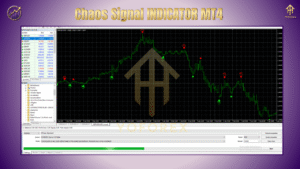
How It Works: Strategy Overview
The Chaos Signal Indicator uses a proprietary logic that detects short-term overbought and oversold conditions in the market. It tracks real-time momentum shifts and reacts to volatility changes to ensure entry signals occur at optimal points, often right before trend reversals.
Here’s a basic outline of how the indicator behaves:
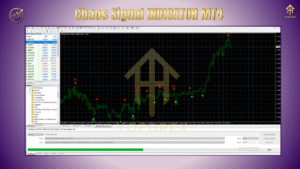
Buy Signal: A green upward arrow appears when the price is in an oversold condition and momentum begins to shift bullishly. Best used in confluence with a support zone.
Sell Signal: A red downward arrow is plotted when the price shows overbought conditions and bearish momentum gains strength.
Filters: Built-in logic filters out false signals during low-volume market hours or sideways market ranges.
Trend Confirmation: For best results, the indicator should be used with a trend-following confirmation tool (like moving averages or trendlines).
Key Features of Chaos Signal Indicator
???? Non-repainting arrows: Once a signal appears, it stays, helping build confidence in backtesting.
???? Easy-to-read chart interface: No clutter, just entry signals.
???? Works across all major forex pairs and metals.
???? Multiple timeframe support: From scalping (M5/M15) to swing trading (H1/H4).
???? Customizable alerts: Pop-up, sound, or email notifications.
???? Low-lag algorithm ensures signals are timely without being too early or too late.
Ideal for Which Traders?
✅ Beginners who need simple visual guidance
✅ Scalpers looking for precise intraday entries
✅ Swing traders wanting clear reversal alerts
✅ Manual strategy users who want confirmation signals
Installation & Setup
Installing the Chaos Signal Indicator on MT4 is as simple as:
Open MT4 → Go to File > Open Data Folder.
Paste the
.ex4file in the Indicators folder.
Restart MT4 → Drag the Chaos Signal Indicator onto your chart.
Adjust settings like signal sensitivity or alert types.
Pro Tips for Best Results
Combine with trend confirmation tools (EMA 50/200).
Use alongside support & resistance levels.
Avoid use during high-impact news events unless you're experienced.
Backtest the indicator on your favorite pair and timeframe to develop confidence.
Final Thoughts
The Chaos Signal Indicator MT4 V1 lives up to its name by offering a calm, calculated way to interpret volatile markets. It's ideal for traders who seek straightforward signals and wish to reduce emotional decision-making. While no indicator guarantees profit, the Chaos Signal offers a structured edge in uncertain market conditions.
For traders looking to sharpen their strategy with minimal technical complications, this indicator is a reliable choice worth integrating into your trading toolkit.
Thanks for the visit ...
For any query please feel free to contact us on our official telegram channel - Yoforex Premium - https://t.me/+V6Nr5sRZVr4xYzdl






Comments
Leave a Comment