
Unlock Market Precision with the Channels MTF Indicator MT4
If you’re tired of drawing support and resistance lines manually—or second-guessing your chart zones—then the Channels MTF Indicator for MT4 might just be your new best friend. Whether you're scalping, swing trading, or analyzing long-term market structure, this tool offers a multi-timeframe (MTF) solution to see the bigger picture... without hopping across charts every few seconds.
And the best part? It works automatically. Yup—set it, forget it, and let it mark out the zones for you.
Let’s break down what makes this MT4 channel indicator so helpful, how it works, and how you can start using it in your trading routine today.
What Is the Channels MTF Indicator MT4?
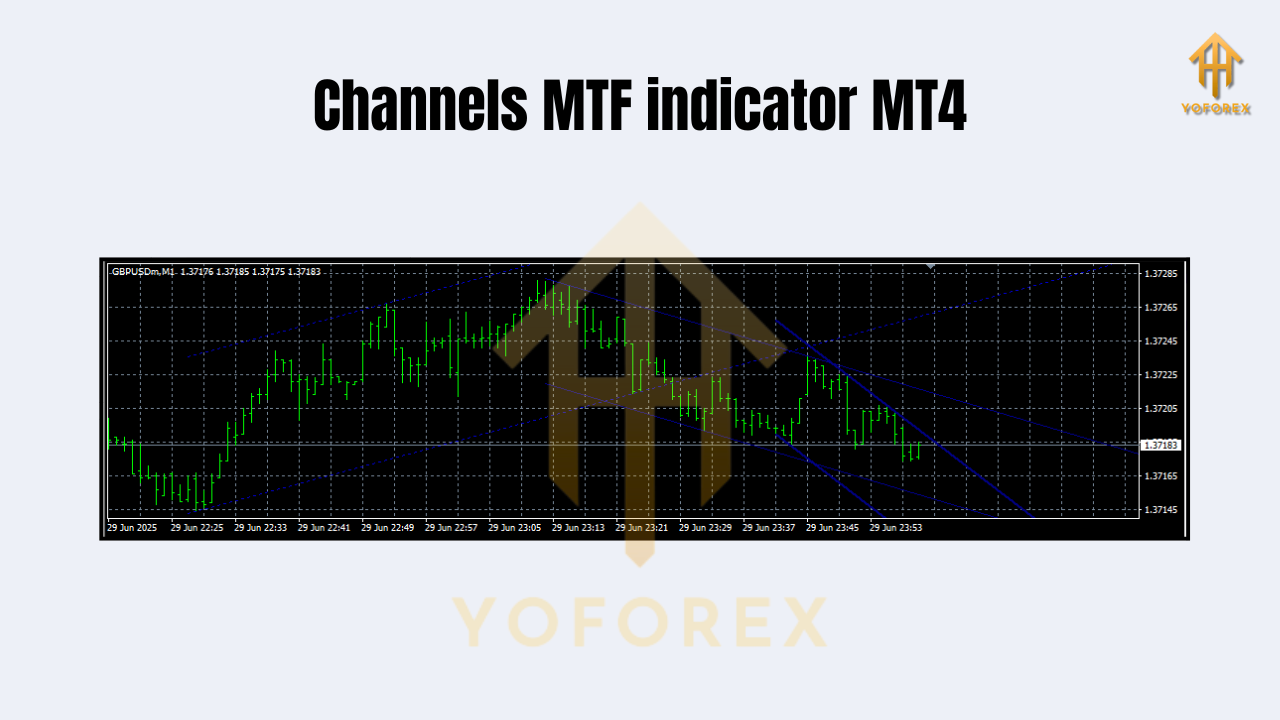
The Channels MTF Indicator is a technical analysis tool designed for MetaTrader 4. It automatically draws horizontal channels based on past price action, effectively highlighting:
- Support zones (where price historically bounces up)
- Resistance zones (where price tends to reverse down)
But what sets it apart is the multi-timeframe feature. You can choose to display channels based on data from different timeframes like H1, H4, or even Daily—right on your current chart.
Why That’s a Big Deal:
Traders often get trapped by focusing too narrowly on one timeframe. But market structure from higher timeframes usually dominates. With Channels MTF, you can:
- See weekly resistance while trading M15
- Spot daily support while scalping on M5
- Catch reversals before they explode against your trade
It’s like having a roadmap for market flow—without all the drawing and redrawing.
Key Benefits of Using Channels MTF Indicator
- Automatic Channel Drawing: No need to manually mark support/resistance every day
- Multi-Timeframe Insights: Pulls price data from any timeframe—even if you're not charting it
- Clean Visualization: Channels appear as shaded or outlined zones (depending on settings)
- Customizable Settings: Choose how far back to look, channel width, colors, and which timeframes to display
- Works With Any Pair: EURUSD, GBPJPY, Gold, Crypto—you name it
- Helps Avoid Fakeouts: By showing you where “real” institutional levels sit
- Complements Any Strategy: Works as a standalone tool or as confirmation alongside indicators like RSI, MACD, etc.
- Great for Price Action Traders: Combines beautifully with candlestick patterns and break/retest setups
- Reduces Chart Clutter: Only shows channels that matter, based on your selected settings
- Built for MT4: No need for external tools or scripts
How the Channels MTF Indicator Actually Works
Behind the scenes, the indicator scans historical price action on the chosen timeframe. It identifies recent highs and lows, then draws channels based on those levels—adjusted to your preferences.
You’ll see shaded zones or solid lines appear on your chart, with upper lines representing resistance and lower bands indicating support.
Many versions even allow for:
- Breakout alerts
- Channel midpoint tracking
- Color-coding by strength
... all helping you visually decode market structure in seconds.
Real Trading Use Cases
Scenario 1: Scalping on M5 with H1 Channels
Imagine you're trading gold on M5. You pull up the Channels MTF indicator and overlay the H1 timeframe. You immediately notice that price is sitting just below a higher timeframe resistance.
That’s a red flag—it might not be the best moment to go long.
So you wait... the price touches that zone, rejects, and starts falling. You short on the retest—and bam! 40 pips.
Scenario 2: Swing Trading EUR/USD with D1 Support Zones
Let’s say you’re swing trading EUR/USD. With D1 channels visible, you identify a major support zone approaching.
You set an alert.
The next day, price taps the zone and prints a bullish engulfing candle. With confluence from your MAs and this support level, you confidently enter a buy.
Three days later—150 pips bagged.
Installation Guide: How to Set Up Channels MTF on MT4
If you’re new to installing custom indicators on MetaTrader 4, don’t worry—it’s super simple:
Step-by-Step Installation:
- Download the Indicator File (.ex4 or .mq4)
You can grab it from your trusted indicator marketplace or forums. - Open Your MT4 Platform
Launch your MetaTrader 4 terminal. - Navigate to File > Open Data Folder
Go toMQL4 > Indicatorsfolder. - Paste the Indicator File
Drop the file in the "Indicators" folder. - Restart MT4
Or refresh the “Navigator” pane (Ctrl + N). - Attach to Chart
Drag the indicator onto any chart and tweak your preferred settings.
Recommended Settings to Try:
- Timeframe: H1 or H4
- Number of bars: 500
- Show Midline: true
- Channel color: semi-transparent blue/red
Best Practices When Using the Indicator
- Combine with trend filters (like 50 EMA or Ichimoku)
- Don’t trade just because price hits the channel—wait for confirmation
- Use channel breakouts for aggressive momentum entries
- Use it on higher timeframes to guide lower timeframe trades
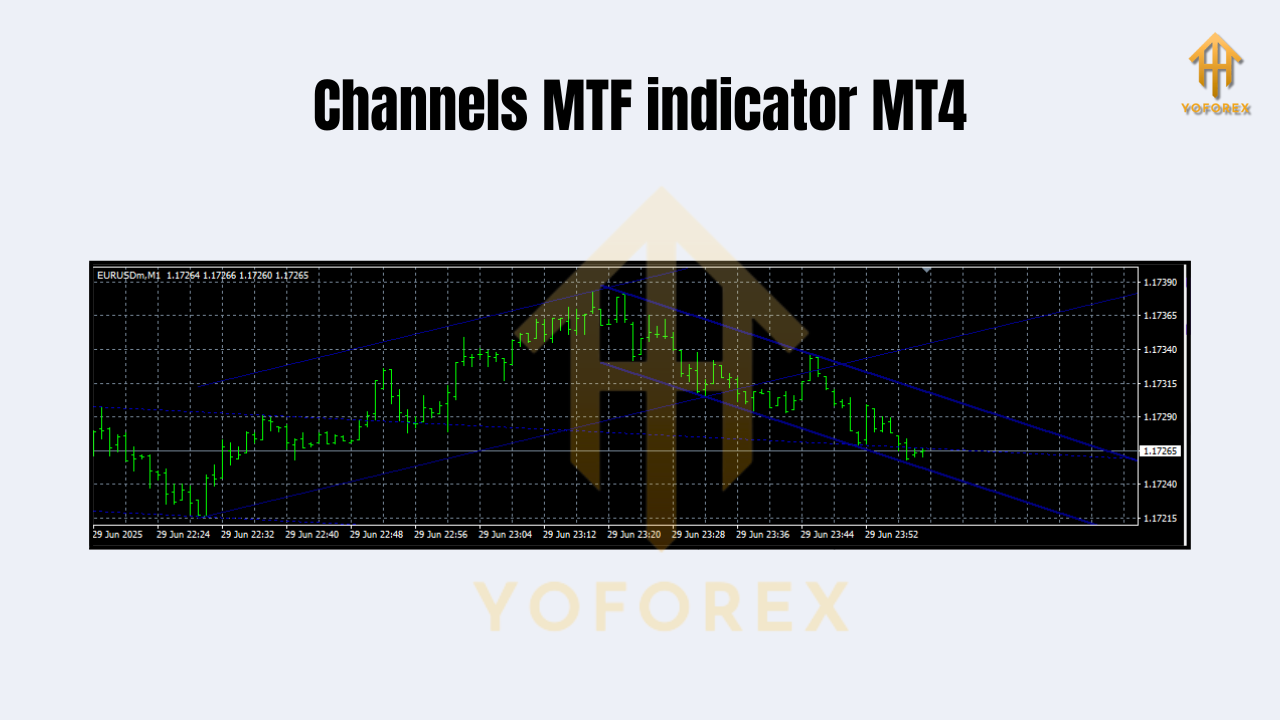
Why Use This Over Manual Drawing?
Manual channel drawing takes time—and let’s be honest—it’s super subjective.
With Channels MTF, you:
- Save time
- Stay consistent
- Avoid emotional biases
- Get real-time updates as price evolves
It’s like having your own technical assistant plotting smart levels for you.
Final Thoughts: Should You Use It?
Absolutely—whether you’re a newbie or a seasoned price action trader.
If you're relying on zones, structure, or smart entries... Channels MTF Indicator for MT4 gives you a clearer, cleaner view of what the market is actually respecting. And because it pulls higher timeframe context directly onto your active chart, you gain a serious edge.
And let’s be real… any edge helps in this game.
Ready to Upgrade Your Chart Game?
Download the Channels MTF Indicator for MT4 today and start seeing support and resistance the smart way.
Your trades deserve that clarity.
YoForex – empowering traders worldwide, one free tool at a time.
Join our Telegram for the latest updates and support






Comments
Leave a Comment