Sick of chasing false breakouts or entering late on trending setups? Let’s be real—nailing the trend before it takes off is every trader’s dream.
That’s exactly what the BSTrend V2.0 Indicator for MetaTrader 4 (MT4) is designed to do. It helps filter out the market noise, confirms trend direction with clarity, and guides you to better entries—whether you’re scalping or swing trading.
And the best part? It’s absolutely free, courtesy of the team at YoForex—the brand behind dozens of pro-grade tools built for the community.
What is BSTrend V2.0 Indicator?
The BSTrend V2.0 Indicator is a non-repainting, trend-confirmation tool built specifically for MT4. It analyzes real-time price behavior using internal filters to detect bullish or bearish bias.
Unlike basic moving averages that lag behind, BSTrend focuses on early recognition of momentum shifts. Whether you’re trading forex, gold, indices, or crypto on MT4—this indicator helps you stay on the right side of the market.
- Highlights ongoing market bias (bullish/bearish)
- Offers clear visual cues using trend color shifts
- Works great as both a standalone tool or with price action
Key Features of BSTrend V2.0
- Non-Repainting Logic – What you see is what you get. No surprises.
- Clear Trend Signals – Color-coded line shows when to ride or avoid a trend.
- Multi-Timeframe Compatible – Works on M5 to D1.
- Low CPU Usage – Won’t freeze your MT4 even on multiple charts.
- Bullish & Bearish Confirmation – Instantly know market mood.
- Entry Timing Help – Align with your favorite entry method (e.g., price action or SMC).
- No Extra Indicators Required – Works beautifully solo.
- Free Lifetime Access – No upsells, no license.
- Great for Beginners – Simple display, easy to interpret.
- Trend Strength Filter – Helps avoid sideways chop.
- Regular Updates – Maintained and improved by YoForex devs.
- Compatible with Any Pair or Symbol – Gold, EURUSD, crypto… bring it on.
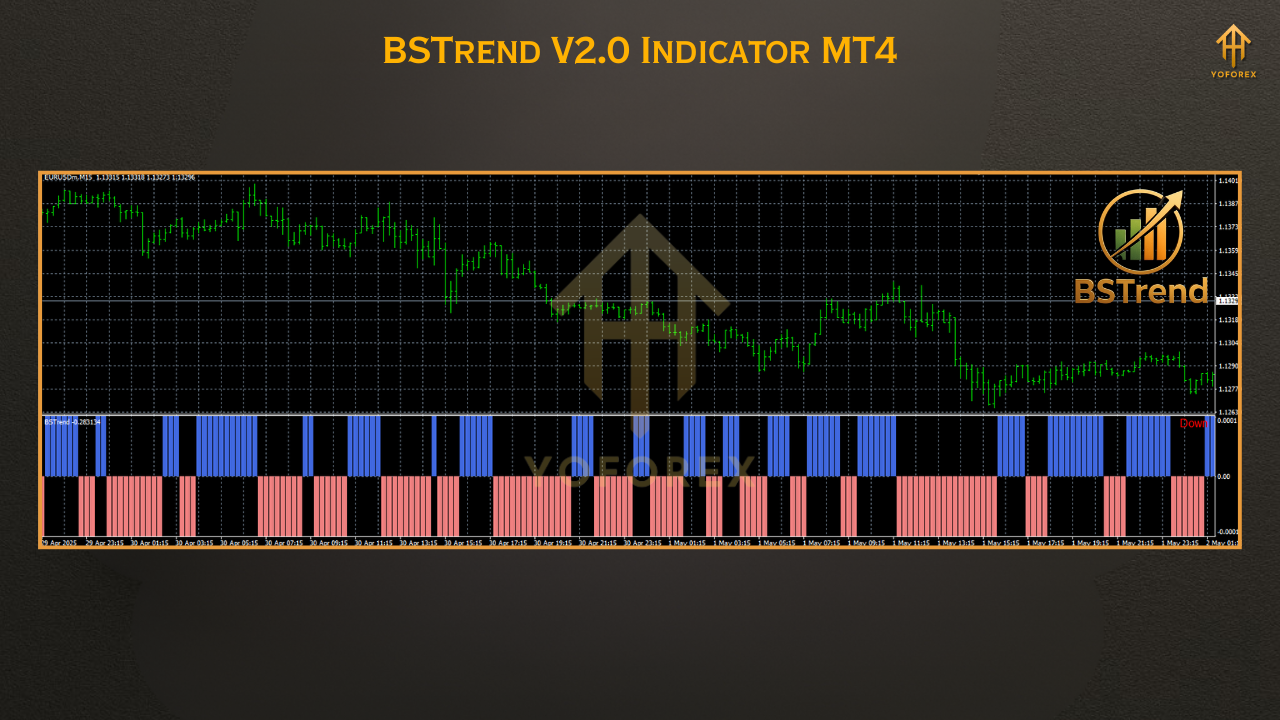
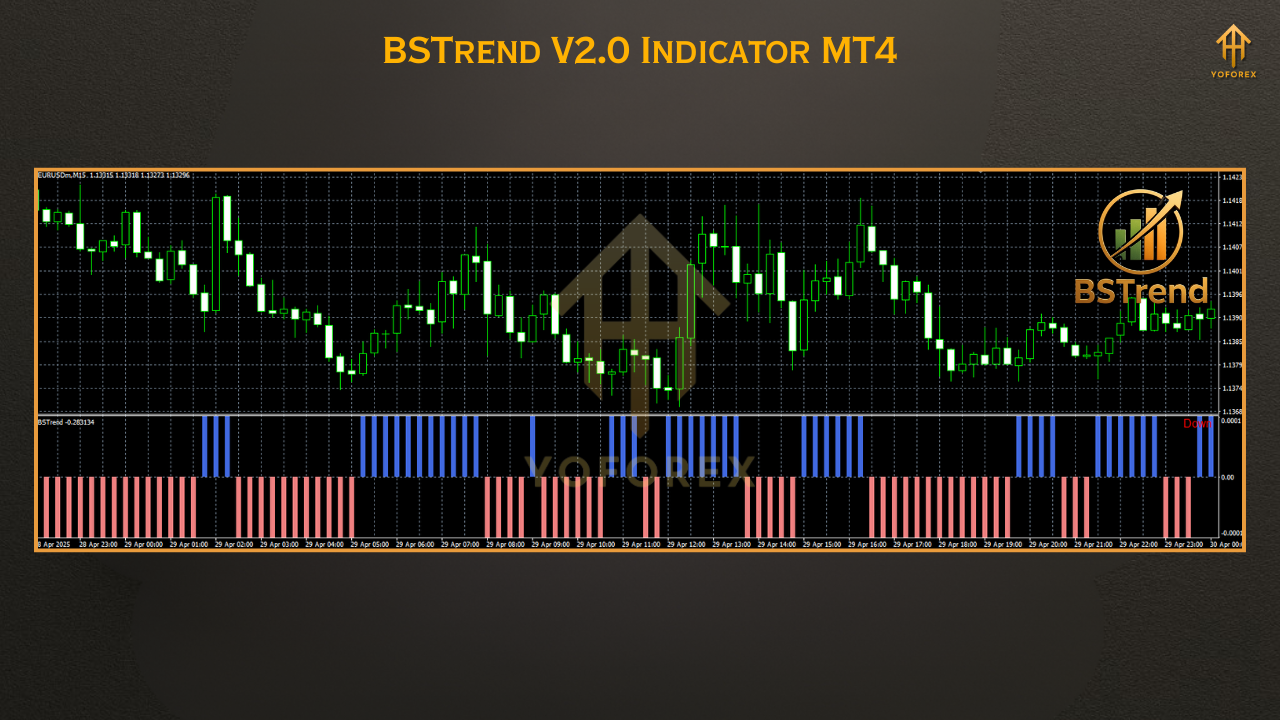
How BSTrend Works (With Chart Example)
Green Line = Bullish trend
Red Line = Bearish trend
Gray/Flat = Consolidation or uncertain range
- Trend continuation entries
- Breakout confirmations
- Avoiding false reversals
- Adding confidence to manual setups
Example Setup:
- Timeframe: M15
- Pair: GBPUSD
- Signal: BSTrend turns green + price above recent high → Enter long
Real Market Application: Screenshot & Tips
Installation Guide – BSTrend V2.0 MT4
- Download the Indicator
→ Click here to download BSTrend V2.0 - Copy to MT4 Folder
→ Go to MT4 → File → Open Data Folder
→ Navigate toMQL4/Indicators/
→ Paste the.ex4file here - Refresh & Load Chart
→ Restart MT4 or refresh the indicator list
→ DragBSTrend V2.0to any chart
→ Timeframe: M5, M15, H1 recommended - Configure Inputs (Optional)
→ You can leave default settings or adjust sensitivity under the "Inputs" tab - Enable AutoTrading (not needed unless paired with EA logic)
Best Use Cases for BSTrend
✅ Scalping EURUSD on M5 – Entering only during trend-confirmed candles
✅ Swing Trading XAUUSD – Filtering out sideways traps
✅ Binary Options Traders – Using BSTrend as trend bias filter
✅ Reversal Hunters – Avoiding early entries and waiting for trend shift
✅ SMC Traders – Using it to confirm order block breakouts
Why Choose Tools from YoForex?
- ✅ Transparent results
- ✅ Active developer support
- ✅ No recurring fees—ever
- ✅ Telegram + WhatsApp help
- ✅ Read our story
Support & Community
???? Chat via WhatsApp
???? Join Telegram Group
Ready to Download BSTrend?
Don’t waste another week second-guessing trend moves. Let BSTrend V2.0 show you the path of least resistance.
✅ Click to Download BSTrend Now
???? 100% free. No subscription. No watermark.






Comments
Leave a Comment