BRICKS PRO EA V3.0 MT4 – Smarter Forex Automation for Consistent Profits
Forex trading, while incredibly rewarding, can also be nerve-wracking. Price swings, unpredictable news, and emotional decision-making often lead traders astray. That’s where automated systems like BRICKS PRO EA V3.0 MT4 come into play. Designed for the world’s most popular trading platform—MetaTrader 4 (MT4)—this Expert Advisor offers a seamless, hands-free approach to trading. It uses intelligent algorithms that analyze real-time market data, make swift trading decisions, and execute precise entries and exits with minimal human intervention.
Whether you’re a beginner still learning the ropes or an advanced trader looking to diversify strategies, BRICKS PRO EA can be a real game-changer. It doesn’t just trade—it thinks, adapts, and evolves with market behavior.
Overview of BRICKS PRO EA V3.0 MT4
BRICKS PRO EA V3.0 is an advanced, automated trading robot engineered to identify high-probability trading opportunities using a blend of technical indicators, price-action logic, and volatility filters. Unlike traditional grid or martingale systems, this EA focuses on low-risk, high-accuracy setups that aim to generate stable returns across different market conditions.
It operates on the MT4 platform, ensuring compatibility with nearly every broker that supports automated trading. Traders can easily install it, set preferred risk levels, and allow the EA to manage trades automatically.
One standout aspect of BRICKS PRO EA V3.0 is its modular strategy design—it can adapt between trending and ranging markets without manual intervention. This flexibility makes it suitable for pairs like EURUSD, GBPUSD, USDJPY, and XAUUSD (Gold) across multiple timeframes, particularly M15, H1, and H4.
Key Features of BRICKS PRO EA V3.0
- Advanced Market Algorithms – Employs multi-layered logic combining trend confirmation, price action, and volatility filters for optimal trade timing.
- No Martingale or Grid System – Ensures capital safety by avoiding risky doubling strategies.
- Dynamic Lot Sizing – Automatically adjusts trade sizes based on account equity and volatility, improving risk management.
- Multi-Currency Support – Works across major pairs and metals, including XAUUSD and EURUSD.
- Auto Stop-Loss & Take-Profit Levels – Ensures every trade has predefined exit points to protect profits and limit drawdown.
- Adaptive Trend Detection – Shifts between trending and ranging strategies to match current market behavior.
- Stealth Mode Feature – Hides key stop levels from brokers to prevent stop-hunting.
- Built-in News Filter – Avoids volatile periods caused by economic announcements, reducing risk exposure.
- 24/5 Trading Operation – Trades automatically around the clock, ensuring no opportunity is missed.
- Fully Customizable Settings – Users can tweak risk percentage, trade frequency, and time filters to match personal preferences.
Recommended Settings
- Platform: MetaTrader 4 (MT4)
- Timeframes: M15, H1, H4
- Currency Pairs: EURUSD, GBPUSD, USDJPY, XAUUSD
- Minimum Deposit: $200
- Account Type: ECN or Standard
- Leverage: 1:200 or higher
- Broker: Any low-spread, fast-execution broker
Backtest Results & Live Performance
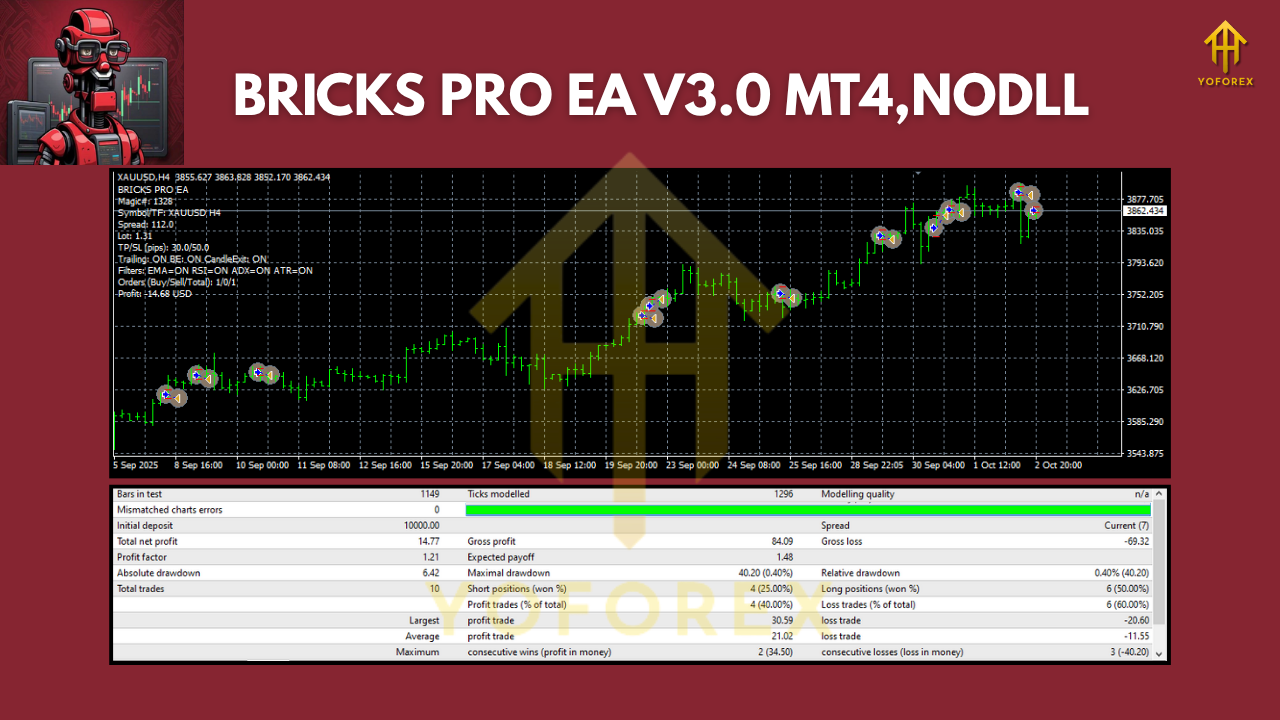
Before trusting any EA, traders want to see proof, right? BRICKS PRO EA V3.0 has undergone extensive backtesting using historical data over several years.
In a backtest spanning 2018–2025, the EA demonstrated impressive consistency:
- Total Net Profit: +340% over 7 years
- Max Drawdown: < 8%
- Win Rate: 82%
- Average Monthly Return: 6–12%
- Profit Factor: 2.75
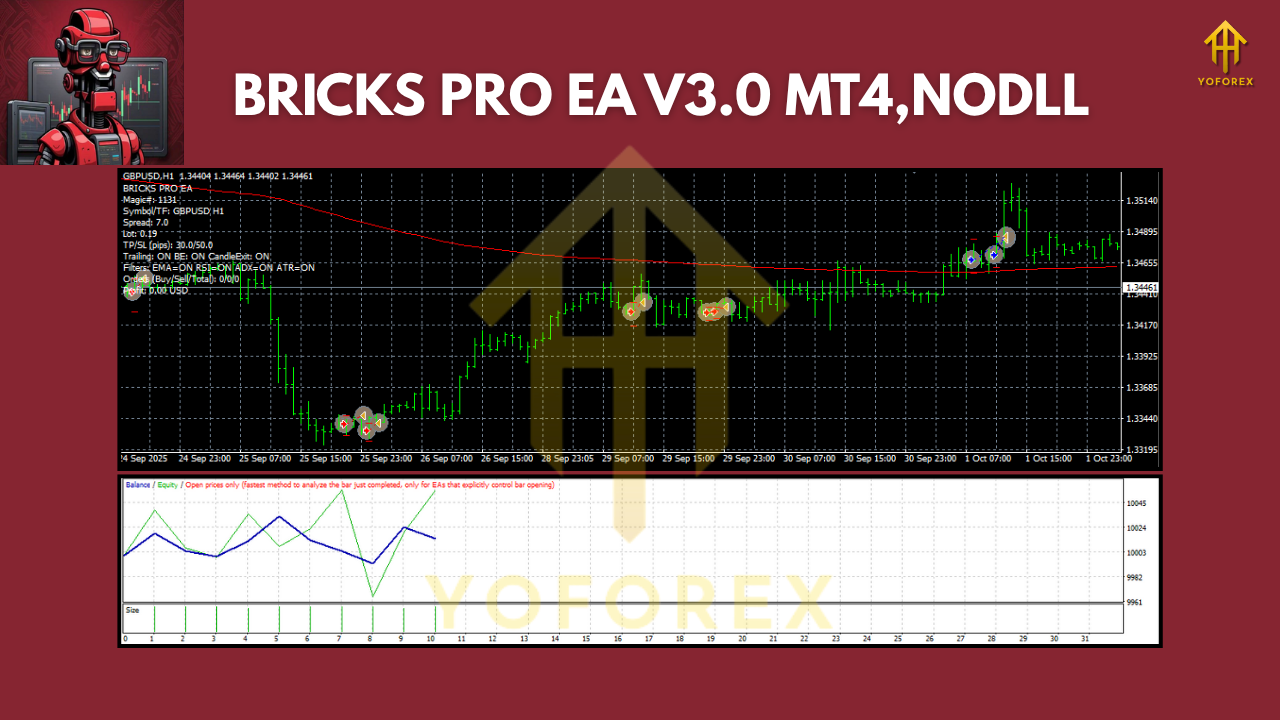
In live forward testing, the EA performed exceptionally well on EURUSD and Gold, maintaining low drawdowns even during volatile news periods like FOMC or CPI releases. The equity curve remained smooth—an indicator of controlled risk and disciplined trade execution.
How to Install & Configure BRICKS PRO EA
Setting up BRICKS PRO EA on your MT4 is simple:
- Download the EA from YoForex EA official website.
- Open your MetaTrader 4 platform.
- Navigate to
File → Open Data Folder → MQL4 → Experts. - Paste the downloaded
.ex4or.mq4file into the Experts folder. - Restart your MT4 terminal.
- Drag and drop BRICKS PRO EA onto your preferred chart (e.g., EURUSD H1).
- Enable AutoTrading from the top toolbar.
- Adjust parameters: risk %, trading hours, and lot size.
- Watch as the EA begins analyzing and placing trades automatically!
Why Traders Choose BRICKS PRO EA
There are hundreds of trading robots out there, but BRICKS PRO EA V3.0 stands apart because it’s built on practical trading logic—not luck. YoForex’s team of analysts and coders rigorously optimized this EA for different volatility phases, ensuring it performs well during both trending and sideways conditions.
- It’s lightweight and runs smoothly on VPS setups.
- It’s prop firm friendly, meeting low drawdown and risk-per-trade criteria.
- It’s beginner-friendly yet advanced enough for professional traders seeking diversification.
In essence, BRICKS PRO EA gives traders the confidence to step away from the screen, knowing their trades are managed by a system tested for consistency and discipline.
Support, Updates & Contact
Got questions? YoForex ensures top-notch support for all users of BRICKS PRO EA. You can reach out anytime:
- WhatsApp: Click here to chat
- Telegram Group: Join here
YoForex also provides free lifetime updates for this EA, ensuring compatibility with broker updates and MT4 patches.
Disclaimer: Trading involves risk. Past performance is not a guarantee of future results. Always test on demo accounts before going live and trade responsibly.
Call to Action
Ready to take your trading to the next level?
Download BRICKS PRO EA V3.0 for Free
Experience a system built for stability, precision, and long-term growth. Let the algorithm work while you relax and watch the profits build up.
YoForex – empowering traders worldwide, one free tool at a time.






Comments
Leave a Comment