
Blue Xpert Prime +3.0 EA V1.0 MT5 — A Calm, Low-Risk Path to EURUSD Growth
If you’re tired of flashy robots that promise the moon and then ghost your account the first time volatility spikes, Blue Xpert Prime +3.0 EA V1.0 for MT5 is a refreshing change of pace. It’s deliberately straightforward; it’s built for steady, controlled growth rather than dopamine-hit equity spikes. The focus is EURUSD on the M5 timeframe, a minimum/recommended deposit of just $100, and a conservative risk-to-reward structure that aims to keep you in the game long enough for the edge to play out. Not a get-rich-quick pitch—more like a “sleep-better-at-night” expert advisor. And honestly, that’s the vibe a lot of us want these days, coz capital protection comes first… profits next.
Below, I’ll walk you through how Blue Xpert Prime +3.0 works, who it’s ideal for, how to install and configure it on MT5, plus the kind of risk practices that help it shine. We’ll keep the jargon minimal, the steps practical, and the expectations realistic—so you feel confident before you hit “Enable Algo Trading.”
What Is Blue Xpert Prime +3.0 EA?
Blue Xpert Prime +3.0 EA V1.0 MT5 is an automated trading system designed exclusively for EURUSD on the M5 timeframe. The core idea is simple: filter noisy moves on lower timeframes, enter when probability looks decent, and exit with risk under control. Instead of aggressive grid/martingale tactics, Blue Xpert Prime leans into conservative position sizing and measured trade frequency. That makes it a strong fit for traders who want consistency over drama, and compounding over chaos.
Who’s it for?
- Newer traders who want to start with $100 and learn risk in a controlled environment.
- Busy traders who prefer automation that doesn’t demand all-day screen time.
- Experienced folks who know that low drawdown and survivability trump speed.
What it’s not:
- A high-frequency, fire-and-forget scalper that floods your history with trades.
- A martingale “double-down” system (thankfully).
- A magic bullet. You’ll still need proper settings, a decent broker, and patience.
How It Trades (in plain English)
While the exact model is proprietary, think of Blue Xpert Prime as an entry-filtering engine that:
- Watches EURUSD on M5 for trend-aligned pullbacks or clean momentum pushes.
- Aims for a sensible stop loss and modest take profit, often preferring multiple smaller wins to one giant homerun.
- Uses conservative lot sizes relative to balance to avoid runaway risk.
- Keeps drawdown in check by limiting simultaneous exposure and avoiding reckless averaging-down.
That means fewer “oh no” moments and a more even equity line. Sure, you might give up some peak profits compared to ultra-aggressive EAs, but the trade-off is a healthier risk profile… which matters, a lot, when markets get moody.
Setup Basics (The 5-Minute Run-Through)
- Platform & Symbol: MT5 → open EURUSD.
- Timeframe: Set chart to M5.
- Deposit: Start from $100 (recommended minimum). If you go higher, keep risk proportionate.
- Attach EA: Drag Blue Xpert Prime +3.0 EA onto the chart, allow algo trading.
- Broker Quality: Choose a low-spread, fast-execution broker. Slippage eats edges on M5.
- VPS (optional but smart): If you trade 24/5, a stable VPS keeps the EA running even if your PC doesn’t.
- Risk First: Begin with micro lots (e.g., 0.01) and scale slowly.
Recommended Configuration (Conservative Starting Point)
Not financial advice—just a sensible baseline if the EA exposes these inputs:
- Lot Size: 0.01 per $100–$200 balance. You can scale as your equity grows, but do it gradually.
- Max Open Trades: Keep it low—1 to 3—to prevent stacking risk.
- Stop Loss: Typically 15–30 pips on M5 is reasonable for EURUSD momentum/pullback logic.
- Take Profit: 10–25 pips can work nicely when trade frequency is measured.
- Trailing Stop: If available, start small (e.g., 8–12 pips) to protect gains without choking trades.
- Session Filter: Prefer London/NY overlap for tighter spreads and better moves; avoid thin liquidity hours.
- News Handling: If the EA provides a news filter, keep it ON. Otherwise, consider pausing before tier-1 events (NFP, CPI, FOMC).
These ranges keep the EA’s personality intact—calm, low-risk, and focused on grinding out net positive expectancy.
Risk & Money Management (where many accounts live or die)
- Per-Trade Risk: Try 0.5%–1.0% of equity per trade to start.
- Daily Max Drawdown: Cap it at 2%–3%; if it’s hit, stop for the day. No revenge trading—robots can’t feel FOMO, but we do!
- Weekly Equity Check: If drawdown breaches your comfort zone, reduce lot size and reassess.
- Scaling Up: Only add size after a meaningful run of trades proves stability—consistency > speed.
Remember: small losses are the cost of doing business. Your job is to keep them small and let winners breathe just enough to cover the inevitable dings.
Performance Expectations (realistic, not hype)
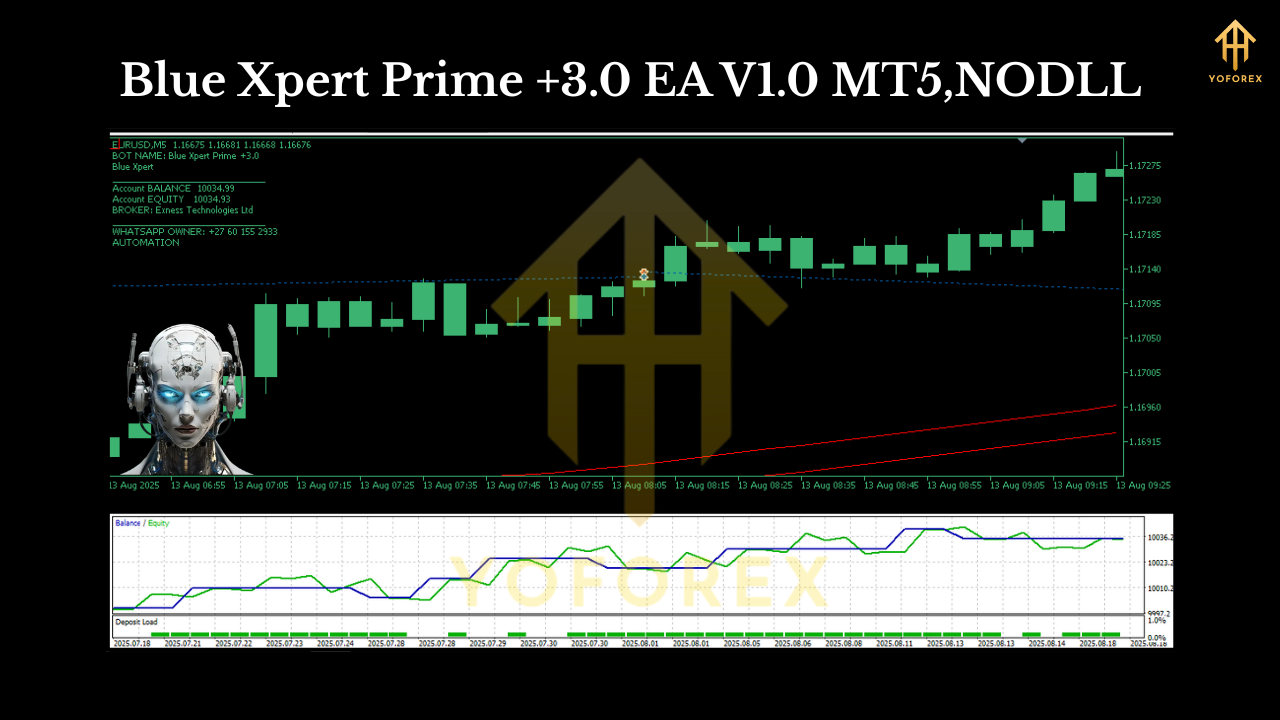
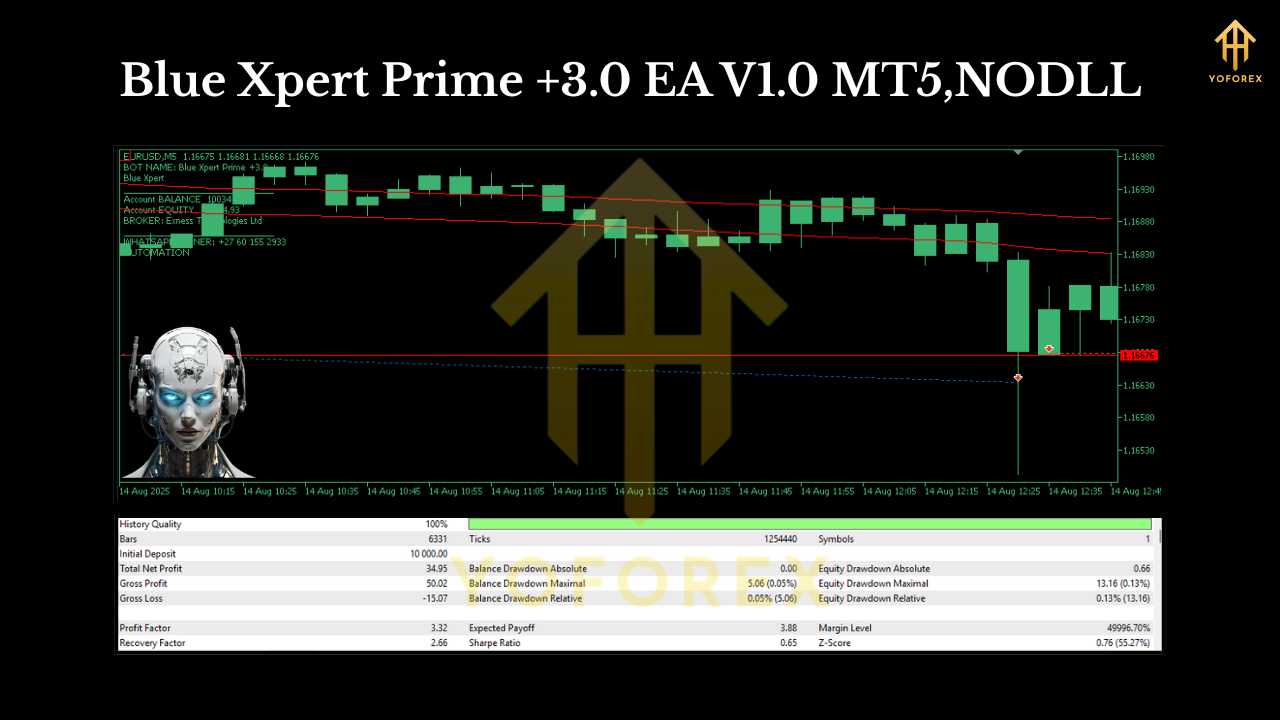
Because EURUSD on M5 can be choppy, Blue Xpert Prime +3.0 doesn’t chase every wiggle. You’ll likely see moderate trade frequency, tight risk controls, and equity progress that looks more stair-step than parabolic. That’s a good sign. Large spikes often imply large risk.
What good months look like: a handful of clean weeks where more small wins than losses accumulate, drawdown stays manageable, and the account edges up.
What tough months look like: news-driven whipsaws, smaller average win sizes, or several breakeven outcomes in a row. The key is sticking to plan—this EA is designed to survive those stretches.
Tips to Get the Most Out of Blue Xpert Prime
- Stick to EURUSD M5. That’s where the logic is tuned.
- Keep spreads low. Use ECN or raw accounts if possible.
- Maintain uptime. A VPS helps avoid missed entries/exits.
- Log everything. Screenshot unlucky exits and slippage; it helps you optimize broker choice and settings.
- Resist tinkering daily. Stability comes from letting an edge express itself over a large sample of trades.
Who Will Love This EA (and who won’t)
You’ll probably love it if:
- You want conservative automation with measured risk.
- You prefer consistency and low drawdown over rollercoaster profits.
- You’re okay letting the EA run without hand-holding—no itchy “close now!” fingers.
You might not love it if:
- You crave high-frequency fireworks and triple-digit monthly returns (with the stress to match).
- You’re unwilling to keep risk small or to use a VPS/quality broker.
- You plan to overrule the EA constantly; that usually breaks the logic.
Quick Install Checklist (copy-paste friendly)
- MT5 installed
- EURUSD chart on M5
- Drag Blue Xpert Prime +3.0 EA → allow algo trading
- Broker with tight spreads + fast execution
- Lot size 0.01 per $100–$200 (start small)
- Max trades 1–3, SL 15–30 pips, TP 10–25 pips (if available)
- Consider a VPS for 24/5 uptime
- Respect daily/weekly risk caps
Final Thoughts
Blue Xpert Prime +3.0 EA V1.0 MT5 is unapologetically boring in the best possible way. It targets the most liquid pair (EURUSD), stays disciplined on M5, and favors survivability over swagger. If your goal is to compound slowly, avoid big account swings, and sleep a little easier—this EA’s philosophy matches yours. Tho no system is perfect, the conservative approach gives you room to learn, adjust, and grow without nuking your balance on a bad day.
Join our Telegram for the latest updates and support






Comments
Leave a Comment