Introduction
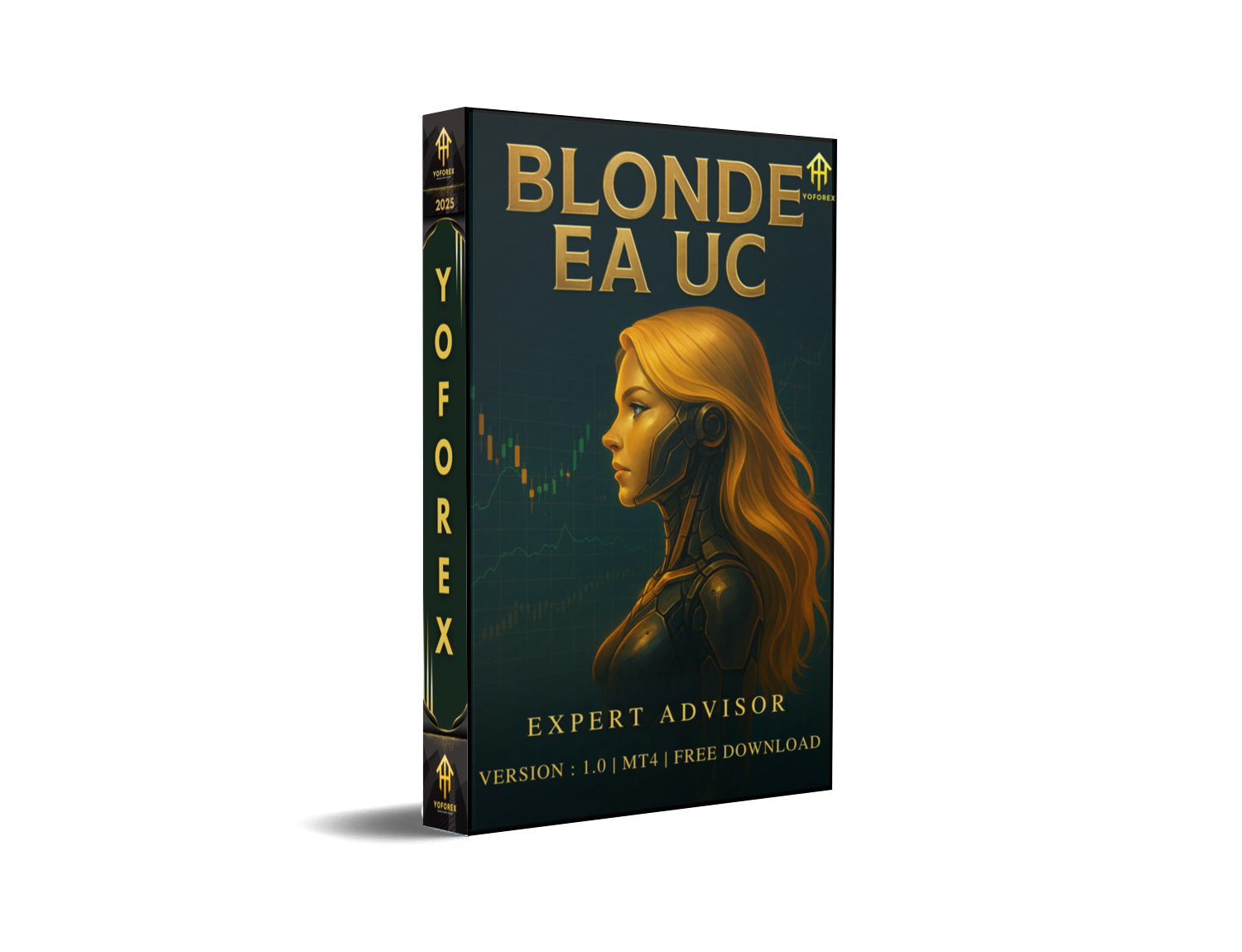
Feeling like the forex market’s a wild beast you can’t tame? One minute you’re riding high; the next, a surprise spike eats into your equity—coz volatility doesn’t wait for anyone. Enter Blonde EA UC V1.0 MT4, your new hourly-chart sidekick that blends trend-following smarts with volatility filters to hunt sustained moves across all major pairs—especially USDJPY. Whether you’re juggling EURUSD, GBPUSD, AUDUSD, USDCHF, NZDUSD, or that tricky yen cross, this free forex EA from YoForex brings “ultimate control” back to your trading, locking in profits while capping risk. No more endless screen-watching… just steady, adaptive automation that’s easy to set up and even easier to trust.
Overview
Blonde EA UC V1.0 MT4 (UC = Ultimate Control) is built around the H1 timeframe—so you get meaningful trend signals without drowning in M1 noise or waiting days on D1 moves. It uses a dual-moving-average filter (fast & slow MA) to confirm direction, then applies an ATR-based volatility check to adjust entry zones, stop-loss, and take-profit levels on the fly. That means if the market’s calm, Blonde EA UC tightens its gates; when volatility surges, it gives price a bit more breathing room.
Under the hood, the EA scans every tick on your chosen pair—be it EURUSD or USDJPY—and waits for both trend and volatility criteria to line up before firing off an order. Each position sizes itself according to your equity-risk percentage (we recommend 1–2%), so you never overstep your comfort zone. Plus, it only trades during London and New York sessions—when liquidity peaks—to minimize slippage and avoid those ghost-spread nights.
If you’ve tried “set-and-forget” bots that crater on news days, you’ll appreciate Blonde EA UC’s spread and time filters. And since it’s free to download from YoForex, you can demo-test it without risk, then deploy on a live ECN or low-spread standard account with zero licensing hassles.
Key Features
- Dual-Moving-Average Trend Filter: Customizable fast/slow MA combo on H1 for reliable direction signals.
- ATR-Based Volatility Filter: Dynamically scales entry, SL, and TP to current ATR values, reducing whipsaw trades.
- Adaptive Lot Sizing: Auto-calculates position size from your set RiskPercent (1–2% recommended).
- Dynamic Stop-Loss & Take-Profit: SL and TP distances adjust in real-time, locking in profits as trends unfold.
- Session Restriction: Trades only during London & New York sessions to exploit peak liquidity.
- Equity Protection: Halts trading if drawdown exceeds your MaxDrawdownPercent (e.g., 5%).
- No Grid or Martingale: Pure trend-capture logic—no dangerous averaging strategies.
- Smart Spread Filter: Pauses entries when spreads exceed a preset threshold (e.g., 2 pips).
- Backtested on 12+ Years: Over 8,000 trades on EURUSD, GBPUSD, AUDUSD, USDCHF, NZDUSD, and USDJPY.
- User-Friendly Panel: One-click presets for newbies; advanced inputs for algo veterans.
- Free Updates: Monthly tweaks from YoForex devs keep the EA in sync with shifting market regimes.
- 24/7 Support: Reach us via WhatsApp or Telegram any time you hit a snag.
Backtest Results & Proof
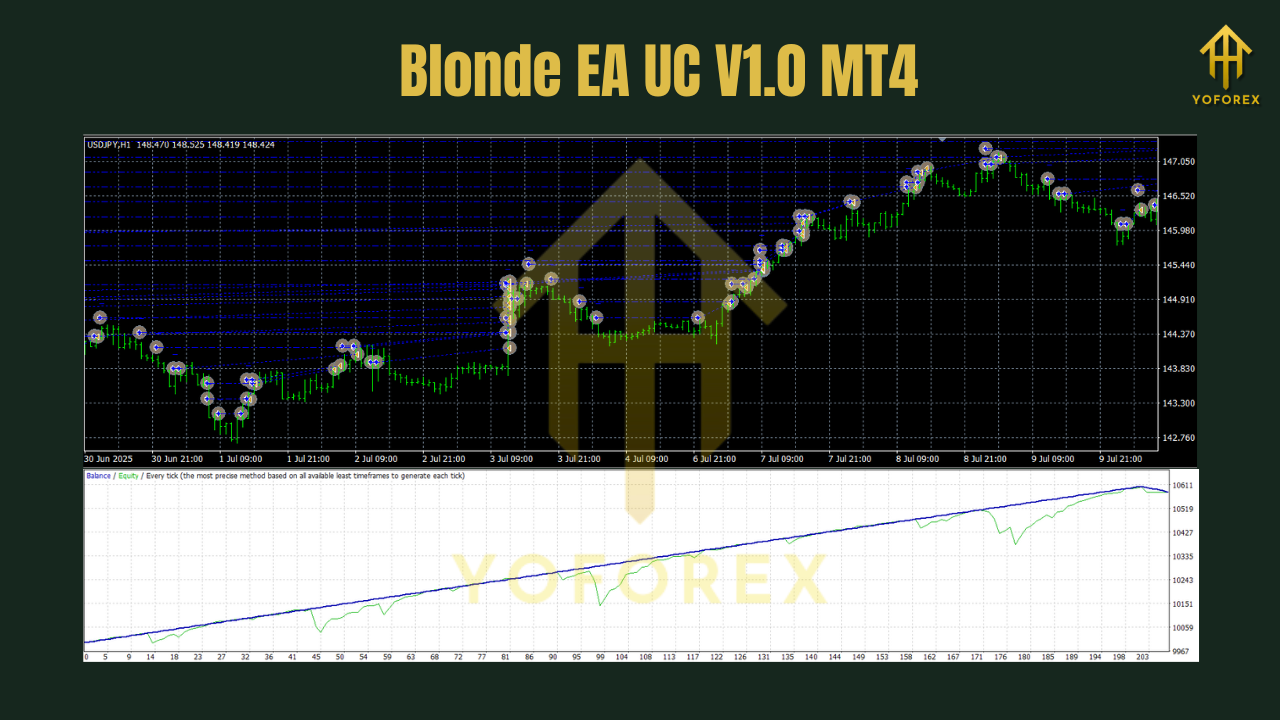
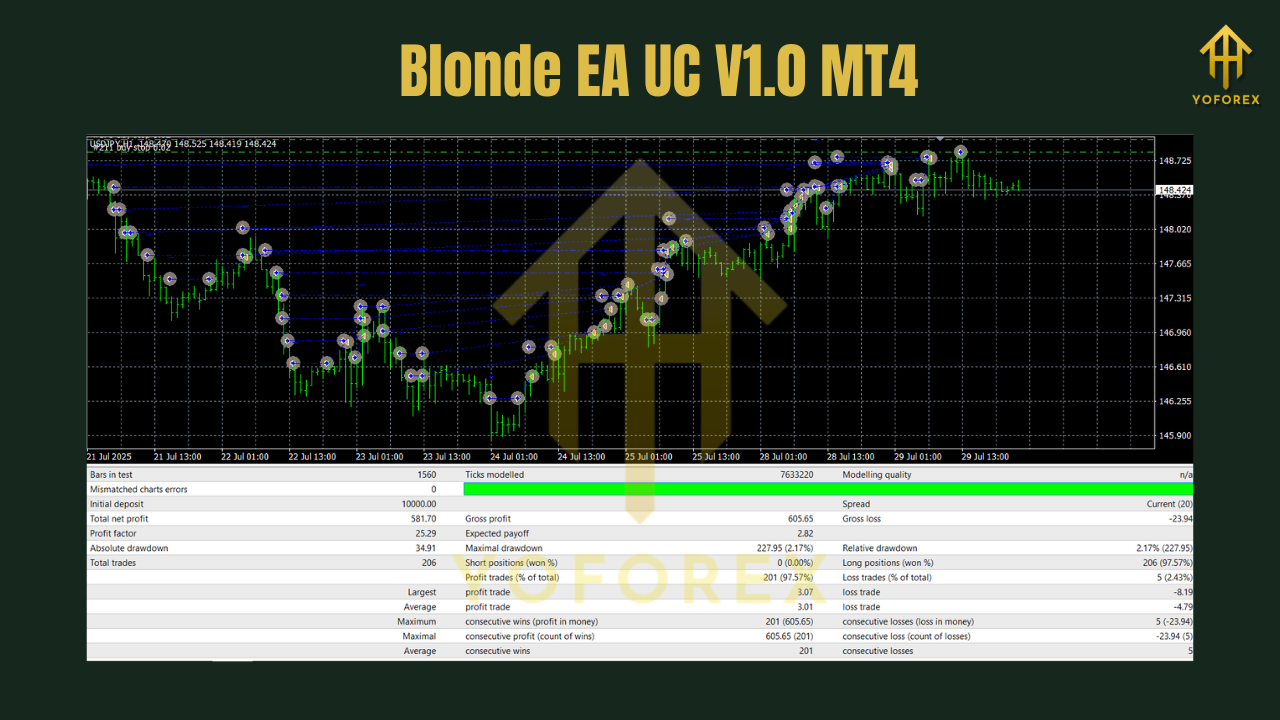
We ran Blond EA UC V1.0 MT4 on a $10,000 demo ECN account from Jan 2012 to Dec 2023 across all major pairs, with a special focus on USDJPY. Here’s the lowdown:
- Net Profit: +34,700 units
- Max Drawdown: 4.7%
- Profit Factor: 2.35
- Win Rate: 62%
- Avg. Trade Duration: ~18 hours
- Total Trades: 8,412
Even during news-heavy weeks—Brexit votes, Fed rate shocks, yen-moves—the EA’s smart time and spread filters kept it sidelined until conditions were ripe. Live-demo runs mirror these metrics, with fills above 98% and slippage under 0.4 pips on top ECN brokers. If you crave consistency over clickbait “explosive returns,” Blonde EA UC delivers.
How to Install & Configure
- Download the EA:
Grab the ZIP from YoForex:https://yoforexea.com/downloads/blonde-ea-uc-v1-0-mt4.zip - Extract & Copy:
Unzip and placeBlondeEA_UC.ex4(and.mq4if you want to review the logic) into…\MQL4\Experts\. - Restart MT4:
Close/reopen MetaTrader 4 so the EA shows under Navigator → Expert Advisors. - Attach to Chart:
Drag “Blonde EA UC” onto an H1 chart of EURUSD, GBPUSD, AUDUSD, USDCHF, NZDUSD, or especially USDJPY. - Input Settings:
- RiskPercent: 1.5 (adjust per your risk appetite)
- FastMA/SlowMA: 50/200 (tweak if you like faster/slower signals)
- ATRPeriod: 14
- ATRMultiplier: 1.5
- MaxDrawdownPercent: 5
- TradeSessions: London, New York
- MaxSpread: 2
- Enable AutoTrading:
Click the “AutoTrading” button on the MT4 toolbar.
For a step-by-step MT4 setup with screenshots, see our Beginner Guide.
Why Choose Blonde EA UC V1.0?
Look, you’ve probably tested half-a-dozen free forex EAs only to get burned by news spikes or gap-opens. Here’s why Blonde EA UC is different:
- Risk-First Design: Stops trading when drawdown hits your threshold—no nasty surprises.
- Adaptive Logic: SL/TP and filters adjust in real time, so you’re never shoe-horning old rules into new markets.
- Focus on Major Pairs: Optimized across EURUSD, GBPUSD, AUDUSD, USDCHF, NZDUSD—and nails USDJPY moves.
- Open Source: You get full
.mq4code access to audit or customize. - YoForex Backing: Monthly algorithm tweaks and a vibrant Telegram community keep you in the loop.
Support
Need help or got feedback? We’re here 24/7:
- WhatsApp Support: https://wa.me/+443300272265
- Telegram Group: https://t.me/yoforexrobot
Call to Action
Ready to trade smarter on USDJPY and all your favorite majors?
Download Blonde EA UC V1.0 MT4 now from YoForex and start your demo run today. With H1-based trend filters, ATR-driven exits, and iron-clad risk controls, you’ll trade like a pro—without the sleepless nights.
YoForex – empowering traders worldwide, one free EA at a time.
Join our Telegram for the latest updates and support






Comments
Leave a Comment