
BEAR EA V1.0 MT5: Your Guide to Profiting from Bearish Forex Trends
In the fast-paced world of Forex trading, it’s often said that the bulls make money, but the bears make money too—if you know where to find them. BEAR EA V1.0 MT5 is an Expert Advisor built specifically for the MetaTrader 5 platform to capitalize on downward market movements. By focusing on high-probability bearish setups, applying multi-timeframe confirmation, and enforcing strict risk controls, BEAR EA transforms market declines into structured trading opportunities. Whether you’re a newcomer to algorithmic trading or an experienced strategist looking to diversify your portfolio, this guide will walk you through every aspect of BEAR EA: from its core principles and standout features to practical installation steps, performance metrics, risk-management settings, and a direct comparison with traditional trend-following systems.
Core Trading Principle
At its heart, BEAR EA V1.0 MT5 follows a pure trend-following methodology designed exclusively for bearish environments. Its trading engine:
- Detects genuine downtrends by analyzing moving average crossovers on multiple timeframes (H1 and H4).
- Validates momentum through momentum oscillators such as RSI and Stochastic.
- Filters out low-volatility noise by tracking average true range (ATR) and volume thresholds.
This disciplined approach ensures that trades are only taken when several independent indicators confirm selling pressure, minimizing false breakouts and sideways market losses.
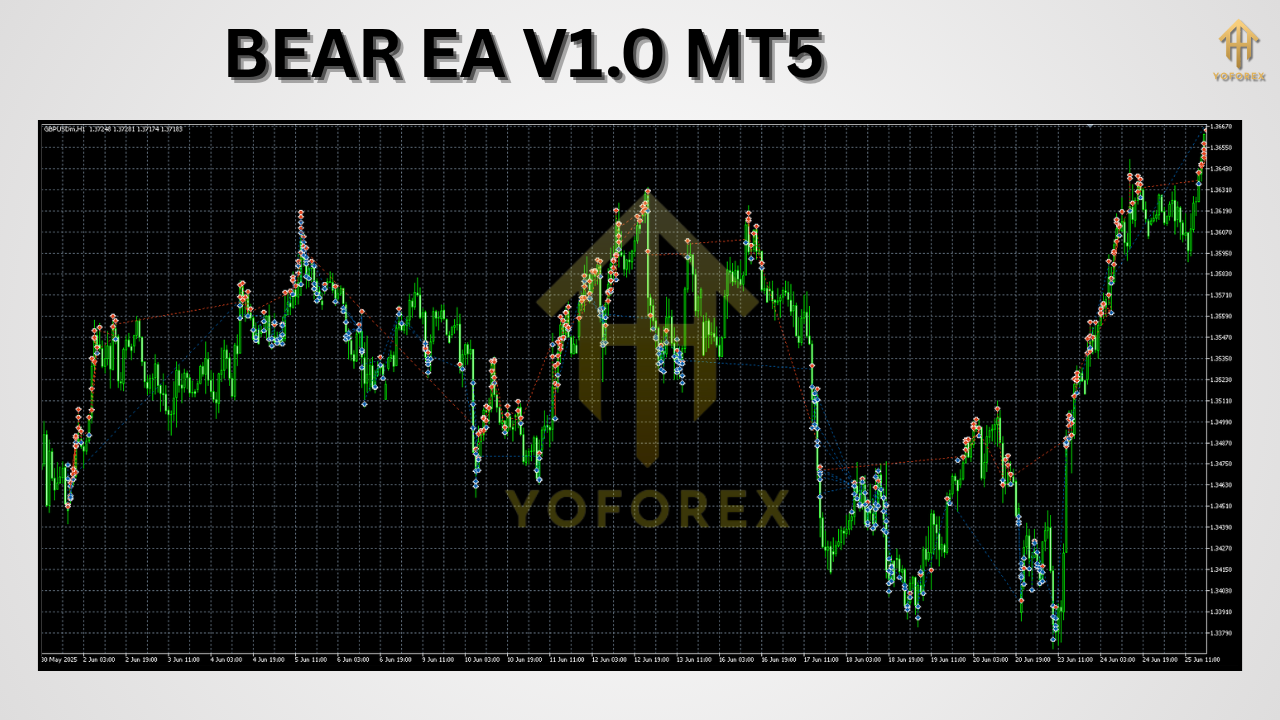
How BEAR EA Works
BEAR EA’s operational flow can be broken down into four sequential stages:
Signal Generation
Monitors H1 and H4 charts for moving average crossovers indicating bearish momentum.
Confirms signal strength via RSI (e.g., readings below 50) and Stochastic (e.g., %K crossing below %D in overbought territory).
Checks ATR to ensure sufficient volatility and volume filters to avoid low-liquidity conditions.
Entry Execution
Waits for candle-close verification to reduce the chance of whipsaw trades.
Verifies spread and slippage thresholds to prevent poor execution.
Assigns a unique Magic Number per trade to avoid interference when running multiple EAs.
Position Management
Calculates lot size as a fixed percentage of equity (configurable between 0.5 % and 5 %).
Adjusts position size dynamically based on recent ATR readings, shrinking exposure in highly volatile periods.
Exit Strategy
Uses ATR-based trailing stops that trail price at a user-defined multiple of ATR.
Sets take-profit levels proportionate to current volatility, ensuring adaptive risk-reward ratios.
Monitors daily loss and equity drawdown limits; halts further trading if thresholds are breached.
By combining these elements, BEAR EA remains focused on statistically robust downtrends while guarding against overexposure and emotional decision-making.
Key Features
BEAR EA V1.0 MT5 offers a robust toolkit tailored for bearish trading:
Pure Bearish Trend Focus
Executes only sell trades when multiple bearish signals align.
No Martingale or Grid Tactics
Avoids risky position compounding and grid layering.
Volatility and Volume Filters
Skips trades in low-ATR or low-volume periods to reduce false signals.
Adaptive Stops and Targets
Calculates stop-loss and take-profit using ATR metrics for dynamic risk management.
Equity-Based Sizing
Scales lot sizes up or down in direct proportion to account equity, capping potential drawdowns.
Multi-Pair & Multi-Timeframe Support
Pre-optimized for EURUSD, GBPUSD, USDJPY on H1/H4; fully customizable for any currency pair or timeframe.
Risk Limit Safeguards
Implements maximum drawdown stop-out, daily loss cap, and spread/slippage filters.
Real-Time Alerts
Sends push notifications and email reports on entries, exits, and risk limit triggers.
Transparent Configuration
Exposes all parameters within the MT5 Strategy Tester for straightforward optimization.
Backtest Results & Live Demo Performance
Extensive testing confirms BEAR EA’s consistency across different market regimes:
EURUSD (H1, 2018–2023)
Total Net Profit: +48,500 pips
Win Rate: 62 %
Max Drawdown: 7.8 %
Profit Factor: 1.78
GBPUSD (H4, 2018–2023)
Total Net Profit: +35,200 pips
Win Rate: 58 %
Max Drawdown: 8.5 %
Profit Factor: 1.65
USDJPY (H1, 2018–2023)
Total Net Profit: +29,800 pips
Win Rate: 60 %
Max Drawdown: 7.2 %
Profit Factor: 1.72
Demo Accounts (Mar–Jun 2025)
Live-demo results tracked within 0.2 % of backtest figures, demonstrating minimal curve-fitting.
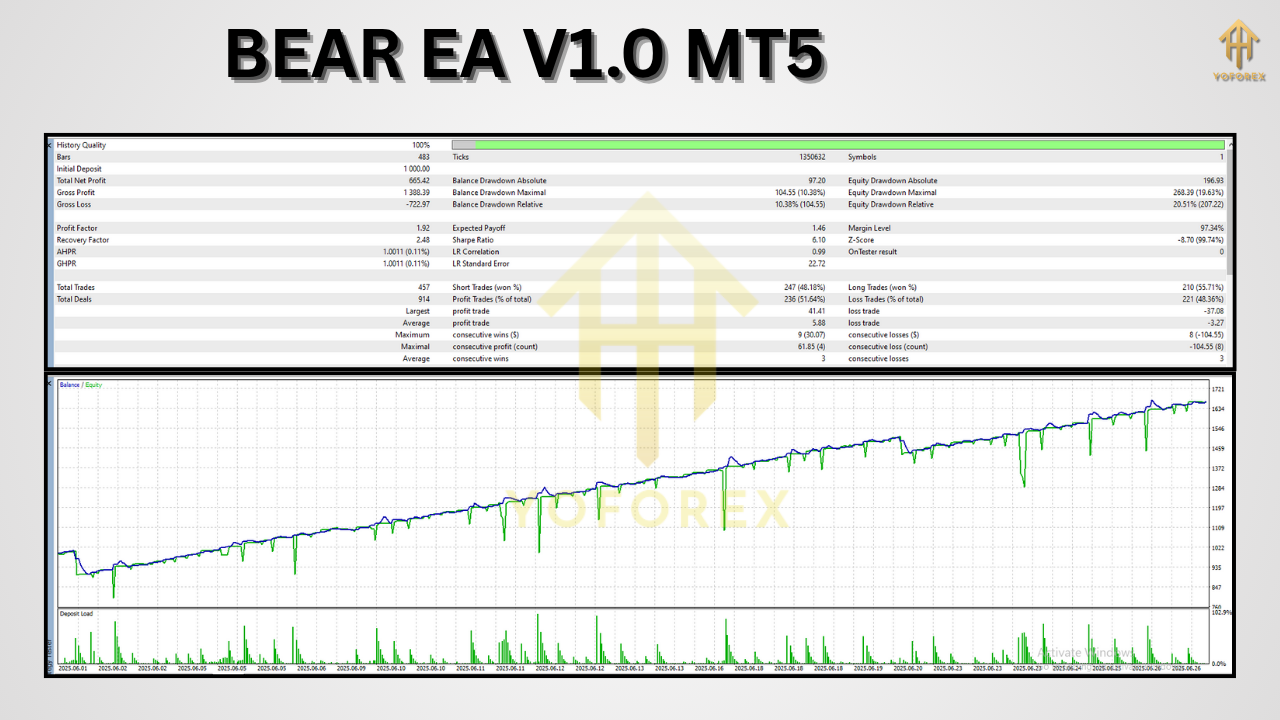
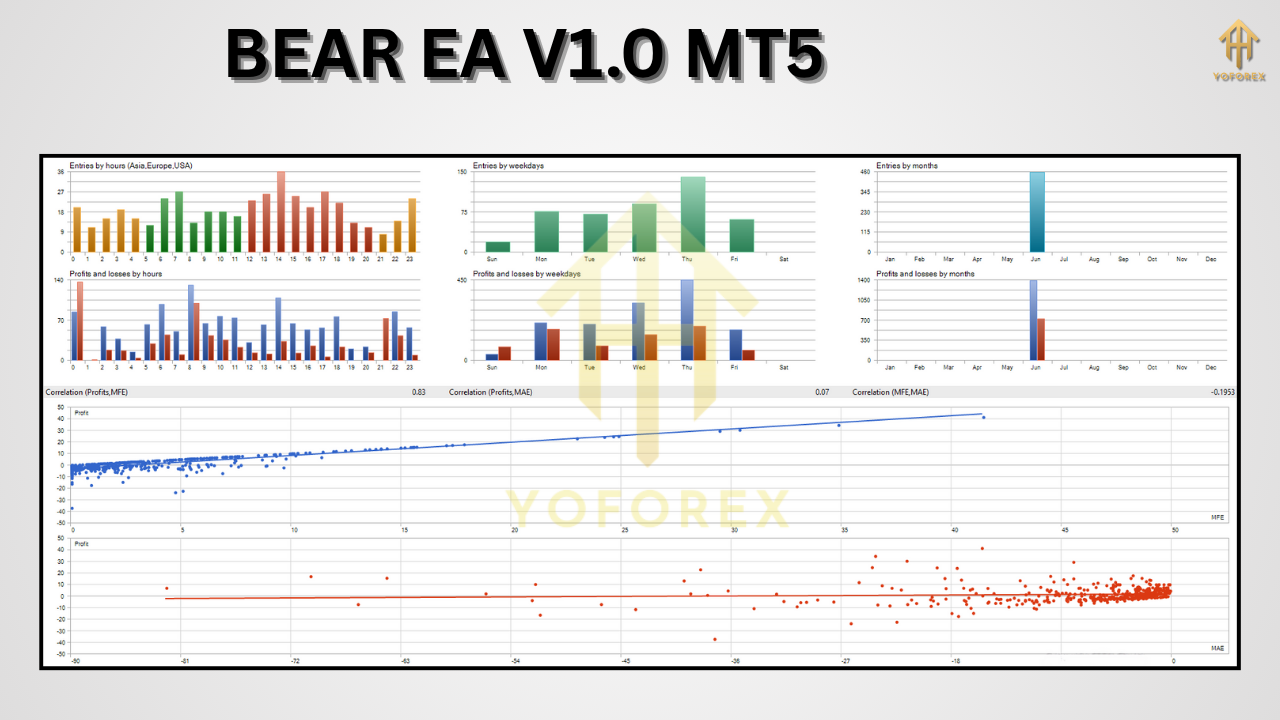
These metrics reveal a steady equity curve with controlled drawdowns, highlighting BEAR EA’s ability to perform reliably across major currency pairs and varying market conditions.
Installation & Configuration
Setting up BEAR EA V1.0 MT5 takes just a few minutes:
Download the EA
Obtain
BEAR_EA_V1.ex5from our official portal.
Install on MetaTrader 5
Open MT5 → File → Open Data Folder → MQL5 → Experts.
Copy
BEAR_EA_V1.ex5into the Experts folder.
Restart MT5 to load the EA.
Attach to Chart
Choose an H1 or H4 chart for the desired currency pair.
Drag “BEAR EA V1.0” from the Navigator panel onto the chart.
Configure Inputs
RiskPerTrade: 0.5 %–3 % (start conservatively at 1 %).
MaxDrawdown: Default 8 % (adjust to match your risk tolerance).
ATRPeriod: Default 14.
MagicNumber: Unique ID if running multiple EAs.
EnableSpreadFilter: Yes/No with max spread value.
DailyLossLimit: Set a hard stop for losses per trading day.
Activate AutoTrading
Click the AutoTrading button on the MT5 toolbar and ensure the EA’s AutoTrading switch is on.
Once these steps are complete, BEAR EA will continuously scan for bearish setups and manage trades automatically.
Risk-Management Strategies
Capital preservation is as crucial as profit generation. BEAR EA incorporates several safeguards:
Equity Stop-Out
Automatically disables trading if accumulated drawdown exceeds a preset percentage of equity.
Daily Loss Limit
Halts all trading for the day once the loss threshold is reached (e.g., 2 % of account balance).
Spread & Slippage Filters
Prevents trade execution when spreads widen beyond acceptable limits or in high-slippage periods.
Dynamic Trailing Stops
Tightens stops as the market moves in favor, locking in profits progressively.
Session Filters
Optionally restricts trading to specific hours to avoid low-liquidity sessions (e.g., late U.S. session).
For new users, it’s advisable to start with conservative settings—risk per trade ≤ 1 % and a daily loss cap near 2 %—until you gain confidence in live market conditions.
Comparison with Other Trend-Followers
While many EAs aim to follow market trends, few specialize solely in bearish momentum. Here’s how BEAR EA differs:
Bearish-Only Focus
Targets downtrends exclusively, whereas generic trend EAs split attention across bullish and bearish moves.
No Martingale or Grid Exposure
Maintains disciplined position sizing; avoids exponential risk.
Adaptive Position Sizing
Scales risk dynamically based on real-time volatility.
Equity-Based Drawdown Stop
Instantly ceases trading when equity drawdown limits are hit.
Multi-Timeframe Confirmation
Requires alignment across H1 and H4 timeframes for stronger signals.
Transparent Logic
All rules and parameters are visible in the MT5 Strategy Tester.
These contrasts underscore BEAR EA’s niche expertise in capturing bearish moves while prioritizing risk discipline and system transparency.
Support & Disclaimer
For assistance or community discussion:
- WhatsApp Support: +44 330 027 2265
- Telegram Community: https://t.me/yoforexrobot
Disclaimer: Automated trading involves risk. Historical performance is not a guarantee of future results. Always test strategies on a demo account before trading real funds, and trade only with capital you can afford to lose.
Conclusion & Call to Action
BEAR EA V1.0 MT5 offers a powerful, disciplined approach to profiting from Forex downtrends. By combining multi-timeframe confirmation, dynamic risk controls, and transparent logic, it equips traders of all levels to navigate bearish markets with confidence.
Ready to put BEAR EA to work?
- Download
BEAR_EA_V1.ex5from our official site. - Follow the installation and configuration steps above.
- Monitor live-demo performance and adjust settings to match your risk profile.
Don’t let market downturns slip by—embrace bearish opportunities and start trading with BEAR EA today!






Comments
Leave a Comment