Trading the forex markets without a reliable sense of how far price might move within a session is like driving blindfolded. You need guardrails—realistic targets and stop‐loss levels—to avoid chasing trades into exhaustion. That’s where the Average Daily Range (ADR) Indicator V1.0 for MT4 comes in handy.
What Is the ADR Indicator?
The ADR Indicator measures how many pips a currency pair typically travels from high to low over a user-defined lookback period (5, 10, 20 days, etc.). Unlike ATR, which factors in gaps and intraday volatility, ADR zeroes in on pure high-to-low movement. That clarity makes it ideal for day traders and scalpers who want to know, “How far can I reasonably expect price to run today?”
Why Traders Love ADR
- Realistic Targets: Set profit-taking levels at or below the average range.
- Better Risk Management: Avoid over-leveraging in a session that historically moves less.
- Session Comparisons: See if today’s range is above or below your average, hinting at strength or weakness
Key Features of ADR Indicator V1.0
• Custom Lookback Period
Choose any period—5, 10, 20 days—to calculate the average daily range.
• Real-Time Current Range
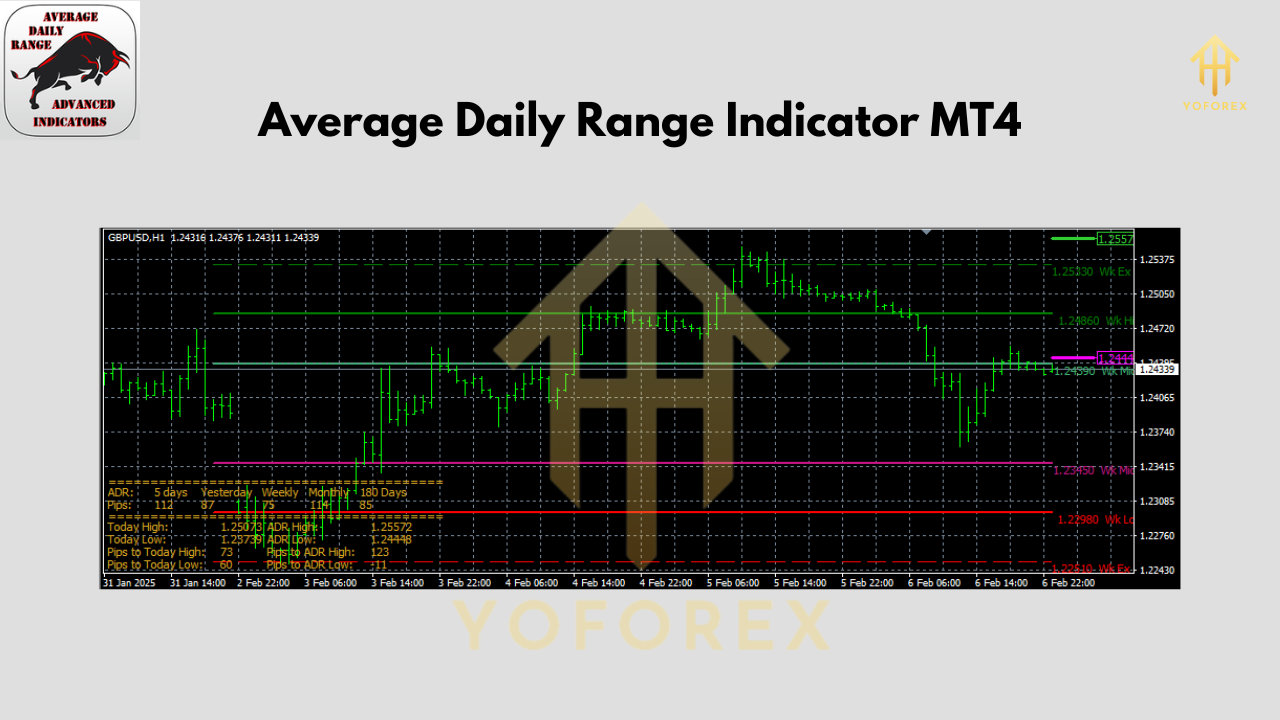
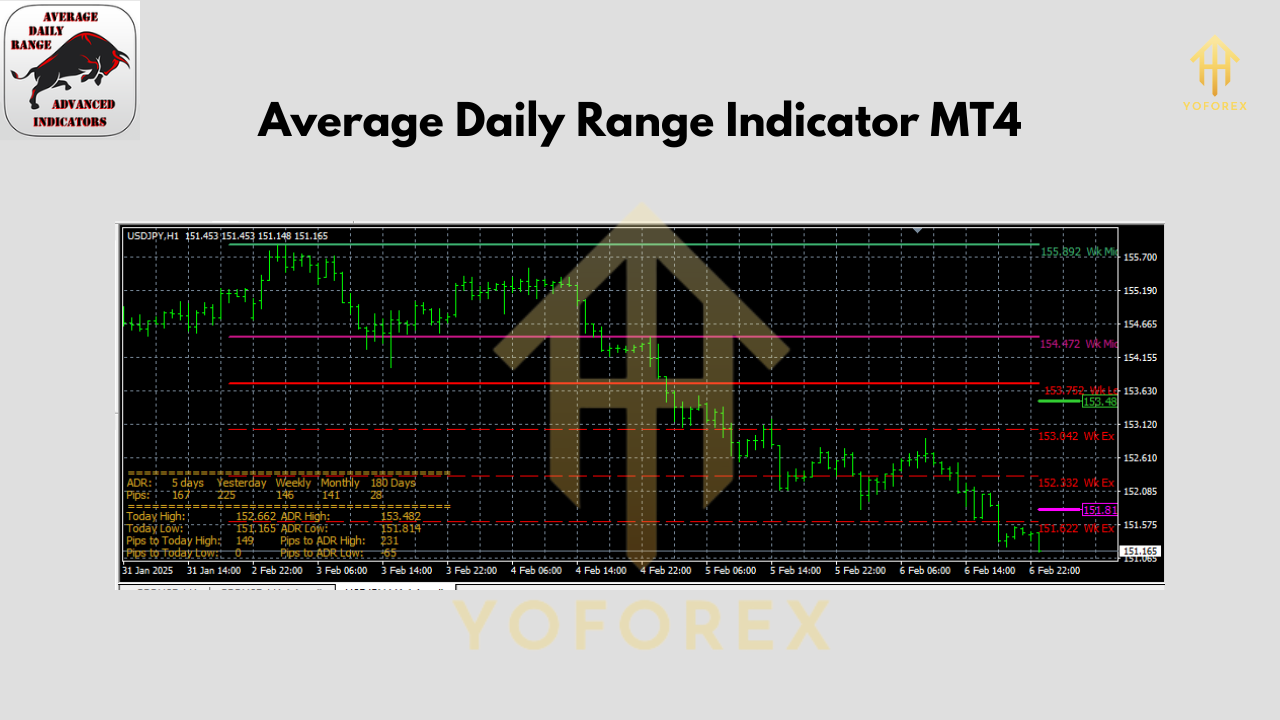
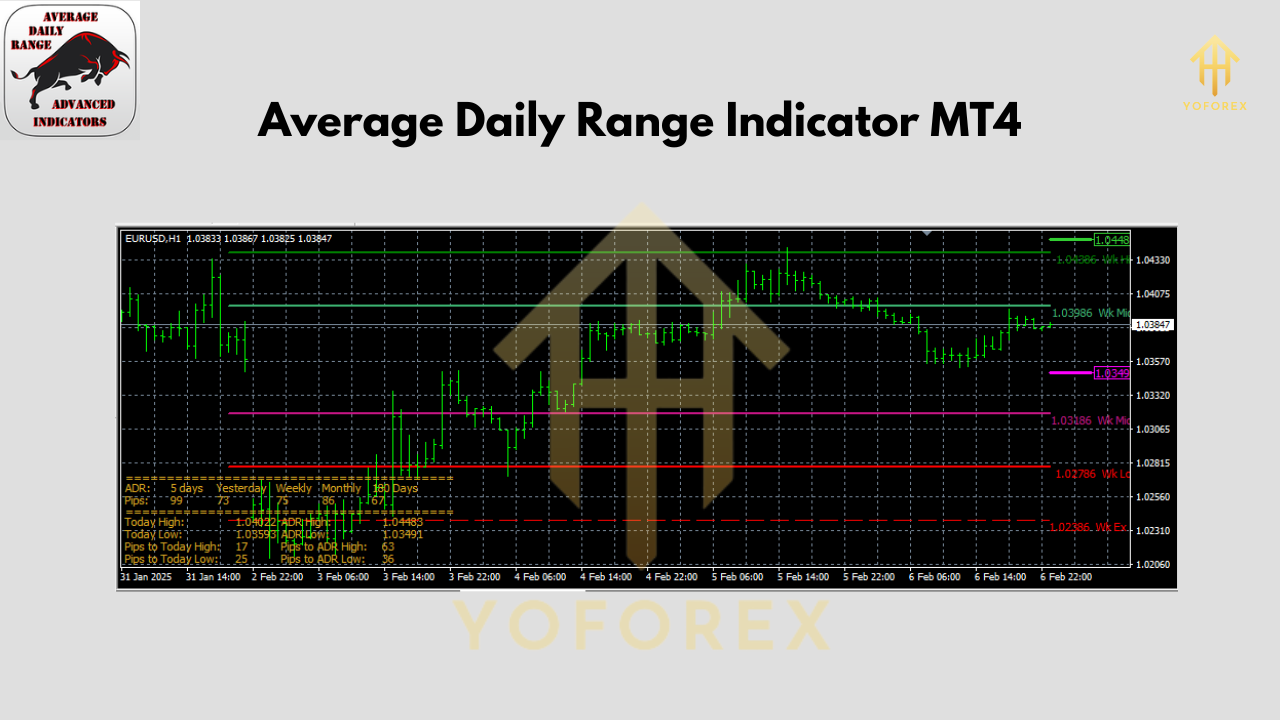
Displays today’s high-low range and shows it as a percentage of the average, so you know if you’re already at 80% of your typical daily move.
• Projected High/Low Levels
Automatically plots where today’s high and low should be based on your ADR. Handy for placing limit orders.
• Easy MT4 Integration
No DLL required—just copy the .ex4 file into your Experts\Indicators folder, restart MT4, and attach to any chart.
• Clean On-Chart Display
All values appear in a corner box; no clutter on your main price chart.
How to Read the On-Chart Data
- ADR Value: e.g., “ADR(14): 80 pips.”
- Current Range (%): e.g., “Today: 45/80 (56%).”
- Projected Levels: Lines marking ADR high and low.
If today’s range hits 100% before London close, you might fade the breakout or tighten your stops.
Installing & Configuring ADR Indicator V1.0
- Download the indicator from our site.
- Copy the
ADR_Indicator_V1.ex4intoMQL4/Indicators. - Restart MT4.
- Attach the ADR Indicator to your chart:
- Open Navigator → Indicators → drag “ADR Indicator V1.0” onto your chart.
- In Inputs tab, set Period (e.g., 14), Show Projections? = true.
- Apply and watch the info box appear.
Practical Use Cases
- Scalping EURUSD on M15: If ADR(14) = 50 pips, aim for 20–30 pip targets and a 1:1.5 risk-reward.
- News Sessions: See if spike due to NFP is already beyond average—avoid entering at extremes.
- Range Trading: Fade price when it touches the projected ADR high or low.
Recommended Settings
- Period = 14 (two weeks) for a balanced view.
- Period = 5 for ultra-short-term traders.
- Show Projections = true for visible target lines.
Why the ADR Indicator Stands Out
YoForex’s ADR Indicator V1.0 is free, meticulously coded, and constantly updated. It’s lightweight—no heavy computations slowing your terminal—and brings razor-sharp focus to daily range dynamics.
Conclusion
Stop guessing how far price might move and start knowing. ADR Indicator V1.0 for MT4 arms you with the data to set realistic profit and stop levels, manage risk, and adapt on the fly.
Join our Telegram for the latest updates and support






Comments
Leave a Comment