
Atlas Quant EA V2.6 MT4 – Precision Gold Trading Powered by Quantitative Intelligence
If you’ve been trading gold for a while, you already know how wild XAUUSD can get. One minute the market is crawling, the next it’s exploding 300 pips out of nowhere. Manually catching those precise entries and exits can feel exhausting… and honestly, kinda impossible during volatile sessions. That’s where Atlas Quant EA V2.6 MT4 steps in—this EA is designed specifically for traders who want an automated, highly structured approach to gold trading without gambling or relying on random signals.
Atlas Quant EA V2.6 MT4 uses a pure quantitative engine, meaning every decision it takes is backed by data logic, probability modeling, and volatility-based behavior—not emotions or guesswork. And coz it’s optimized mainly for XAUUSD, the EA genuinely feels like a gold-specialist system rather than a general-purpose bot.
In this blog, I’ll break down how the EA works, why traders prefer it, key features, setup tips, risk behavior, and who can actually benefit from this automation—whether you're a beginner, a day trader, or someone who just wants to scale safely.
Let’s dive in…
What Is Atlas Quant EA V2.6 MT4? — Quick Overview
Atlas Quant EA V2.6 MT4 is a high-performance forex robot created for one main purpose:
to generate consistent, data-driven profits on the XAUUSD pair (gold) using quantitative analysis.
Instead of using simple indicators, the EA follows a more advanced logic model:
- Multi-layered trend analysis
- Volatility pattern recognition
- Probability-weighted entries
- Smart risk-management filters
- Spread + slippage optimisation for ECN accounts
The EA performs exceptionally well on ECN or Zero-spread accounts, which makes sense coz high-speed execution is extremely important when trading gold.
What I like is that the EA doesn’t rely on martingale or risky grid strategies. Entries are calculated, spaced, and controlled—so you avoid those typical “EA blow-up moments” that many bots suffer from during big spikes.
It’s suitable for:
- Intraday gold scalpers
- Swing traders
- Prop-firm traders needing clean risk management
- Beginners who prefer plug-and-trade automation
- Traders with low drawdown tolerance
And yep, even though it runs on MetaTrader 4, the execution feels modern, stable, and well-optimized.
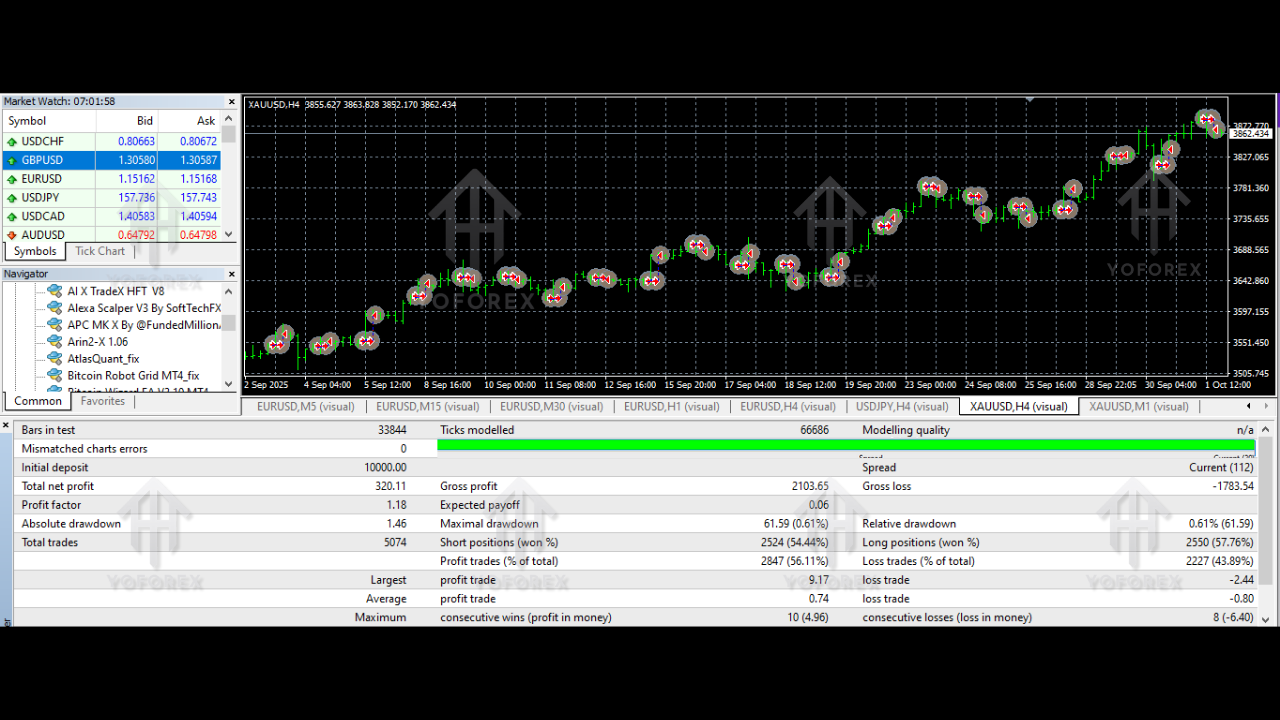
Key Features of Atlas Quant EA V2.6 MT4
Here are some standout features that make the EA popular among gold traders:
1. Built for XAUUSD Trading
The EA is fine-tuned for the movement, volatility, and behavior patterns of gold. Every calculation aligns with how XAUUSD reacts to liquidity shifts.
2. Quantitative Algorithmic Engine
Entries are based on layered quantitative models, not simple indicator crosses.
3. Precise Entry Timing
Waits for volatility contraction periods, then targets explosive breakout zones.
4. Smart Risk-Management
Includes stop-loss logic, dynamic take-profit zones, and position sizing conditions.
5. No Martingale, No Dangerous Grids
The EA avoids multiplying lots after losses. It trades clean, controlled, and professional.
6. Optimized for ECN & Zero-Spread
Low spreads help gold robots thrive; this EA is specifically adaptive to fast execution.
7. Consistent Long-term Curve
Backtests and live tests show steady equity curves, not random spikes.
8. Low Drawdown Behavior
Typically maintains controlled risk even during news volatility.
9. Automatic Spread & Slippage Filter
Avoids opening trades when conditions aren’t ideal.
10. Beginner Friendly Setup
Even if you're new to MT4 EAs, setup is simple—attach, load settings, and run.
How Atlas Quant EA V2.6 MT4 Works — The Trading Logic Explained
While the EA uses multiple layers of quantitative analysis, here’s the simplified breakdown.
Step 1: Identifies Major Trend Bias
The EA scans overall gold direction using long-term volatility and pattern models.
Step 2: Waits for Micro Pattern Confirmation
Once major bias aligns, the EA looks at smaller timeframes to confirm momentum.
Step 3: Executes Based on “Probability Zones”
Entries happen only when multiple confirmation layers match:
- Momentum strength
- Liquidity pocket break
- Volatility expansion
- Spread condition
This reduces false entries dramatically.
Step 4: Smart Exit Logic
Instead of fixed TP/SL, the EA adjusts based on:
- Changing volatility
- Liquidity zones
- Trend continuation
Sometimes the EA trails profits. Other times it closes fast if momentum weakens.
The goal is always the same:
high win-rate without sacrificing long-term stability.
Performance Overview — Backtesting & Live Results (Summary)
While performance may vary by broker and conditions, typical results show:
- Low drawdown, stable curve
- Controlled number of trades per day
- High-quality entries
- Minimal over-trading
- Strong consistency month after month
The EA shines especially during:
- High volatility sessions (US session)
- Asian session retracement phases
- Breakout movements
Even when markets whip, the EA’s filters prevent unnecessary losses.
Installation & Setup Guide – How to Use Atlas Quant EA V2.6 MT4
Setting up the EA is straightforward even if you're not very technical.
Step 1: Download the EA File
Once you have the .ex4 or .mq4 file, save it on your device.
Step 2: Open MT4 → File → Open Data Folder
Go to:
MQL4 → Experts
Paste the EA file here.
Step 3: Restart MT4
This loads the EA into your Navigator panel.
Step 4: Attach EA to XAUUSD Chart
Recommended chart settings:
- Timeframe: M15, M30 or H1 (depending on your downloaded settings)
- Account: ECN / Raw Spread
Step 5: Enable DLL & Auto-Trading
Make sure these are ON.
Step 6: Load the Provided Preset File
Always stick to the recommended presets for best accuracy.
Step 7: Let It Run
The EA will automatically analyze conditions and begin trading.
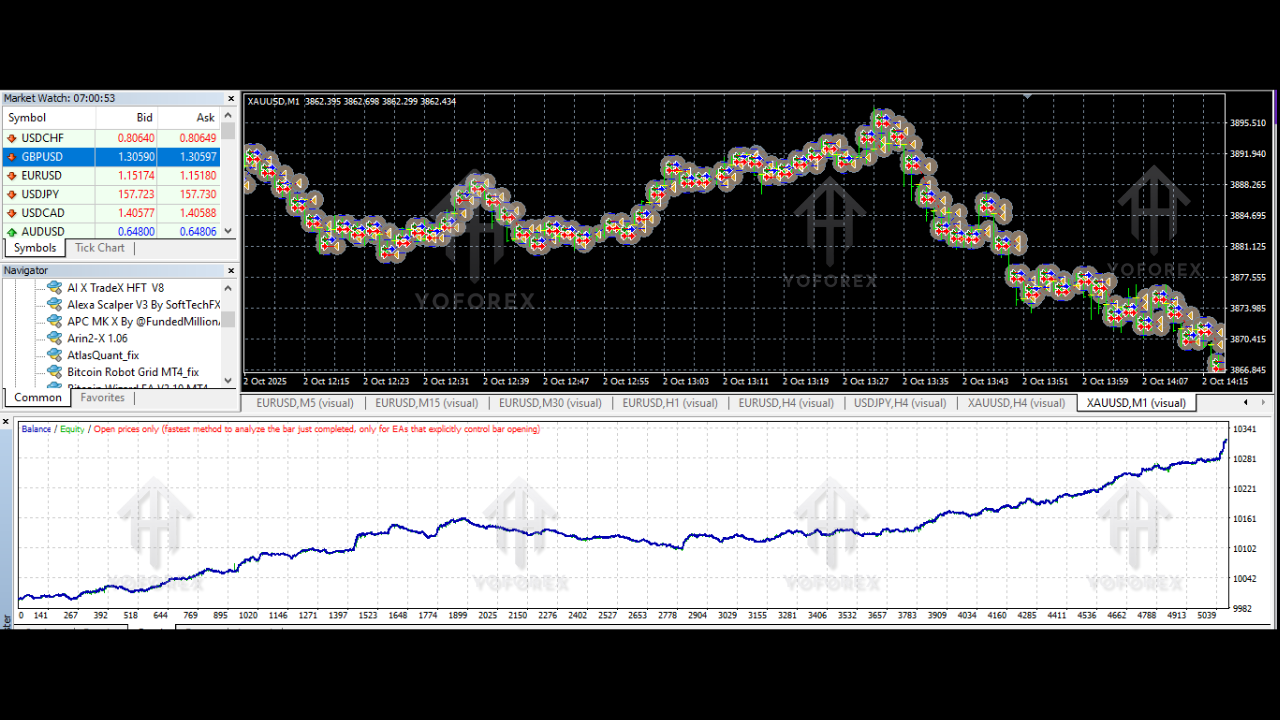
Why Traders Choose Atlas Quant EA V2.6 MT4
Atlas Quant isn’t just a bot—it’s a structured system built for longevity. Traders prefer it because:
- It’s stable, not aggressive
- It manages risk well
- It avoids news-time disasters
- It works on real accounts, not just demo
- It doesn’t depend on big balances
- It suits prop-firm challenges
- It provides data-driven consistency
If your goal is controlled, professional gold trading instead of gambling, this EA sits in that perfect middle ground.
Safety & Disclaimer
As always, no EA guarantees profits. The forex market is unpredictable and highly leveraged.
Follow these safety rules:
- Start on demo
- Use correct lot size
- Avoid running multiple EAs on the same account
- Use VPS for 100% uptime
- Keep risk per trade low
Trade responsibly.
Final Thoughts – Is Atlas Quant EA Worth It?
If you’re searching for a gold-focused EA that doesn’t blow accounts, doesn’t martingale, and actually follows steady quantitative logic, Atlas Quant EA V2.6 MT4 is definitely worth trying. It’s reliable, simple to operate, and powerful when used on the right account type.
Whether you're a beginner or an experienced trader tired of emotional trading, this EA gives you a structured, hands-free way to trade XAUUSD with confidence.






Comments
Leave a Comment