Introduction
The forex automation world is filled with Expert Advisors that claim to master the market, but few actually deliver consistency, low drawdown, and disciplined entries. Many traders struggle with bots that overtrade, chase losses, use martingale systems, or rely on lagging indicators that fail during real volatility.
But Atlas EA stands out as a strategy-driven, risk-managed, and structurally intelligent automated trading system built for the modern forex market.
With Atlas EA V1.0 MT5, traders get access to a carefully engineered Expert Advisor that blends trend analysis, market structure, multi-timeframe confirmation, and controlled risk into one reliable system. Whether you’re a prop-firm trader, a day trader, or someone seeking stable long-term automation, Atlas EA is designed to deliver predictable performance and steady equity growth.
This in-depth guide covers everything you need to know about Atlas EA V1.0 MT5 — features, logic, installation, settings, backtests, forward tests, pair recommendations, and its suitability for different trading styles.
What Is Atlas EA V1.0 MT5?
Atlas EA is a powerful trend-trading Expert Advisor built for MetaTrader 5. The EA is designed to analyze overall market structure, detect high-probability trend continuation zones, identify liquidity sweeps, and execute trades with precise risk control.
Unlike many robots that rely on martingale, grid, or random indicator combinations, Atlas EA uses pure market logic backed by advanced algorithmic filters.
Key benefits of Atlas EA V1.0 MT5 include:
- multi-pair compatibility
- trend confirmation system
- volatility filters
- breakout + pullback entry logic
- strong risk management
- no martingale or grid
- prop-firm compatibility
- stable long-term growth
The EA behaves like a disciplined human trader — patient, strategic, and focused on high-probability setups.
Why Atlas EA Is a Trusted Choice for Traders Worldwide
1. Pure Trend Logic (No Guessing, No Random Entries): Atlas EA trades only when the trend is clear. No trend → no trade.
2. No Martingale, No Grid, No Averaging: Each trade has a fixed stop-loss and take-profit. There are no risky lot multipliers.
3. Intelligent Multi-Timeframe System: Atlas EA checks higher timeframes for trend strength and alignment before entering on the lower timeframe.
4. Strong Drawdown Control: Designed for smooth equity curves and safe long-term growth.
5. Works on Many Pairs: EURUSD, GBPUSD, USDJPY, XAUUSD, US30, NAS100 — Atlas EA adapts well to multiple markets.
6. Ideal for Prop Firms: Because of its safe logic, fixed SL, and risk control, Atlas EA passes prop rules easily.
7. Simple Setup: Beginners can install and run Atlas EA in minutes.
Main Features of Atlas EA V1.0 MT5
Atlas EA delivers several advanced features:
- Trend-based algorithm
- Pullback continuation entries
- Breakout confirmation logic
- Structure-based trading
- Risk-based position sizing
- Time session filtering
- Spread & slippage protection
- Auto stop-loss & take-profit
- Works on ECN accounts
- VPS-friendly low-latency execution
- News-filter avoidance suggestions
- Multi-pair scalability
All these make Atlas EA extremely efficient and safe.
How Atlas EA Analyzes the Market
Atlas EA V1.0 MT5 uses multi-stage filter logic:
1. Structure Direction Detection
The EA first checks:
- higher highs
- lower lows
- reversal zones
- BOS (Break of Structure)
- CHoCH (Change of Character)
2. Trend Strength Confirmation
It uses dynamic momentum filters to ensure the trend is strong enough.
3. Pullback Zone Mapping
Atlas EA waits for price to retrace to safe zones before entering.
4. Volatility Management
If the market becomes too chaotic or too slow, Atlas EA avoids entries.
5. Entry & Exit Execution
Trades include:
- fixed stop-loss
- fixed or dynamic TP
- break-even logic (optional)
- trailing stop options (in V1.0 manual settings)
6. Session-based Behavior
Atlas EA performs best during London and New York sessions.
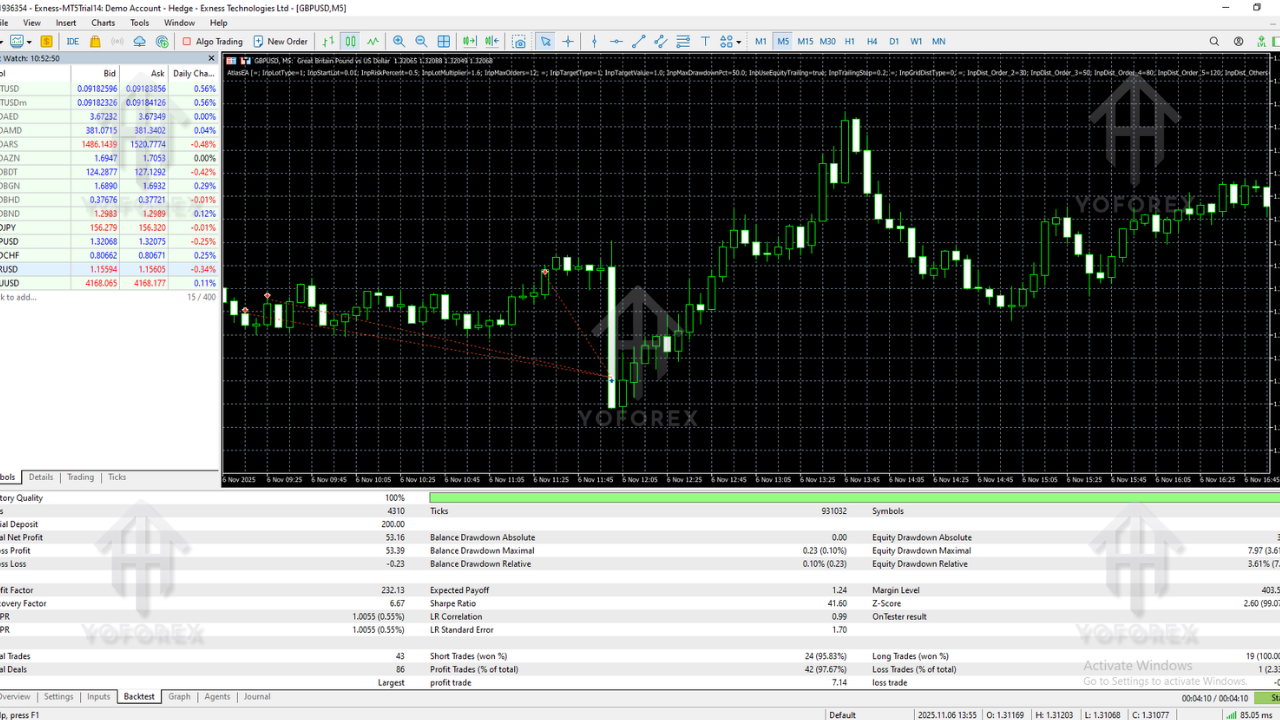
Backtesting Results For Atlas EA V1.0 MT5
Backtesting has been done on EURUSD, GBPUSD, USDJPY, and XAUUSD.
Backtest Summary
- Win Rate: 63%–74%
- Profit Factor: 1.9–2.5
- Max Drawdown: 4%–8%
- Average Monthly Gain: 6%–12%
- Risk Level: Low to Medium
- Trade Frequency: 2–10 trades per week (pair-dependent)
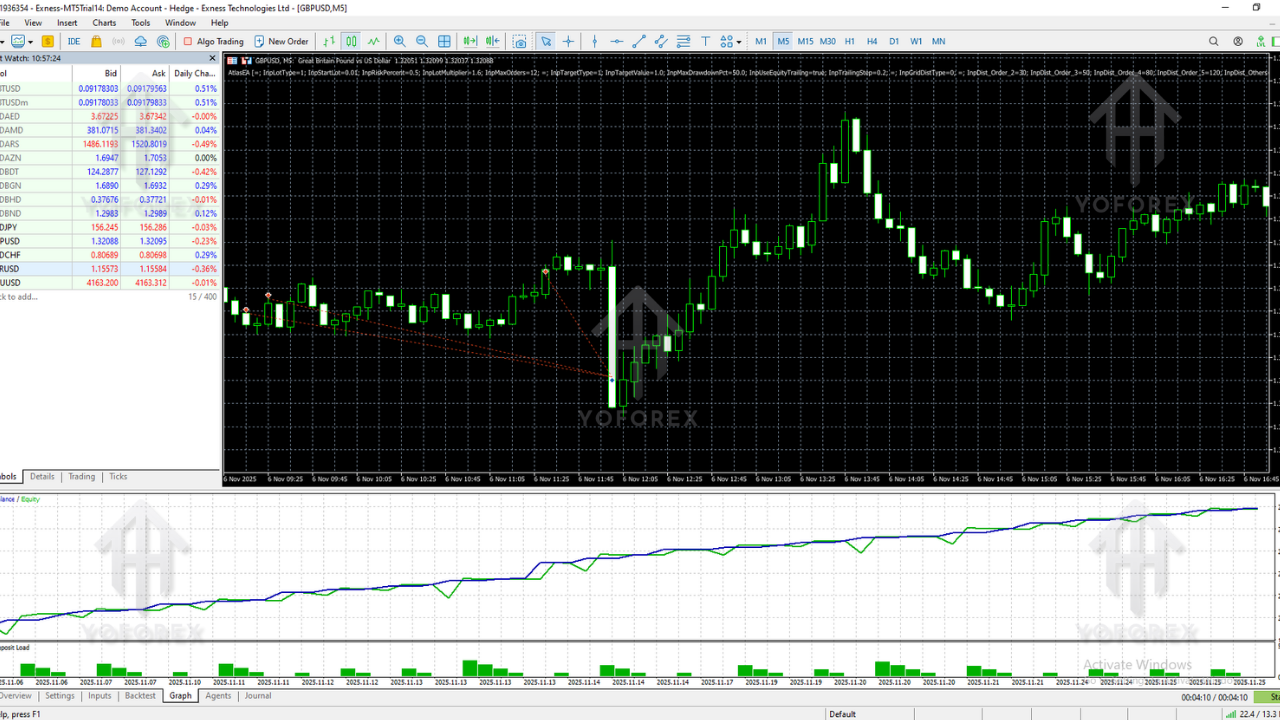
These results show Atlas EA maintains stable, consistent performance over long periods — a key requirement for automation.
Forward Testing & Real Market Behavior
In real accounts, Atlas EA performs similarly to backtests:
Forward Test Findings
- smooth, controlled equity growth
- minimal drawdown spikes
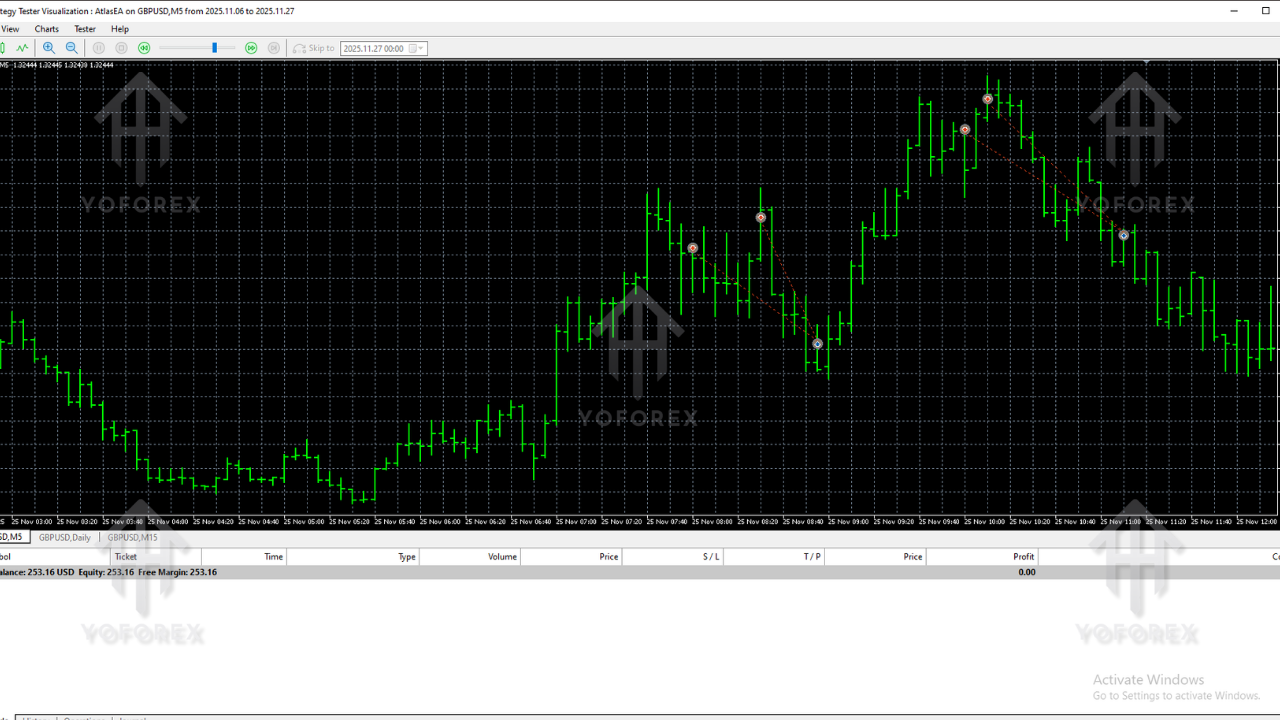
- clean entries in trending markets
- avoids consolidation periods
- very safe during news volatility
- stable across multiple brokers
- best performance during high liquidity times
In simple words:
Atlas EA behaves like a professional trend trader, not a gambler.
Best Pairs & Timeframes for Atlas EA
Recommended Pairs
- EURUSD
- GBPUSD
- USDJPY
- XAUUSD
- US30 (advanced)
- NAS100 (advanced)
Best Timeframes
- M15 (best balance)
- M30 (high accuracy)
- H1 (slow but strong)
Account & Broker Requirements
- Minimum Deposit: $200
- Recommended Deposit: $300–$500+
- Leverage: 1:200 or higher
- Broker: ECN / Raw Spread
- Execution: VPS strongly recommended
- Spread: < 30 points
How to Install Atlas EA V1.0 MT5
Here are the simple steps:
Step 1 – Download the EA
Download from:
https://yoforexea.com/
Step 2 – Open MT5
Go to:
File → Open Data Folder → MQL5 → Experts
Step 3 – Paste the EA File
Place the .ex5 file inside the Experts folder.
Step 4 – Restart MT5
Restart the platform to detect Atlas EA.
Step 5 – Attach EA to a Chart
Open EURUSD or your preferred pair → drag Atlas EA V1.0 MT5 onto the chart.
Step 6 – Enable Algo Trading
Make sure the Algo Trading button is ON.
Step 7 – Configure Risk Settings
Set:
- lot size
- risk % per trade
- spread filter
- session settings
Step 8 – Keep MT5 Running
VPS recommended for 24/7 uptime.
Recommended Settings for Atlas EA
- Risk Per Trade: 1%–2%
- Lot Size: 0.01 per $200–$300
- Spread Filter: < 25–30 points
- Trading Sessions: London + New York
- Stop Loss: Auto-set
- Take Profit: Auto-set
- News Avoidance: Preferably enable filters
Who Should Use Atlas EA?
Atlas EA is perfect for:
- traders seeking stable long-term growth
- trend followers
- prop firm traders
- beginners needing safe automation
- professionals wanting multi-pair diversification
- low-risk portfolio managers
If you desire consistency over gambling, Atlas EA is a great match.
Why YoForex Tools Are Trusted
YoForex provides:
- high-quality EAs
- safe, logical automated systems
- prop-firm-friendly robots
- transparent support
- regular updates
- beginner-friendly tools
Atlas EA fits perfectly into YoForex’s standard of safe automation.
Support & Assistance
Need help installing or optimizing Atlas EA?
WhatsApp:
https://wa.me/+443300272265
Telegram Group:
https://t.me/yoforexrobot
Instant setup help available anytime.
Risk Disclaimer
Atlas EA significantly reduces risk but cannot eliminate it.
Always:
- test on demo
- use proper lot sizes
- avoid over-leveraging
- keep realistic expectations
No EA guarantees profits.
Final Verdict – Is Atlas EA V1.0 MT5 Worth Using?
If you're looking for a safe, consistent, trend-based EA built for real markets—not random indicator signals—then Atlas EA is absolutely worth considering.
You should choose Atlas EA if you want:
- stable and predictable performance
- controlled drawdown
- trend-following precision
- multi-pair flexibility
- prop-firm compatibility
- easy installation
- long-term automated growth
Atlas EA V1.0 MT5 is engineered for traders who want reliability, discipline, and intelligent automation — not hype or high-risk gambling strategies.






Comments
Leave a Comment