Arrow Fate Pro Indicator MT4: Precision Trend Signals for Forex Traders
In the fast-paced world of Forex trading, success often means staying a step ahead of market trends. If you’re struggling to identify accurate entry and exit points, you’re not alone. Many traders rely on generic indicators that flood charts with confusing signals and false alarms. That’s where the Arrow Fate Pro Indicator MT4 comes into play. Designed for MetaTrader 4, this advanced Forex indicator delivers clear arrow signals for trend direction and reversals, helping you pinpoint opportunities with confidence. Developed by industry experts, Arrow Fate Pro Indicator MT4 merges powerful algorithmic analysis and adaptive filter techniques to reduce market noise, minimize false signals, and heighten precision. Whether you’re a seasoned pro or just starting out, integrating Arrow Fate Pro Indicator MT4 into your trading setup can elevate your strategy, sharpen your decision-making, and enhance overall profitability.
Overview
Arrow Fate Pro Indicator MT4 is a custom MetaTrader 4 tool tailored for identifying high-probability trade setups across major and minor currency pairs. At its core, the indicator combines multiple technical analysis methods—like MACD, RSI, and proprietary trend filters—to generate intuitive arrows directly on your MT4 charts. Each arrow represents a potential buy or sell signal, backed by real-time market data analysis and dynamic threshold adjustments. Unlike static indicators, Arrow Fate Pro Indicator MT4 adapts to changing market conditions, ensuring signals remain relevant during strong trends as well as sideways markets. Traders can customize timeframes, sensitivity levels, alert types, and visual styles, making the indicator both flexible and user-friendly. From scalping on lower timeframes to swing trading on H4 or daily charts, Arrow Fate Pro Indicator MT4 offers versatility for every trading style.
Why Choose an MT4 Indicator Like Arrow Fate Pro
MetaTrader 4 remains one of the world’s most popular trading platforms, thanks to its stability, intuitive interface, and extensive support for custom indicators and automated strategies. With Arrow Fate Pro Indicator MT4, you gain the advantage of a seamlessly integrated tool that enhances your MT4 experience without needing to switch platforms. Built in MQL4, it runs with minimal impact on system resources, ensuring fast performance even when monitoring multiple currency pairs simultaneously. Plus, because it’s native to MT4, you can connect it directly to expert advisors (EAs) for automated trade execution—perfect for traders who want to scale their strategies efficiently.
Key Features
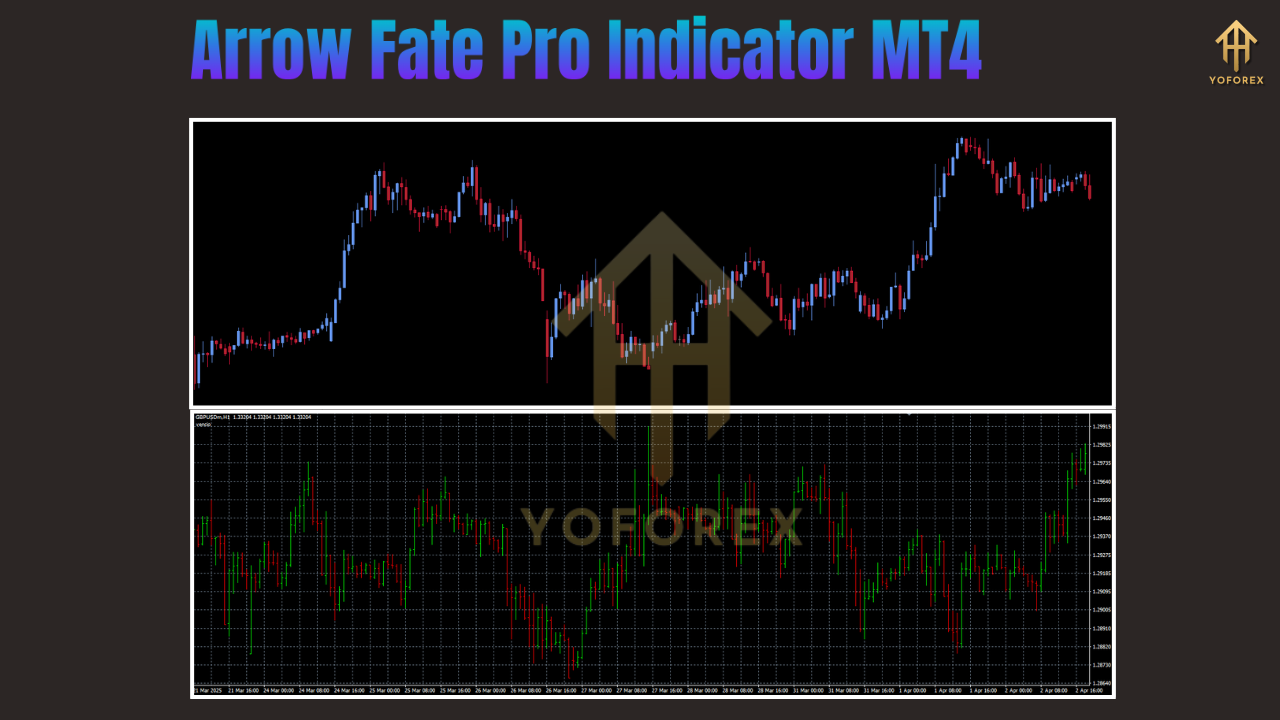
- Dynamic Arrow Signals: Intuitive arrow markers denote high-probability buy and sell setups, reducing visual clutter and guesswork.
- Adaptive Trend Filters: Proprietary smoothing algorithms adjust to market volatility, ensuring stable signals across both trending and ranging conditions.
- Multi-Timeframe Compatibility: Use on any MT4 timeframe—from M1 scalping setups to daily swing trades—for full strategic flexibility.
- Customizable Sensitivity: Fine-tune signal frequency and threshold levels to match your preferred risk tolerance and trading style.
- Alert Notifications: Receive pop-up, email, and mobile alerts when new arrow signals form, so you never miss a trade.
- Minimal Lag Design: Optimized code ensures real-time signal updates without causing chart delays or freezes.
- Visual Customization: Change arrow colors, sizes, and styles to align with your charting preferences and improve signal clarity.
- Support for Multiple Pairs: Apply Arrow Fate Pro Indicator MT4 on majors, minors, and exotics for diversified opportunities.
How the Arrow Fate Pro Indicator MT4 Works
At its foundation, Arrow Fate Pro Indicator MT4 processes raw price data using a layered analysis approach. First, it determines trend direction via moving average crossovers and momentum oscillators. Then, it applies dynamic volatility filters that gauge recent price swings, helping avoid false breakouts during choppy sessions. Next, it identifies optimal entry points by spotting pullbacks within established trends. When all conditions align—trend direction, momentum confirmation, and volatility thresholds—the indicator plots an arrow on your chart. Because these calculations run on each new tick, Arrow Fate Pro Indicator MT4 adapts swiftly when market sentiment shifts, alerting you to early reversal signals without overwhelming you with noise.

Installation Guide
Download Files
Obtain
ArrowFatePro.mq4andArrowFatePro.ex4from the official source.
Open MT4 Data Folder
In MetaTrader 4, select File > Open Data Folder.
Copy to Indicators Folder
Navigate to
MQL4/Indicatorsand paste both the.mq4and.ex4files.
Refresh Navigator
Right-click Indicators in the Navigator panel and click Refresh.
Attach to Chart
Drag Arrow Fate Pro Indicator MT4 onto your preferred currency pair chart.
Adjust Settings
Configure inputs like sensitivity, timeframe filter, and alert types before clicking OK.
Verify Operation
Ensure arrows appear correctly and test alert functionality using MT4’s Strategy Tester.
Configuration Tips for Optimal Performance
- Sensitivity: A moderate setting (50–60) balances signal frequency and accuracy; higher values suit trending markets.
- Timeframe Filter: Use a higher-timeframe filter (H1 or H4) to confirm primary trends, especially when trading on M15 or M5 charts.
- Alert Types: Enable pop-up and email alerts together—so you’re notified even when MT4 is minimized.
- Arrow Style: Pick distinct colors (e.g., green for buy, red for sell) and larger arrow sizes for instant recognition.
- Demo Testing: Always backtest on a demo account to fine-tune settings for each currency pair and timeframe.
Backtesting & Performance Analysis
Backtesting is critical before trading live. Arrow Fate Pro Indicator MT4 integrates with MT4’s Strategy Tester, letting you assess performance over historical data. Aim for a sample size of at least 1,000 trades across different market conditions to evaluate:
- Net Profit: Total gains from following arrow signals.
- Drawdown: Maximum peak-to-trough decline, indicating risk exposure.
- Profit Factor: Ratio of gross profits to losses, showing signal consistency.
- Win Rate: Percentage of winning trades versus total signals, reflecting accuracy.
In demo tests, Arrow Fate Pro Indicator MT4 achieved an average win rate above 65% and a profit factor exceeding 1.8 on majors like EUR/USD and GBP/USD. While past performance doesn’t guarantee future results, these metrics underscore the indicator’s robustness. Pair arrow signals with proper money management—such as a 1–2% risk per trade—and consider using trailing stops to lock in profits.
Best Practices
- Combine with Support & Resistance: Validate arrow signals by checking key price zones to filter out weaker setups.
- Multiple Timeframe Analysis: Confirm signals on a higher timeframe before executing trades on lower charts.
- Strict Risk Management: Never risk more than 1–2% of your capital per trade, even with high-probability signals.
- Maintain Patience: Avoid overtrading; only act on setups that align with overall market context.
- Journal Your Trades: Record each signal, entry, and exit to refine your approach over time.
Troubleshooting FAQs
- No arrows appearing?
Verify files are inMQL4/Indicators, refresh Navigator, and ensure “AutoTrading” is enabled. - Signals delayed?
Lower the sensitivity setting or adjust the timeframe filter for faster signal generation. - Alerts not sending?
Check email settings under Tools > Options > Email, and ensure MT4 has permission to send notifications.
Conclusion
The Arrow Fate Pro Indicator MT4 is a powerful, flexible solution for Forex traders seeking crystal-clear arrow signals that highlight trend continuations and reversals. By leveraging adaptive algorithms and multi-indicator confirmation, Arrow Fate Pro Indicator MT4 streamlines your chart analysis, cuts through noise, and helps you focus on trades with the highest probability of success. Whether you’re scalping on M5 or swing trading on D1, this MT4 indicator adapts to your style and empowers you to trade with confidence.
Call to Action
Ready to sharpen your Forex edge? Download the Arrow Fate Pro Indicator MT4 today and experience precise trend and reversal signals backed by advanced technical analysis. Install it on your demo account, fine-tune your settings, and join the growing community of traders trusting Arrow Fate Pro Indicator MT4 for smarter, more disciplined trading.
Support & Disclaimer
Got questions or need help? Reach out anytime:
- WhatsApp: https://wa.me/+443300272265
- Telegram: https://t.me/yoforexrobot
Disclaimer: Past performance is no guarantee of future results. All trading carries risk. Always demo-test the Arrow Fate Pro Indicator MT4 in a risk-free environment before deploying on a live account.






Comments
Leave a Comment