ARC Arcadia Index EA V1.11 MT5 — Order in Volatility for D1 Index Trading
If you’ve ever tried to tame indices on lower timeframes, you know the drill: noise, fakeouts, overfitting—then a regime change nukes last week’s “perfect” settings. ARC Arcadia Index EA V1.11 (MT5) approaches the problem differently. It’s regime-aware, D1-focused, and genuinely disciplined about when to trade, when to flip style, and when to stand aside. No HFT antics, no frantic scalping. Just clear trade cycles, consistent risk, and capital preservation when markets turn hostile.
Arcadia reads market structure and volatility context first, then adapts its execution profile—favoring mean-reversion in one environment, breakout continuation in another, or flat-out patience when whipsaw risk is high. One position per symbol, hard stops, ATR-scaled trailing support… it’s designed to keep you out of trouble as much as to find opportunity.
What Makes Arcadia Different
- 1) Regime Control (the real edge)
Rather than forcing one idea everywhere, Arcadia evaluates volatility percentiles and trend-strength proxies to decide its mode: - Mean-Reversion: When ranges dominate and breakouts keep failing, Arcadia seeks fades at the edges—only with confirmation.
- Breakout / Trend-Following: When expansion is underway and structure confirms, it rides continuation—with stops that respect ATR and structure.
- Stand Aside: Compression + no confirmation? It waits. Less churn, fewer death-by-a-thousand-cuts weeks.
- 2) Noise Reduction
Entry confirmations and compression filters aim to cut whipsaw, especially around tight ranges. An optional flip delay reduces over-reacting at turning points—handy when the first break is often the false one. - 3) Strict Risk, Always
Every position has a hard Stop Loss. ATR-scaled trailing is supported. Opposite-signal exits are available when you prefer to rotate quickly rather than trail deeply. - 4) Broker-Safe Routing
If the broker rejects attaching stops at entry, Arcadia fires market-only, then attaches SL immediately after fill. Safety before elegance. - 5) One Position Per Symbol
By default, there’s no pyramiding and no averaging down. Keep risk clean, transparent, and consistent. (If you truly need it, pyramiding can be enabled on request—most won’t.)
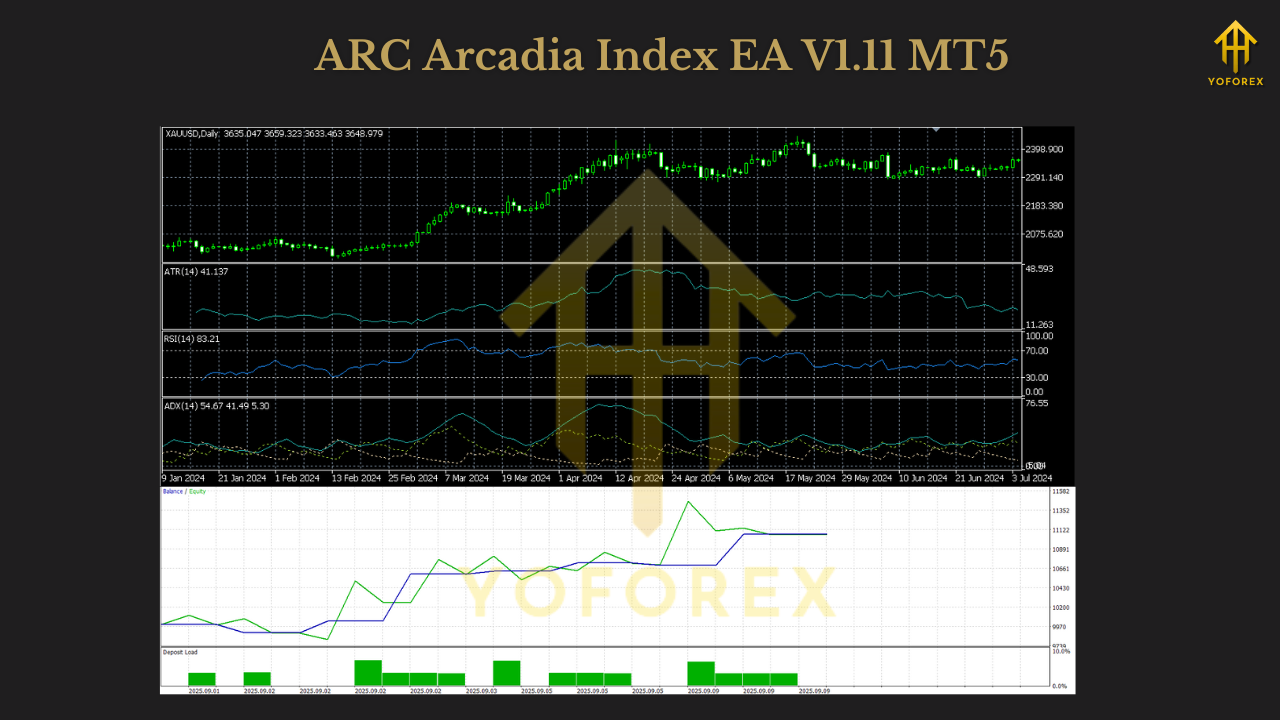
Intended Use & Infrastructure
- Timeframe: D1 per instrument (attach one chart per symbol). The D1 focus reduces overfitting, slippage sensitivity, and the urge to over-tweak after every blip.
- Markets: Major indices (think US, EU, possibly JP depending on broker feed). Validate each symbol individually.
- Broker Setup: ECN/STP, raw spreads, realistic commissions/slippage.
- Hosting: VPS recommended for uninterrupted execution.
- Risk Model: Fixed lot or %-of-balance sizing. Keep per-trade risk modest and consistent across symbols.
- Testing: Use real-tick modeling; forward-test on demo before live. Validate per symbol and watch correlation if you run a basket.
How Arcadia Trades (Plain English)
- Scan & Classify:
Each day, Arcadia evaluates trend strength and volatility regime. Are we stretching and expanding, or compressing and mean-reverting? - Set the Playbook:
If trend-flags align, Arcadia prefers breakout continuation setups; if compression dominates with revertive behavior, it switches to mean-reversion logic. If neither has edge, it does nothing. - Confirm & Trigger:
Entries require structure confirmation—e.g., close beyond a threshold for breakouts, or verified rejection signals at range extremes for MR. No seat-of-pants guessing. - Control the Downside:
Hard SL goes in. The distance is informed by ATR/structure, not arbitrary round numbers. - Manage & Exit:
Depending on mode and your settings, Arcadia can trail stops (ATR-based), move to break-even after a cushion, or flip out on opposite signals when the regime or direction meaningfully changes.
Setup in MT5 (Step-by-Step)
- Install the EA
MT5 → File → Open Data Folder →MQL5/Experts→ paste the EA → restart MT5. - Add One Chart per Symbol
Choose your target indices. Open D1 charts, one per instrument. - Attach Arcadia
Navigator → Experts → drag ARC Arcadia Index EA V1.11 onto the D1 chart.
Enable Algo Trading (toolbar should be green). - Pick Your Risk Mode
- Fixed lot (e.g., small and steady per symbol).
- %-of-balance (e.g., 0.25%–0.75% per trade). Keep it modest; remember correlation across indices.
- Confirm Broker-Safe Routing
Make sure your broker allows SL at entry; if not, Arcadia will route market-first then attach SL immediately. - Check Logs
Look at Experts/Journal tabs. No initialization errors, no trade-routing issues.
Practical Risk Guidelines
- Per-Trade Risk: 0.25%–0.75% is a sane starting band on D1.
- Basket Awareness: If you run multiple indexes (e.g., US500 + US100 + US30), treat them as correlated risk. Many pros cap total daily risk across the basket.
- Drawdown Lines: Define your cut-risk or pause point in advance—e.g., daily and overall drawdown triggers.
Why it matters: Indices can move together. In expansion regimes, correlations spike; be mindful not to multiply risk just because you split symbols.
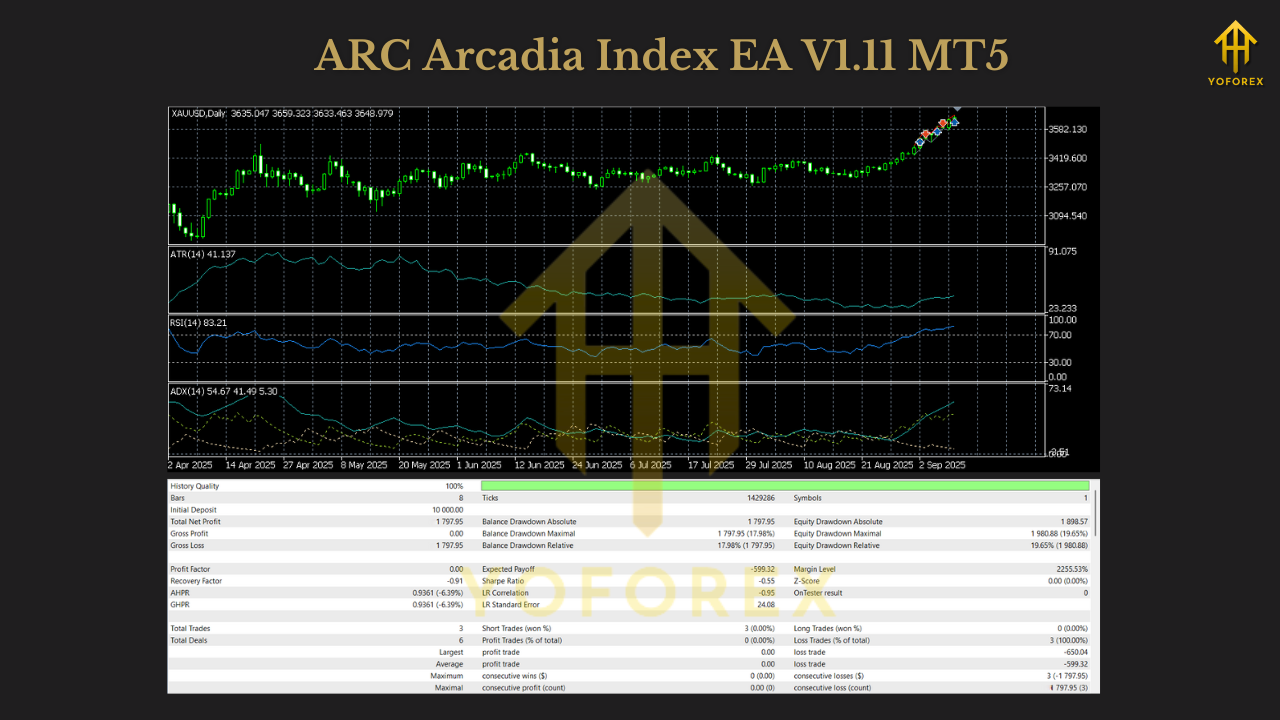
Backtesting & Forward Validation
- Data Quality: Use real-tick modeling if you can. Garbage in → garbage out.
- Regime Coverage: Test a mix—quiet ranges, inflation prints, central bank cycles, crisis spikes.
- Walk-Forward: If you optimize, validate out-of-sample. Avoid the curve-fit honey trap.
- Forward Demo: 6–8 weeks minimum, especially across FOMC/NFP/earnings seasons.
- Metrics to Track:
- Max Drawdown (absolute and %)
- Win rate vs. R multiple (R-math tells more than raw wins)
- Profit Factor / Sharpe-like stats
- Average trade length (is it overstaying?)
- Hit rate by regime (Are you really doing better in the mode you think?)
Typical Questions
- Does Arcadia use grids or martingale?
No. One position per symbol by default, no pyramiding, no averaging down. (Pyramiding can be enabled only if you insist; most traders don’t need it.) - Can I run it intraday?
The edge here is D1—less noise, fewer overfits. If you want M15/M30 scalping, this isn’t that product. - Which indices are best?
Start with the most liquid your broker offers (e.g., US500/US100). Validate each symbol separately; spreads, ticks, and commission models differ. - Do I need a VPS?
Recommended. Even on D1, a stable VPS reduces platform hiccups and keeps routing predictable. - How often should I tweak settings?
As little as possible. Let regime logic do its job. Review quarterly or after obvious structural changes—not after two trades.
A Sensible Operating Plan
- Pick 1–3 Symbols to start (e.g., US500, US100).
- Risk Small, keep % per trade consistent.
- Run D1 Only, one chart per symbol, and don’t over-optimize.
- Demo First, then go small live with the same settings.
- Review Monthly by regime: are you actually profiting more in the intended modes? If not, diagnose—don’t whipsaw your config.
Why “Order in Volatility” Matters
Volatility is not the enemy—undisciplined reactions are. Arcadia’s ethos is that process beats prediction. Recognize the regime, apply the right playbook, and defend capital when the market gets mean. If you’re tired of bots that look brilliant on one year of backtest and then implode at the first regime flip, this slower, stricter, D1-centric approach will feel refreshingly… grown-up.
Join our Telegram for the latest updates and support






Comments
Leave a Comment