AM RSI Pro Signals Indicator MT4: Turn RSI into Clean, Tradeable Signals
Tired of staring at a plain RSI and second-guessing every cross? Same. AM RSI Pro Signals Indicator for MT4 takes the classic Relative Strength Index and turns it into a practical, signal-ready tool you can actually trade—complete with arrows, alerts, MTF filters, and divergence hints. Whether you scalp M5 or swing H1/H4, it’s built to cut the noise, highlight higher-probability entries, and keep you from chasing every blip… coz that’s how overtrading sneaks in.
What Is AM RSI Pro Signals Indicator?
AM RSI Pro Signals is a MetaTrader 4 indicator that enhances standard RSI logic with smarter filters and visual prompts. Instead of just showing a line bouncing between 0–100, it plots buy/sell arrows when RSI conditions align with your chosen rules (levels, slope, MTF confirmation, optional trend filter). It’s designed to be lightweight and non-intrusive, yet detailed enough for serious traders who want repeatable signals and clear risk management anchors.
Core idea: convert RSI momentum shifts into rule-based alerts that appear only when the candle closes (so you’re not reacting to mid-bar noise). No magic, no martingale nonsense—just structured entries that you can validate and backtest.
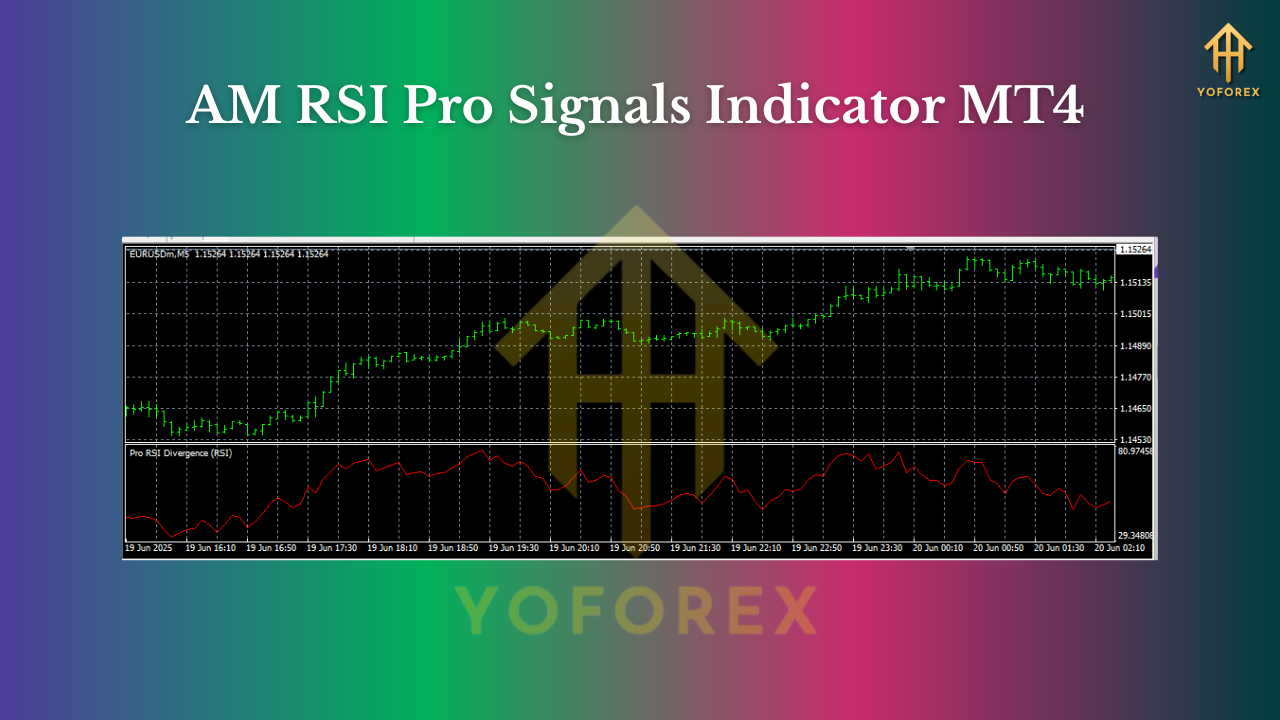
Key Features at a Glance
- Signal Arrows on Chart: Clean buy/sell arrows when RSI rules are met (on candle close to avoid “wiggly” mid-bar noise).
- Custom RSI Levels: Default 30/70 with optional 20/80 for aggressive/overbought extremes.
- Adaptive Smoothing: Toggle smoothing (Wilder/EMA-style) to reduce choppy signals on lower timeframes.
- MTF Filter (Optional): Confirm M5 signals with M15/H1 RSI direction to keep trades aligned with higher-TF momentum.
- Divergence Hints: Spot potential RSI vs price divergences to time reversals with more confidence.
- Alert Suite: On-screen, push, email, and sound alerts—so you don’t live glued to the screen.
- No Repaint on Close: Signals confirm at bar close; what you saw is what you get.
- EA-Friendly Buffers: Built for traders who might later automate entries via an EA.
- Minimal Clutter Mode: One-click to show only arrows & alerts for a clean, minimalist chart.
- Risk Helpers: Optional ATR blocks for suggested SL/TP zones right below/above swing points.
How It Works (In Plain English)
- RSI Baseline: You choose RSI period (14 by default).
- Trigger Logic: The indicator waits for confirmed crosses or slopes (e.g., RSI rising through 30 or pulling back from 70 with momentum).
- Filters (Optional):
- MTF Direction: Only alert long if higher-TF RSI is rising (and vice versa).
- Trend Filter: Include a 200 EMA or SSL channel filter to avoid counter-trend traps.
4. Confirm on Close: It prints arrows and fires alerts after the candle closes—reducing fakeouts from intrabar spikes.
5. Divergence Check: If price makes a new low but RSI doesn’t (or new high but RSI lags), you’ll see a hint for possible reversal context.
It’s flexible. You can run it super-conservative (few, higher-quality signals) or more aggressive (more frequent entries) depending on your style.
Recommended Settings & Timeframes
- Timeframes:
- Scalping: M5/M15 with MTF filter set to M15/H1.
- Intraday: M15/M30/H1 is a sweet spot for signal clarity vs frequency.
- Swing: H1/H4 to filter noise and sit in the move longer.
- RSI Period: 14 (classic), or 10–12 if you want earlier momentum cues.
- Levels:
- Conservative: 30/70 (better for trend trading, fewer fakeouts).
- Aggressive: 20/80 (deeper pullbacks, stronger extremes).
- Pairs/Markets: Major FX pairs (EURUSD, GBPUSD, USDJPY), Gold (XAUUSD), and popular indices. If spreads are wide, use higher timeframes or stricter filters.
- Trend Filter: 200 EMA or SSL switch recommended for beginners. Longs only above the 200 EMA; shorts only below—it’s simple and cuts a lot of noise.
Three Simple Strategies You Can Start With
1) Trend-Pullback Entry (Beginner-Friendly)
- Add a 200 EMA.
- Take longs only when price is above the 200 EMA and RSI rises from below 50 toward 60–70 with a buy arrow confirmation.
- Stop below the recent swing low or ATR(14) × 1.5.
- Aim for 1:1.5 to 1:2 RR; trail once price moves 1R in your favor.
Why it works: You’re trading with the bigger push and only joining when momentum wakes up again.
2) MTF Confluence Momentum
- Chart on M15, set MTF filter to H1.
- Take signals only when M15 arrow agrees with H1 RSI direction (e.g., both rising).
- Tighten SL with ATR; let profits run via a partial take + trailing stop.
Why it works: Higher timeframe alignment reduces false signals in choppy sessions.
3) Divergence Reversal (Advanced)
- Watch for bullish divergence (price lower low; RSI higher low) or bearish divergence (price higher high; RSI lower high).
- Wait for a confirmed signal arrow and candle close.
- Place SL beyond the divergence swing; partial at key structure.
Why it works: Divergence often precedes turning points—combine with structure for solid edge.
How to Install & Set Up (MT4)
- Copy File: Place the indicator file into
MQL4/Indicatorsinside your MT4 data folder. - Restart MT4: Or refresh the Navigator.
- Attach to Chart: Drag AM RSI Pro Signals onto your chosen symbol/timeframe.
- Input Settings:
- Set RSI Period & Levels (start with 14 and 30/70).
- Enable MTF filter if you want higher-TF confirmation.
- Turn on your preferred alerts (push/email/desktop).
5. Save a Template: Right-click → Template → Save so you can reuse your layout quickly.
Pro tip: Keep your chart clean. If you’re using trend filters or ATR boxes, hide anything you don’t really need.
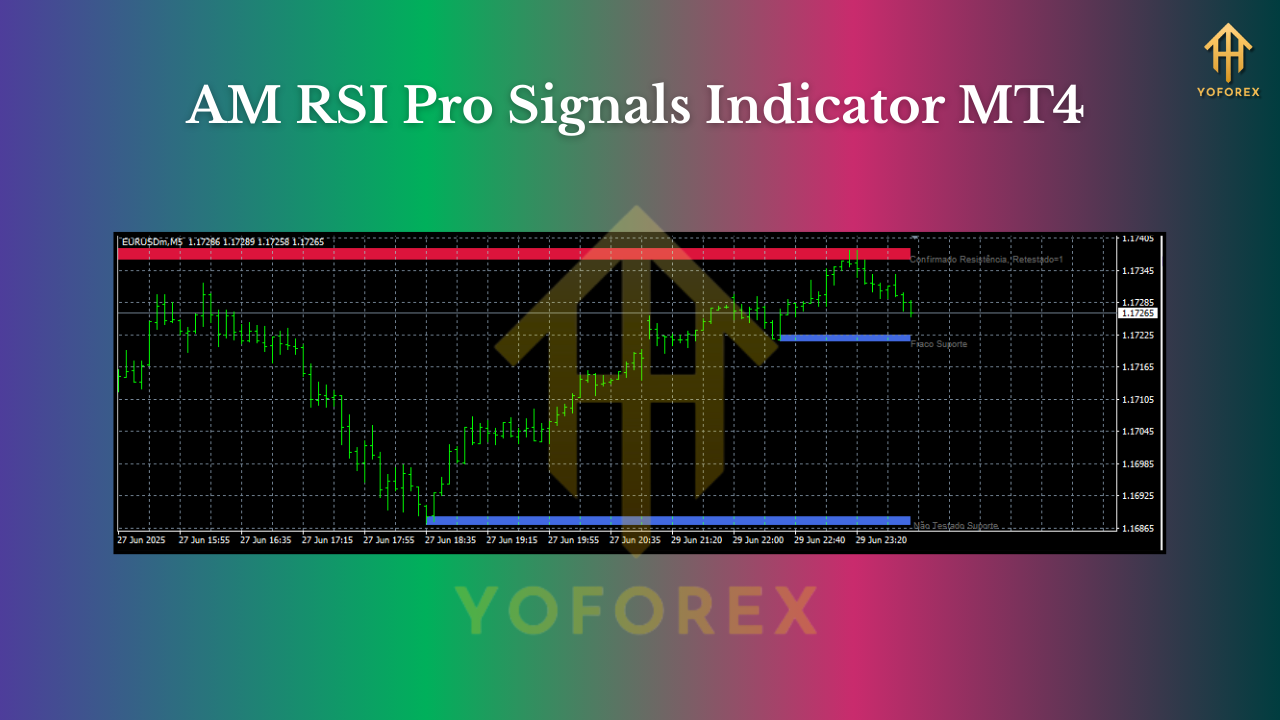
Backtesting & Optimization Tips (for an Indicator)
You can’t “run” a pure indicator in Strategy Tester alone, but here’s how traders validate:
- Visual Review: Scroll back on your preferred timeframe and mark signals at bar close only. Note entry, SL (ATR or swing), and a consistent TP or trailing method.
- Semi-Auto Testing: Use a simple script/EA that reads the indicator’s buffers to log trades on historical data.
- Data Quality: If you’re testing scalping, use high-quality M1 data or your broker’s tick history for realistic spreads.
- Keep it Consistent: Don’t change rules mid-test. Run at least 3–6 months per timeframe/pair before judging.
Risk Management & Best Practices
- 1R Max Per Trade: Keep risk a fixed percent (e.g., 0.5–1%).
- News Caution: Consider pausing entries 15–30 minutes before/after red-folder news.
- Session Awareness: London/NY overlap tends to be cleaner; Asia can be slower (more false breaks).
- Don’t Chase: If you missed the signal candle close, let it go—wait for the next one.
- Journal Everything: Screenshots, reasons, SL/TP—this is how you get better, fast.
Who Is This For?
- Scalpers who want compact, rule-based alerts instead of staring at a raw oscillator.
- Intraday traders who love confluence—RSI + EMA + MTF logic = tidy workflow.
- Swing traders seeking fewer, higher-quality entries on H1/H4 that they can actually hold.
- EA tinkers who may later automate via buffers.
If you’re brand-new to RSI, this indicator removes a lot of guesswork. If you’re seasoned, it just saves time and standardizes your rules—so you can execute, not hesitate.
Final Thoughts
The AM RSI Pro Signals Indicator MT4 doesn’t try to “predict” the future. It gives you consistent, rules-based alerts rooted in RSI momentum, with enough filters to adapt to your style. You still need discipline, good SL/TP logic, and a plan—but the heavy lifting of spotting setups gets way easier, and your charts look way cleaner.
Join our Telegram for the latest updates and support






Comments
Leave a Comment