
Tired of bots that look great on paper but blow up during live volatility? Same. That’s why AM Invest EA V2.96 (MT4) focuses on adaptive entries, smart risk controls, and day-to-day consistency rather than flashy moonshots. It’s an expert advisor designed for traders who prefer robust logic, clear configuration, and transparent execution. Whether you’re optimizing a small personal account or prepping for a prop-firm challenge, the EA’s disciplined trade filters, spread checks, and dynamic risk management help you stay on the right side of market structure… coz consistency beats hype, every single time.
In this guide, we’ll walk through what AM Invest EA actually does, its core strategy logic, recommended account setup, risk suggestions, backtest & forward-testing methodology (no magic numbers, just a pragmatic process), and a step-by-step installation. You’ll also find a compact FAQ and troubleshooting checklist at the end. Let’s dive in.
What Is AM Invest EA V2.96 (MT4)?
AM Invest EA V2.96 is a MetaTrader 4 expert advisor built to read momentum shifts and structure breaks, waiting for high-probability pullbacks instead of chasing every tick. The EA uses multi-filter confluence (trend direction, volatility state, session window, and spread/SLippage checks) to qualify entries. Once a setup triggers, it applies dynamic position sizing based on your defined risk per trade, sets a pre-planned stop-loss, and manages exits via partial take-profit and a trailing component that only activates when momentum confirms.
Key design principles:
- No martingale, no reckless grids. Risk stays controlled.
- Session-aware logic. Avoids low-liquidity chop and high-slippage moments by default (configurable).
- Broker-agnostic. Works with most standard MT4 brokers; raw/ECN recommended.
- Prop-firm friendly settings. Daily loss guardrails and max drawdown caps available through inputs.
Good for: Traders who want a calm, rules-driven EA with clear on/off times, transparent stops, and an emphasis on capital preservation first.
Quick Specs (At a Glance)
- Platform: MetaTrader 4 (MT4)
- Version: 2.96
- Pairs: EURUSD, GBPUSD, XAUUSD (plus other majors with tuning)
- Timeframes: M15–H1 recommended (M30 sweet spot for many brokers)
- Account Type: Hedging preferred; Netting also workable
- Leverage: 1:100 to 1:500 (choose what matches your broker rules)
- Minimum Deposit: $200+ (more cushion = smoother risk)
- VPS: Strongly recommended for 24/5 uptime and stable latency
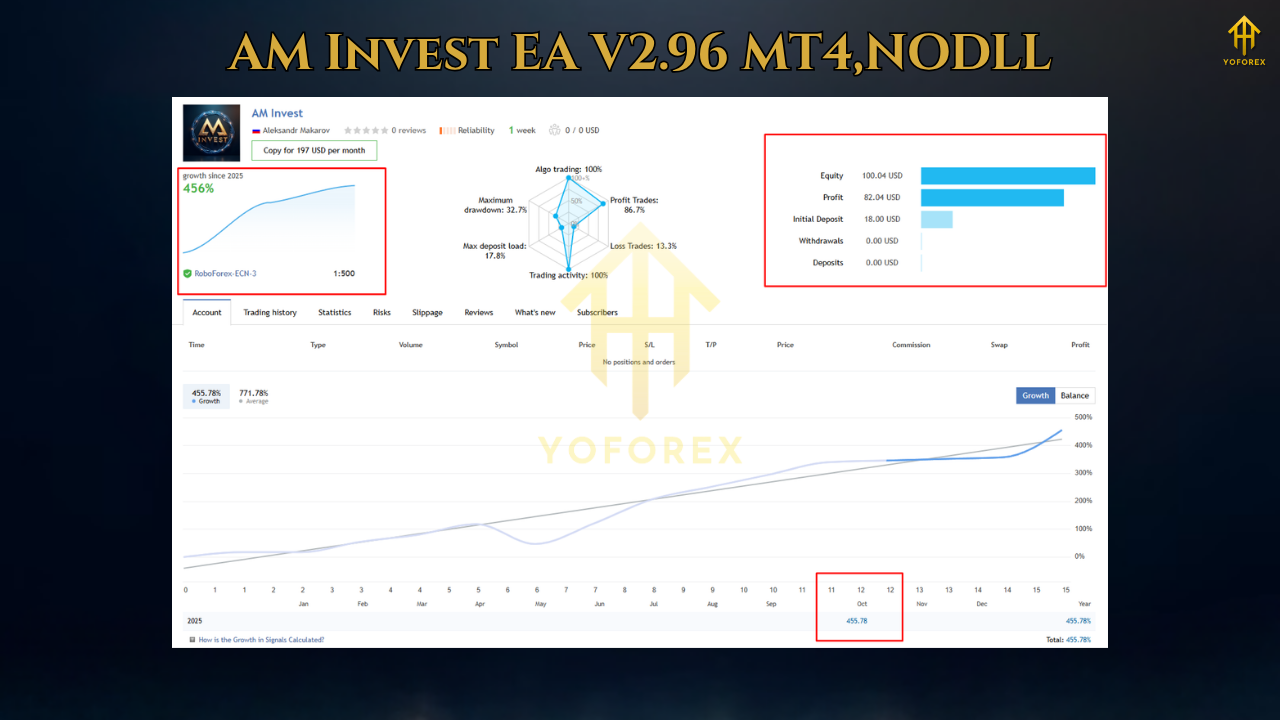
Core Strategy Logic (In Plain English)
- Trend Bias:
The EA establishes a higher-timeframe bias (e.g., from H1 or M30) and only looks for trades in that direction unless the market is in a defined mean-reversion state. This keeps it from fighting dominant moves. - Volatility Gate:
ATR-based filters evaluate whether conditions are too quiet (false breaks likely) or too wild (slippage risk). If volatility is out of bounds, the EA stands down. - Pullback Entry With Confirmation:
After a structure break or momentum thrust, the EA waits for a measured pullback. It confirms via a second signal (e.g., candle confirmation or micro-structure reclaim) to avoid “first poke” traps. - Risk First, Always:
Position size is calculated from your set RiskPercent or FixedLot. SL is placed immediately; no widening after entry. The EA doesn’t average down or multiply lots in loss. - Exit Management:
- Partial TP: Take some off at the first sensible target to de-risk.
- Breakeven Shift: When price moves favorably, the stop nudges to breakeven (or +X pips) only after a proper buffer.
- Adaptive Trailing: Trails only when momentum is confirmed; if not, it leaves room to breathe.
- Session & News Awareness (Optional):
The EA can restrict trading to London/NY overlap and stand down during major news if you plug in your calendar or time windows. This is useful for prop-firm rules.
Why Traders Like AM Invest EA V2.96
- Controlled Exposure: No martingale, no blind grid stacking.
- Sane Defaults: It ships with conservative presets you can fine-tune.
- Broker Realities Considered: Spread & slippage checks, and time-of-day filters.
- Prop-Firm Readiness: Easy to respect daily loss and max drawdown thresholds.
- Readable Inputs: Clear parameter names and comments (you won’t need a decoder ring).
Recommended Settings (Start Here, Then Tweak)
- Pairs: EURUSD, GBPUSD, XAUUSD
- Timeframe: M30 (M15 for more signals; H1 for fewer/cleaner)
- RiskPercent: 0.5%–1.0% per trade (prop-challenges may prefer 0.3%–0.6%)
- MaxOpenTrades: 1–2 per symbol
- StopLoss: ATR-based (e.g., 1.5–2.0× ATR on the chart timeframe)
- TakeProfit: Split—TP1 at 1.0× risk, runner trails via structure/ATR
- TradingHours: Enable London & early NY; disable late NY/rollover
- SpreadFilter: Enable; set to your broker’s typical +10–20% buffer
- NewsFilter: Optional—stand down for high-impact events (NFP, CPI, FOMC)
Backtesting & Forward-Testing (Method That Actually Helps)
- Sample Size Matters:
Run at least 3–5 years of historical data per pair/timeframe. Include calm and crazy periods (COVID spikes, taper tantrums, etc.). - Model Quality:
Use high-quality tick data where possible and model realistic spreads/slippage. If your broker widens spreads at rollover, reflect that. - Multi-Pair, Multi-TF:
Don’t assume EURUSD M30 = GBPUSD M15 performance. Test each combo. Remove combos that underperform; double down on your top two. - Walk-Forward Idea:
- Optimize conservatively on a prior window (e.g., 2019–2022).
- Walk forward on 2023–2025 without re-optimizing.
- If equity curve stays stable (no wild drawdown spikes), it’s a good sign.
- Forward Demo:
Let it run 2–4 weeks on demo with your broker’s live feed. Check real slippage and order fills. If you’re prepping a prop challenge, mirror those rules here.
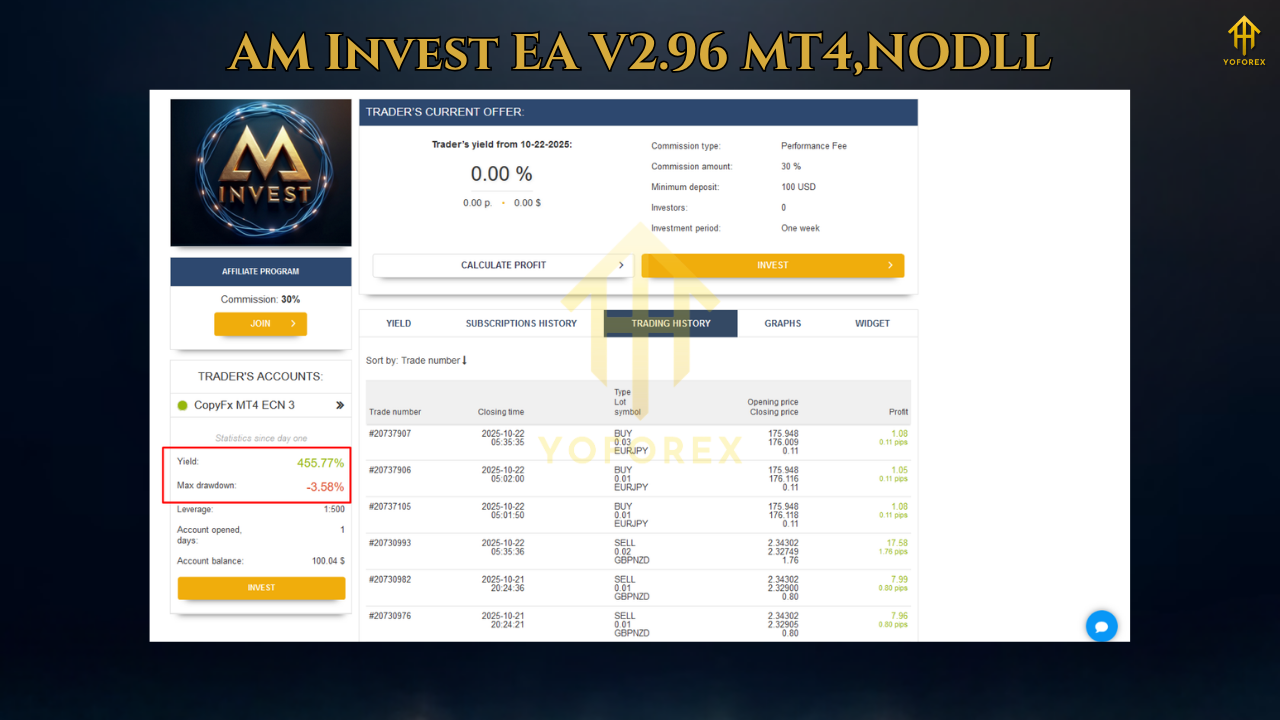
What you want to see:
A reasonably smooth equity curve, controlled drawdowns (e.g., under 15–20% in stress windows with conservative risk), and a profit factor >1 over a large sample. It doesn’t have to be flashy; it just needs to be stable. If you see long, flat periods with occasional spikes, nudge the session times or ATR gates slightly—small tweaks, not over-optimization.
Installation (MT4) — Step by Step
- Copy Files:
Place the EA file into:File → Open Data Folder → MQL4 → Experts. - Restart MT4:
Close and reopen MT4 so it loads the new EA. - Enable Algo Trading:
Check the Algo Trading button at the top (it should be green). - Attach to Chart:
Open your chosen pair and timeframe (e.g., EURUSD M30), then drag AM Invest EA V2.96 from the Navigator onto the chart. - Inputs:
- Set RiskPercent or FixedLot (don’t use both).
- Choose TradingHours, SpreadFilter, NewsPause (if you use it).
- Save as a .set file once you like your configuration.
- Check Smiley:
The smiley face in the chart’s top-right corner should be happy. If not, check AutoTrading, expert logs, and terminal permissions. - Run On VPS:
If you can, deploy on a reliable VPS to reduce disconnects and missed signals.
Risk Management (Read This Twice)
- Small Risk Compounds: 0.5%–1% risk per trade feels “slow,” but it’s how you keep the account alive long enough to win.
- Daily Loss Cap: If you’re chasing a prop account, cap daily drawdown (e.g., 2–3%) using your own discipline or broker protection tools.
- No Revenge Tweaks: If a day is choppy, don’t crank risk or widen stops “just this once.” That’s how good months get erased.
- Diversify Later: Prove one pair/timeframe, then add a second uncorrelated setup.
Prop-Firm Considerations
- Time Windows: Trade mainly London/early NY to avoid overnight spreads and news whips.
- Risk Tighter: 0.25%–0.6% per trade is common for funded-account rules.
- News Stand-Down: Many firms penalize trading during restricted news—toggle the news/time filters accordingly.
- Daily Reset Discipline: When you hit a daily limit (loss or profit), call it. Tomorrow will still be there.
Troubleshooting
- No Trades?
Spread too high, session window too narrow, or filters too strict. Loosen SpreadFilter slightly or expand your TradingHours. - Frequent Stop-Outs?
Reduce RiskPercent, consider higher timeframe (H1), or increase SL to 1.8–2.2× ATR and adjust TP accordingly. - Slippage/Bad Fills:
Try a raw/ECN account. Avoid major releases, rollover, and thin liquidity. - Different Broker Results:
Normal. Brokers differ on feed, execution, and commissions. Tune per broker.
FAQs
Q1: Does AM Invest EA use martingale or grid?
No. It uses fixed/dynamic sizing with a single, predefined SL. No lot multipliers.
Q2: Best pairs to start with?
EURUSD and XAUUSD are popular. GBPUSD is fine with slightly wider ATR gates.
Q3: Can I run multiple charts?
Yes, but mind total exposure. If you open EURUSD, GBPUSD, and XAUUSD concurrently, lower per-trade risk.
Q4: Do I need a VPS?
If you want stable uptime and minimal slippage, yes—especially for prop/funding attempts.
Q5: Will it pass a prop challenge automatically?
No EA can promise that. AM Invest EA helps enforce discipline; results depend on your risk, broker, and market conditions.
Final Thoughts (And A Sensible Call-To-Action)
If you want an EA that behaves like a patient trader—filters first, risk first, and no drama—AM Invest EA V2.96 is absolutely worth your testing time. Start on demo, tune sessions and ATR gates, then scale with confidence. Don’t rush; trading’s a marathon, not a sprint… tho you already know that.
Ready to try it?
- Forward-test for two weeks on your broker’s demo.
- Start with EURUSD M30, 0.5% risk per trade.
- Keep notes (spread, slippage, news hours). Tweak gradually.
When the process feels smooth, take it live with the same discipline. That’s how steady growth happens.






Comments
Leave a Comment