Alpha Dragon Sniper Indicator V1.0 MT4 – Precise Signals for Smarter Forex Trades
Forex trading is a dynamic setting where timing and accuracy are critical. To succeed in this quick environment, traders need tools to reduce emotional trading and help filter market noise. One such tool gaining recognition for its clarity and precision is the Alpha Dragon Sniper Indicator V1.0 for MT4.
Created specifically for the MetaTrader 4 platform, this indicator provides clear buy and sell signals. By employing smart filtering algorithms, it helps traders avoid false breakouts, enter high-probability trades, and manage positions confidently. Whether new or experienced, Alpha Dragon Sniper aims to simplify the decision-making process and improve overall trading efficiency.
In this blog post, we'll explore how the indicator functions, its unique features, effective usage, and how to download it directly for your MT4 setup.
What Is Alpha Dragon Sniper Indicator V1.0 MT4?
Alpha Dragon Sniper Indicator V1.0 is a custom forex indicator designed to generate non-repainting buy and sell signals on the MT4 platform. It identifies key market turning points by analyzing various technical factors, including trend strength, volatility, and momentum shifts.
Its primary goal is to assist traders in entering the market at the opportune moment. The clear, arrow-based visual system ensures users receive easy-to-understand signals without overwhelming the screen with excess data.
The tool works with all major forex pairs like EUR/USD, GBP/JPY, and XAU/USD, and is effective across multiple timeframes, including M15, M30, H1, and H4.
Key Features of Alpha Dragon Sniper Indicator V1.0
Non-Repainting Logic
Once a signal appears on the chart, it remains unchanged. This means signals can be trusted in live trading, without concern that they'll disappear after the candle closes.
Visual Entry Arrows
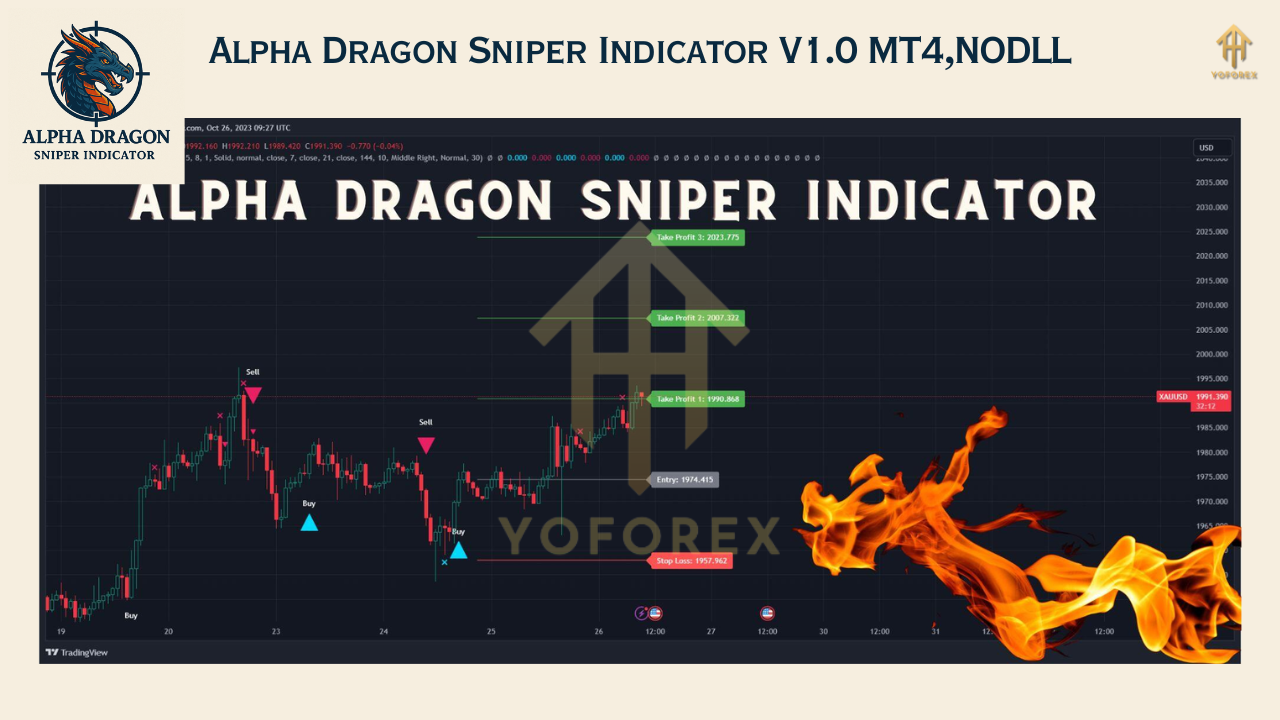
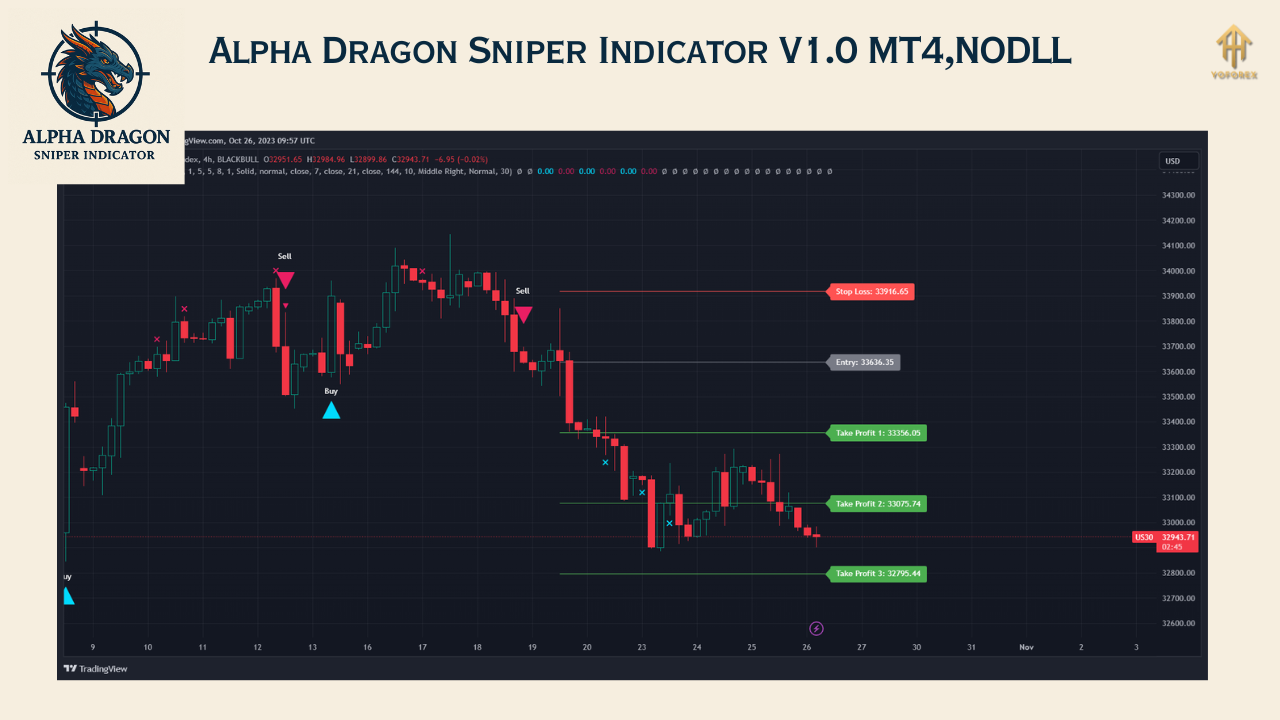
Arrows signal trade opportunities: blue for buy and red for sell. These are designed to appear only when a solid setup is formed based on the internal algorithm.
Multi-Timeframe Functionality
Whether day trading or swing trading, the indicator performs reliably across different timeframes, allowing for customization to your trading style.
Minimalist Design
The layout keeps charts uncluttered. This promotes faster and more confident decisions, especially for newer traders.
Real-Time Alerts
You can enable sound, popup, email, or push notifications to receive alerts when a trade signal is generated. This helps you stay informed even when not watching the screen.
Compatible with All Forex Pairs
The indicator suits all major and minor currency pairs, and also popular commodities like gold and silver. It is particularly effective during volatile sessions like London and New York.
How Does the Indicator Work?
While the precise code is proprietary, user feedback and testing suggest Alpha Dragon Sniper Indicator V1.0 uses a combination of:
- Moving average trend confirmation
- Volatility-based breakout filters
- Momentum indicators similar to RSI and MACD
- Candlestick close confirmation for entry signal validation
Once all conditions are met, a signal arrow appears on the chart to indicate the entry point. The aim is to offer traders actionable information based on confirmed data rather than speculative real-time predictions.
When used correctly, this indicator can greatly reduce impulsive entries and help traders stick to their plans.
How to Trade Using Alpha Dragon Sniper Indicator
Trading with Alpha Dragon Sniper is straightforward:
- Wait for a blue arrow for a long trade, or a red arrow for a short trade.
- Confirm the trade with basic support/resistance analysis or an additional confluence tool like Fibonacci or trendlines.
- Enter the trade at the next candle's opening.
- Set your stop loss below the recent swing low (for buys) or above the recent swing high (for sells).
- Use a take profit target based on a minimum 1:2 risk-to-reward ratio, or trail your stop loss if the market trends in your favor.
Who Can Benefit from Using Alpha Dragon Sniper?
This tool is beneficial for a wide range of traders:
Beginner Traders
For those new to forex, this indicator simplifies trade entries without requiring advanced technical analysis knowledge.
Experienced Traders
Veteran traders can use it to validate setups or as part of a multi-layered trading system.
Swing and Intraday Traders
Works well on timeframes like H1 and H4, perfect for swing traders holding positions for hours or days.
Scalpers
On lower timeframes like M15 and M30, the indicator provides quicker signals for short-term trades.
Advantages
- Offers clarity in fast-moving markets
- Removes ambiguity with clear arrow signals
- Reduces emotional decision-making
- Usable across different pairs and trading styles
- Works well on its own or with other tools
Limitations
While powerful, it's essential to understand the limitations:
- It might provide fewer signals in sideways or choppy markets
- Best results come during trending sessions or high-volume hours
- Shouldn't be used without proper risk management or market awareness
- Not a complete trading system on its own; consider combining it with support/resistance or Fibonacci levels for better accuracy
Best Practices
To make the most of this indicator:
- Test it on a demo account first to understand real-time performance
- Use it during active sessions like London or New York for improved results
- Combine it with price action or trendline strategies to boost win rate
- Follow risk management rules, regardless of signal strength
Download and Installation Guide
After downloading the indicator, follow these steps to install:
- Open your MT4 platform
- Go to File > Open Data Folder > MQL4 > Indicators
- Paste the downloaded indicator file into this folder
- Restart MT4
- Open the chart of your preferred currency pair and timeframe
- Attach the indicator and begin trading with real-time alerts






Comments
Leave a Comment