Alfa Super Trend FX Indicator MT4: A Comprehensive Guide to Enhance Your Forex Trading Strategy
The foreign exchange market, commonly known as Forex, is one of the most dynamic and liquid financial markets in the world. Traders are constantly seeking tools and indicators that can provide them with an edge in predicting market movements. One such tool that has gained significant attention is the Alfa Super Trend FX Indicator MT4. This comprehensive guide aims to provide an in-depth understanding of this indicator, its features, and how it can be integrated into your trading strategy to enhance profitability.
Understanding the Alfa Super Trend FX Indicator MT4
The Alfa Super Trend FX Indicator MT4 is a technical analysis tool designed for the MetaTrader 4 platform. It is based on the Super Trend indicator, which is a trend-following indicator that helps traders identify the direction of the trend and potential entry and exit points. The Alfa Super Trend FX Indicator MT4 is an advanced version of the traditional Super Trend indicator, offering additional features and customization options to suit the needs of modern traders.
Key Features
Trend Detection: The primary function of the Alfa Super Trend FX Indicator MT4 is to detect the direction of the trend. It uses a combination of price action and volatility to determine whether the market is in an uptrend or a downtrend.
Customizable Settings: Traders can customize the indicator settings to suit their trading style and preferences. This includes adjusting the period, multiplier, and color schemes to make the indicator more visually appealing and easier to interpret.
Alerts and Notifications: The Alfa Super Trend FX Indicator MT4 comes with built-in alerts and notifications that can be configured to notify traders of potential trading opportunities. This feature is particularly useful for traders who are unable to monitor the markets constantly.
Multiple Timeframe Analysis: The indicator supports multiple timeframe analysis, allowing traders to analyze the market across different timeframes and identify potential trading opportunities.
Compatibility: The Alfa Super Trend FX Indicator MT4 is compatible with all currency pairs and financial instruments available on the MetaTrader 4 platform.
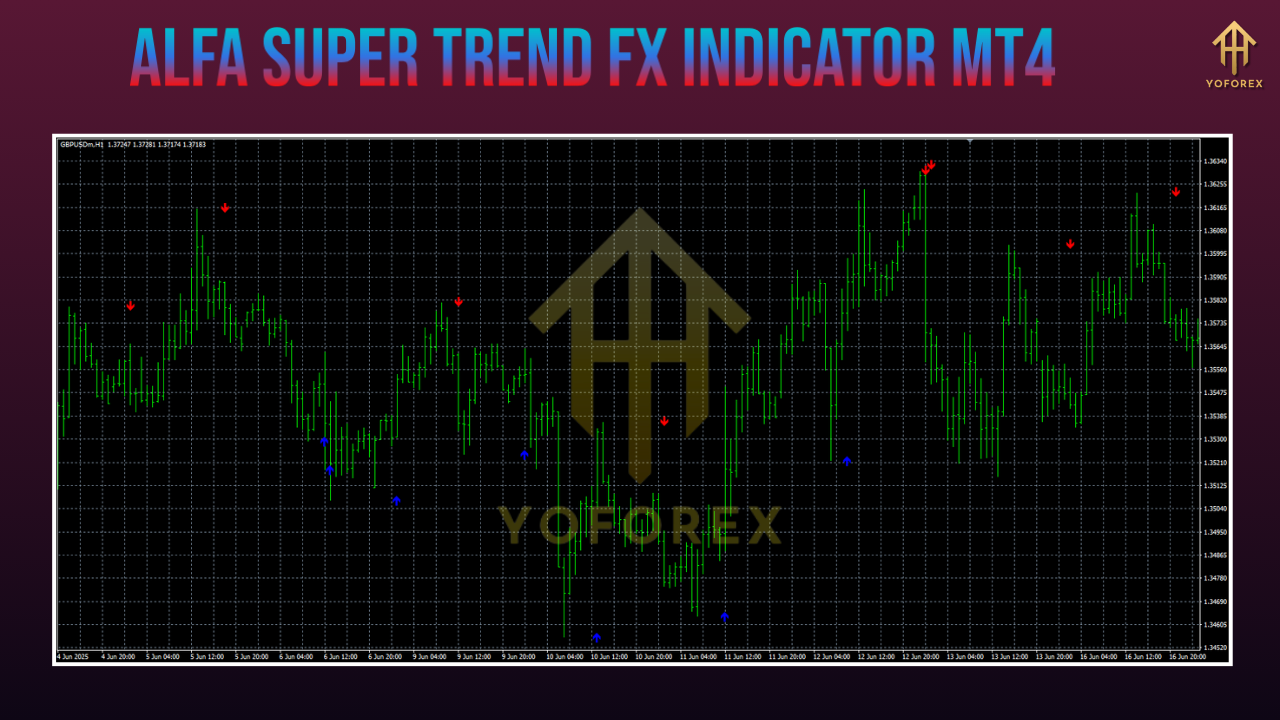
How the Alfa Super Trend FX Indicator MT4 Works
The Alfa Super Trend FX Indicator MT4 works by calculating the average true range (ATR) of price movements and then applying a multiplier to determine the trend direction. The indicator plots a line on the chart that changes color based on the trend direction. A green line indicates an uptrend, while a red line indicates a downtrend. Traders can use these signals to make informed trading decisions.
Benefits
- Simplicity: The indicator is straightforward to use and does not require complex calculations or technical knowledge. Traders can quickly interpret the signals and make trading decisions based on the indicator's output.
- Accuracy: The Alfa Super Trend FX Indicator MT4 has been designed to provide accurate trend signals, helping traders to enter and exit trades at optimal points.
- Versatility: The indicator can be used across various financial instruments and timeframes, making it a versatile tool for traders with different trading styles and preferences.
- Risk Management: By providing clear trend signals, the Alfa Super Trend FX Indicator MT4 helps traders to implement effective risk management strategies, such as setting stop-loss and take-profit levels.
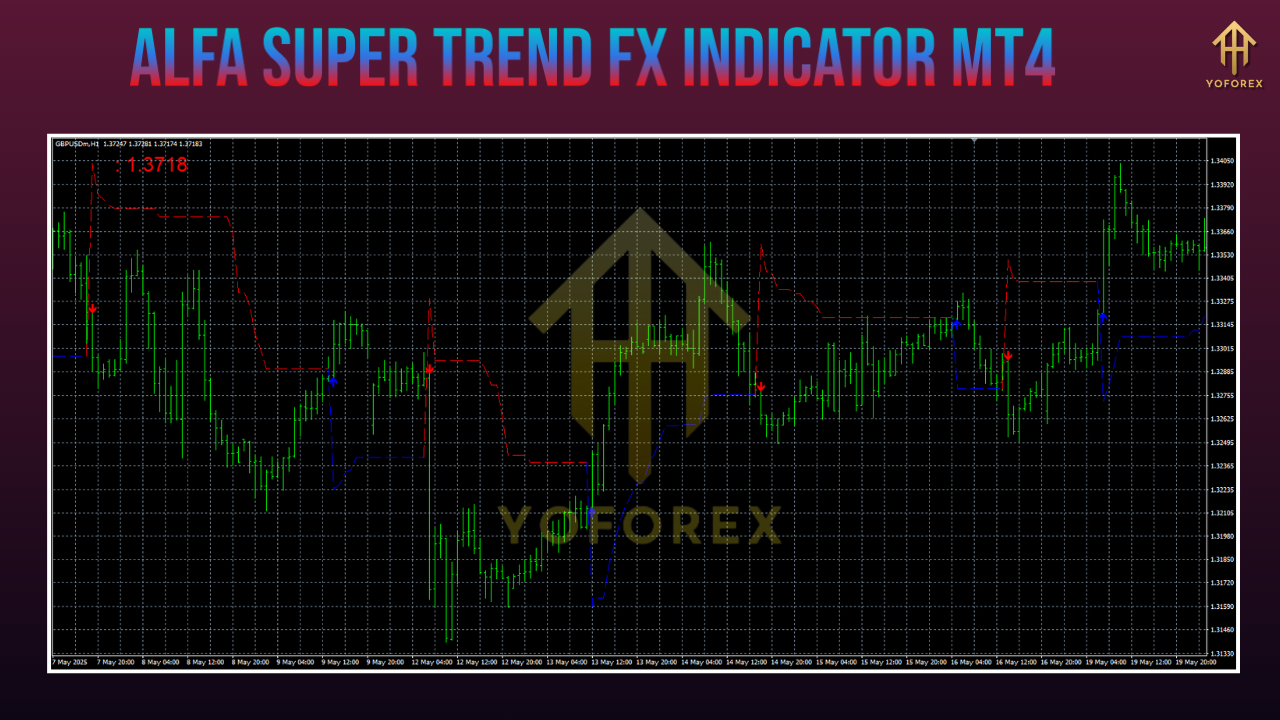
How to Install the Alfa Super Trend FX Indicator MT4
Installing the Alfa Super Trend FX Indicator MT4 on the MetaTrader 4 platform is a straightforward process. Follow these steps to get started:
- Download the Indicator: Obtain the Alfa Super Trend FX Indicator MT4 file from a reliable source. Ensure that the file is in the .mq4 or .ex4 format.
- Open MetaTrader 4: Launch the MetaTrader 4 platform on your computer.
- Access the Indicator Folder: Go to the "File" menu and select "Open Data Folder." This will open the directory where the indicator files need to be placed.
- Place the Indicator File: Navigate to the "MQL4" folder and then to the "Indicators" subfolder. Copy the downloaded Alfa Super Trend FX Indicator MT4 file into this folder.
- Restart MetaTrader 4: Close and restart the MetaTrader 4 platform to ensure that the indicator is properly loaded.
- Apply the Indicator: Open a chart of the financial instrument you wish to trade and click on the "Indicators" tab in the top menu. Select the Alfa Super Trend FX Indicator MT4 from the list of available indicators and apply it to the chart.
Using the Alfa Super Trend FX Indicator MT4 in Your Trading Strategy
To effectively use the Alfa Super Trend FX Indicator MT4 in your trading strategy, consider the following tips:
- Combine with Other Indicators: While the Alfa Super Trend FX Indicator MT4 is a powerful tool on its own, combining it with other technical indicators can provide a more comprehensive analysis of the market. Consider using oscillators, moving averages, or volume indicators to confirm the signals provided by the Alfa Super Trend FX Indicator MT4.
- Set Clear Entry and Exit Points: Use the trend signals provided by the indicator to set clear entry and exit points for your trades. For example, enter a long position when the indicator changes to green and exit the trade when it changes to red.
- Implement Risk Management: Always use risk management techniques such as setting stop-loss and take-profit levels to protect your capital. The Alfa Super Trend FX Indicator MT4 can help you identify optimal levels for these orders based on the trend direction.
- Backtest Your Strategy: Before using the Alfa Super Trend FX Indicator MT4 in live trading, backtest your strategy using historical data to ensure that it is effective and profitable. This will help you identify any potential issues and make necessary adjustments.
Common Mistakes to Avoid When Using the Alfa Super Trend FX Indicator MT4
While the Alfa Super Trend FX Indicator MT4 is a powerful tool, there are some common mistakes that traders should avoid to maximize its effectiveness:
- Overreliance on the Indicator: Relying solely on the Alfa Super Trend FX Indicator MT4 without considering other market factors can lead to poor trading decisions. Always use the indicator as part of a broader trading strategy.
- Ignoring Market Conditions: Market conditions can change rapidly, and the Alfa Super Trend FX Indicator MT4 may not always provide accurate signals in volatile or ranging markets. Be aware of the current market conditions and adjust your trading strategy accordingly.
- Failing to Customize Settings: The default settings of the Alfa Super Trend FX Indicator MT4 may not be suitable for all trading styles and market conditions. Take the time to customize the indicator settings to optimize its performance.
- Neglecting Risk Management: Even with a reliable indicator, neglecting risk management can lead to significant losses. Always use stop-loss and take-profit orders to protect your capital.
Conclusion
The Alfa Super Trend FX Indicator MT4 is a powerful and versatile tool that can enhance your Forex trading strategy. By providing clear trend signals and customizable settings, it helps traders to make informed decisions and improve their trading performance. When used correctly and in conjunction with other technical analysis tools, the Alfa Super Trend FX Indicator MT4 can be a valuable addition to any trader's arsenal. Remember to backtest your strategy, implement risk management techniques, and stay aware of market conditions to maximize the benefits of this indicator.
Support & Disclaimer
Got questions or need help? Reach out anytime:
- WhatsApp: https://wa.me/+443300272265
- Telegram: https://t.me/yoforexrobot
Disclaimer: Past performance is no guarantee of future results. All trading carries risk. Always demo-test the Alfa Super Trend FX Indicator MT4 in a risk-free environment before deploying on a live account.






Comments
Leave a Comment